If you are using TranslatePress to translate your WooCommerce store and want to generate multilingual product feeds, Product Feed Elite offers direct integration.
With this integration enabled, the plugin automatically pulls translated product data from TranslatePress when generating your feed. If a product translation exists, the translated content will be used. If no translation is available, the default language version will be included instead.
This ensures that all products are always included in your feed while displaying the correct language where available.
Important: TranslatePress integration is available exclusively in the Elite version of Product Feed plugin.
Before You Start
Please make sure:
- You are using the latest version of Product Feed Pro or Elite.
- You are using the Elite version, as TranslatePress support is not available in other versions.
- TranslatePress is properly installed and configured on your website.
Enable TranslatePress Support
To activate the integration:
- Go to WP Admin → Product Feed → Settings
- Under the General tab
- Enable the option: “Enable TranslatePress Support”
- Click Save Changes
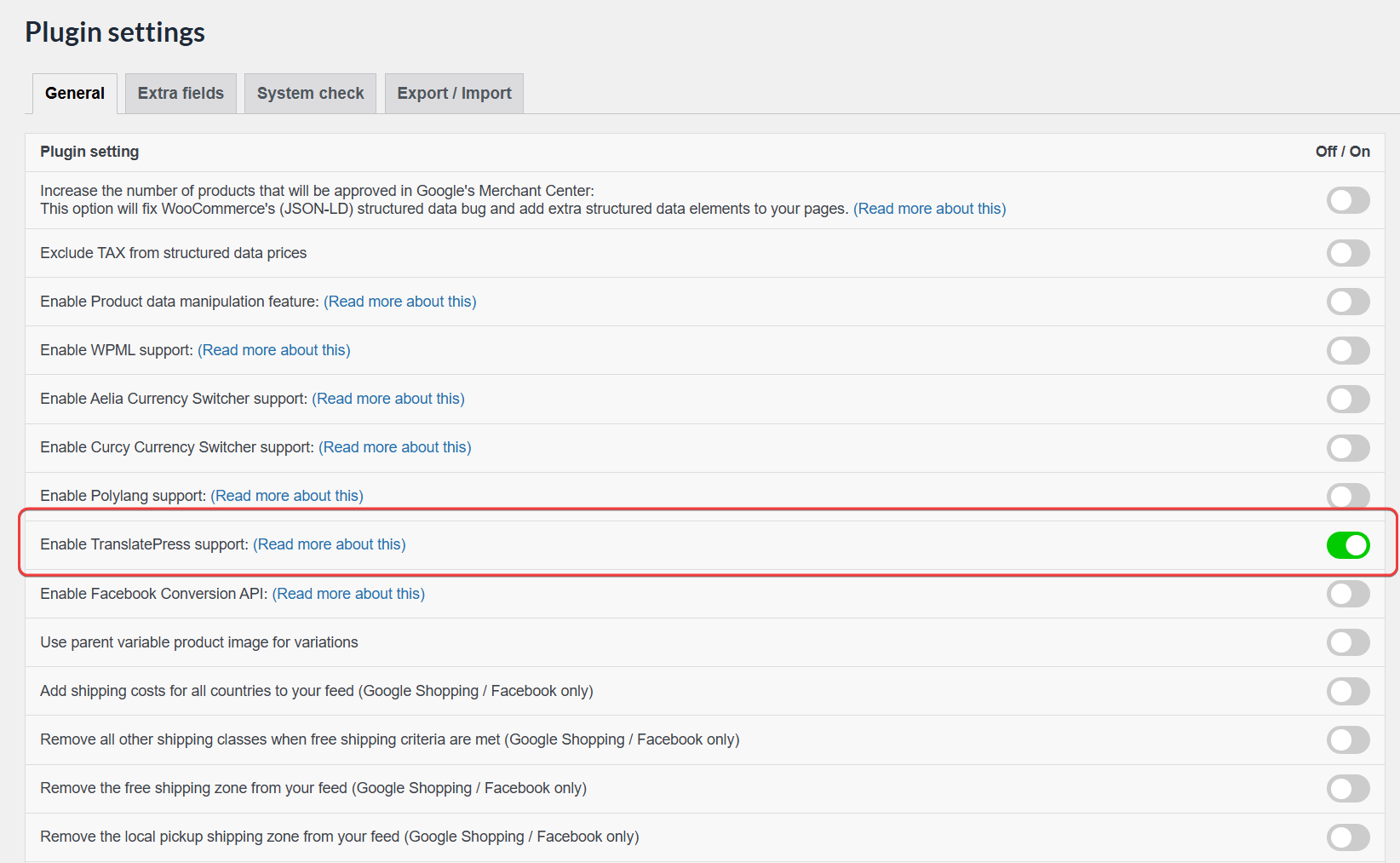
This activates multilingual feed compatibility.
Create a Feed in a Specific Language
After enabling support, you can generate feeds per language.
- Go to Product Feed → Make Feed
- In the General step
- Locate the option: TranslatePress Language
- Select the language you want to generate the feed for
- Continue configuring your feed as usual
- Save and generate the feed
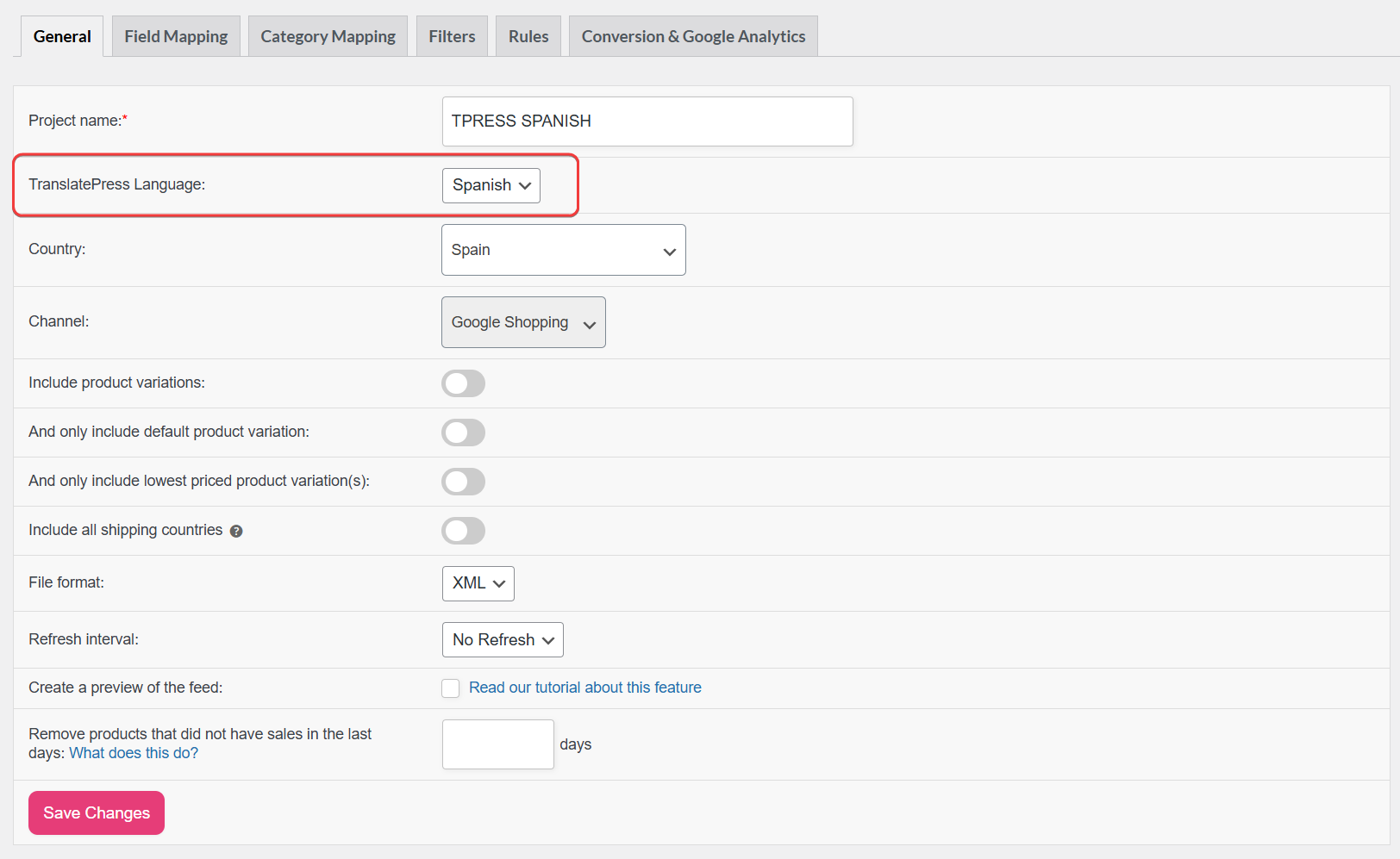
The feed will now use translated product data for the selected language.
How the Integration Works
Once enabled:
- Product titles, descriptions, and other translated fields are pulled automatically.
- If a translation exists, it will be used in the feed.
- If no translation exists, the default language version will be included.
- All products remain visible in the feed. Products are not filtered out based on translation status.
This behavior ensures your feeds remain complete while supporting multilingual content.
Conclusion
The TranslatePress integration in Product Feed Elite allows you to generate fully multilingual product feeds with minimal configuration.
Simply enable the integration once, select the desired language when creating a feed, and the plugin handles the rest automatically.
For best performance and compatibility, always use the latest version of Product Feed Elite.
Need Help?
If you are using the Elite version and need assistance, you can contact our support team here:
👉 https://adtribes.io/my-account/support/
Our team will be happy to help you.