Reviewed by
 TranslatePress feeds now come with the Product Feed Translation Addon, included in the Product Feed Elite Plus and Business plans. This post covers the original setup, so if you’re setting it up today, follow How to use TranslatePress with the Product Feed Translation Addon.
Great news, on popular demand we have added support for TranslatePress as of version 3.4.3 of the Elite version.
The steps below show just how easy you can set-up TranslatePress product feeds.
Firstly, enable the TranslatePress feature in the general plugin settings:

Now when you start configuring your product feed(s) you’ll find the TranslatePress languages in a drop-down on the first page (the general feed settings page) of your feed configuration. Just select the language for the feed you want to create:
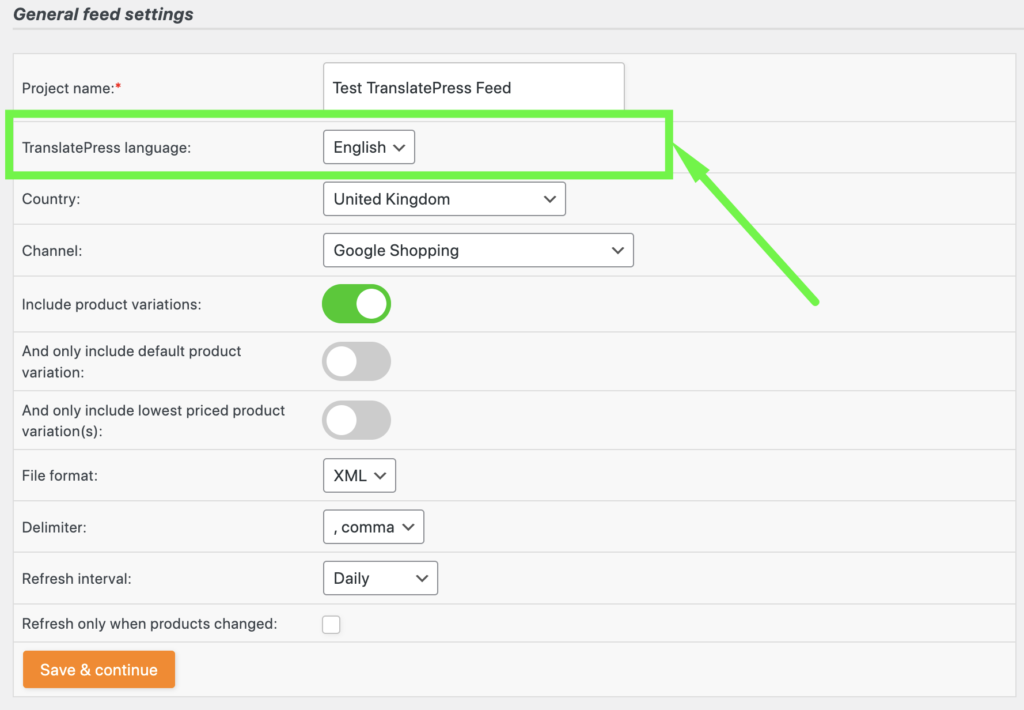
Now continue all the steps of your feed configuration and our plugin will do all the rest and create a product feed for the TranslatePress language you selected. It is that easy!
Don’t hesitate to reach out to us whenever you have questions or need help with this TranslatePress feature.