Reviewed by
Ecommerce product data management directly impacts how customers find your products and how likely they’ll hit that Add to Cart button. By organizing and optimizing your store’s product data, you’re laying the groundwork for SEO visibility, more conversions, and smoother multichannel selling. Yes, it’s that important. We’re here to help you get started!
In this beginner-friendly guide, we’ll walk you through what ecommerce product data management means and why it’s important for your WooCommerce store. Even better, we’ll reveal easy-to-apply strategies that you can start doing today to keep your product catalog clean and conversion-ready.
What Is Ecommerce Product Data Management?
Ecommerce product data management is all about keeping your product listings organized, up-to-date, and optimized across all channels. This includes maintaining product details like names, prices, stock levels, categories, and even technical elements like SKUs and attributes.
For WooCommerce store owners, most of this data is managed in your product dashboard. However, it also impacts how your products appear on search engines, marketplaces, and other channels like Google Shopping or Facebook.
Here’s a quick breakdown of the most common elements included in product data management:
- Product Title: The name of the item, often shown on product listing pages and search engines
- Description: A clear and engaging explanation of the product’s features and benefits
- Product Images: High-quality visuals showing the item from different angles or in use
- SKU (Stock Keeping Unit): A unique identifier to help track and manage inventory
- Price: The regular or sale price of the product
- Stock Level: Whether an item is in stock, backordered, or out of stock
- Attributes: Details like size, color, material, or weight
- Categories & Tags: Classifications to help customers browse related products
- Shipping Details: Weight, dimensions, and shipping classes (if applicable)
- Custom Fields / Metadata: Additional fields for structured data or feed integration (e.g. GTIN, MPN, brand)
Well-managed product data creates a better shopping experience for customers and makes your products more visible in search engines. It helps customers find your products easily and guides their decision-making so they can confidently place that order.
Let’s go through these benefits in more detail in the next section.
Why Is Ecommerce Product Data Management Important?
When your store’s product data is accurate and consistent, every part of your store performs better. Your products stand out, and shoppers get the right information at the right time, regardless of where they’re searching.
Here’s why ecommerce product data management is so important.
1. Improves SEO and product searchability
Search engines like Google rely on your store’s product data to understand what you’re selling and if they’re relevant to a customer’s search query. By including relevant keywords in your product titles and descriptions and adding attributes like size, color, and brand, you give search engines richer data to display in search results.
According to data from Google, 51% of customers use search to research a purchase they plan to make. Appearing early in the shopping journey can give your store a huge advantage.
2. Builds trust with customers
Simply put, customers appreciate consistent, clear, and accurate product data. For them, it’s an indication that your store is professional, reliable, and trustworthy. According to an industry survey, 81% of customers consider product information and images important when deciding which retailer to buy from.
By providing accurate titles, helpful product descriptions, honest pricing, real-time stock info, and clear images, shoppers are more likely to feel confident in their purchase. They know exactly what to expect, reducing hesitation and returns.
3. Simplifies inventory and product catalog management
Proper ecommerce product data management makes it easier for store owners like you to stay organized. With consistent product naming conventions, categories, standardized SKUs, and clear attributes like size and brand, you make it easier to:
- Track stock across multiple items and variations
- Update prices or availability in bulk
- Prevent errors or mismatches in your catalog
- Train team members to manage product listings
This is especially crucial if you’re managing a huge product catalog or serving wholesale customers who regularly purchase in bulk.
4. Drives higher ROI on product feeds and marketing campaigns
If you’re running product ads on Google Shopping, Facebook, or Instagram, your product data is the campaign. These platforms rely on your product feed to determine how your products appear in front of potential shoppers. With complete product data, you give your ads a better chance to get approved and appear in the right searches.
WooCommerce store owners can use plugins like AdTribes Product Feed to easily create product feeds for 100+ sales channels and sync product data across all channels. This ensures that your listings are accurate across all channels.
New to product feeds? Check out our detailed guide here.

Ecommerce Product Data Management Best Practices
Ecommerce product data management doesn’t have to be complicated. If you don’t know where to start, the practical tips below can give you a good foundation.
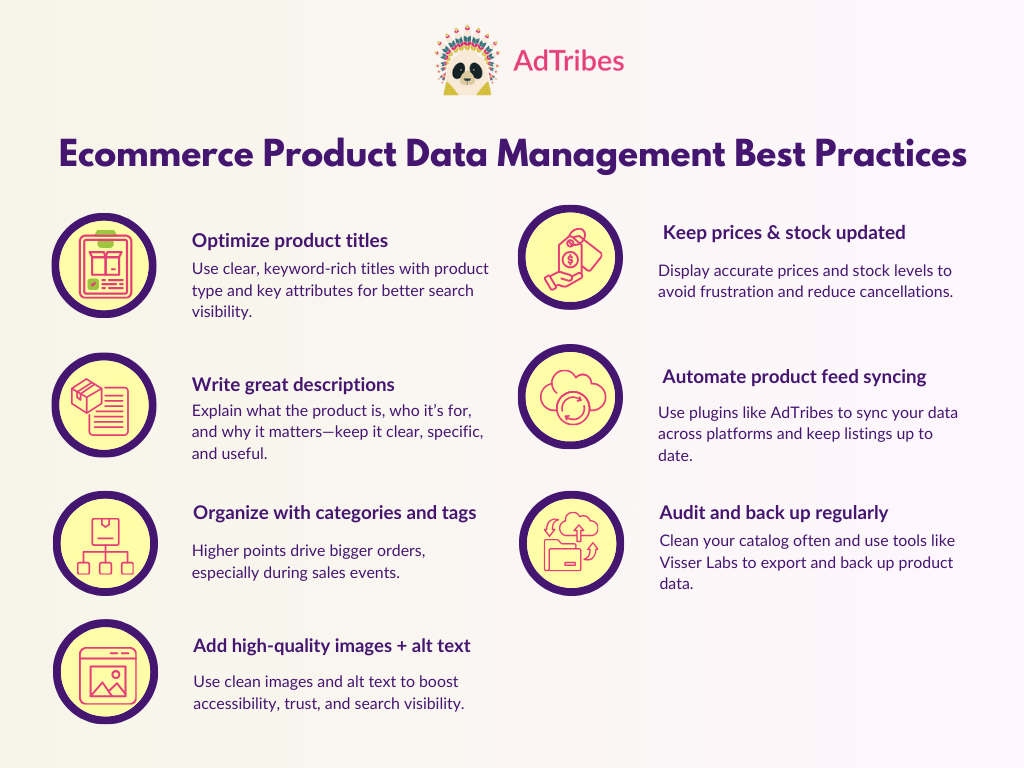
1. Optimize product titles for search and product feeds
A good product title should be clear, keyword-friendly, and informative. It’s the first thing shoppers (and search engines) see, so it plays a huge role in how your listings appear in relevant searches. Here are a few key tips to consider:
- Include the main keyword or product type early in the title
- Add key attributes like brand, color, size, or material when relevant
- Keep it clear, scannable, and consistent across your catalog
- Avoid keyword stuffing
- Check the product title character count guidelines for every platform
Most brands follow a simple format like:
[Brand] + [Product Type] + [Key Attributes like Size/Color/Material].
Example: LunaHome Cotton Duvet Cover – White, Queen Size
Instead of something vague like “LunaHome White Bedding,” this title gives shoppers a better picture of what the product is. Clear, keyword-rich titles help drive more qualified traffic to your store because shoppers know exactly the type of product they’re clicking on.

2. Include clear and detailed product descriptions
Your product title helps grab the attention of the right shoppers, but a well-written product description is what convinces them to buy.
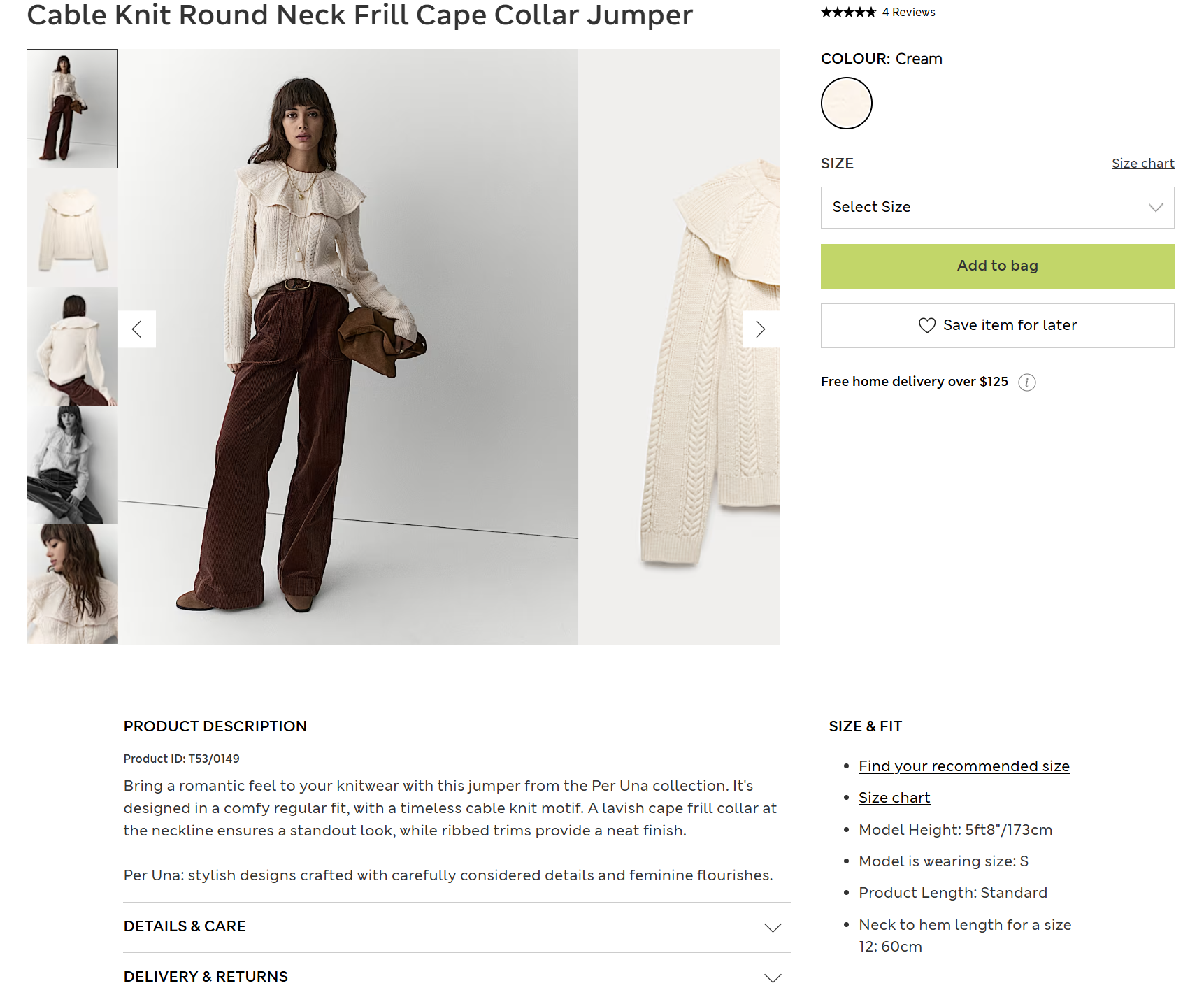
Product descriptions help customers understand what the product is, how it works, and why it’s the best choice for their needs. They also support your SEO efforts, helping search engines understand your products better. Here are some key tips to remember:
- Start with a short, punchy paragraph summarizing what the product is and who it’s for
- Follow up with bullet points to highlight key features and benefits
- Use sensory or use-case language to help customers visualize using the product
- Include relevant specs, dimensions, and compatibility info
Writing product descriptions for a huge catalog can be challenging. To save time, you can use AI tools like StoreAgent to automatically craft SEO-optimized product descriptions that align with your brand voice.

3. Use categories and tags for better organization
Categories and tags help shoppers and search engines navigate your store better. Here’s a quick look at their difference:
- Categories are like the big umbrella groups (e.g. “Women’s Clothing,” “Electronics”)
- Tags add extra context and detail (e.g. “sustainable,” “bestseller,” “organic cotton”)
To make your catalog easy to navigate, you can assign a primary category for each product and use tags to highlight its unique features. This helps improve the shopping experience and helps WooCommerce tools like product filters and widgets work more effectively.
4. Add high-quality images with alt text
Customers cannot touch your products when shopping online–they rely on photos to understand what they’re buying. This is why including high-quality product images is a must. They help set the right expectations and build shopper trust. According to industry insights, 75% of customers rely on product photos to make buying decisions.

Adding a proper alt text (alternative text) is just as important. Alt texts improve accessibility and help search engines “understand” what the product image is about, which can help boost your visibility in search results.
For stores with large catalogs, automating this with something built for WooCommerce, an AI alt text generator, beats writing hundreds of unique descriptions by hand, since it pulls context straight from the product data instead of guessing from the image alone.
Here are some other best practices to keep in mind:
- Use multiple images showing the product from different angles
- Include lifestyle shots or close-ups when possible
- Optimize file sizes for fast loading without losing quality
- Write alt text that describes what’s in the image (e.g. “Black leather laptop backpack, front view with zipper pocket”)
- Avoid using generic labels like “image1.jpg” or “product photo”
5. Keep pricing and stock data updated in real-time
Nothing frustrates a shopper more than ordering something that is out of stock or seeing that the price has suddenly changed at checkout. As part of good ecommerce product data management, pricing and stock data should always reflect what’s available in your store.
For WooCommerce stores, ensure that inventory settings are configured correctly. If you’re using a third-party inventory management system, set them to sync data back to your store regularly. Here are some other key tips:
- Enable backorder notifications or low stock alerts
- Update product pages immediately when running promos or discounts
- Review your pricing display (regular vs. sale price) for clarity and consistency
- Use scheduled sales to automate price changes instead of updating manually
- Double-check variable products—each variation should have its own stock and price settings
🎯 POWER TIP: In WooCommerce, you can use a plugin like Advanced Coupons to set up scheduled sales. This plugin extends the default coupon features of WooCommerce, letting you set specific schedules, cart conditions, and auto-apply rules for discounts.
6. Use a product feed plugin to automate data syncing
If you’re selling on platforms like Google Shopping, Facebook, TikTok Shop, or Pinterest, it can be time-consuming to manually update product listings for each channel.
Product feed plugins like AdTribes help you automatically sync your product data across multiple sales channels. With this plugin, you can:
- Generate optimized product feeds in the correct format for each platform
- Include essential fields like GTIN, brand, condition, availability, and more
- Schedule automatic feed updates so every channel stays in sync
- Exclude products that are out of stock or not ready for advertising
- Reduce manual errors and keep your catalog accurate everywhere
With product feeds, you can ensure listings stay compliant and up to date, so your products stay visible wherever customers are shopping.
7. Audit, backup, and clean your product data regularly
As your store grows, so does your product catalog. With more items, there’s a greater risk of data inconsistencies, outdated product information, or missing details. Setting regular schedules for product data audit and backup can help avoid these issues before they affect your customers.
Here’s what a regular product data audit might include:
- Scanning for missing images, broken links, or incomplete descriptions
- Reviewing SKU structures and category assignments for consistency
- Removing outdated tags, discontinued items, or duplicate entries
- Backing up your product data before running major updates or importing changes
We often recommend that the store owners we work with use a tool like Visser Labs, which offers tools for easy exports and backups. Their tools let you export your entire product catalog and create reliable backups. Routine product data maintenance may not sound exciting, but it’s one of the most important parts of ecommerce product data management.
Frequently Asked Questions
What is ecommerce product data management?
Ecommerce product data management involves organizing, updating, and optimizing all product details across various channels, including names, prices, stock levels, categories, and technical attributes like SKUs and brand information to enhance visibility and sales.
Why is managing product data important for my WooCommerce store?
Proper management of product data ensures your listings are accurate and consistent, improving search engine visibility, building customer trust, streamlining inventory, and increasing the effectiveness of marketing efforts.
How can I optimize my product titles for better search results?
Create clear, keyword-rich titles by including the main product keyword, relevant attributes like brand, size, or color, and keeping the format consistent across your catalog to make them more discoverable and attractive.
What are some best practices for creating effective product descriptions?
Start with a concise summary, highlight key features and benefits using bullet points, include sensory or use-case language, and add specifications or compatibility details to help customers make informed decisions.
Wrapping Up
Strategic ecommerce product data management impacts your store’s growth and visibility in many ways. With optimized product data, both customers and search engines can better find and understand your products. It builds trust and gives customers a better shopping experience.
In this guide, we covered:
- What ecommerce product data management is
- Why product data matters for SEO, trust, and multichannel marketing
- Best practices to help you manage your product catalog effectively
We’ve also introduced you to plugins like AdTribes, which makes it easier to get your products seen on over 100 sales channels and platforms.
Hope this guide helped! 😊