Generate WooCommerce Multi-Currency Product Feeds With Your Currency Switcher

Create WooCommerce product feeds that match the currencies your markets expect

Feeds For
Every Market

Localized
Feed Pricing

Per-Feed
Currency Control

No Manual
Price Edits

Built For
Global Sales

Available with Plus & Business plans of Product Feed Elite. Requires Product Feed Elite.


1000+ WordPress.org Reviews
WPBeginner Verified
WPBeginner Verified
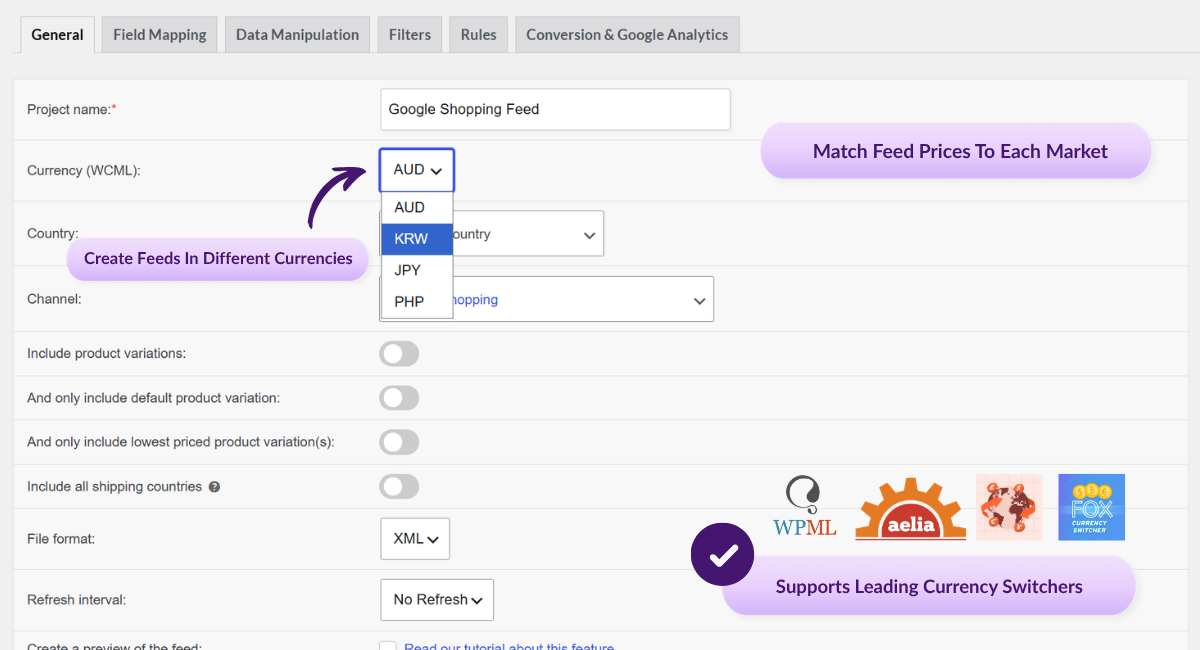
Product Feed Elite currency selector with multi-currency callouts
FEATURED ON
CEO featured on business.com
Featured on LearnWoo

Multi-Currency Feed Support For
Your Currency Switcher

When you sell to shoppers in different countries, your product feeds should match the currencies your markets expect. The Product Feed Multi-Currency Addon uses your supported currency switcher setup, so you can create WooCommerce multi-currency product feeds without rebuilding your feed workflow.

Supports Major
Currency Switchers

Works with Aelia Currency Switcher, Curcy (WooCommerce Multi Currency), and WooCommerce Multilingual & Multicurrency. 

A Feed For Every Currency

Choose the currency for each feed you create. That's handy when a shopping channel or marketplace expects a specific currency for the country you're selling to.

Cleaner Multi-Currency Feed Setup

The addon works alongside Product Feed Elite and your supported currency switcher, so you can manage market-specific feed pricing from your existing setup.

The Right Price In Every Market

Choose the currency for each feed, including supported pricing and shipping values where available, without editing products one by one.

Existing Feeds Carry Over

Feeds already configured with a currency are designed to keep working after the addon is installed. You don't need to rebuild your existing currency feeds during the transition.

Plus & Business Access

Available for Plus and Business plan customers of Product Feed Elite. Eligible existing customers may already have access, so check your AdTribes account to confirm.

How It Works

⚙️ Install the addon
Install and activate the Product Feed Multi-Currency Addon on the same site where Product Feed Elite is running. Grab it from your AdTribes account downloads.

 ✅ Activate your license
Enter your license key in the Product Feed Elite settings to activate multi-currency support for accounts with addon access.

💰 Connect your currency switcher
Enable your supported currency switcher in the settings, then choose the currency for each feed. Depending on your switcher, you may also need to review any product link or feed settings before submitting the feed to your channel.

🌎 Your feeds go out in the right currency
Pick the currency for each feed in its general settings and finish setting it up as usual. From there, your product prices can use that feed's selected currency.
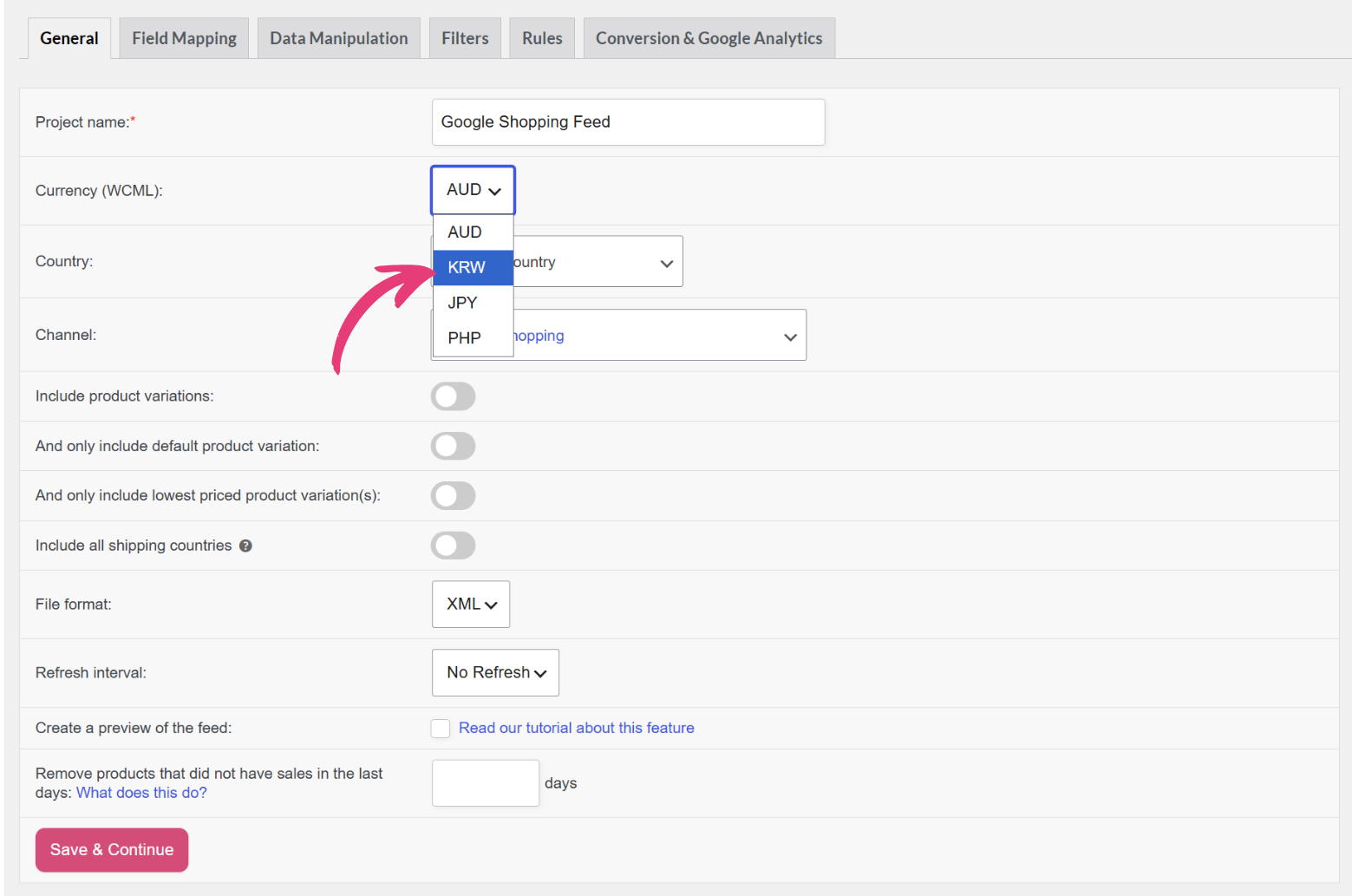
Product Feed Elite General settings showing a WCML currency dropdown

Here's Why Store Owners ❤️ 
The Product Feed Multi-Currency Addon

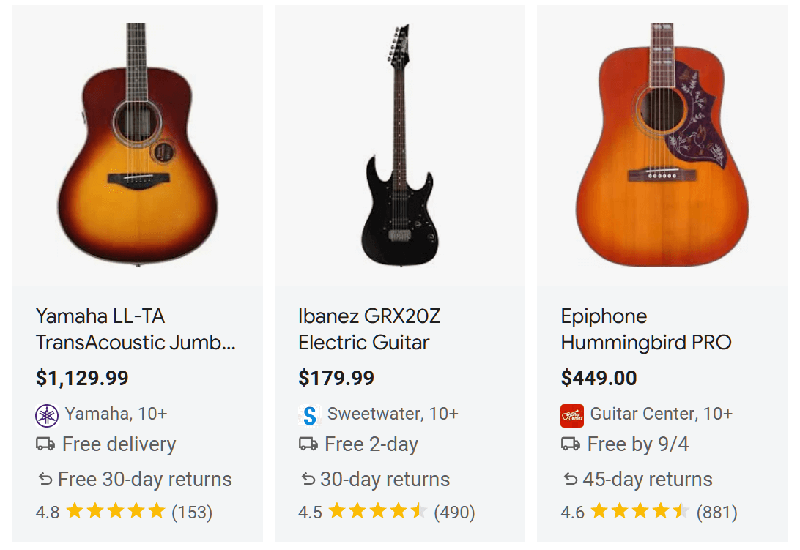
Google Shopping product listings showing guitar prices

Sell With Confidence Worldwide

Shoppers are more likely to buy when they see prices in their own currency. Multi-currency feeds help your listings feel local on every channel you sell on.

Built On The Switcher You Already Use

Works with Aelia, Curcy, and WCML using the currencies and exchange rates from your supported switcher setup.
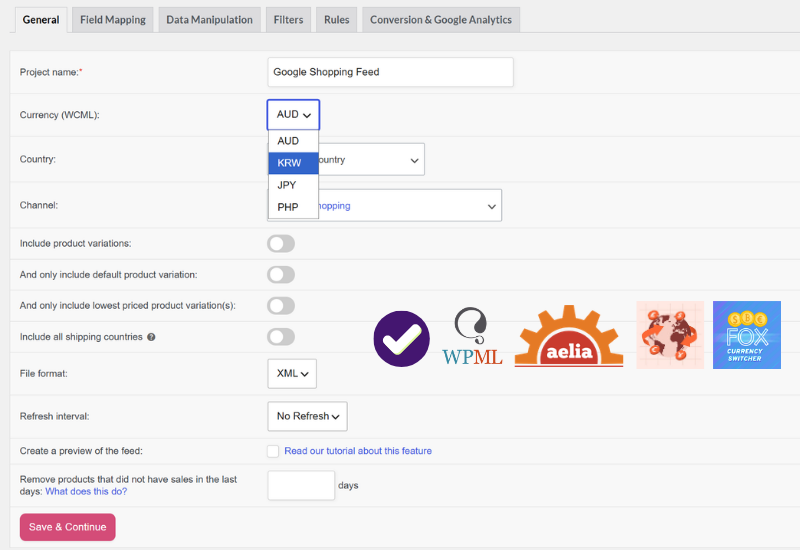
Product Feed Elite currency settings with supported switcher logos
Automatic product feed updates

One Feed Per Market, Made Simple

Create a dedicated feed for each currency you sell in, so channels and marketplaces that expect a specific currency get exactly what they need.

Your Existing Setup Keeps Working

Feeds you've already built with a currency are designed to keep running after you install the addon, so you don't need to rebuild your setup.
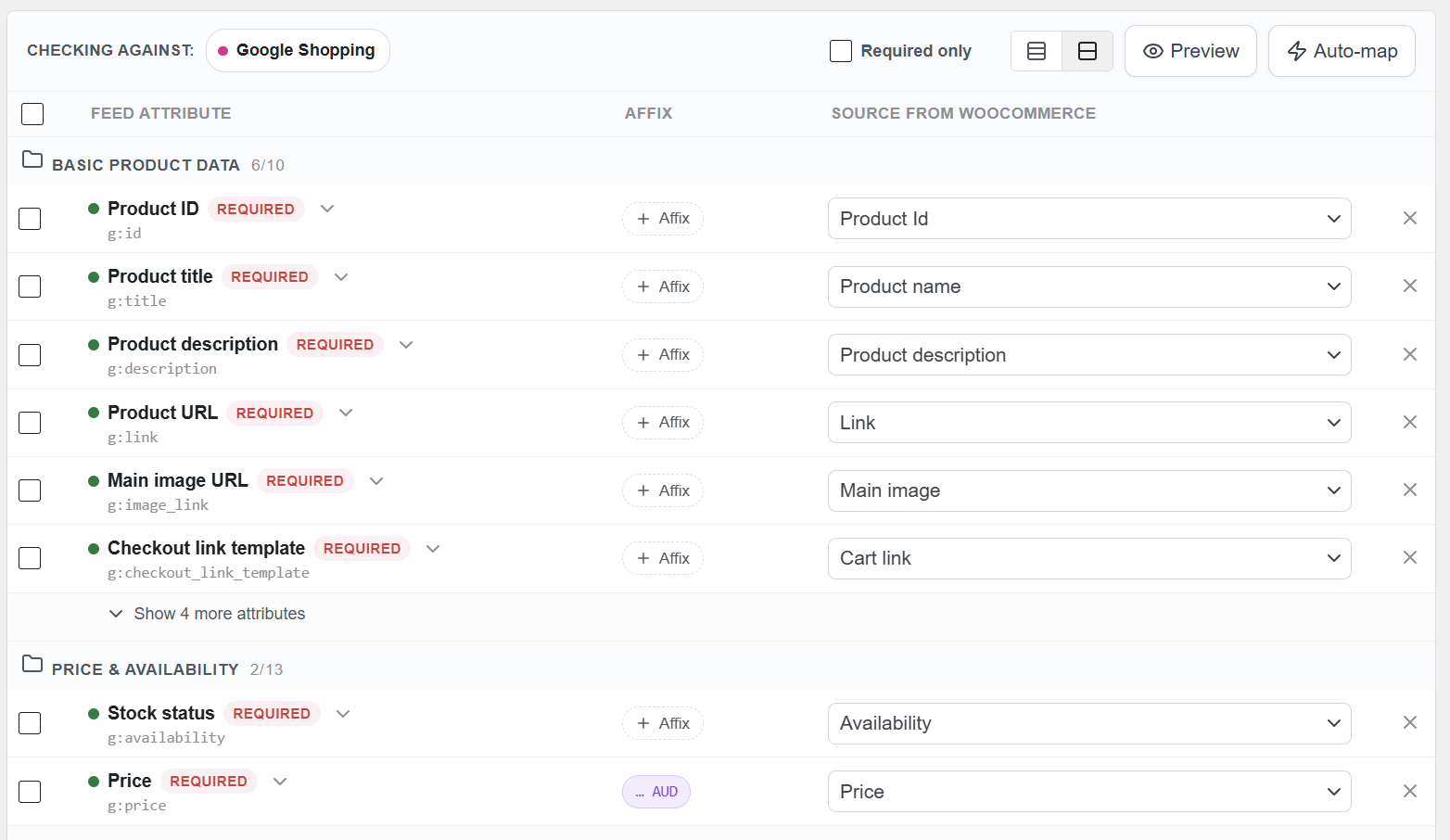
Create WooCommerce Product Feeds

Other Powerful Features To Explore

Product Feed Elite comes with tools to help you manage, optimize, and distribute your WooCommerce product feeds.

250+ Templates

Quickly expand your reach and boost sales with ready-made templates for Google, Facebook, Bing, and 250+ other channels.

Unlimited Products & Feeds

Scale without limits by generating unlimited feeds for any number of products, whether you run a small shop or a large ecommerce store.

Currency & Language Switchers

Expand globally with accurate, fully optimized product listings by creating WooCommerce product feeds in multiple currencies and languages.

Scheduled Feed Updates

Keep listings accurate with automatic feed updates whenever products change, on the schedule that works best for your store.

Automated Field Mapping

Save time and stay compliant by automatically matching your product attributes to each channel’s requirements.

Simplified Category Mapping

Boost visibility by mapping your store’s categories to each channel’s system, ensuring products are always placed where shoppers expect.

Shipping Classes & Zones Support

Keep shoppers confident with accurate shipping costs in your feeds, using data from WooCommerce zones, classes, and table rate plugins.

Structured Product Data Fixes

Automatically resolve structured data issues so your variable products stay active and approved on Google Shopping and other channels.

Product Variations Support

Showcase every product option by including variations like size, color, and material as individual listings in your feeds.

Advanced Filtering & Rules

Tailor your feeds to match your goals by filtering products and applying rules, so your listings stay optimized for every channel.

Product Data Manipulation

Fine-tune your feeds by replacing, adjusting, or adding custom values so your product data meets each channel’s exact requirements.

Extra Product Fields

Add essential identifiers like GTIN, MPN, and EAN along with extra attributes, so your products meet sales channel requirements.

Product Feed Previews

Quickly test your setup by generating preview versions of feeds, making it easy to catch errors and fine-tune before going live.

Google Analytics Support

Track what drives sales by adding UTM tags to your feeds, making it easy to measure each channel’s performance in Google Analytics.

Pixel & Remarketing Support

Use Meta/Facebook Pixel, Conversion API, and Google Dynamic Remarketing Pixel to capture conversions and optimize your ads.

Product Feed Statistics

See exactly how many products make it into each feed after every refresh, giving you instant insights into feed coverage and accuracy.

Feed Validation Tool

Scan your feeds for errors like missing attributes or invalid URLs so you can fix issues early and keep products compliant.

Official Plugin Integrations

Seamlessly connect with 20+ popular WooCommerce extensions, ensuring your feeds stay compatible with the tools you already use.

Frequently Asked Questions
Product Feed Multi-Currency Addon

Curious how the AdTribes Product Feed Multi-Currency Addon works for your WooCommerce product feeds? We've answered the most common questions to help you get started.

What is the Product Feed Multi-Currency Addon?The Product Feed Multi-Currency Addon is an addon for Product Feed Elite that helps your product feeds show prices in the right currency for each market you sell in. It works with your currency switcher (Aelia Currency Switcher, Curcy / WooCommerce Multi Currency, or WooCommerce Multilingual & Multicurrency) so shoppers see pricing that makes sense to them.

Which currency switchers does the Product Feed Multi-Currency Addon support?The addon supports Aelia Currency Switcher, Curcy (WooCommerce Multi Currency), and WooCommerce Multilingual & Multicurrency (WCML). When installed and active, it connects to your existing currency switcher so feeds use the exchange rates and currencies you've already configured.

Do I need to reconfigure my existing feeds after installing the addon?Feeds that already have a currency configured are designed to keep working after the addon is installed and activated. You don't need to rebuild your existing currency feeds during the transition.

Who can access the Product Feed Multi-Currency Addon?The addon is available for Plus and Business plan customers of Product Feed Elite. Eligible existing customers may already have access, so log in to your AdTribes account to check.

Does the Product Feed Multi-Currency Addon work alongside Product Feed Elite?Yes. The addon is designed to work alongside Product Feed Elite and your supported currency switcher, so you can manage currency-specific feed pricing from your existing Product Feed Elite setup.

Can I create a separate feed for each currency?Yes. You can set the currency for each feed in its general settings, so you can build a dedicated feed for every currency you sell in. That's helpful for shopping channels and marketplaces that require a specific currency for the country you're targeting.

What happens to my feeds if I don't install the addon?If your account requires the addon for multi-currency feed support, install and activate the Product Feed Multi-Currency Addon to keep managing currency-specific feeds in Product Feed Elite. If you're not sure whether your license includes access, log in to your AdTribes account or contact our team for help.

Does the Product Feed Multi-Currency Addon require Product Feed Elite to work?Yes. The addon requires Product Feed Elite to be installed and active on your WordPress site. It is not a standalone plugin and will not function without it.

Start Using The Product Feed Multi-Currency Addon Today

If your WooCommerce store sells to customers in more than one country, your product feeds should match the currencies your shoppers expect to see. The Product Feed Multi-Currency Addon helps you create market-specific feeds using the supported currency switcher you already have in place.

Complete Your Purchase
AdTribes WooCommerce Product Feed

The best WooCommerce product feed plugin

  • AdTribes Pty Ltd
    ABN: 40 675 636 816
Product
Partner Sites
Rymera