Reviewed by
For eager shoppers, nothing’s more frustrating than placing an order only to find out the item isn’t available. Out-of-stock products can quietly sabotage your store’s growth, leading to missed opportunities and broken brand trust. If you want to stay competitive and keep customers happy, it’s crucial to manage your inventory levels strategically.
This guide can help you get started. In this article, we’ll break down what out-of-stock products are and reveal simple strategies you can use to prevent stock-outs and keep your store running smoothly.
Let’s get right into it!
What Are Out-of-Stock Products?
Out-of-stock products are the items in your store that are temporarily unavailable for purchase because inventory levels are zero. In short, customers can’t buy the product because there’s no remaining stock to fulfill the order.
Running into occasional stock-outs is normal for most ecommerce stores, but frequent or prolonged out-of-stocks can lead to issues like customer frustration and lower sales performance. Here are some of the most common reasons why products go out of stock.
- Poor inventory tracking: Without a reliable inventory system, it’s easy to oversell or miss low-stock warnings.
- Demand changes: This happens when products go viral or when seasonal demand isn’t forecasted accurately.
- Supplier delays or shortages: If your supplier is running behind or facing raw material issues, your restocks may arrive late.
- Inventory not syncing across platforms: This can happen if you’re selling on multiple channels (like WooCommerce, Google Shopping, and Facebook). Not syncing inventory levels across platforms can cause overselling if stock isn’t updated in real-time.
Why Out-of-Stock Products Can Hurt Your Business
Why are out-of-stocks so damaging when it seems like a sign that shoppers love what you’re selling? When it happens too often, this issue can quickly result in damaged trust and operational inefficiencies. For ecommerce store owners, the effect of out-of-stock products ripples across the entire customer journey.
Let’s break down some of the most common ways it can hurt your business:
Poor customer experience and frustration
Out-of-stock products can break the momentum of a sale, especially if shoppers are already ready to check out. This is especially true for new customers. In fact, according to industry insights, 42% of new customers are unlikely to return to a store after experiencing a stockout.

The frustration gets worse if they’ve already placed an order and then find out that it’s out of stock. This can lead to negative reviews, refund requests, and broken customer trust. It’s hard to undo a poor customer experience, so keeping your inventory accurate is essential to keep customers happy.
Damage to ad campaigns and wasted spend
When items go out of stock, your paid campaigns don’t automatically stop advertising them, unless you’ve set a system for it.
According to industry data, 99% of retailers are unknowingly wasting ad spend on Google Shopping clicks for items that are already sold out. This results in wasted ad spend and poor click-through rates, not to mention frustrated shoppers!
Over time, this can also impact campaign performance metrics on platforms like Google Ads or Meta, as these channels reward timely, relevant listings.
🎯 POWER TIP: If you’re using AdTribes to showcase your products on major sales channels like Google Shopping, you can automatically exclude out-of-stock items in your product feeds using filters. Learn more about this feature here.
Lost revenue opportunities
Stockouts cost businesses nearly $1 trillion worldwide annually! The impact is huge, especially if your bestsellers and high-performing products are always running out. This lost revenue can compound over time, especially during peak shopping seasons like holidays and Black Friday. By being proactive with your inventory management efforts, you give your store the best chance to capture every possible sale and build customer loyalty.
Key Tips To Prevent Out-of-Stock Products
Stockouts are preventable. At the most basic level, make sure you have a reliable inventory management system. This will help you monitor stock in real-time and get a clear picture of when to reorder. From there, you can use proactive strategies to reduce the risk of running out of stock.
Here are five great tips to start with:
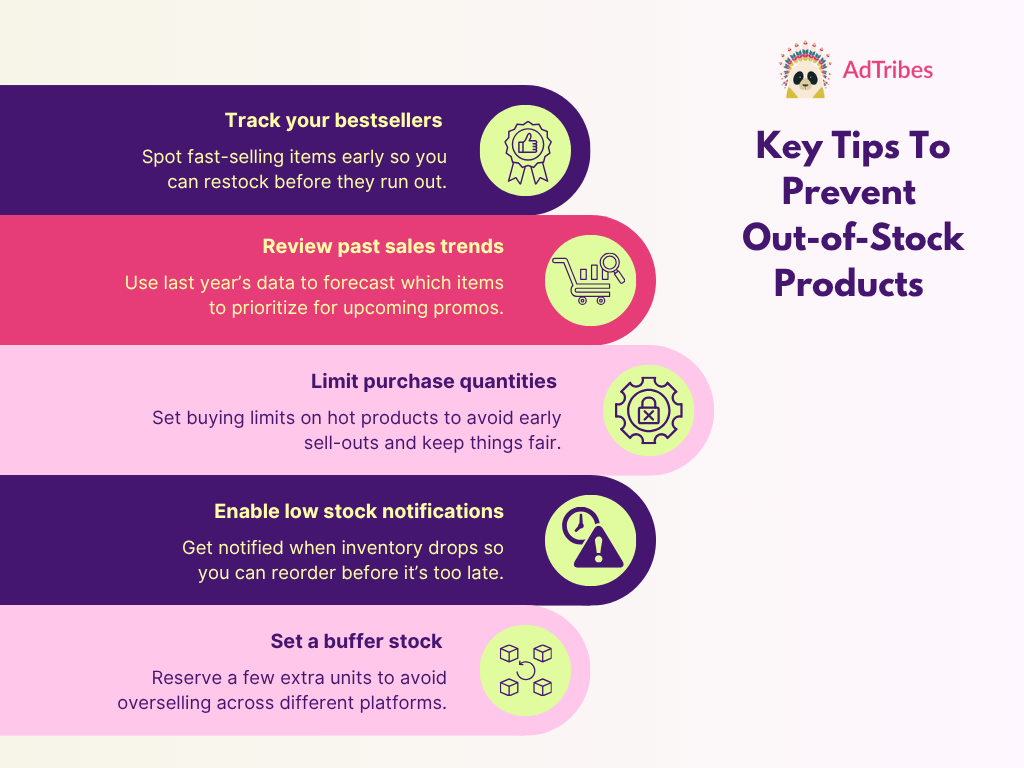
1. Track your bestsellers with real-time reporting
It’s often your bestsellers that go out of stock, and the first ones shoppers notice are missing right away. With real-time reporting, you’ll quickly spot which item needs to be reordered. Thankfully, most inventory management tools allow you to generate real-time sales reports, filter products by SKU, or generate dashboards to monitor high-performing items. These insights help you stay ahead of demand, especially during high-traffic periods.
2. Review past sales trends before big seasons
Your store’s patterns are a goldmine for predicting future demand.
To prevent out-of-stock products during the big sale season, take a careful look at your sales data from the same period last year. Identify which products sold out first, and which items moved faster than expected. Analyzing these trends can help you forecast more accurately and choose the products that need to be reordered in higher quantities.
3. Limit purchase quantities for high-demand SKUs
You can prevent early sell-outs during high-traffic periods by limiting how many units each shopper can buy. This is especially important for limited-stock items and seasonal best-sellers. Adding a reasonable purchase limit also helps spread stock more evenly across your customer base, which can improve customer satisfaction.
🎯POWER TIP: When setting specific quantity limits, it’s important to clearly communicate them on the product page. This sets expectations and avoids any confusion during checkout.
4. Enable low stock notifications and alerts
Another smart thing to set is low-stock alerts. These are automatic notifications that inform you when a product’s inventory drops to a certain level. By setting them in place, you give yourself enough lead time to coordinate with suppliers and reorder before it completely sells out. Consider setting different thresholds per product, depending on how long it takes to restock or how quickly the item sells.
5. Set a buffer stock for multi-channel selling
Setting buffer stocks is important if you’re listing your products across different platforms. It’s basically additional inventory that you reserve as a cushion, in case demand increases or your system experiences inventory syncing delays.
For instance, if you have 50 units of products in stock, you might opt to list only 40 on external marketplaces. This gives you extra lead time in case of inventory discrepancies or fulfillment errors across different sales channels. Doing so reduces the risk of overselling, which often causes customer complaints and negative reviews.

How Product Feeds Help You Manage Out-of-Stock Items
When selling across sales channels like Google Shopping, Meta, Pinterest, and TikTok, it’s crucial to keep your product listings accurate. After all, you don’t want to risk overselling, wasting precious ad budget, and frustrating customers with outdated listings.
Product feeds eliminate the manual work of updating each listing by automatically syncing your store’s data to the platforms where you sell or promote. With AdTribes, you can easily generate product feeds for 100+ channels while reflecting your store’s real-time stock levels.
Here’s how product feeds can help you manage out-of-stock products more effectively:
- Automatically exclude out-of-stock items from your feed: Set rules to filter out products with 0 stock, so they’re never listed on external platforms.
- Create custom rules for low-stock items: With AdTribes, you can build flexible rules and filters that allow you to list products based on your inventory setup.
- Apply different stock rules per channel: For instance, you might want to include low-stock items on your website, but exclude them from Google Shopping and Meta ads.
- Sync your inventory regularly: AdTribes lets you schedule feed refresh intervals as often as needed so your listings stay accurate even if your inventory changes rapidly.
Frequently Asked Questions
What does OOS mean in inventory?
OOS means “out of stock.” In ecommerce, this means that a certain item is unavailable for purchase because inventory levels are zero. It’s a product status used to inform shoppers that a product cannot be added to the cart because it’s sold out.
What to do if a product is out of stock?
If a product is out of stock in your store, make sure to update your listings and any other connected sales channels to reflect the right status. Then, you can decide whether to hide the product from your listings, enable a pre-order option, or offer other alternatives to interested shoppers. It’s also crucial to coordinate with suppliers and reorder as soon as possible, depending on the product’s demand.
How do you solve out-of-stock problems?
Start by using a reliable inventory management system in place. Implementing proactive strategies can help prevent out-of-stock products in your store. This includes setting low-stock alerts, tracking your most popular products, reviewing historical sales trends, and keeping a stock buffer.
Wrapping Up
Out-of-stock products can end up costing you sales, breaking customer trust, and slowing down your business. Thankfully, there are practical strategies you can implement to prevent it from happening. In this quick guide, we covered:
- What out-of-stock products are and the common causes behind them
- How stockouts can hurt your business
- 5 practical tips to prevent stockouts before they happen
- How product feeds help keep your listings accurate
As with any ecommerce challenge, the key is being proactive! By taking steps to manage your inventory better, you can keep customers happy and coming back. Tools like AdTribes can help, letting you sync product data across the platforms you sell so only in-stock items are included.
We hope this guide helped you out. Let us know if you have any questions!