Reviewed by
Cart abandonment is one of the biggest challenges in ecommerce. Studies reveal that more than 70% of online shopping carts are abandoned, leading to a ton of missed opportunities! Thankfully, there are practical and effective strategies you can start implementing today to reduce cart abandonment and recover those lost sales.
That’s exactly what we’ll dive into today! In this guide, we’ll walk you through simple yet effective tactics to encourage customers to complete their orders. Even better, we’ll reveal useful tools to help you automate your recovery efforts. Exciting, right? Let’s dive right in!
What Is Cart Abandonment?
Cart abandonment happens when a customer adds an item to their cart but leaves before completing the purchase. Tracking cart abandonment is important for ecommerce store owners, as this might indicate potential issues with the checkout process, website usability, or even customer trust.
When shoppers abandon their carts, it’s likely because something interrupted their buying journey. Identifying these friction points early can help you create a smoother shopping experience that encourages customers to complete their orders.
7 Effective Tactics To Reduce Cart Abandonment In WooCommerce
Now that we understand what cart abandonment is, it’s time to take action! Thankfully, reducing cart abandonment won’t require you to completely overhaul your checkout and marketing process. It’s mostly about removing small friction points that cause shoppers to drop off before completing their orders.
Here are some effective tips you can try today:
1. Offer guest checkout
Forcing shoppers to create an account before they can complete their purchase adds unnecessary friction to the checkout process. This is especially true for first-time buyers or customers just looking to make a quick, one-time purchase. By offering a guest checkout option, it’s easier for customers to complete their orders without filling out a form.
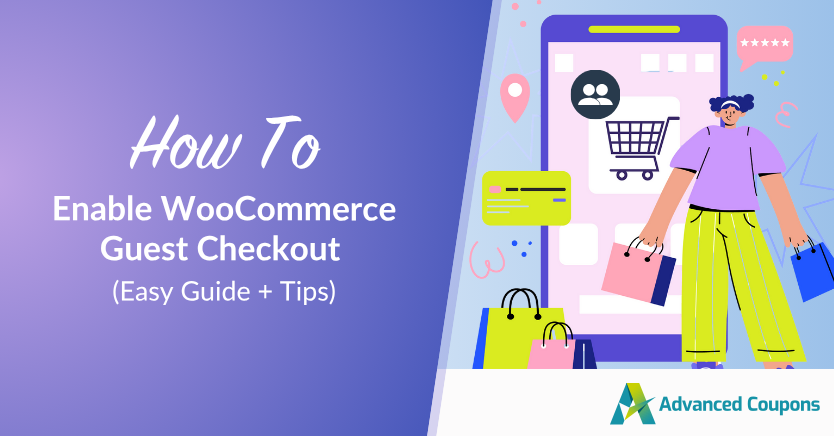
If you’re using WooCommerce, you can easily enable guest checkout on your Settings > Accounts & Privacy tab. Check out this detailed tutorial and tips:
🎯 POWER TIP: You can always offer account creation as a friendly email follow-up after shoppers complete their first purchase. To make it enticing, you can highlight perks like loyalty rewards, exclusive discounts, or faster checkout.
2. Provide multiple payment methods
According to industry insights, 77% of shoppers would abandon their shopping carts if their desired payment methods were unavailable. Offering a wider range of payment methods helps reduce cart abandonment by giving customers more flexibility and control over how they want to pay.
This is especially important if you’re also catering to wholesale buyers and B2B customers. These customers usually prefer automatic invoicing, deferred payments, or alternative payment gateways.
🎯 POWER TIP: If you’re running a wholesale WooCommerce store, you can use plugins like Wholesale Payments to offer advanced options like Buy Now, Pay Later, custom payment terms, and automatic invoicing to B2B customers.
3. Enable save-to-cart or wishlist
This is interesting: According to an industry survey, 92% of first-time website visitors do not make a purchase. Some may want to compare prices or products, while others might be researching for a future purchase. By giving customers the option to save items for later, you increase the chances of them coming back and completing their purchase when they’re ready.
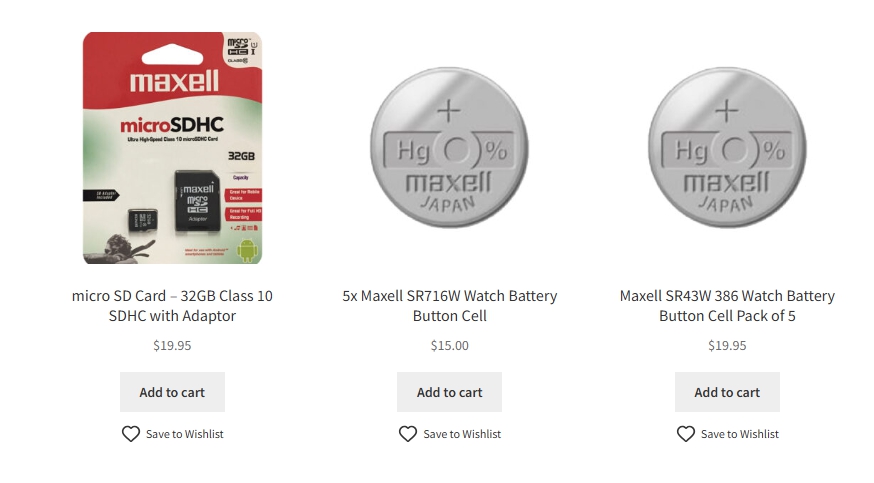
WooCommerce store owners can easily enable this functionality with plugins like SaveTo Wishlist. This tool allows shoppers to save products for later and even share their wishlists with friends and family. It’s an easy way to bring customers back, keep them excited, and stay top of mind when they’re ready to buy.
4. Use exit-intent pop-ups
Exit-intent pop-ups help you capture shoppers’ attention before they leave. These smart messages appear when a user’s cursor moves towards the browser’s close button, showcasing a compelling offer or reminder for them to complete their purchase.
Studies show that exit-intent pop-ups can recover up to 15% of abandoning visitors, making it one of the most effective ways to reduce cart abandonment!
You can use exit-intent pop-ups to:
- Offer a discount code or free shipping
- Remind them about items left in their cart
- Share a limited-time offer
- Invite them to join your email list for future deals
Many of the WooCommerce store owners we work with use OptinMonster to easily set up exit-intent pop-ups. This plugin allows you to customize the design, timing, and message to convert visitors before they leave your website completely.
5. Be transparent with shipping costs
Extra costs like shipping and taxes are one of the biggest reasons for cart abandonment. According to data from Baymard Institute, 39% of shoppers abandon their carts because extra costs like shipping are too high!
You can avoid this frustration by being transparent about your shipping costs and policies early in the buying journey. When shoppers know what to expect upfront, they’re less likely to get discouraged at checkout.
For instance, you can:
- Display estimated shipping costs early (even on product pages)
- Offer a free shipping threshold (e.g., “Free shipping on orders over $50”)
- Mention delivery times clearly to manage expectations
If offering free shipping isn’t suitable for your business, you can also opt for shipping discounts. Plugins like Advanced Coupons allow you to set up shipping overrides based on shipping zones and methods, giving you better flexibility and control over your store’s marketing strategy.
6. Provide live chat or help center
A little reassurance at the right moment can go a long way to reduce cart abandonment! Sometimes, shoppers have unanswered questions about your products, return policy, or shipping timeline. If they can’t find the answer, they’re more likely to abandon their purchase. Having a live chat or a dedicated FAQ center can help with this.
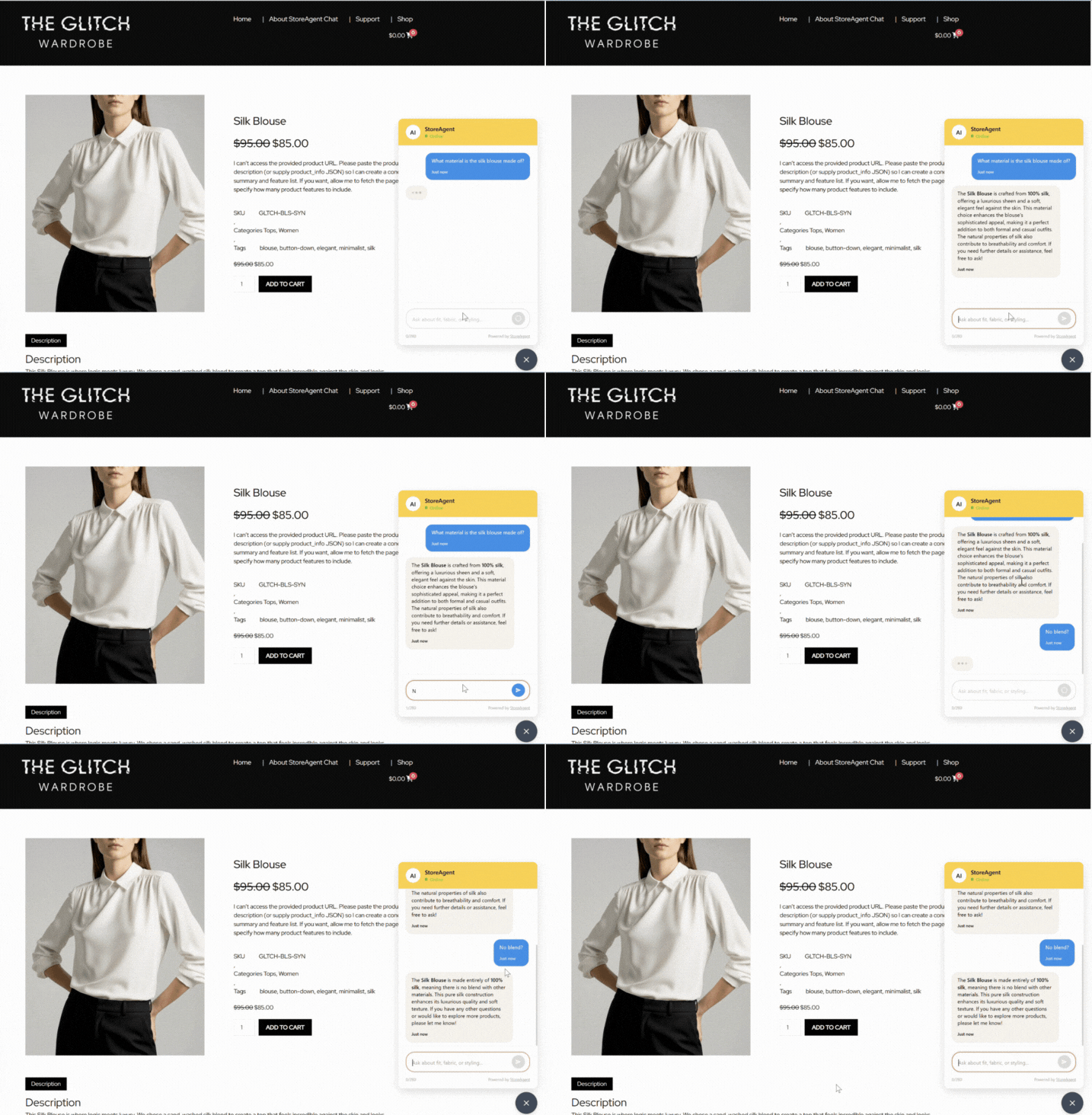
We’ve tried using StoreAgent to set up a live AI chatbot for WooCommerce stores, and it made a noticeable difference in how quickly customers get the answers they need. Setting it up is easy and intuitive, and it learns from your existing product pages and content. As a result, shoppers receive instant, accurate responses that keep them engaged and more likely to complete their purchase!
Check it out in action below:
7. Send abandoned cart emails
Another effective way to reduce cart abandonment is to send out cart recovery emails. These automated messages are sent to customers who added items to their carts but didn’t check out. According to industry insights, these types of emails help recover 10% of lost revenue!
To make it even more effective, consider offering a small incentive to encourage customers to come back, such as a limited-time discount or free shipping. Most brands include images of the items left behind and urgency-based messaging like “Complete your order in the next 24 hours and enjoy 10% off!”
Here are a few tips to keep in mind:
- Send the first email within 1–2 hours of abandonment
- Use clear CTAs and a mobile-friendly design
- Personalize the message to build a stronger connection
How Product Feeds Can Help Reduce Cart Abandonment
Most of the strategies we covered focus on what happens after a shopper discovers your store. However, it’s just as important to optimize the buying experience early in the journey, even before the shopper lands on your site.
By using product feeds, your listings appear across top sales channels like Google Shopping, TikTok, Facebook, and more. This makes your products more discoverable to buyers who are already browsing with purchase intent.
When customers see accurate and compelling product details like pricing, availability, and promotions, you’re setting the right expectations from the beginning. As a result, they’re less likely to abandon their carts due to hesitation, surprise costs, or missing details.
Tools like AdTribes make it easy to set up, customize, and automate product feed management for over 100 sales platforms. It features advanced filtering and rules, letting you control exactly which products are showcased in your sales channels!
New to product feeds? Check out our full guide here.
Frequently Asked Questions
How to fix cart abandonment?
To reduce cart abandonment, focus on creating a smoother shopping experience: offer guest checkout, be transparent about fees and costs, offer more payment options, and improve the loading speed of your website. It’s also important to send recovery emails and set up exit-intent offers to encourage customers to complete their orders. These small changes remove barriers to purchase, such as surprise costs, confusion, or too many steps during checkout.
How to convert an abandoned cart?
One of the most effective ways to convert an abandoned cart is to send out cart recovery emails. These timely messages inform shoppers about the items they left behind, often with a limited-time incentive that nudges them to come back. Other strategies include adding wishlist features, using retargeting ads, and setting up exit-intent pop-ups. All of these tips help you stay connected to shoppers even after they leave your site, giving them reasons to come back.
Why do customers abandon their carts?
Some of the most common culprits for cart abandonment include unexpected costs (like shipping and taxes), forced account creation, limited payment options, slow loading pages, and confusing checkout steps. In some cases, shoppers simply aren’t ready to buy: they’re researching, comparing options, or saving them for later. That’s why it’s crucial to create a seamless checkout experience and offer ways to allow them to return easily once they’re ready.
Wrapping Up
While cart abandonment is one of the most common challenges in ecommerce, there are strategies you can implement to encourage shoppers to complete their orders. In this article, we walked you through simple but effective strategies you can try to recover these lost sales and build stronger relationships with your shoppers.
Let’s review them below:
- Offer guest checkout
- Provide multiple payment methods
- Enable save-to-cart or wishlist features
- Use exit-intent pop-ups
- Be transparent with shipping costs
- Provide live chat or a help center
- Send abandoned cart emails
- Use product feeds to set clear expectations from the start
Along the way, we’ve also introduced you to helpful tools like AdTribes, StoreAgent, and Advanced Coupons. These plugins help WooCommerce store owners streamline their marketing, automate support, and improve the overall shopping experience!
We hope this article helped you out. Feel free to leave a comment if you have any questions.