Reviewed by
Marketing is likely one of the most impactful areas you can focus on for your WooCommerce store. After all, it’s what attracts new customers, brings buyers back, and helps you stand out in a crowded market. Unfortunately, it can be challenging to choose the right WooCommerce marketing plugins with hundreds of tools available out there.
I’ve got you! In this guide, I’ll walk you through powerful marketing plugins I’ve personally tried and tested. Each one solves a specific problem, and together, they create a great foundation for smarter, easier store marketing.
Here’s a quick summary if you’re short on time:
| Plugin | Best For | Key Benefits |
|---|---|---|
| Advanced Coupons | Creating flexible promotions and BOGO deals | Smart cart conditions, URL coupons, store credit, loyalty features |
| OptinMonster | Capturing leads and reducing cart abandonment | Drag-and-drop campaign builder, exit-intent popups, A/B testing, advanced targeting |
| AdTribes | Multichannel selling and product feed management | Feed templates for 100+ platforms, advanced filters, auto updates, multilingual support |
| PushEngage | Re-engaging shoppers via real-time push notifications | Web/mobile push, cart recovery, segmentation, flash sale alerts |
| StoreAgent | AI-powered content creation and 24/7 customer support | Generates SEO product content, smart AI chatbot, personalized replies based on store data |
| SaveTo Wishlist | Helping customers save and organize favorite products | Multiple wishlists, guest wishlists, shareable lists, easy setup |
6 Best WooCommerce Marketing Plugins To Scale Your Business
WooCommerce marketing plugins help you bring in new shoppers, engage customers, and automate promotions. Having the right marketing stack can make a huge difference in your store’s efficiency, growth, and customer retention.
Below, I’ve listed the marketing plugins I’ve personally tried and tested. Each review features insights, standout features, and who I’d recommend this tool for—so you can choose which plugin is best suited for your business goals.
1. Advanced Coupons
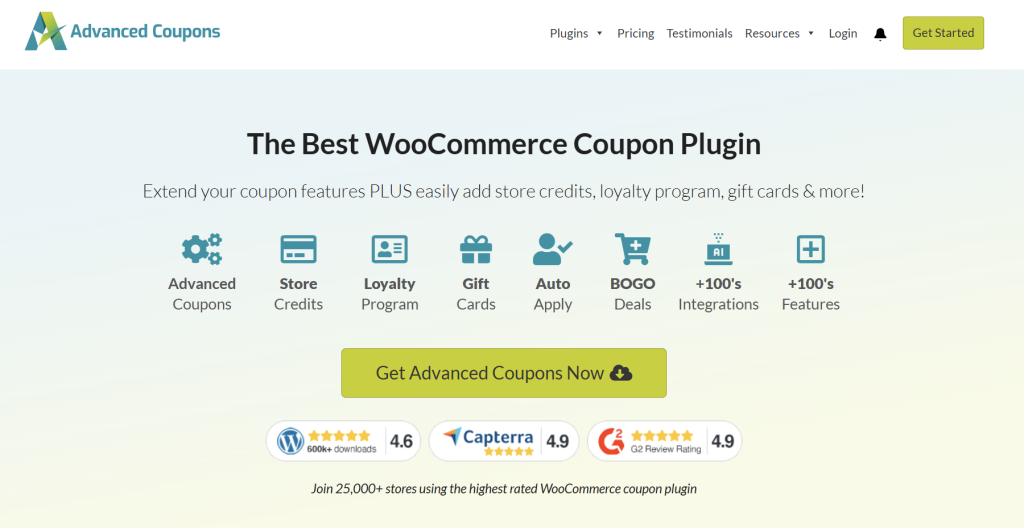
If you’ve been using WooCommerce for a while, you know its default coupon features can be a little limited. There’s no built-in feature for creating promotions like BOGO deals, shipping discounts, and store credit rewards. This is where Advanced Coupons made a huge difference for me.
This powerful plugin extends the default coupon features of WooCommerce, letting you run BOGO deals, automate promotions, add cart conditions, offer store credits, and so much more.
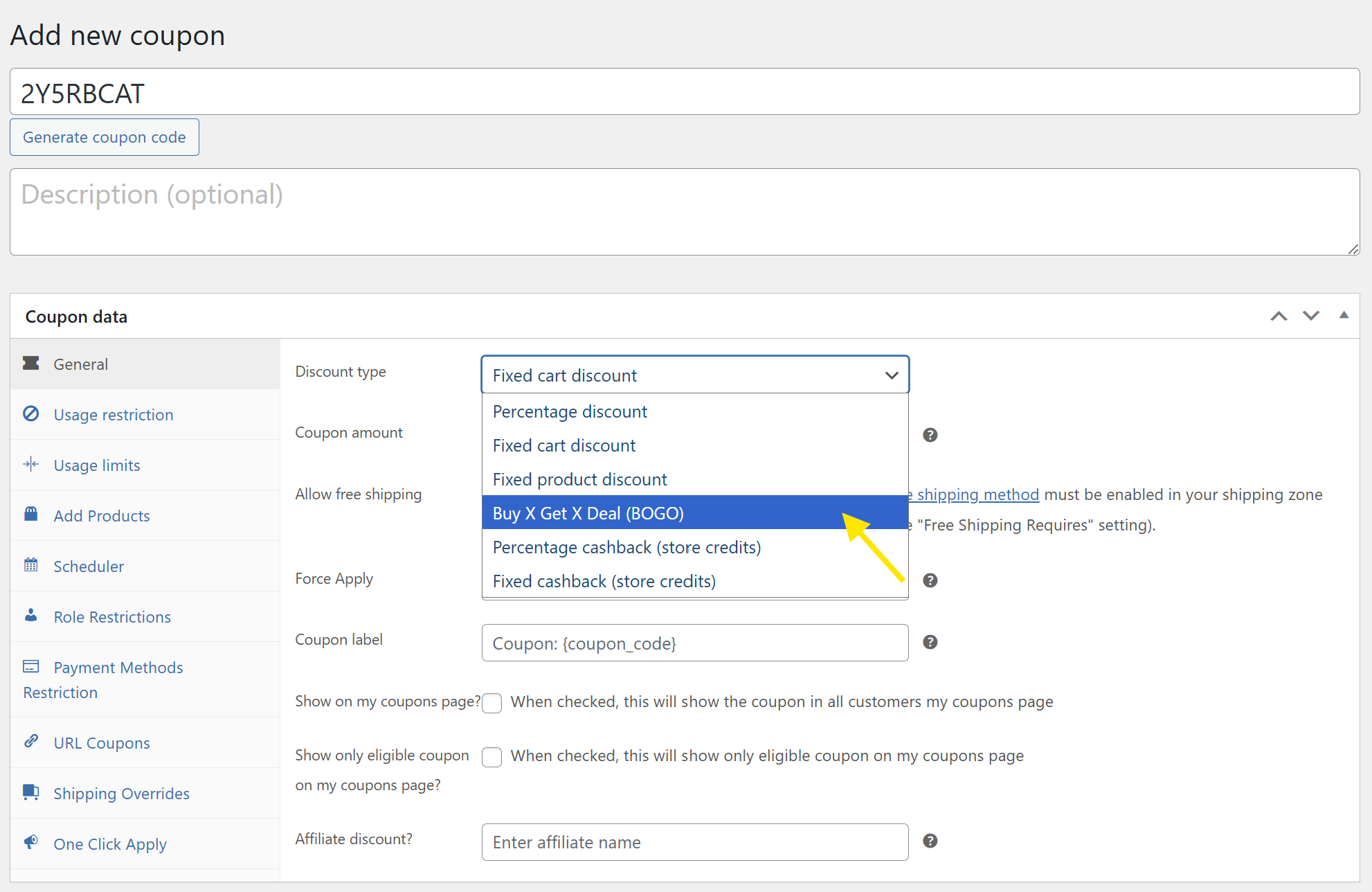
Immediately after installing the plugin, you’ll notice a lot more options available for you in the coupon editor. It builds upon WooCommerce’s existing interface, which makes it easier to use.
I’ve used this plugin on a few client stores and my own test stores, and it’s consistently delivered, especially for seasonal campaigns and tailored promotions where standard coupon setups aren’t enough.
Key Features:
- Buy One Get One (BOGO) Deals: With Advanced Coupons, you can create complex offers like “Buy One Get One Free” or BOGO discounts on categories or specific products, which is a powerful way to increase average order value.
- More Coupon Types: Offer other types of coupons, such as cashback offers, free product coupons, shipping overrides, and more.
- Cart Conditions: The plugin lets you apply coupons based on cart contents, user role, subtotal, and more, so the right deals trigger at the right time.
- Auto‑Apply Coupons & URL Coupons: Automatically apply discounts when conditions are met, or let customers activate deals simply by clicking a link in an email or social post.
- Store Credits: Offer store credit or points that customers can redeem later. This is perfect for increasing customer retention.
- Shipping Overrides: Build discounts targeted toward shipping‑level deals that go beyond WooCommerce’s basic free shipping options.
- Coupon Reporting Dashboard: See how your coupon campaigns are performing without having to pull data from multiple tools.
What I Liked:
- Immense Flexibility: One of the biggest reasons why I loved Advanced Coupons is that it gives full control over my promotions. I could activate promos depending on user roles, specific cart conditions, product combinations, or even previous customer behavior.
- Easy to use: The plugin builds on the native coupon system (just adding extra tabs and options), which makes it easy to use. There’s no steep learning curve required, which made launching promotions easy for me.
💡 Who I’d Recommend This For: This plugin is definitely for store owners looking to offer more than just basic discounts. If your marketing goals include creating hyper-targeted offers, automating your promotions, or launching creative deals (like BOGO), this plugin will give your store an edge.
2. OptinMonster
If you’re looking to build your email list or increase conversions in your WooCommerce store, OptinMonster is a tool I really recommend. This plugin makes it easy to create website popups, banners, slide-ins, and other on-site campaigns to help you capture leads and promote offers.
When creating campaigns, you can use the plugin’s drag-and-drop interface. There’s no need to learn code to create beautiful, high-converting opt-ins. I’ve used it to create pop-ups for limited-time and seasonal campaigns, and it helped increase engagement.
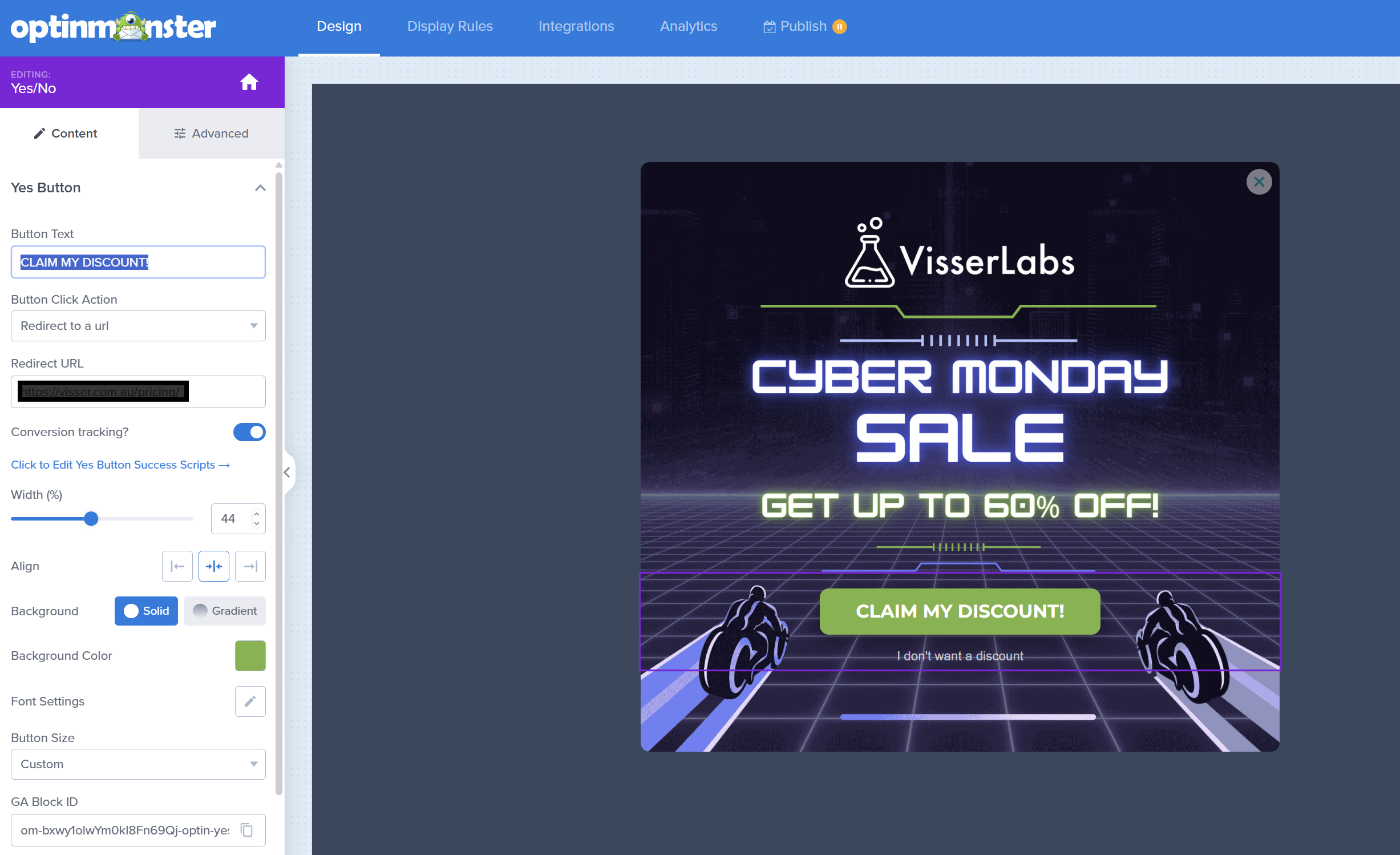
Their A/B testing feature is also useful for testing different opt-in formats. I’ve used it to test different lead magnet headlines and button call-to-actions (CTAs), which gave me an idea of what encourages more sign-ups.
Another thing that stood out to me is the advanced settings they offer. The tool allows you to set specific targeting and user behavior settings, like showing a campaign only when a user is about to leave, which ensures the right message gets delivered at the right time.
Key Features
- Drag‑and‑Drop Campaign Builder: OptinMonster lets you create visually stunning campaigns quickly using a no‑code builder with 700+ templates designed for high conversions.
- Multiple Campaign Types: You can create lightbox popups, slide‑ins, floating bars, fullscreen welcome mats, inline forms, spin‑to‑win coupon wheels, and more.
- Advanced Targeting & Display Rules: Show campaigns based on behavior like exit‑intent, scroll position, time on page, cart contents, and visit frequency.
- A/B Testing & Analytics: With OptinMonster, you can split-test campaigns and monitor performance to help you refine and optimize campaigns over time.
- Exit‑Intent Technology: The tool uses mouse tracking to detect when a visitor is about to leave, triggering a popup just in time to keep them engaged.
What I Liked:
- Highly Customizable But Easy Enough to Start: The drag‑and‑drop builder and template library made it easier for me to launch campaigns without needing a designer or developer.
- A/B Testing: I’ve used OptinMonster to test different lead magnet headlines and calls-to-action for newsletter opt-ins. It helped me identify which message worked best, and the results directly improved our sign-up rates.
💡 Who I’d Recommend This For: This is one of the WooCommerce marketing plugins I’d recommend for store owners who want to focus on growing their email list, capturing abandoning visitors, or promoting special offers. It’s especially helpful for stores with decent traffic that want to get more value out of every visit.
3. AdTribes
Most of the WooCommerce stores we’ve worked with leverage multi-channel selling to reach more shoppers. AdTribes is one of the most powerful tools that helps with that. This powerful tool allows you to create product feeds and showcase your listings to Google Shopping, Facebook, Tiktok, Pinterest, and 100+ more channels.
I’ve used this plugin to create product feeds and submit them to platforms like Google Shopping and Facebook. What made it easy are the built-in product feed templates, which are already preconfigured based on each platform’s requirements. This eliminated the need to manually tweak fields, categories, and attributes.
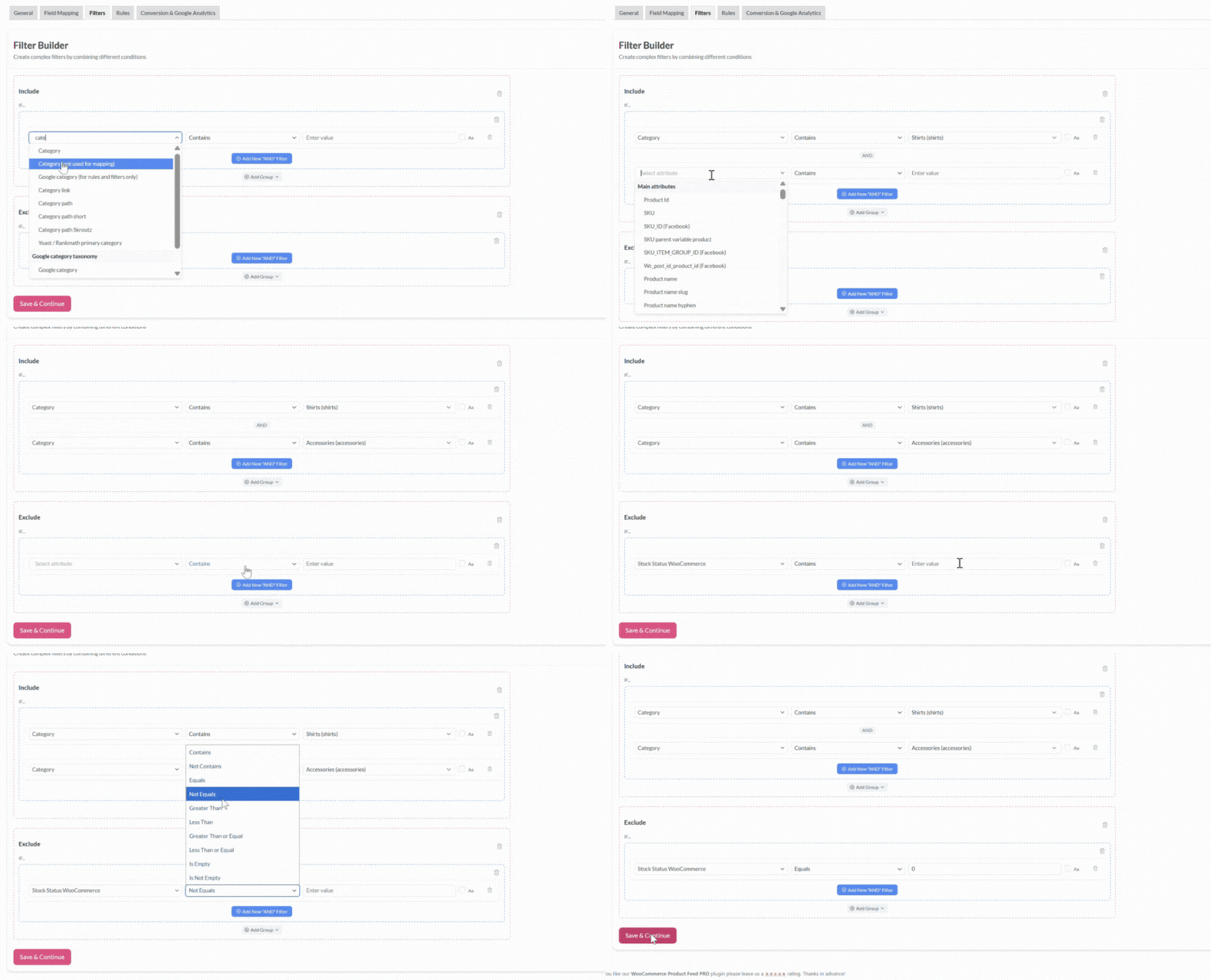
One of the features I love the most about AdTribes is its product feed filter and rules. This allows you to fine-tune which products get included in your feeds, and how they appear. It’s so handy for removing out-of-stock items or excluding certain product SKUs.
Key Features:
- Unlimited Products & Feeds: Create as many product feeds as you want, with no limits on product numbers or SKUs.
- 100+ Ready‑Made Templates: Use pre‑configured templates for major platforms like Google Shopping, Facebook/Meta Catalog, Bing, TikTok, Pinterest, and a huge number of other marketplaces and comparison engines.
- Advanced Filtering & Rules: Tailor your feeds with filters and rules, so only the products you want to advertise are pushed to each channel.
- Automatic Scheduled Updates: Set feeds to automatically update whenever product data changes in your store (prices, stock, descriptions), ensuring accuracy without manual intervention.
- Field & Category Mapping: Align your WooCommerce categories and attributes with each sales channel’s requirements to improve visibility and feed acceptance.
- Multi‑Currency & Multi‑Language Support (Elite): With the AdTribes Product Feed Elite version, you can create localized feeds to reach international customers by matching local languages and currencies.
- Google Analytics Integration: Add UTM tags and track how product feeds perform directly in your analytics tools.
What I Liked:
- Fast And Easy Setup: AdTribes walks you through setting up a product feed through its easy-to-understand interface. I love that each feature is broken down into clearly labeled tabs, which guide you step by step. The product feed templates for each platform also saved a lot of time and helped me stay compliant with each platform’s required format.
- Customization And Auto Feed Refresh: I am impressed by the advanced filtering and rule-setting feature. This helped me choose which products I want to include in my product feeds. The auto-refresh feature is also incredibly helpful since I don’t have to manually update anything when stock levels or prices change.
💡 Who I’d Recommend This For: I would recommend AdTribes for store owners starting to explore multi-channel selling, and those focusing on expanding their current reach. This plugin makes it easy to show your products across platforms like Google Shopping, Facebook, Bing, Pinterest, and more. This makes sure you’re appearing where your shoppers are actually browsing, which gives your store a competitive advantage.
4. PushEngage
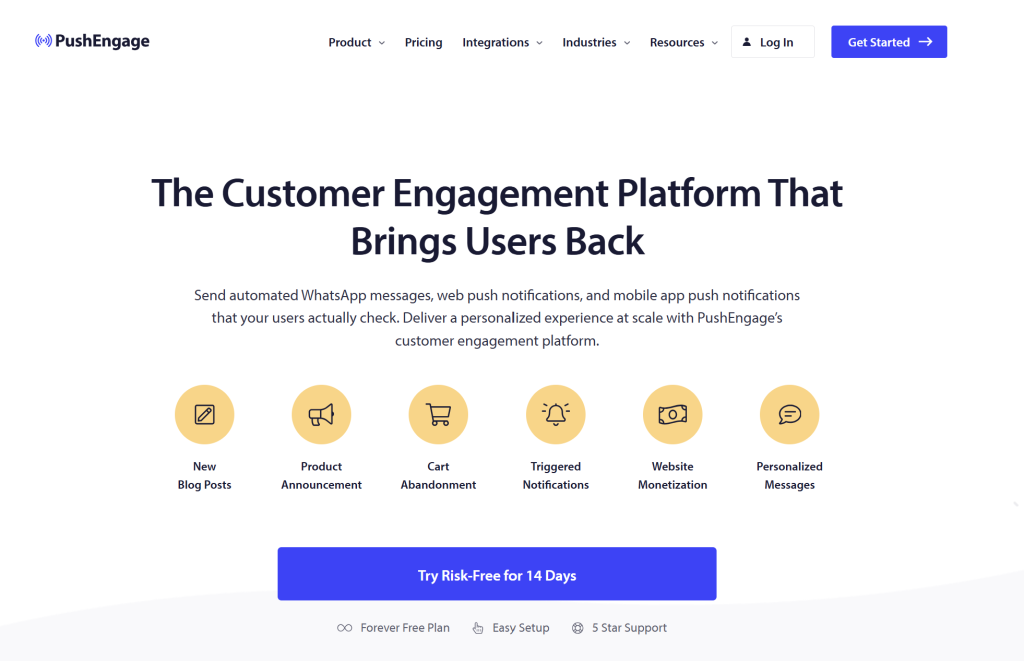
Push notifications are one of the most powerful marketing tools because they appear instantly on a shopper’s browser or device. Unlike email or SMS, they don’t require customers to browse their inbox to see your message—the notification simply pops up in real-time.
I’ve tried PushEngage to set up these notifications, and I found the process easy and straightforward. Inside the PushEngage dashboard, you can easily create a new campaign: write a headline, message, and link to a specific page. You can even add a small image to go with it and schedule exactly when it sends.
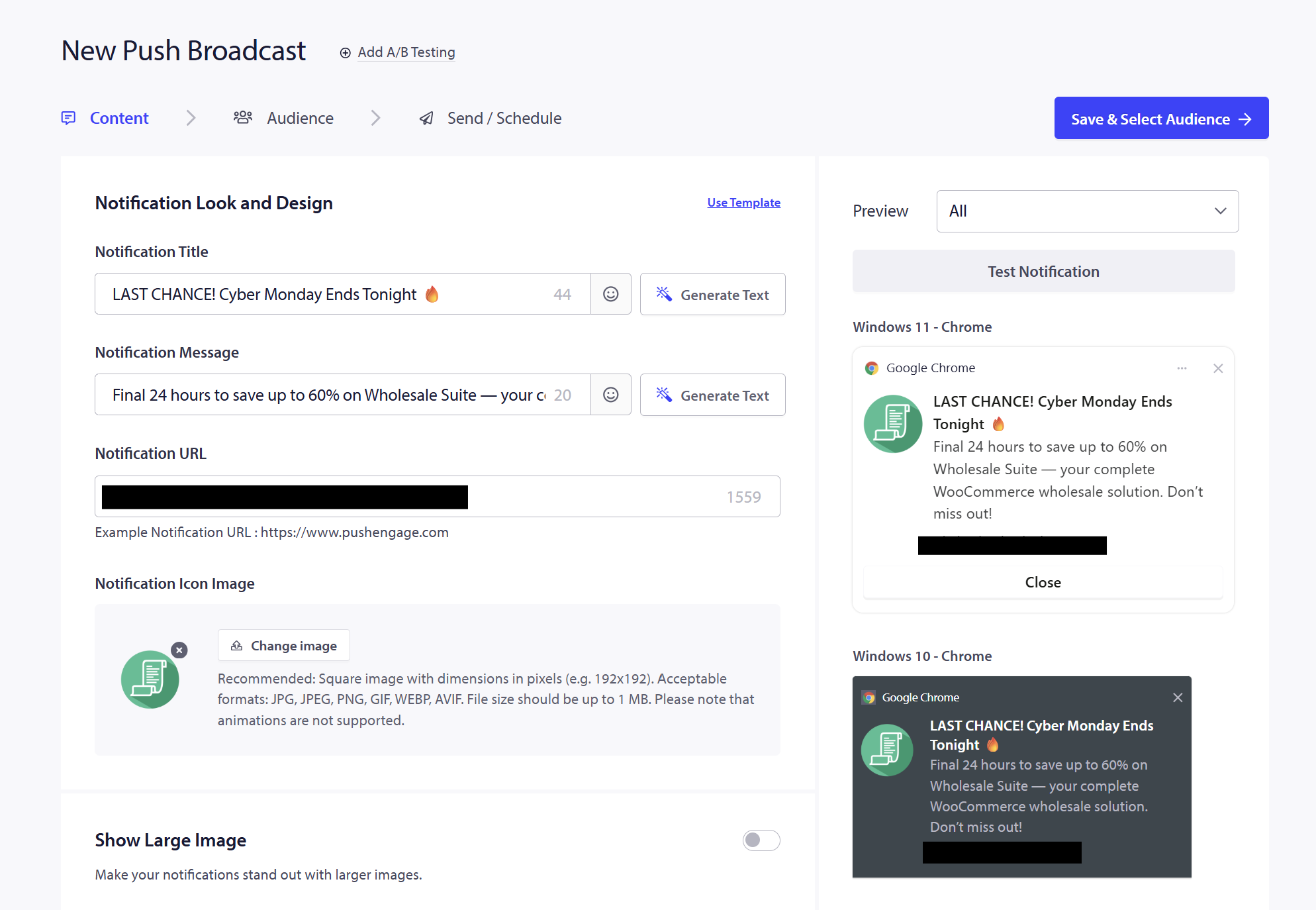
It’s a great tool for re-engaging visitors, promoting flash sales, and reminding customers about abandoned carts or price drops.
Key Features
- Web & Mobile Push Notifications: This tool allows you to deliver notifications directly to customers’ devices or browsers, even when they’re not on your site.
- WooCommerce Notifications: Create automated triggers for cart abandonment reminders, price drop alerts, order updates, and other ecommerce‑specific events.
- Multichannel Messaging (Web, Mobile, WhatsApp): Integrate push notifications with WhatsApp alerts and click‑to‑chat widgets to reach customers across multiple channels.
- Targeting & Segmentation: Create audience segments based on behavior, engagement, or specific criteria to send highly relevant notifications.
- Analytics & Performance Tracking: View key metrics like clicks, views, and conversions to understand what’s working and optimize your messaging.
What I Liked
- Easy to Set Up Campaigns: In my experience, PushEngage made it so easy to create and send out timely push notifications to announce special offers and price drops. Within the app, you can add the heading, message, link, and CTA button, then schedule it for a later time. I loved using this for flash sales because I could prepare the notification in advance and set it to go live only when the sale starts.
- Smart targeting: I really liked the advanced targeting options that let you display customized push notifications based on what page a shopper is visiting or their geolocation. This makes it easier to create personalized and timely messages that can boost engagement.
💡 Who I’d Recommend This For: PushEngage is a perfect addition for WooCommerce store owners who want to focus on re-engaging customers and bringing them back. If you frequently run limited-time sales, seasonal campaigns, or even restocks, this plugin ensures you can inform customers at the right moment.
5. StoreAgent
AI WooCommerce marketing plugins can help you save so much time, and that’s exactly my experience with StoreAgent. This is one of the most exciting tools I’ve used as of late because it combines two powerful features: AI chatbot and AI content generation tools that automate things for you.
The setup was pretty quick–just install the plugin, connect your store, and turn on the content generation features you need. I’ve tested it to automatically generate SEO-ready product descriptions and short blurbs, and even rewrite outdated product copy for better consistency and tone.
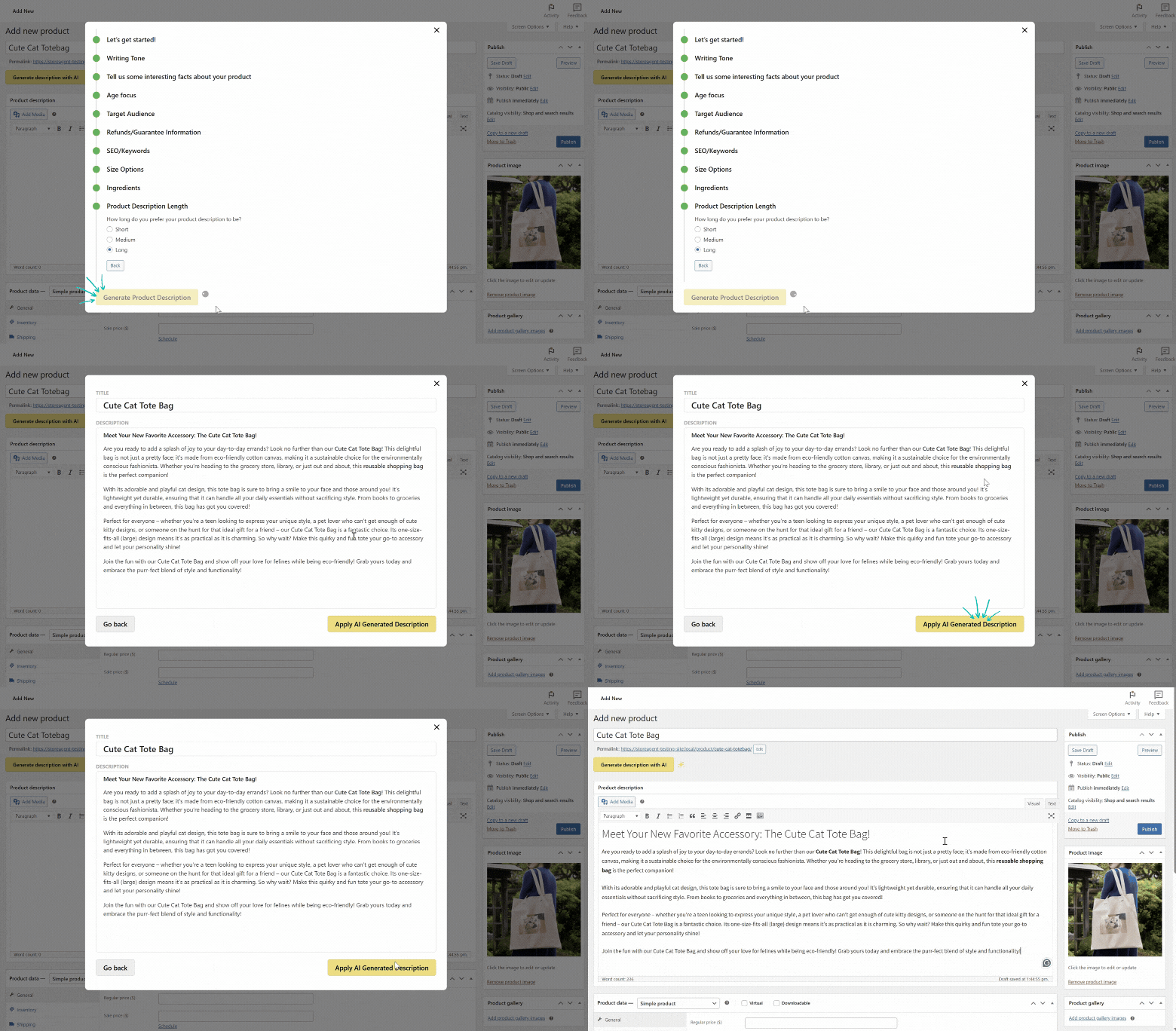
What I liked about the AI chatbot is that it learns from your actual store data, which means it gives accurate responses to customer questions 24/7. It’s also customizable, with options to tweak its tone, greeting, name, and personality.
Key Features:
- AI Chatbot (StoreAgent Chat): This adds an AI‑powered chat widget to your store that answers customer questions 24/7 based on your own product data, specs, policies, and FAQs.
- AI- Content Generation Tools: With StoreAgent, you can automatically create SEO‑friendly product descriptions, short descriptions, category copy, product tags, and even review summaries.
- Natural Integration With WooCommerce: StoreAgent connects directly to your WooCommerce data and syncs product information so the chatbot and content tools are always up to date.
- Customizable Chat Widget: You can also tailor the appearance, greeting text, and tone of the AI assistant to match your brand voice and design.
- Multi‑Language Support: The AI can respond in multiple languages based on customer queries, making it ideal for international audiences.
- No Technical Setup Needed: Simply install the plugin, connect your store, and in minutes, you have both AI chat and AI content tools working for you.
What I Liked:
- Completely Beginner‑Friendly Setup: It can be intimidating to dive into AI tools when you’re not that familiar with AI models or developer setup. With StoreAgent, I had the setup for AI chat and content generation tools running in a few minutes.
- Saves Time: Crafting SEO-friendly product content used to take up a lot of time! With StoreAgent Content, I could generate polished, on-brand copy in seconds.The AI chat also saved time by handling common questions automatically, which reduced the need to manually respond to every inquiry.
💡 Who I’d Recommend This For: StoreAgent is a huge time-saver for stores with a larger product catalog and those prioritizing improving the overall shopping experience. By improving product content quality and providing real‑time assistance to shoppers, StoreAgent helps remove friction in the buying journey. This gives customers more confidence to complete their orders.
6. SaveTo Wishlist
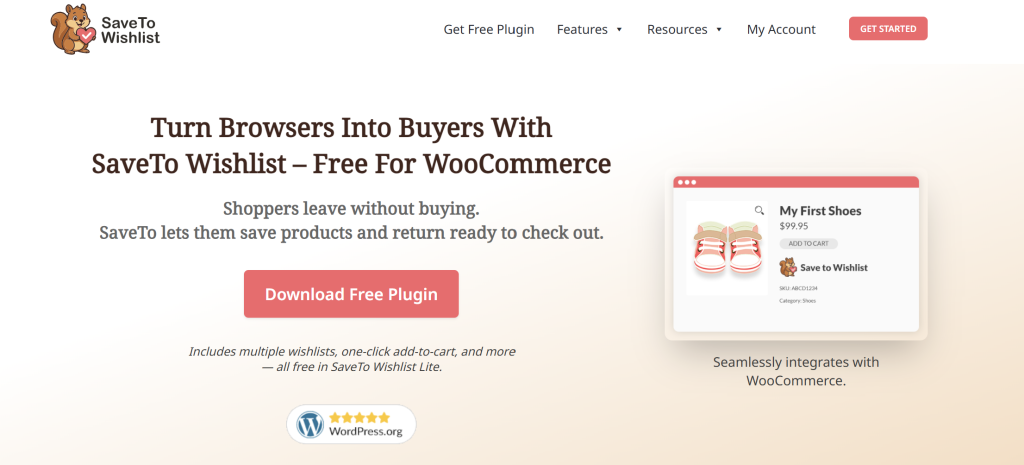
One of the most effective ways to keep customers coming back is by letting them save items to their “Wishlist.” I’ve tried setting up wishlists for customers using SaveTo Wishlist, and the process was incredibly easy.
SaveTo Wishlist adds a wishlist feature directly to your store, allowing customers to save items they love for later, organize them into lists, and return when they’re ready to check out.
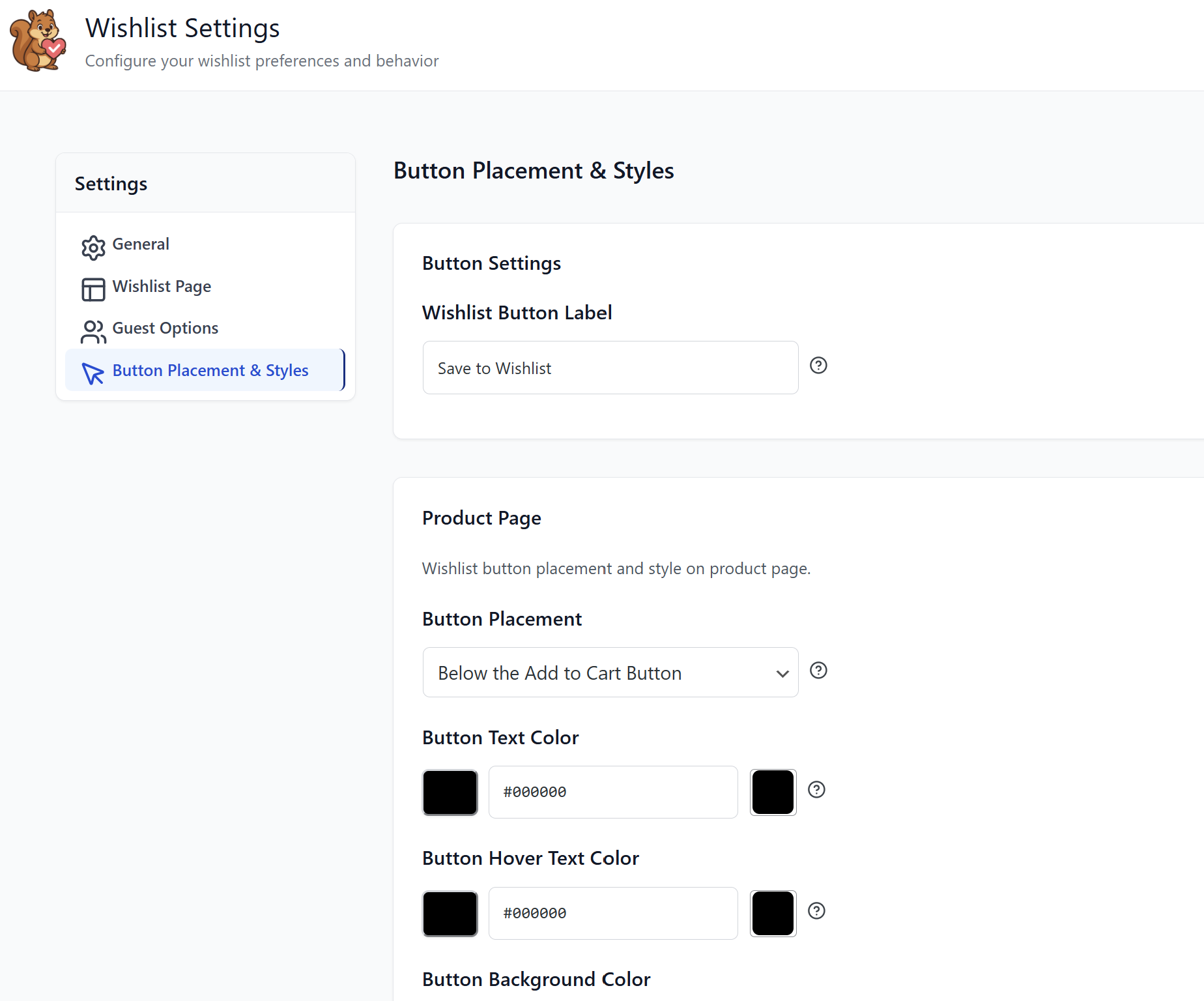
The setup process was quick. After installing the plugin, you can begin tweaking settings like where the wishlist buttons appear and what type of button to use. Unlike many wishlist plugins that lock key features behind expensive tiers, SaveTo Wishlist gives you powerful wishlist tools free, including multiple wishlists and social sharing.
Key Features:
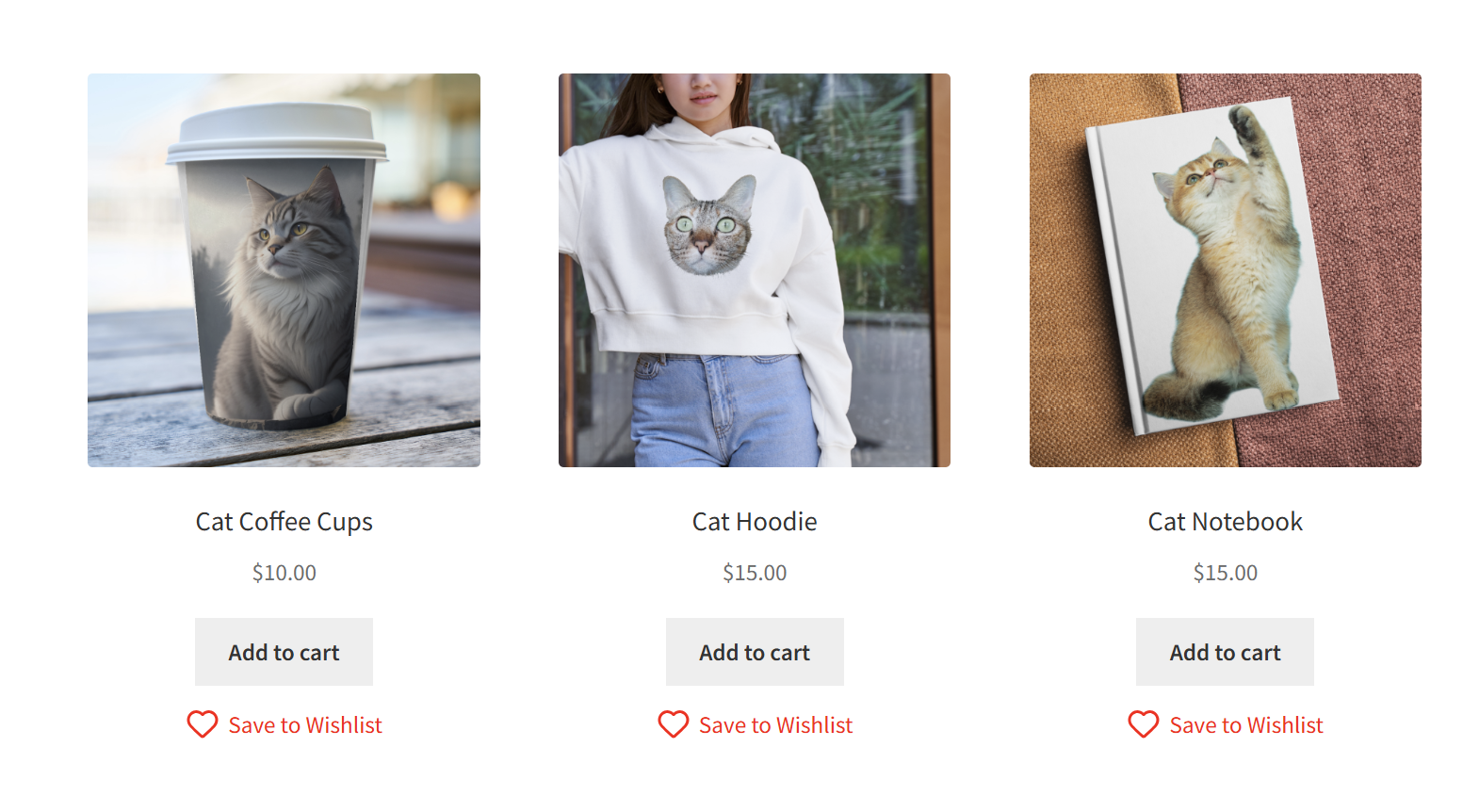
- Add Products to Wishlists: Give customers an easy way to save items directly from product pages, shop grids, or blocks with a single click.
- Unlimited Wishlists: Shoppers can create and name as many wishlists as they want. This is ideal for gift lists, future shopping plans, or organizing purchases.
- Guest User Wishlists: Visitors don’t need to be logged in to save products.
- Customizable Buttons & Placement: Choose where wishlist buttons appear and how they look so they feel natural in your store’s design.
- “My Wishlists” Page: Customers get a dedicated dashboard where they can view, rename, organize, move items between lists, or add saved products to the cart.
- Shareable Lists: Customers can share wishlist links with friends and family.
What I Liked:
- No-Hassle Setup, Instant Value: I liked how easy it was to set up a wishlist feature using this plugin. It also gives customers something useful right away, especially those who aren’t ready to buy but love certain products.
- Guest Wishlist Feature: I really appreciated that visitors don’t have to log in to start saving products. This is a huge plus, especially for first-time buyers who are still browsing and comparing options.
💡 Who I’d Recommend This For: This plugin is perfect for WooCommerce stores of all sizes, especially if you have a huge product catalog. It gives shoppers another reason to return to your store and gives your store valuable data about customers’ purchase intent.
Wrapping Up
Having the right WooCommerce marketing plugins in your stack can make a huge difference to your store’s growth. These tools allow you to engage customers, boost conversions, and save time.
In this guide, I’ve shared some of the best marketing plugins I’ve personally tried and tested, each powering a different aspect of your marketing strategy. Here’s a quick recap of the tools we covered:
Which plugin are you most excited to try? Let me know in the comments! 😊