
Product Feed Elite + WooCommerce Subscriptions

Product Feed Elite automatically resolves your subscription products' billing period, length, and price into Google's subscription_cost format, so your WooCommerce Subscriptions product feed is ready for Google Shopping.
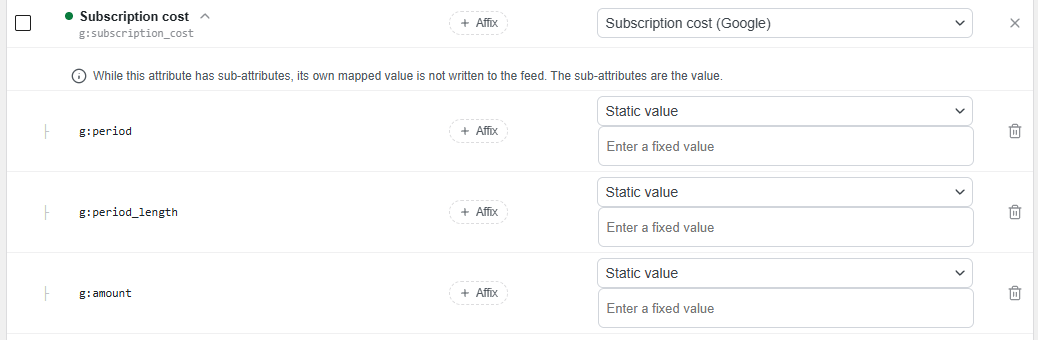
Product Feed Elite is integrated with WooCommerce Subscriptions, adding a subscription_cost attribute you can map into your Google Shopping feed. It resolves the billing period, length, and price from classic subscription products and from All Products for Subscriptions (APFS) plans, then formats the value to Google's subscription_cost specification (period:period_length:amount).
This integration only applies to the Google Shopping channel. It's skipped for variable-subscription parent products, since WooCommerce syncs their price to the cheapest variation (each variation carries its own value instead), for billing periods other than week, month, or year, and for any "bill every N periods" interval greater than 1, since Google's subscription_cost schema can't represent those.
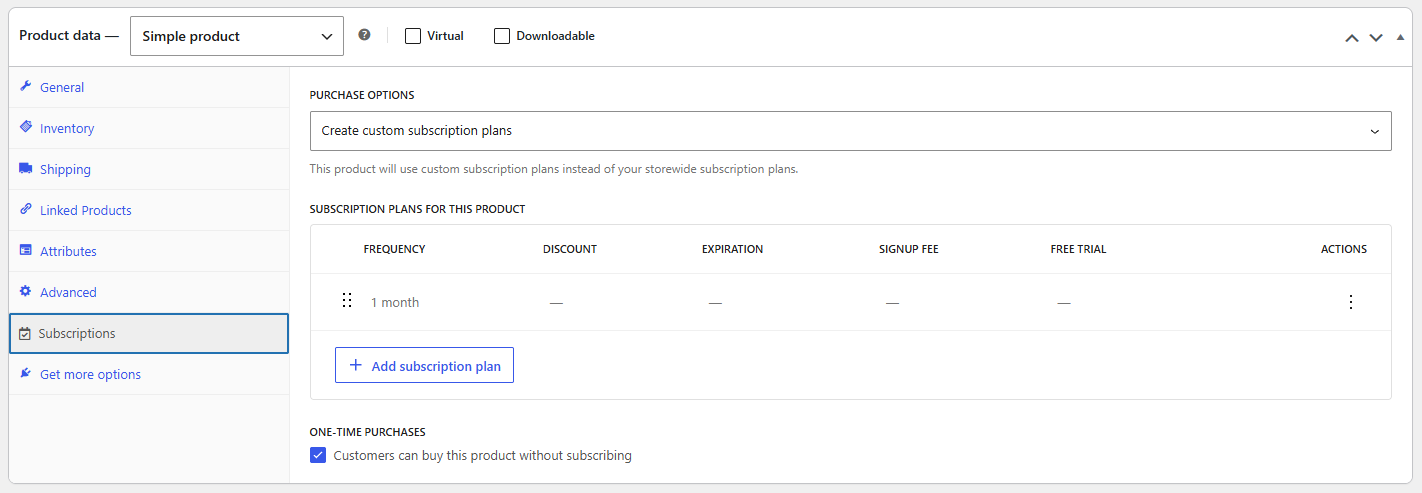
1- Make sure WooCommerce Subscriptions is active, and your product has a subscription plan configured.
2- Create or edit a Google Shopping feed, then open its Field Mapping tab (Product Feed > your feed > Field Mapping).
3- Map g:subscription_cost with Subscription cost (Google) (Added Custom Attribute).
Stop losing sales. Join 90,000+ store owners using Product Feed Pro for WooCommerce to reach more shoppers on Google, Facebook, and 100+ sales channels.





The best WooCommerce product feed plugin
