Neugierig, wie zusätzliche WooCommerce-Produktfelder für Produktfeeds funktionieren? Wir haben die häufigsten Fragen beantwortet, um Ihnen den Einstieg zu erleichtern.
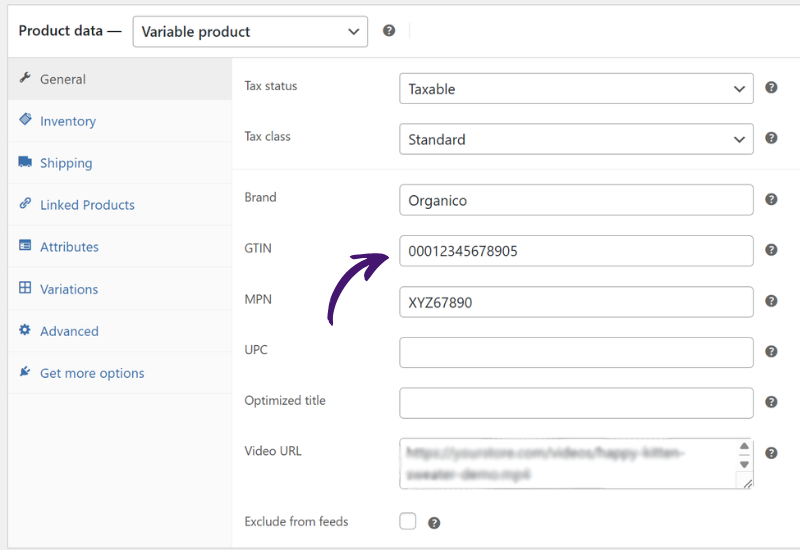
Zusätzliche WooCommerce-Produktfelder sind zusätzliche Attribute, die Sie Produkten für Feed-Zwecke hinzufügen können, wie z. B. GTIN, MPN, UPC, EAN, Marke, Produktzustand und mehr. Sie helfen Ihnen, reichhaltigere Produktdaten an Shopping-Kanäle und Marktplätze zu senden.
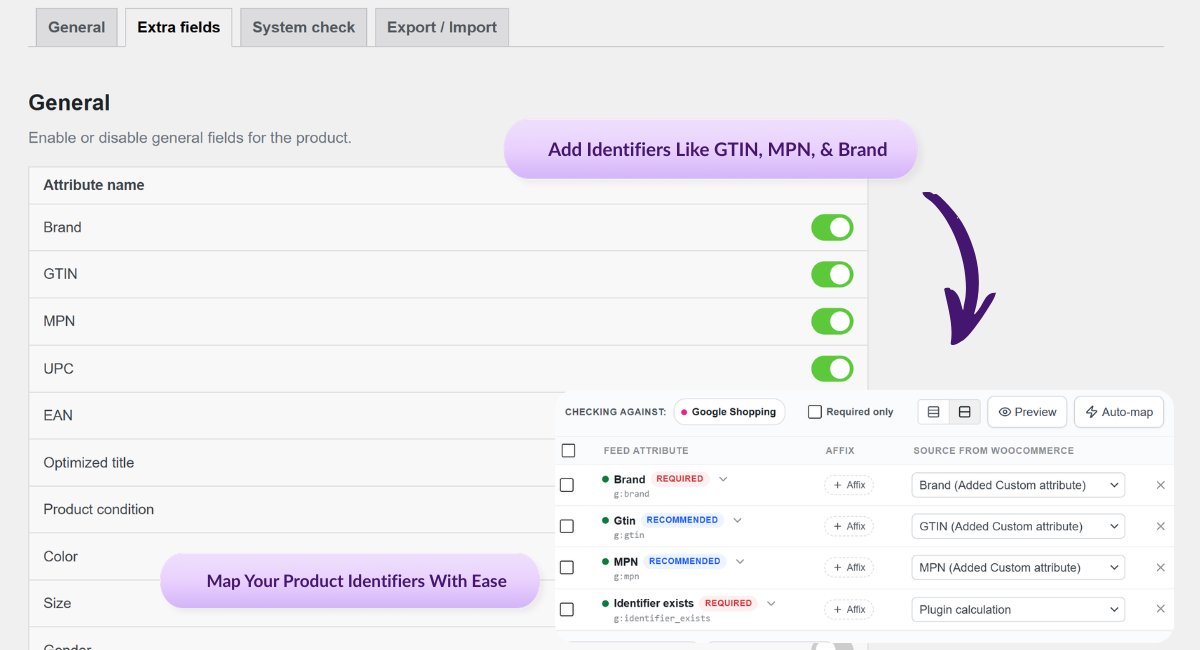
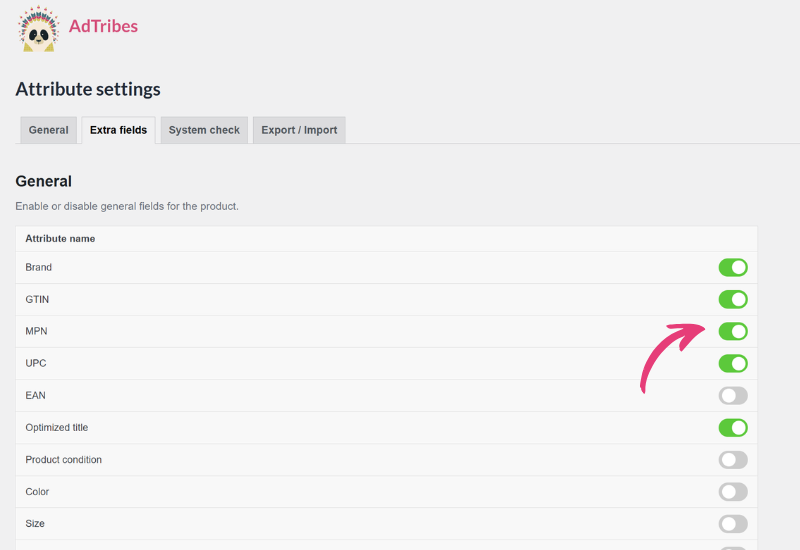
AdTribes unterstützt zusätzliche Felder, darunter Marke, GTIN, EAN, MPN, UPC, Farbe, Größe, Geschlecht, Material, Muster, Produktzustand, Altersgruppe, Ratenzahlungsfelder, Einheitenpreis-Felder, optimierter Titel und benutzerdefinierte Felder. Das genaue Feld, das Sie verwenden, hängt von Ihrem Kanal und Ihren Produktanforderungen ab.
Nein. Zusätzliche WooCommerce-Produktfelder sind in der Premium-Version verfügbar, nicht in der kostenlosen Version.
Ja. Sobald die zusätzlichen Felder aktiviert sind, erscheinen sie sowohl bei einfachen als auch bei variablen Produkten, sodass Sie Identifikationsdaten für mehr Produkttypen verwalten können.
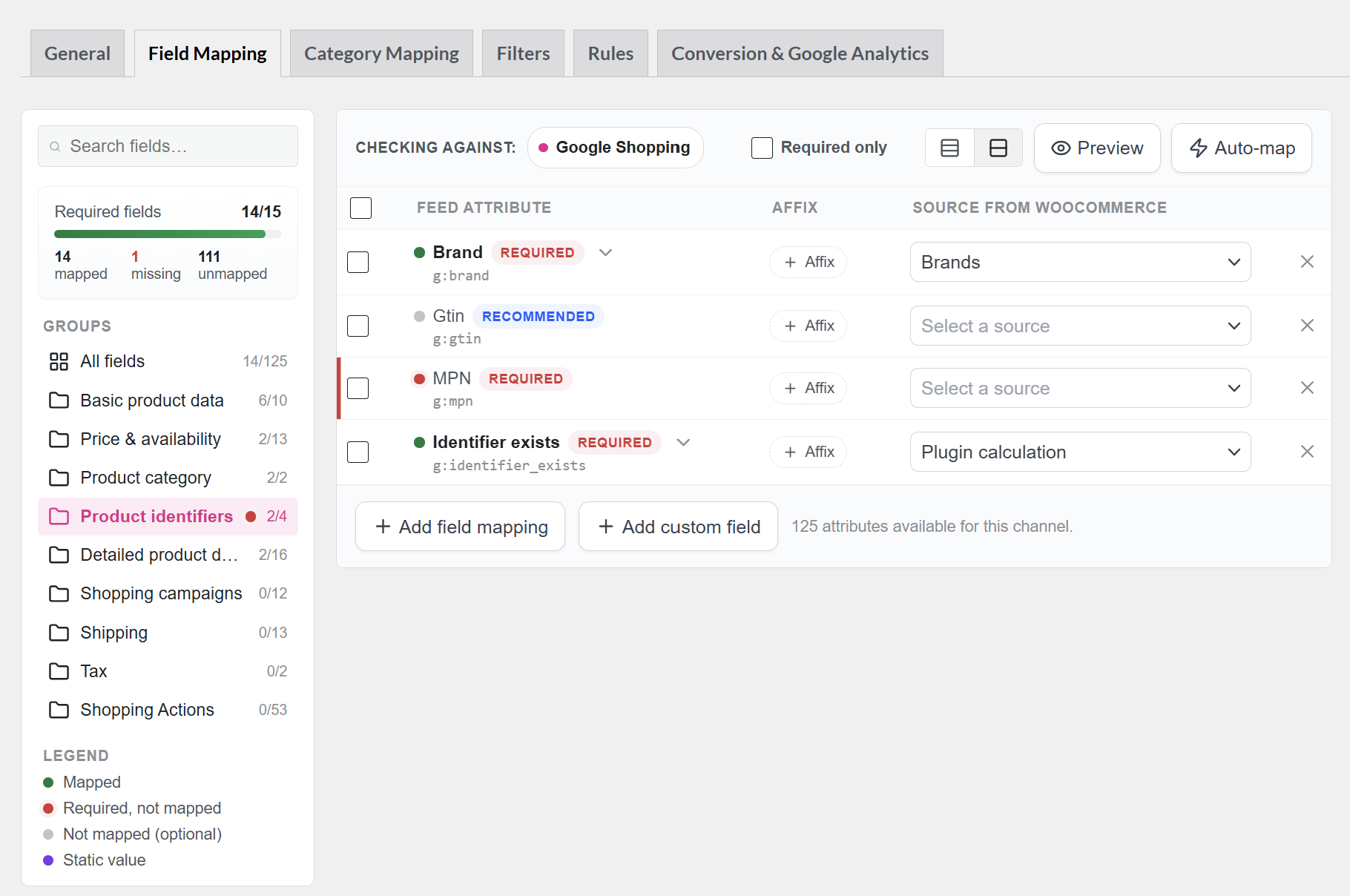
Aktivieren Sie die Felder in den Product Feed Elite-Einstellungen, geben Sie die Werte auf Ihren Produktbearbeitungsbildschirmen ein und ordnen Sie diese Werte dann im Schritt „Feldzuordnung“ des Feeds zu. Danach generieren oder aktualisieren Sie den Feed, damit die Daten enthalten sind.
Ja. AdTribes enthält benutzerdefinierte Felder, die Sie verwenden können, wenn ein erforderliches Attribut in Ihrer Einrichtung noch nicht verfügbar ist. Sie können das benutzerdefinierte Attribut erstellen, es dem richtigen Wert zuordnen und es in den Feed aufnehmen.
Wenn Ihre Produkte keine offiziellen Identifikatoren haben, erfinden oder kopieren Sie keine Werte. Verwenden Sie stattdessen das Attribut „identifier_exists“ entsprechend und geben Sie nur gültige Identifikationsdaten an, wenn diese tatsächlich vorhanden sind.
Nein. Die erforderlichen Identifikatoren variieren je nach Kanal. Deshalb ist es hilfreich, Feed-Vorlagen zu verwenden und die Felder zuzuordnen, die jeder Kanal erwartet.
Ja. Das Hinzufügen der richtigen Identifikatoren und Attribute kann Ihnen helfen, die Anforderungen des Marktplatzes besser zu erfüllen, was die Wahrscheinlichkeit von Problemen mit fehlenden Daten und abgelehnten Angeboten verringert.