Reviewed by
Over half of customers use Google to research a purchase they plan to make online. If you want your products to show up during these high-intent searches, Google shopping feed optimization is crucial. This strategy involves improving your product data so Google can better understand, match, and display your products to the right people.
By learning how to optimize your Google Shopping feed, you can boost your store’s visibility and improve listing performance. Save this guide, as we’ll be walking you through must-try Google Shopping feed optimization practices to help your products stand out and perform better in Shopping results.
- 7 Must-Try Google Shopping Feed Optimization Tips
- 1. Use clear, keyword-rich product titles
- 2. Write detailed product descriptions
- 3. Choose the most relevant Google product categories
- 4. Optimize product images for Google Shopping requirements
- 5. Add key product attributes
- 6. Use GTINs, brand, and identifiers correctly
- 7. Fix feed errors and warnings regularly
- Frequently Asked Questions
7 Must-Try Google Shopping Feed Optimization Tips
Let’s dive straight into the actionable tips. Here are seven actionable feed optimization tips to help your products perform better in Google Shopping:
1. Use clear, keyword-rich product titles
Your product title is one of the first things Google (and customers) look at when deciding whether your product is relevant to a search. By providing a clear, well-structured title, you help Google match your product to search queries and encourage customers to click on your listing.
Aside from including your main keywords in the product title, consider adding relevant attributes like:
- Brand name
- Product type
- Key features or material
- Color or variant
- Size, weight, or model number
Consider following a format that fits your industry. Here’s a simple example you can use:
Brand + Product Type + Key Attribute(s) + Variant (Color/Size/Model)
For example, instead of using a generic title like “Yoga Mat,” a more optimized version would be: “Yogiflow Non-Slip Yoga Mat – Eco-Friendly TPE, 6mm Thick, Blue.”
These details give Google more context about your product and help your listing appear in relevant searches.
2. Write detailed product descriptions
Strong product descriptions help fill in the gaps that product titles can’t cover. They give Google more context about your product’s purpose, features, and real-life use cases, which makes it easier to determine when your products should appear in search results.
Here are some of the most important details to include:
- Core product features and specifications
- Who the product is for and what problem it solves
- Materials, dimensions, or technical details
- Compatibility or usage information
If your store has a large product catalog, maintaining detailed and consistent product descriptions across your listings can be a challenge.
Most store owners we work with solve this by using AI tools like StoreAgent to automatically craft SEO-optimized product descriptions for WooCommerce. Apart from content creation, StoreAgent also helps flag product pages with missing or overly short descriptions, helping store owners quickly identify gaps that could affect feed quality and visibility.
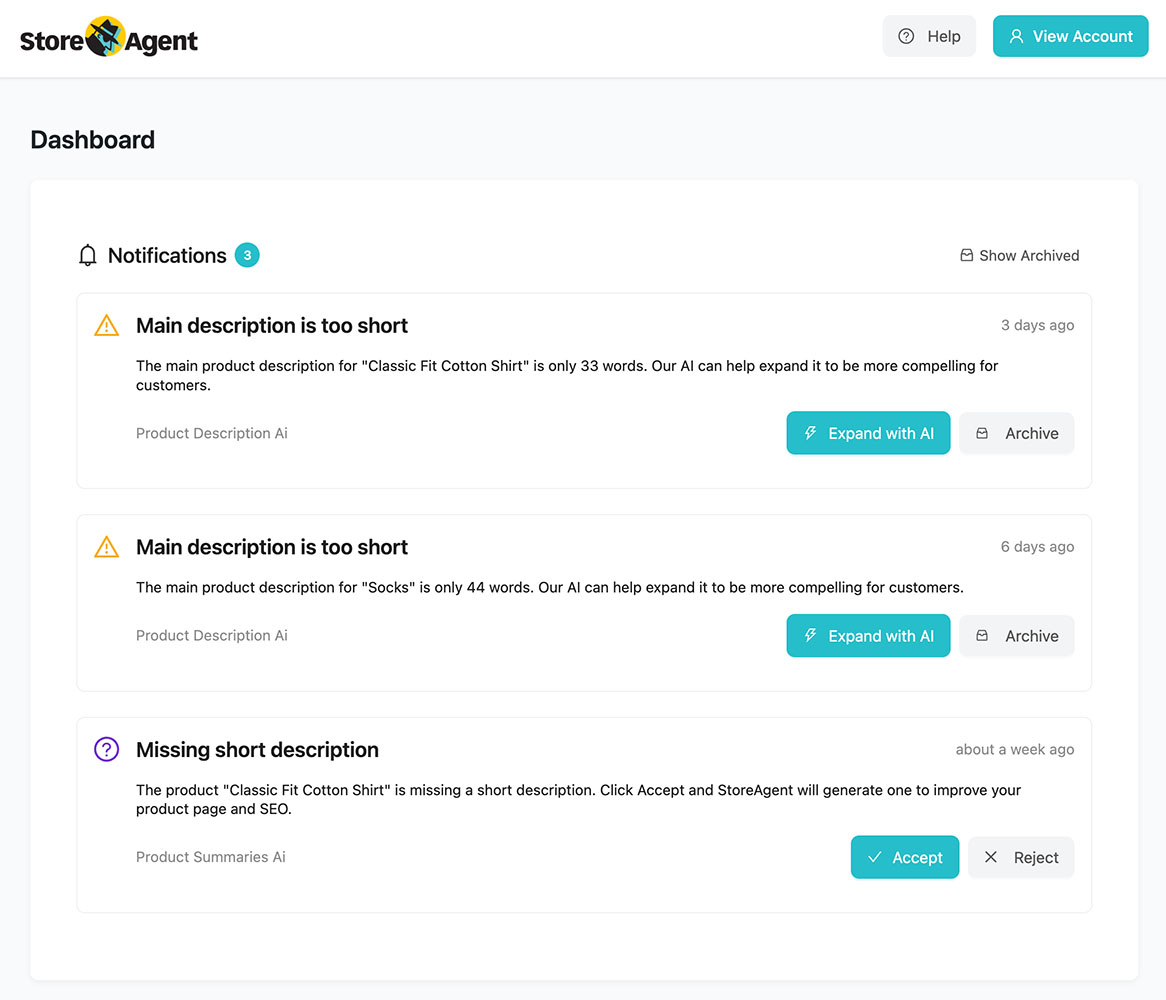
From experience, we’ve seen how tools like this help maintain description quality at scale—especially for stores managing hundreds or thousands of SKUs.
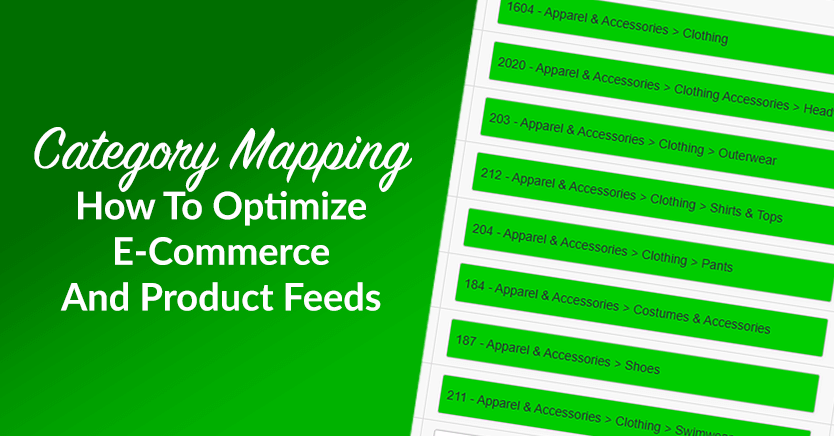
3. Choose the most relevant Google product categories
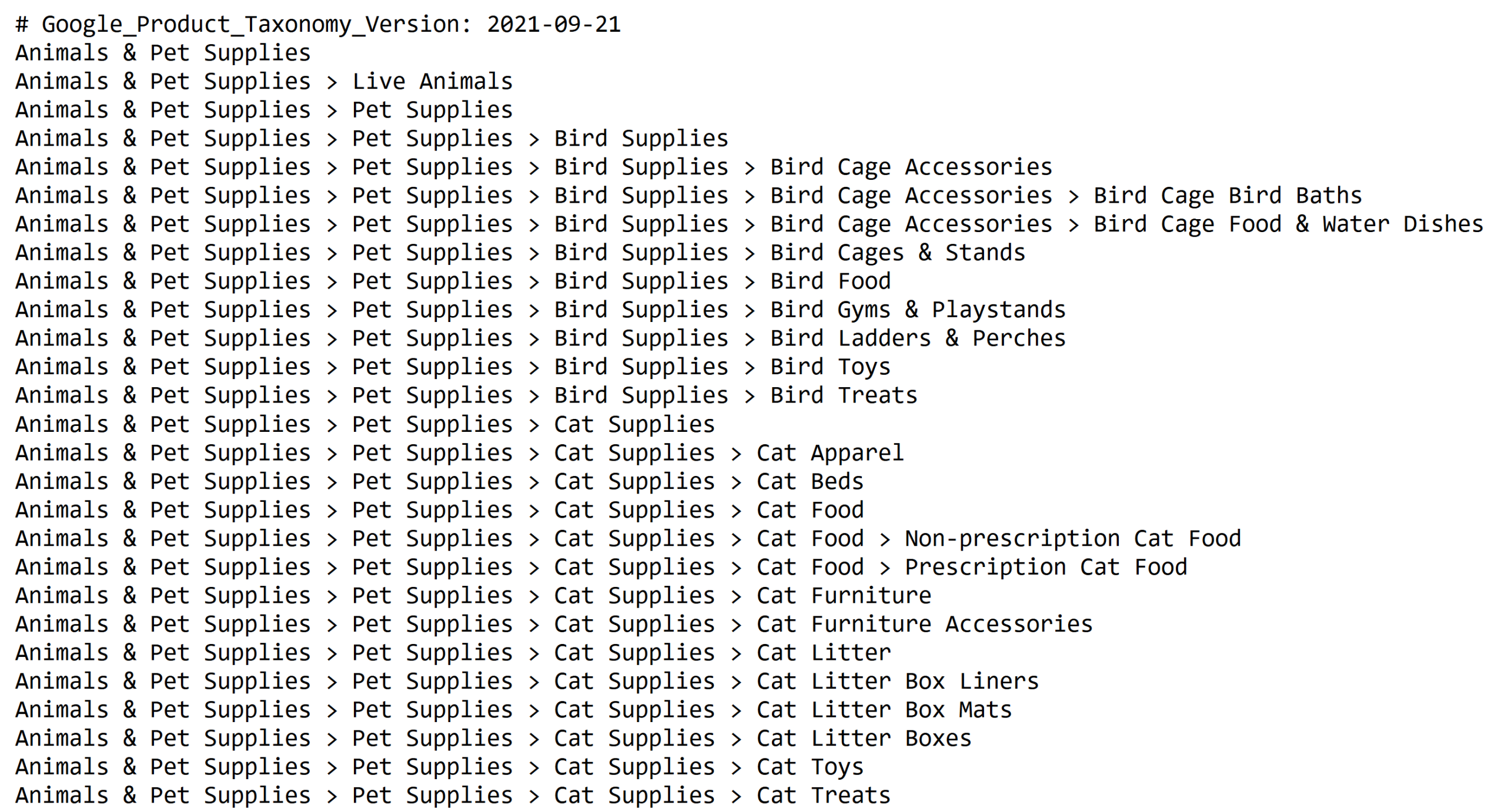
Google uses product categories to understand what you’re selling and determine when they should appear in search results. Unlike WooCommerce categories, Google product categories follow a predefined taxonomy, so selecting the closest and most specific match is important for accuracy and visibility.
You can also review Google’s official product category taxonomy, which lists all supported categories and subcategories used in Google Shopping. Take the time to review this taxonomy to ensure your products are classified correctly instead of being grouped under broad or generic categories.
Here are some key guidelines when assigning product categories:
- Choose the most specific category that accurately describes the product
- Avoid overly broad or unrelated categories
- Ensure category selections align with your actual product attributes and descriptions
Mapping the right Google categories can be time-consuming for stores with large product catalogs. This is why many of the stores we work with use AdTribes. This powerful product feed plugin allows you to map and manage Google product categories directly within your product feeds.
By keeping category assignments accurate and consistent, store owners improve feed quality and reduce misclassification in Google Shopping. It’s a critical part of your ongoing Google Shopping feed optimization strategy.
4. Optimize product images for Google Shopping requirements
Google Shopping results are highly visual—customers rely on clear, high-quality images to understand what your product is and whether it matches what they’re looking for. Because of this, product photos directly impact how your listings perform in Google Shopping.
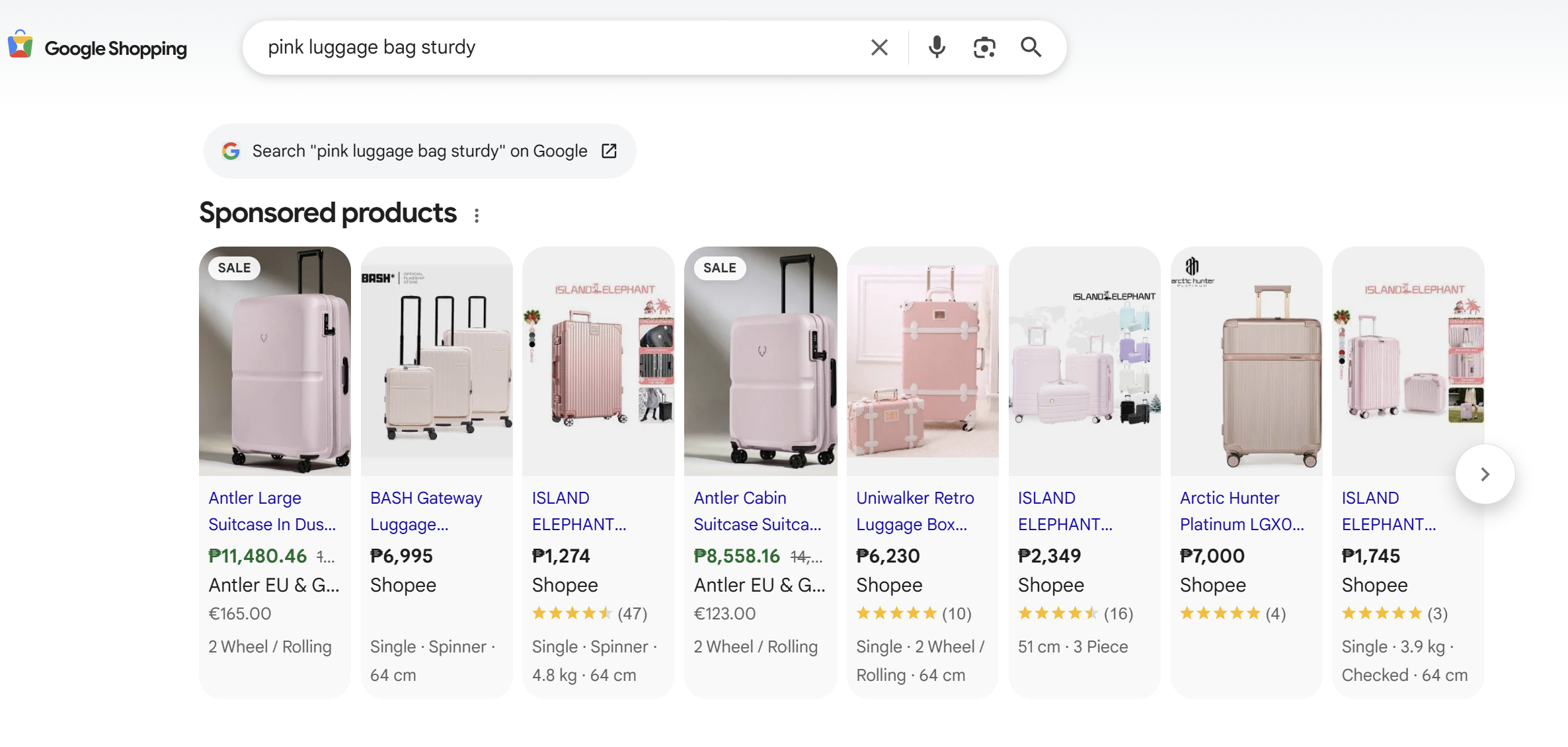
For the best results, Google recommends providing images that are near or above 1500 x 1500 pixels. They also provide an official list of minimum image requirements that products must meet to be eligible to be showcased. Following these guidelines can help prevent feed disapprovals and support better feed performance.
Here are some additional tips to consider:
- Use high-resolution images that clearly show the product
- Avoid blurry, pixelated, or low-quality photos
- Place the product on a clean, uncluttered background
- Show the product accurately without misleading angles or edits
- Avoid adding promotional text, logos, or watermarks to the image
If you’re offering multiple variants of a product, it’s best to use the correct image for each variation. Mismatched images can confuse shoppers and lead to lower engagement and product feed issues.
It’s also important to ensure your images match the exact product variant being sold. If a shopper clicks on a listing for a specific color or style, the image should reflect that option accurately. Consistent, accurate images help build trust with customers and reduce the risk of disapproval or poor engagement.
5. Add key product attributes
Attributes give Google Shopping the structured data it needs to understand what your product is about and how it should be categorized. Missing or incomplete attributes can affect listing performance and prevent it from showing on relevant search results. This is why it’s important for Google Shopping feed optimization.
At a minimum, most product feeds should include the following required attributes:
- id: A unique identifier for each product
- title: A clear, descriptive product title
- description: A detailed explanation of the product
- link: The URL of the product page
- image_link: The main product image URL
- availability: Stock status (e.g., in stock, out of stock)
- price: Accurate product pricing
- brand or gtin: Product identifiers used for matching
Keep in mind that the required attributes can vary depending on the types of products you sell. For example, adding an availability date is required if your product is set to preorder. Apparel products may require attributes such as size, color, or age group.
To stay up to date, it’s always a good idea to check Google’s official product attribute requirements to confirm which attributes are required for specific product categories.
From experience, we’ve seen that stores with complete and consistent product attributes tend to encounter fewer feed errors and maintain better long-term performance.
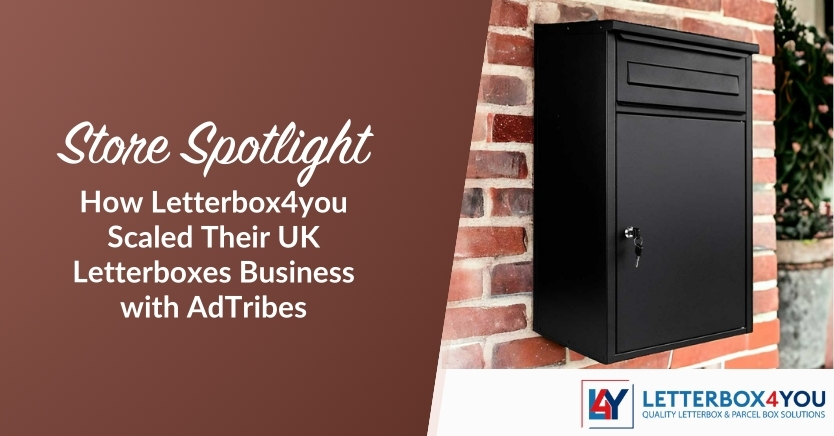
In our case study featuring Letterbox4you, accurate attribute mapping played a key role in keeping their growing catalog aligned with Google Shopping requirements. They used AdTribes to automate product feed updates, apply rules and mappings to changing product data to ensure required attributes remained consistent across their listings.
Read the full case study here: How Letterbox4you Scaled Their UK Letterboxes Business with AdTribes
6. Use GTINs, brand, and identifiers correctly
Providing product identifiers like GTINs, MPNs, and brand helps Google Shopping accurately identify and classify your products. These identifiers help Google match your listings with the right search queries, which can increase your chances of appearing in the most relevant Shopping results. In turn, this can improve engagement and overall listing performance.
Here are some best practices when working with product identifiers:
- Use valid GTINs provided by the manufacturer whenever available
- Ensure brand names are spelled consistently across all products
- Avoid using placeholder values like “N/A” or random numbers
Whenever possible, it’s beneficial to give Google Shopping as much accurate product data as you have available. The more complete your attributes and identifiers are, the easier it will be for Google to understand your products and determine when they should appear in search results.
7. Fix feed errors and warnings regularly
Feed issues can occur for a lot of reasons. Some common reasons include:
- Missing or incomplete required attributes
- Price or availability mismatches between your feed and product pages
- Disapproved images or invalid image links
- Incorrect product identifiers or category assignments
- Changes to Google Shopping requirements
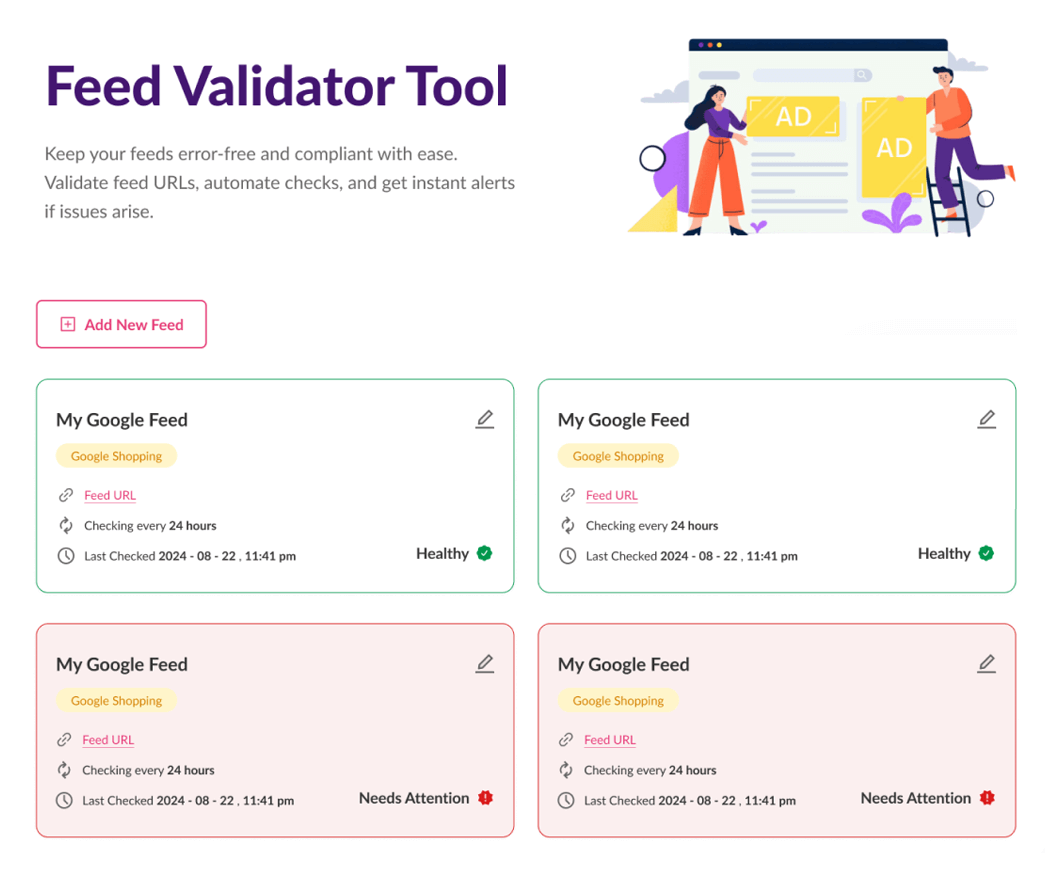
To ensure the best possible performance for your product feeds, it’s important to monitor your feed consistently and address these issues. While warnings don’t always stop products from showing, fixing them helps improve overall feed quality and prevents bigger issues down the line.
From experience supporting WooCommerce stores, we’ve seen that having visibility into product feed health makes Google Shopping feed optimization a lot easier. In AdTribes, the built-in Feed Validator tool allows store owners to quickly identify errors and warnings in product feeds. This helps you catch and fix problems quickly before they impact performance.
Frequently Asked Questions
What is Google Shopping feed optimization?
Google Shopping feed optimization is the process of improving product data so Google Shopping can better understand, classify, and display your products in relevant search results. This includes adding key attributes, optimizing product titles and descriptions, choosing the right Google category, and fixing feed warnings and errors. Well-optimized feeds help your listings appear in relevant searches, which can improve overall visibility and product feed performance.
How often should I update my Google Shopping product feed?
Google recommends updating your product feed at least once a day. Regular updates help ensure your feed stays accurate and aligned with your current product data. If you’re using a product feed plugin like AdTribes, you can set custom refresh intervals to determine exactly when and how often your feeds update.
What product attributes matter most for Google Shopping?
Required product attributes in Google include: id, title, description, link, image_link, availability, price, and brand or GTIN. Note that these requirements can change depending on the types of products you sell. Some product types require additional attributes like color, size, material, or age group. It’s important to provide accurate attribute data to help Google match your products to the most relevant searches.
Wrapping Up
Google Shopping feed optimization can help your products appear in more relevant searches. By ensuring that your product data is accurate, complete, and aligned with the channel’s requirements, you can improve your feed visibility and engagement over time. In this guide, we walked you through best practices to help you improve your Google Shopping feed, including:
- Writing clear, keyword-rich product titles
- Creating detailed and accurate product descriptions
- Choosing the most relevant Google product categories
- Optimizing product images to meet Google Shopping requirements
- Adding complete and accurate product attributes
- Using GTINs, brand names, and identifiers correctly
- Monitoring and fixing feed errors and warnings regularly
Following these steps will help improve product feed quality and reduce feed issues. If you’re looking to streamline this process, plugins like AdTribes can help. This powerful plugin helps you create and manage product feeds for over 100 sales channels, including Google Shopping.
We hope this guide helped!