

Wholesale Suite
Wholesale Suite
Get Wholesale Suite (opens in a new tab)
Set Flexible Discount Rules Across Your Products
Create dynamic discounts, automate price adjustments, and generate product feeds that reflect your promotional pricing accurately across all platforms
Product Feed Pro/Elite is currently partially integrated with FlyCart’s Discount Rules for WooCommerce.
Currently, the following discount type is supported:
We currently do not support the following:
1- The feature is enabled by default. You will simply need to ensure that your Discount Rules are set up properly. In this example, I’ll be using Product Adjustment
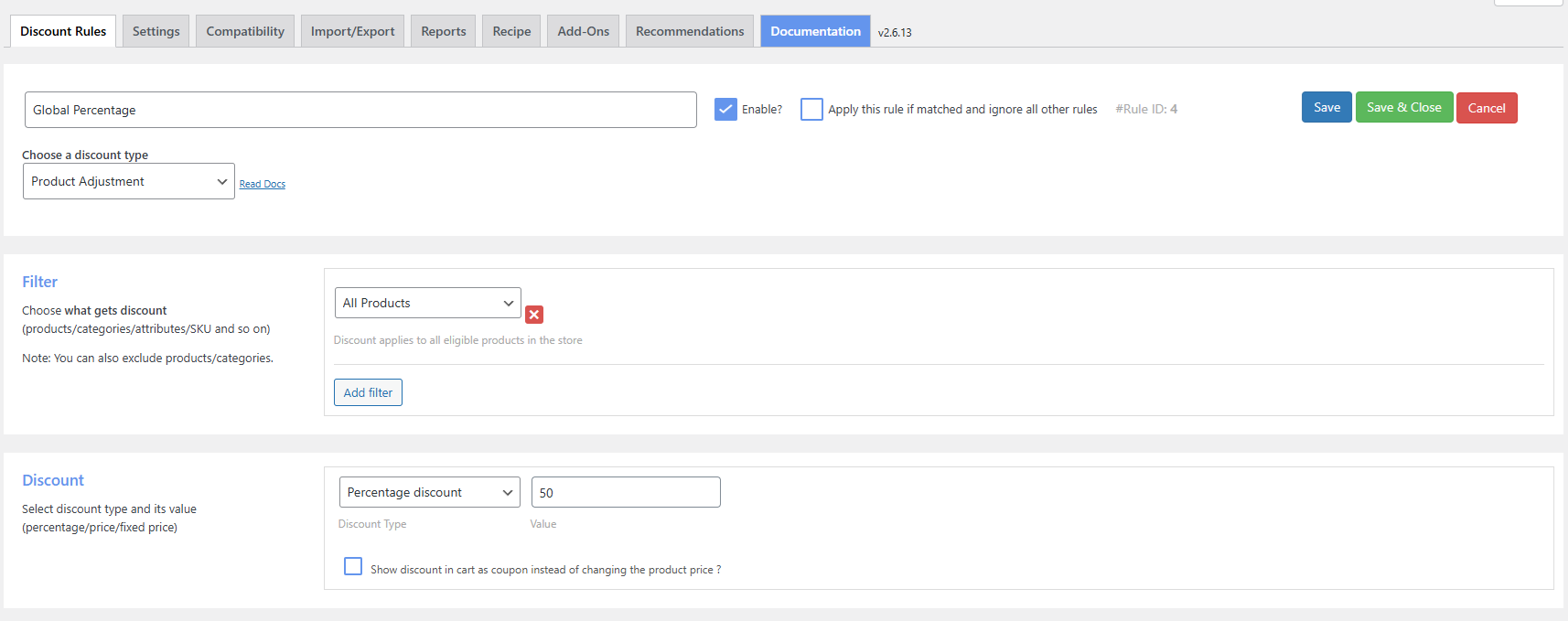
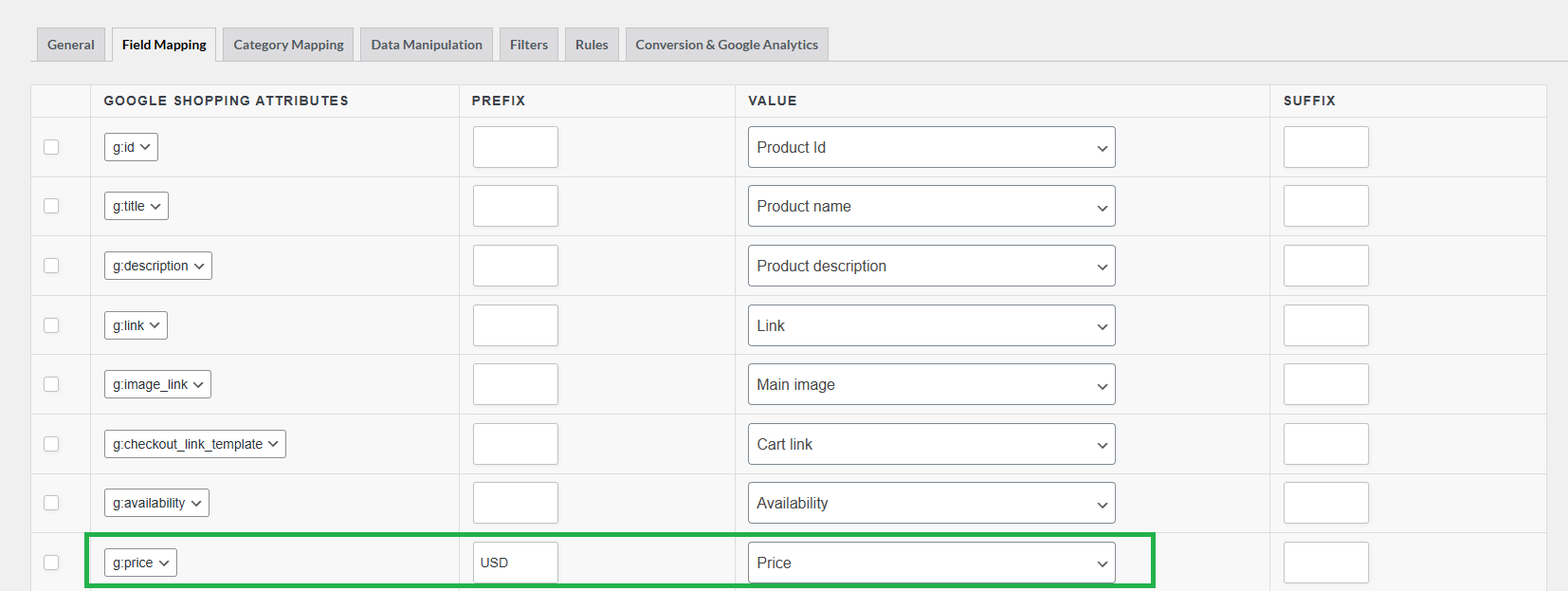
2- On your product feed, simply map out the price accordingly
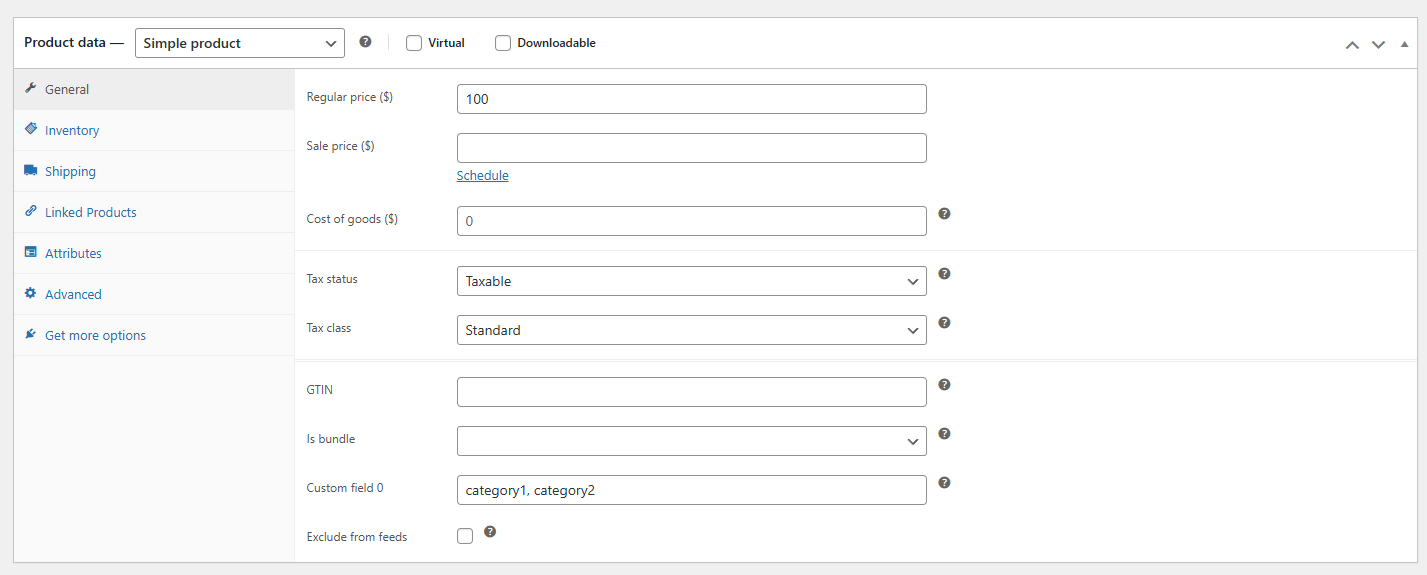
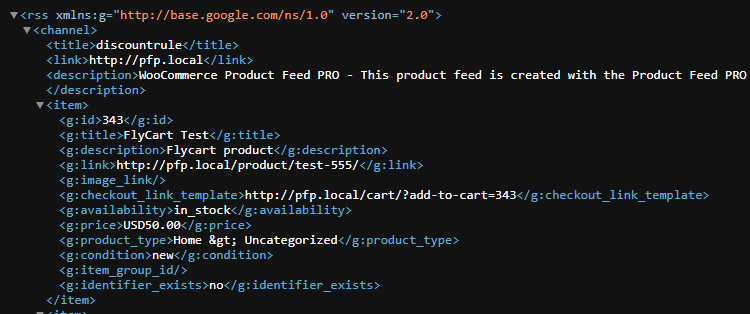
3- The price in the feed will now reflect according to your rules. Based on our rules, it’ll apply 50% discount to all products
Support is provided by the developers of the plugins. Please contact them directly as we are unable to support them.
Tell us about your integration with Product Feed Pro or Elite and get it listed.
The best WooCommerce product feed plugin