Reviewed by
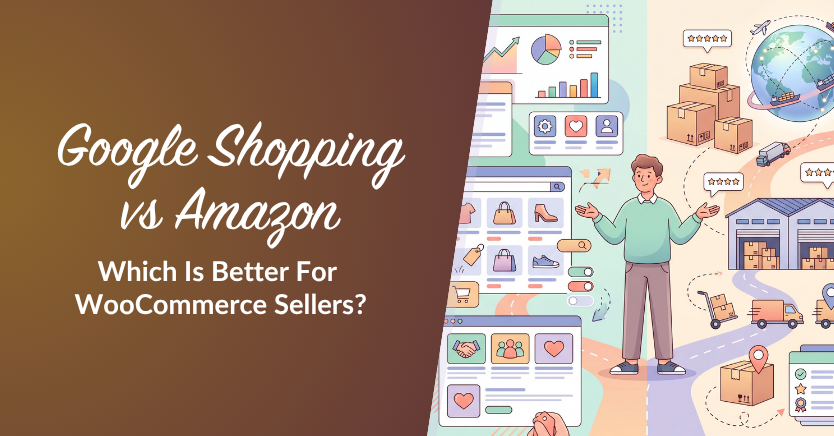
Choosing between Google Shopping and Amazon isn’t just about reaching more shoppers. It’s also about where the sale happens, what it costs to acquire customers, and how much control you have after checkout. For WooCommerce store owners, those differences can shape growth long after the first order.
Google Shopping helps shoppers discover products and click through to your WooCommerce store, where you manage checkout and your brand experience. Amazon lets you sell within a large marketplace, with built-in demand and its own selling fees. The better fit depends on your products, costs, and goals.
Before choosing Google Shopping vs Amazon, consider what each sale costs, how orders will be fulfilled, and how much time you’ll spend managing the channel. These practical details matter just as much as potential reach.
Google Shopping Vs Amazon: The Short Answer
Both can help you reach buyers, but they work differently. Google Shopping sends shoppers to your store, while Amazon handles purchases within its marketplace.
- Google Shopping (own store): shoppers click through to your WooCommerce product pages. You control the storefront and checkout, while covering operating costs and any paid advertising.
- Amazon (marketplace): buyers generally complete purchases on Amazon. You gain access to marketplace shoppers but pay selling fees and follow Amazon’s customer communication rules.
- The strategic call: compare costs, customer relationships, fulfillment, and potential reach before deciding whether to use one channel or both.
- The shared opportunity: you can create channel-specific product feeds from one WooCommerce catalog, but Amazon feed uploads are still manual.
How Selling Through Google Shopping Works
Google Shopping helps people discover your products while browsing or searching on Google. A click typically takes them to your WooCommerce product page, where you manage the shopping experience and checkout.
Product data submitted through Google Merchant Center helps make eligible products available for free listings and paid Shopping ads. Paid placements use an ad auction; free listings don’t have an advertising charge per click. Purchases happen on your site.
Because shoppers arrive on your own product pages, you can shape what happens after the click, from related products and recommendations to your checkout flow. You’re also responsible for keeping those pages working. Broken product URLs or prices and availability that don’t match your feed can cause listing problems.
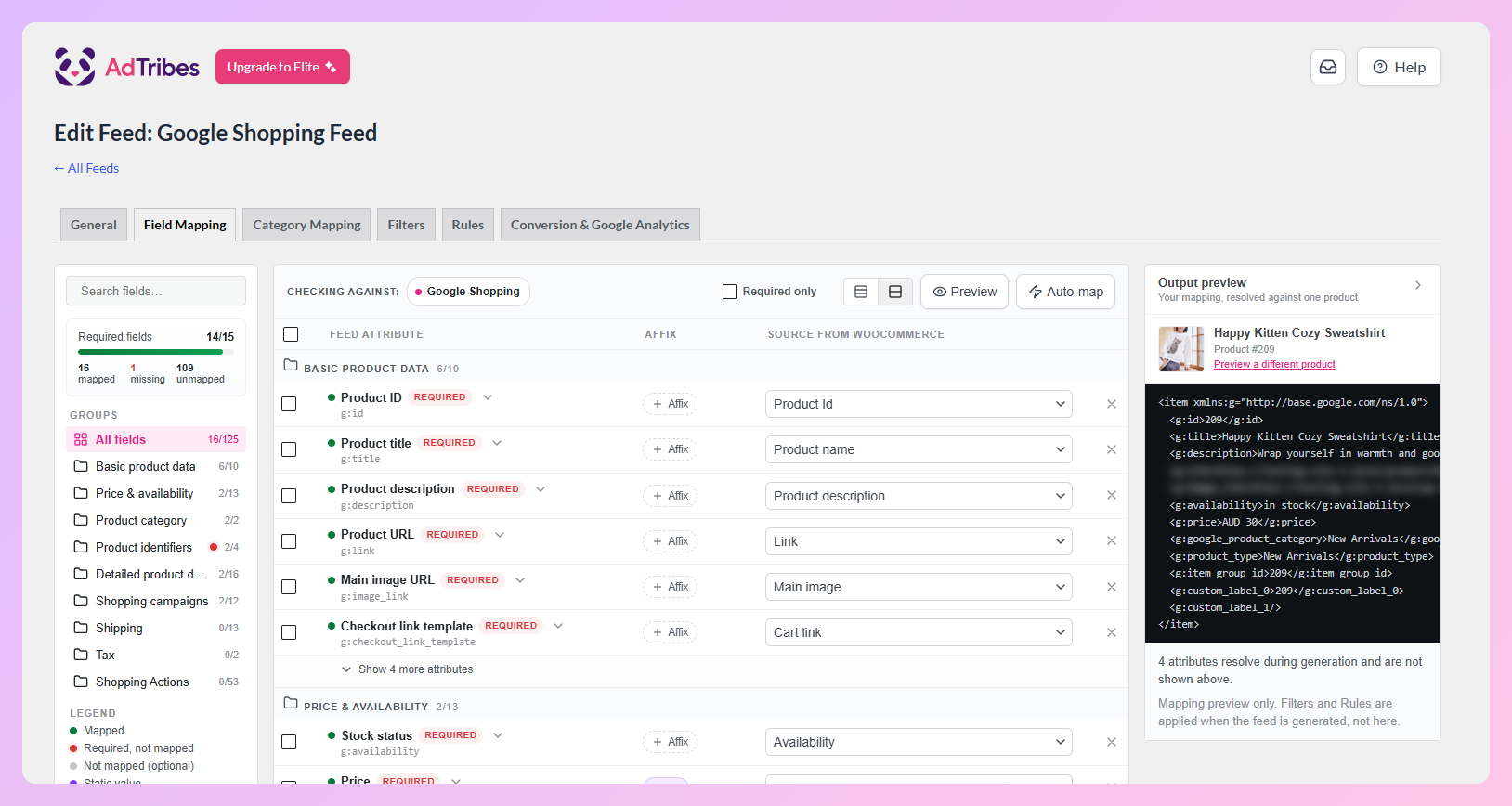
AdTribes Product Feed Pro can generate a Google Shopping product feed from your WooCommerce catalog for submission to Merchant Center. Google determines listing eligibility and handles the auction for paid Shopping ads.
How Selling On Amazon Works
On Amazon, customers find and purchase your products within the marketplace rather than visiting your WooCommerce store. Amazon manages checkout and sets the rules for customer communications, while sellers benefit from its established audience and buyer trust.
To sell on Amazon, you’ll need a Seller Central account. You can fulfill orders yourself or use Fulfillment by Amazon (FBA), and you’ll pay referral fees on sales. If you plan to upload inventory files, Amazon’s US marketplace requires a Professional selling plan. Advertising and FBA can add further costs.
When multiple sellers offer the same product, they may compete for the Featured Offer (formerly the “Buy Box”) on a shared Amazon product page. Price, delivery, and seller performance can influence which offer appears.
If you’re preparing listings from WooCommerce, AdTribes Product Feed Pro can generate an Amazon flat-file feed for manual upload to Seller Central. You’ll still need to check your category’s inventory requirements and manage listings, orders, and FBA in Seller Central. For help preparing the file, see our guide to create a WooCommerce Amazon product feed.
Control, Margin And Fees
Selling through your own store avoids Amazon’s referral fees, but you still need to cover costs such as payment processing, hosting, fulfillment, and any advertising. On Amazon, selling fees and optional services add to the cost of each order. Compare what you actually keep after expenses on each channel.
Who keeps the margin
Your own store gives you more freedom to set prices, offer bundles, and encourage additional purchases. You can set prices on Amazon too, but marketplace fees and competition affect the margin you keep.
Fees and cost structure
According to Amazon’s published selling fees, referral fees for many Amazon.com product categories fall around 8% to 15%, although some categories sit outside that range and minimum fees may apply. Sellers also choose a selling plan, and FBA, storage, or advertising can add costs. Check the fees for your specific category and marketplace rather than assuming one rate for every product.
Brand Ownership And Customer Data
On your own store, you manage the brand experience and have direct access to order information. You can also build an email list and remarketing audience when customers give the necessary permission. Amazon limits how sellers can use buyer information, particularly for promotional outreach.
That difference matters for repeat business. Customers who opt in on your own store can hear from you again through email and other permitted marketing channels. Amazon can bring repeat purchases too, but sellers can’t freely use marketplace buyer information for direct promotions.
The long-term trade-off: Marketplace sales can grow revenue without growing an email list you control. If building direct customer relationships matters to your business, keep investing in your WooCommerce storefront alongside any marketplace sales.
Reach, Competition And Buyer Trust
Amazon gives you access to shoppers who are already looking to buy, along with the appeal of Prime-eligible delivery for qualifying offers. A 2023 survey reported by Search Engine Land found that half of US respondents started their online shopping searches on Amazon. That’s a useful sign of its reach, even if the numbers have changed since the survey.
That reach can also bring competition for the Featured Offer, pressure to keep prices competitive, and less control over the shopping experience. With Google Shopping, buyers who click through arrive on your own product pages, where you control how your products and brand are presented. Amazon can help shoppers discover your brand too, but the customer journey stays largely inside its marketplace.
Using one WooCommerce catalog can reduce duplicate data entry, but you’ll still need to check prices and stock on each channel. Amazon won’t automatically receive changes just because you regenerate its feed file.
When To Use Google Shopping, Amazon, Or Both
If building direct customer relationships is a priority, your own WooCommerce store and Google Shopping can be a strong starting point. Consider Amazon when its potential sales volume justifies the selling fees and extra work involved.
Amazon earns its place for commodity or high-search products where buyers are already looking there and the extra units justify the fees. Just keep pricing and inventory consistent across both, and don’t let the marketplace become your only sales engine.
If you use product feeds for both channels, you’ll prepare them in the formats each platform accepts. The Google feed goes to Merchant Center, while the Amazon feed is downloaded and uploaded through Seller Central.
Creating Google Shopping And Amazon Feeds From WooCommerce
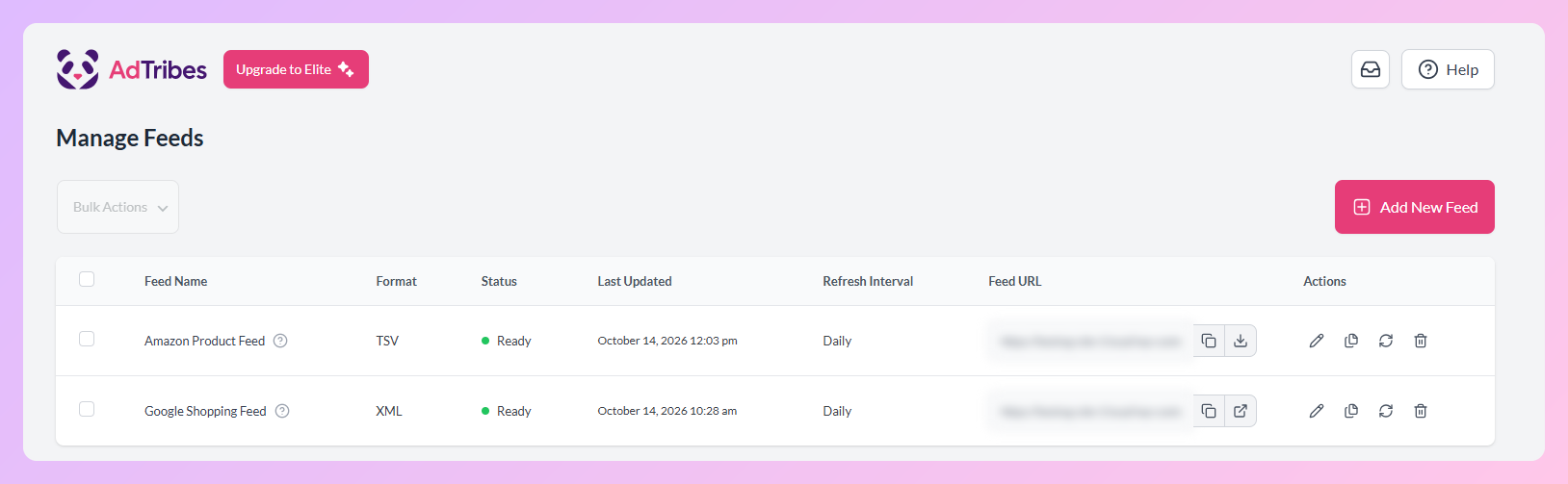
You can generate a separate Google Shopping feed and Amazon feed from the same WooCommerce catalog. Google product data can be refreshed through a configured feed schedule, but updating your Amazon listings requires uploading the latest file in Seller Central.
With the free AdTribes Product Feed Pro, you can map your WooCommerce product fields to each channel’s requirements and generate separate Google Shopping and Amazon feed files without starting from scratch.
You can maintain product details in WooCommerce while preparing the files each platform needs. You’ll submit the Google feed through Merchant Center and upload the Amazon file in Seller Central, where you also manage marketplace sales.
If you want to compare tools before you commit, our roundup of the best WooCommerce product feed plugins lays out the options.
Frequently Asked Questions
Should I sell on Amazon or my own store with Google Shopping?
If building a direct customer relationship is a priority, start with your WooCommerce store and Google Shopping, then consider Amazon for additional reach. Your own store gives you more control over checkout, branding, and permission-based marketing. Amazon offers a built-in audience but adds marketplace fees. Using both can work if the costs and workload make sense.
Is Google Shopping cheaper than selling on Amazon?
Google Shopping can help you sell without Amazon referral fees, but your costs still include advertising, operations, and fulfillment. On Amazon.com, the Individual selling plan has a per-item fee, while the Professional plan has a monthly fee. Amazon also charges referral fees and FBA costs if you use that service. Compare your profit after expenses on both channels.
Can I sell on both Amazon and Google Shopping at the same time?
Yes. You can sell through your WooCommerce store using Google Shopping and list products on Amazon too. Keep product information, pricing, and inventory accurate in both places, and remember that updated Amazon feed files still need to be uploaded through Seller Central.
Does Amazon still advertise on Google Shopping?
Amazon reduced its Google Shopping ad activity in July 2025. MediaPost reported that its impression share fell to zero among tracked advertisers in the US, UK, and Germany. Search Engine Journal reported that Amazon returned to international markets, while its US impression share remained at zero in the Q2 2026 data. This can change, so it shouldn’t determine which channel is right for your store.
Do I keep customer data when I sell on Amazon?
Amazon shares some order information with sellers, but its policies restrict using buyer details for promotional messages or building a marketing list. With your own WooCommerce store, you have access to your purchase records and can build a customer email list when shoppers give permission.
Can AdTribes create both a Google Shopping and an Amazon feed?
Yes. The free AdTribes Product Feed Pro plugin generates Google Shopping and Amazon feed files from the same WooCommerce catalog. You upload the Amazon file through Seller Central, which requires a Professional selling plan for inventory-file uploads in the US. The plugin doesn’t manage Seller Central or FBA, but it saves you from building each feed file from scratch.
Where Should Your WooCommerce Store Sell?
The best route depends on your margins, operating capacity, and how important direct customer relationships are to your business. Google Shopping can bring buyers to your own storefront; Amazon can complement it when the reach is worth the fees and additional work.
You can start with one channel and expand when the numbers make sense. If you’re already growing your WooCommerce store, consider testing a smaller selection of products on Amazon before committing your full catalog.
- Weigh control and margin: compare operating and acquisition costs with Amazon’s marketplace fees.
- Protect your customer data: build permission-based customer relationships on your own store.
- Read Amazon’s real strengths: reach and buyer trust, alongside marketplace competition.
- Use both deliberately: decide based on profit, workload, and your goals.
- Feed both from one catalog: remember that Amazon updates still need a manual upload.
Ready to prepare feeds for both channels from one WooCommerce catalog? Get started with the free AdTribes Product Feed Pro to create your Google Shopping and Amazon feed files.