License activation in a multisite environment works differently from the standard process, especially if the plugin is only being used on a single site within the network.
Note: A Business subscription is required to use the Product Feed Elite plugin in a multisite environment
Here’s how to do it
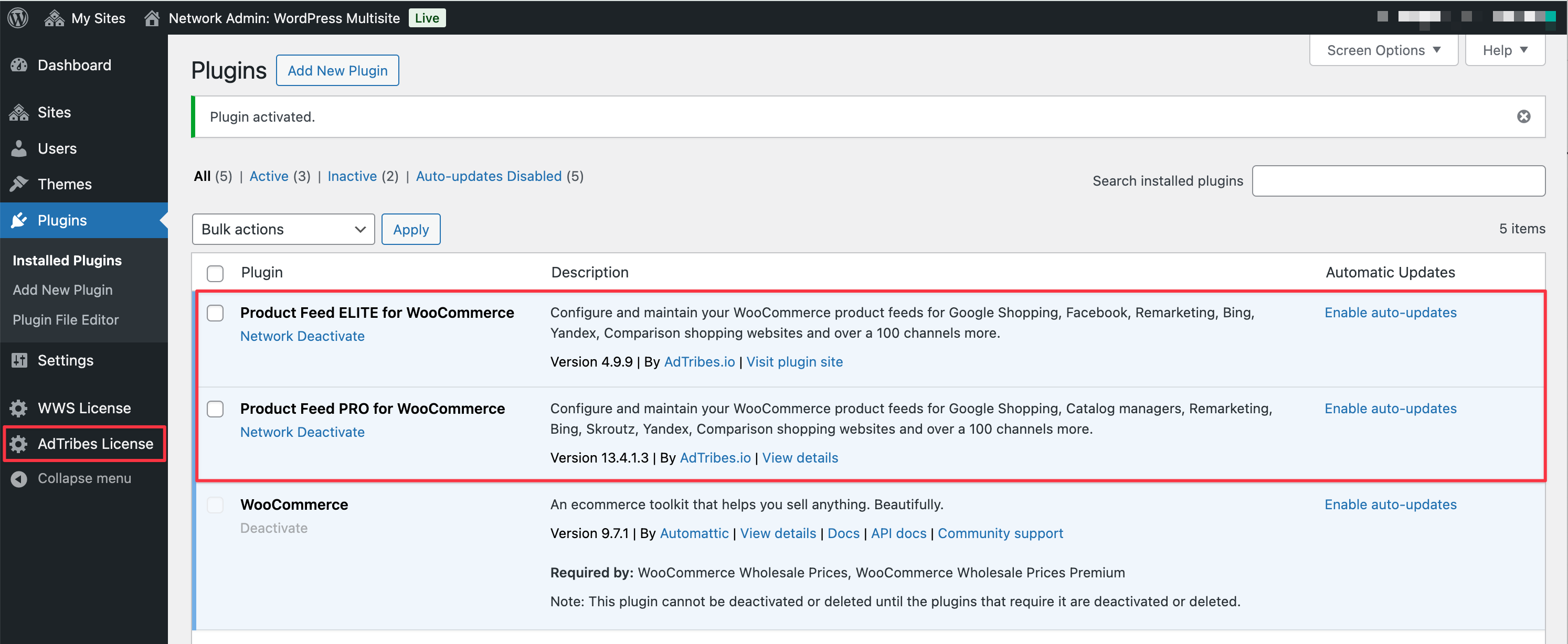
Network-wide activation
If you’re adding the plugin to all sites in your multisite environment, go to the Network Admin > Plugin screen and activate it. This will add a new Adtribes License menu on the Network Admin screen, allowing you to activate the plugin.
Activate on subsite
If you’re installing the plugin on specific sites within your multisite network, activate it from the “Main” site’s dashboard first. This will enable the Adtribes License menu for license activation.
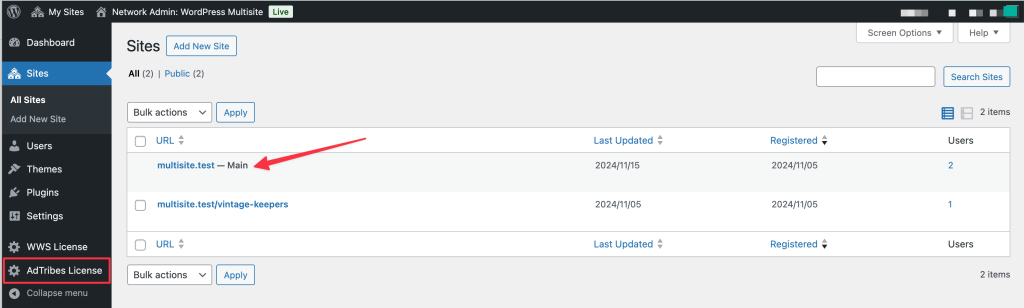
Please keep in mind that even if you’re installing the Product Feed Elite plugin on just one site, a Business subscription is still required.
Why a smaller license does not work on multisite
A per-site license, such as a 1-site or 3-site license, is not valid on a WordPress multisite network. Multisite requires the Business subscription, which includes unlimited site activations, even when you use the plugin on only one site in the network.
In plan terms, that means Growth and Plus do not work on a multisite network. Only Business carries unlimited site activations.
If your license does not cover multisite, the plugin shows this notice: “Invalid License. You must have license with unlimited site activations for multisite setups.” To resolve it, upgrade to the Business subscription and activate that license from the Network Admin or the main site, as described above.
Need help?
If you have a question or run into any issues, we are here to help.
- Premium users: Open a support ticket
- Free users: Visit our community forum