Reviewed by
Adding product videos is one of the most effective ways to make your product listings more engaging and persuasive. Great news! Our latest update in AdTribes Product Feed Elite introduces support for the meta video attribute, allowing you to include product videos directly in your Facebook and Instagram feeds. This means you can now showcase your products in action, giving customers a richer, immersive shopping experience.
In this guide, we’ll walk you through how it works, why it matters, and how you can start using it to boost your store’s visibility and conversions. Let’s go!
What Is The Meta Video Attribute? (New Feature Overview)
The new Meta video attribute lets you include direct video URLs on your Meta product feeds, alongside your usual product data like titles, descriptions, availability, stock levels, and more.
This means you’re no longer limited to showcasing static images! With this update, you can add multiple product videos, making it easier to highlight different angles, features, and real-life use cases.
Here’s a quick glimpse of how it works:
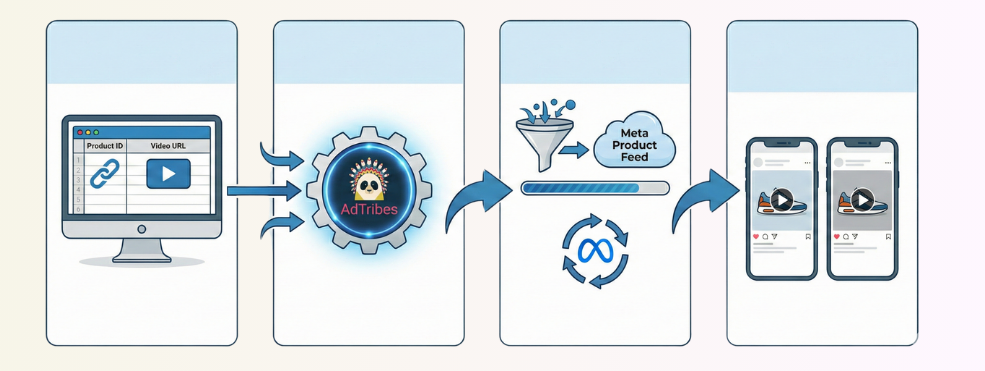
Video URLs are added as extra fields to your product feeds, and AdTribes Product Feed Elite automatically maps and formats these URLs based on Meta’s requirements. Once your product feed is generated, videos are displayed in your Facebook and Instagram catalog listings, giving your customers a more dynamic and immersive experience.
Why Add Product Videos To Your Meta Feeds? (Key Benefits)
Simply put, videos give your products the extra edge to stand out. Adding product videos to your feeds creates a richer shopping experience that helps shoppers make more confident buying decisions. Here’s how it helps:
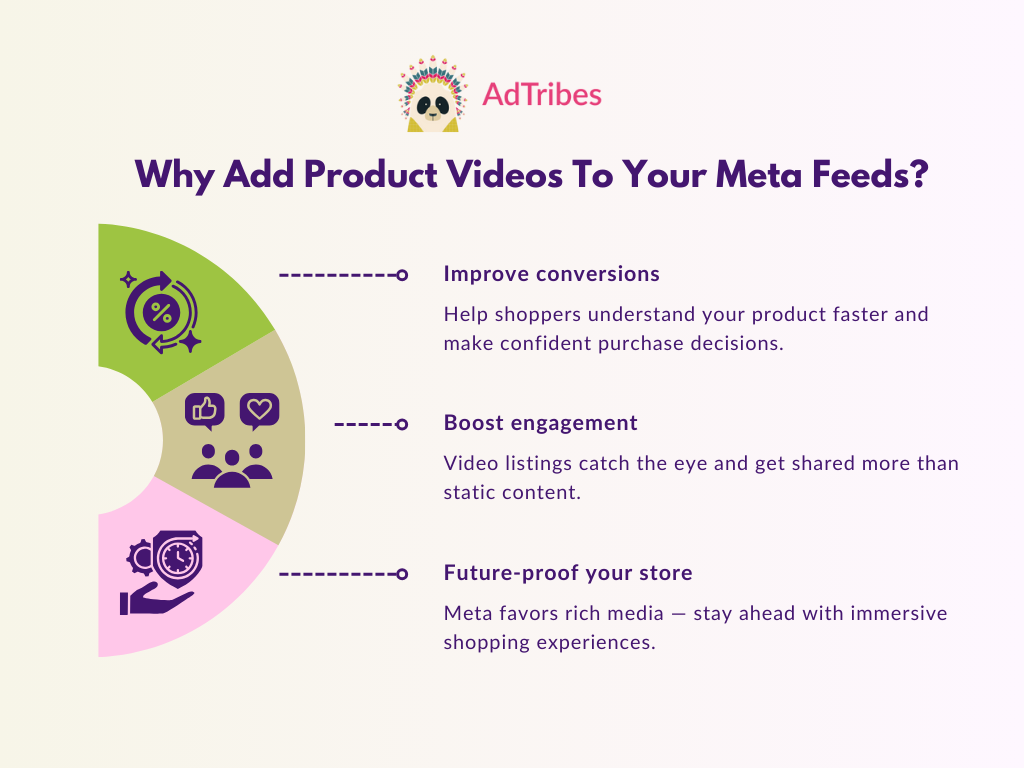
Improves conversion rates with better product understanding
According to industry insights, 73% of customers say that they are more likely to buy a product after watching videos that explain how it works. Adding a product video demo, unboxing, or a lifestyle clip can help shoppers visualize how your products work in real life, which can reduce buyer hesitation and lead to more confident purchase decisions.
Boosts engagement
Videos are naturally more engaging than static content. Industry research reveals that videos are shared 1,200% more times than text and images combined. By showcasing your products in action, you can increase the chances of customers noticing and clicking on your listing.
Future-proof your store
Ecommerce platforms like Meta are now incorporating rich media experiences, and stores that adapt are more likely to thrive. According to a report by Wyzowl, 91% of businesses already use video as a marketing tool in 2026. Incorporating this strategy helps you stay competitive, puts you ahead of competitors, and sets your store up for long-term visibility and success.
How To Add Meta Videos On Your Facebook And Instagram Product Feeds
Ready to showcase your products in motion? Below, we walk you through how to add product videos to your Meta feeds using AdTribes.
📝 NOTE: Before following along, make sure that you’re using the latest versions of AdTribes Product Feed Pro and Product Feed Elite.
Let’s get right into it!
1. Enable the extra video attribute
First thing you need to do is enable the Video URL extra field. To do this, head to your WordPress dashboard > Product Feed > Settings > Extra Fields.
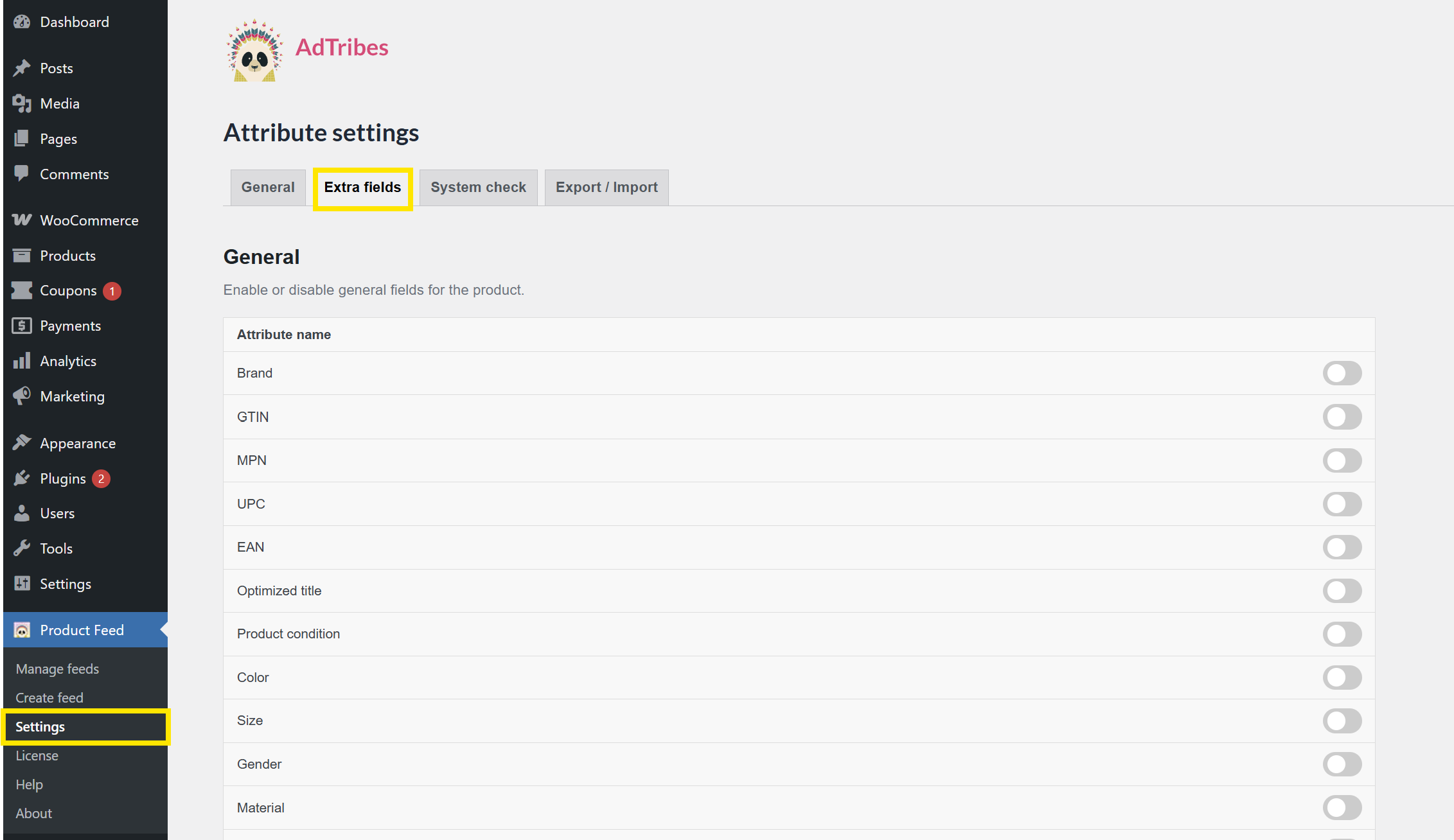
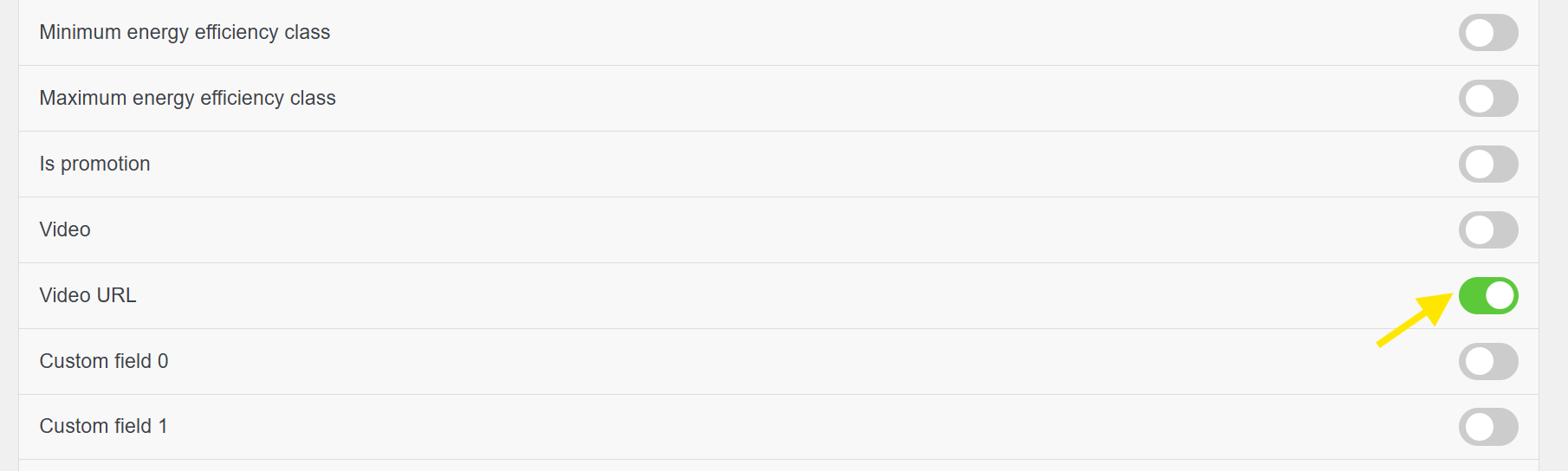
Look for “Video URL” and toggle it on. Once enabled, this adds a Video URL field directly to the product editor.
2. Add your product video URLs
Now that the Video URL field is enabled, it will automatically appear in the product editor for each of your WooCommerce products. This is where you’ll add your product video links.
Go to Products > All Products > Edit for the item you want to update. Then, from the Product Data section, head to General and look for the Video URL field.
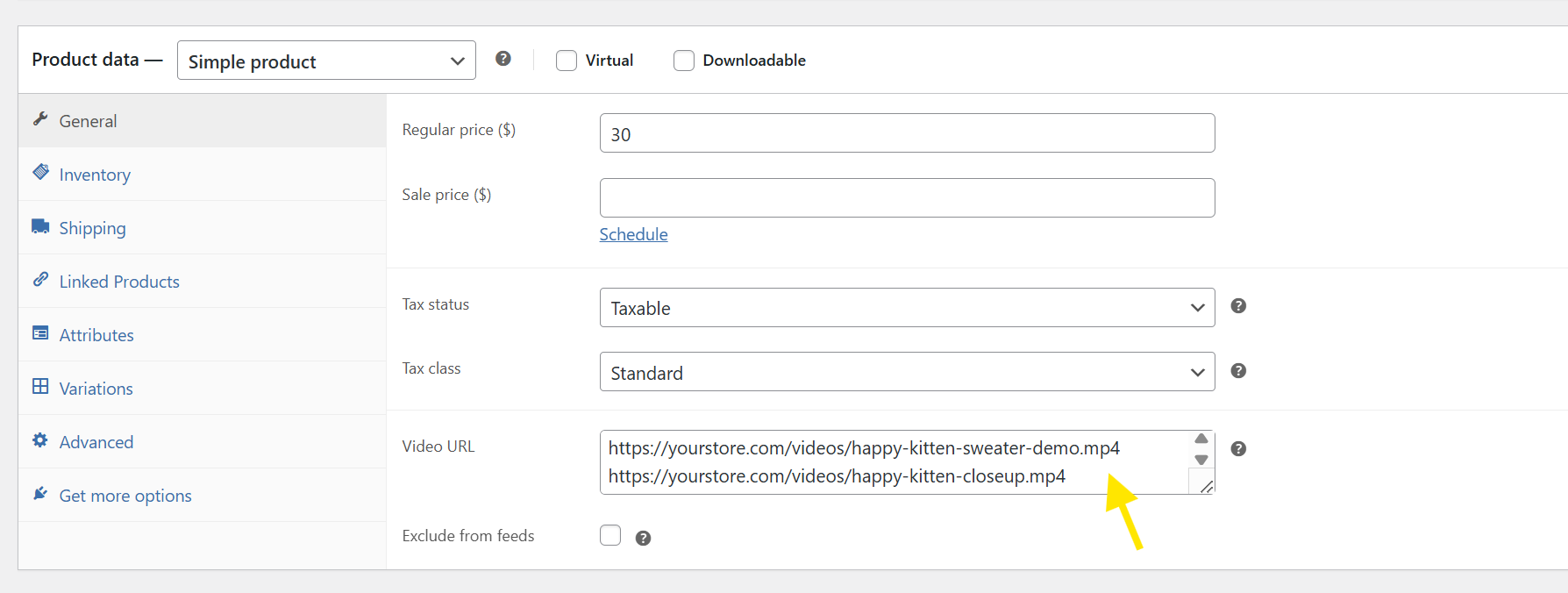
From here, you can:
- Add a single video URL to highlight one demo or use case
- Or, paste multiple video links, placing each one on a new line, to showcase different angles, closeups, or lifestyle shots
Don’t forget to click Update to save your changes!
💡 POWER TIP: Make sure that your video links are direct, publicly accessible video file URLs. The videos should not be behind a login, paywall, or private permission settings, and must start with https:// to meet Meta’s requirements.
3. Create your Meta Product Feed
Once your product video links are ready, it’s time to create your Meta product feed!
Head to your WordPress dashboard > Product Feed > Create Feed. On the General tab, you can fill in the basic details for your feed, including:
- Project Name: Choose something like Meta Product Feed
- Country: Select your target country
- Channel: Choose Meta / Facebook Catalog Feed / Instagram
- File Format: You can use either XML, CSV, TSV, or TXT, depending on your setup
- Refresh Interval: (Optional) Set how often your feed should automatically refresh
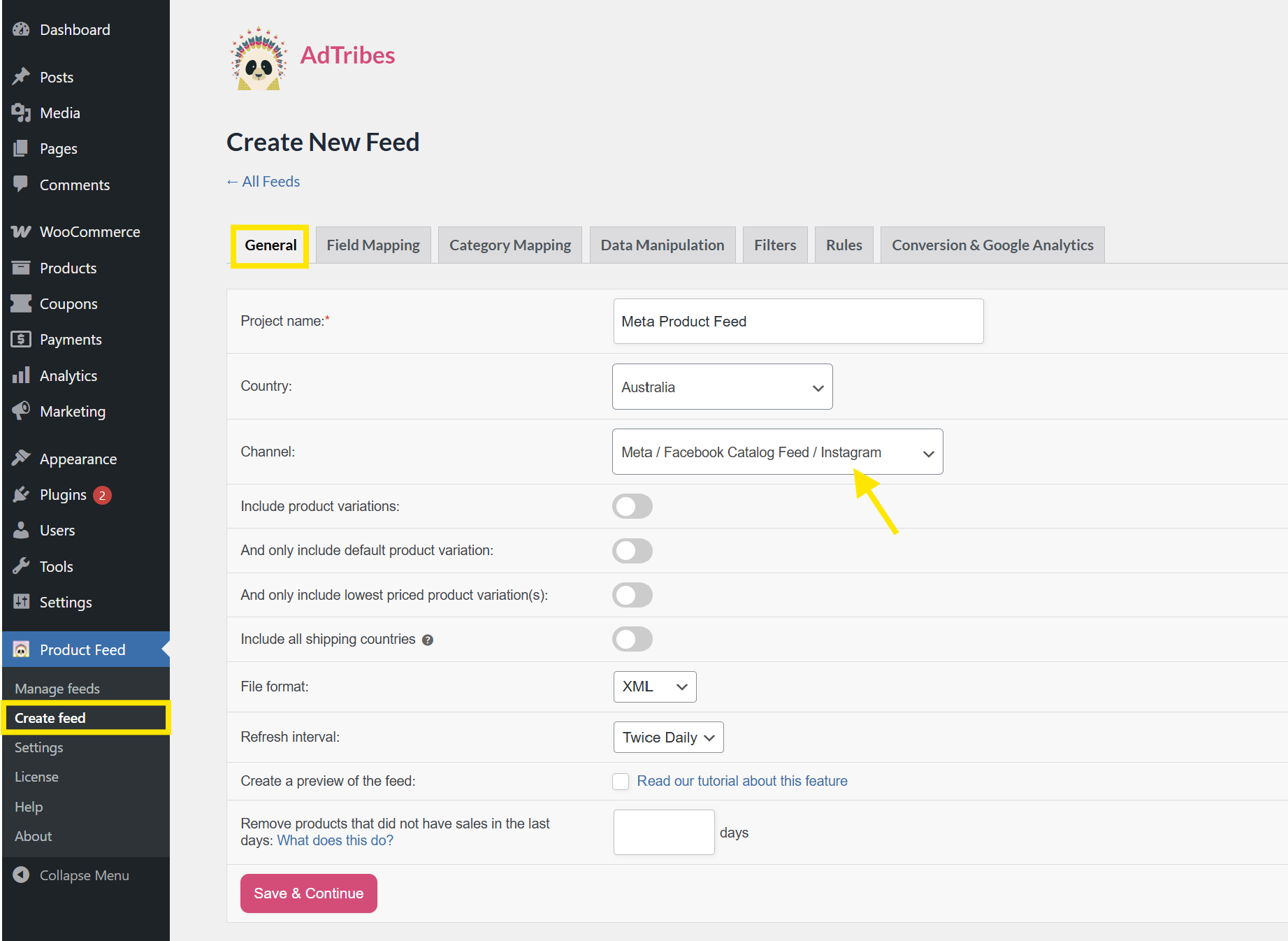
Once you’re happy with your basic settings, click Save & Continue to move on to Field Mapping.
4. Map the video attribute
After you’ve filled out the basic feed details, you’ll land on the Field Mapping screen. This step lets you define which product data fields get sent to Meta. In simple terms, it’s where you match your WooCommerce product data with fields that Facebook and Instagram expect to receive.
Thankfully, AdTribes automatically maps the most common attributes (like title, image, or price) for you so you don’t have to start from scratch.
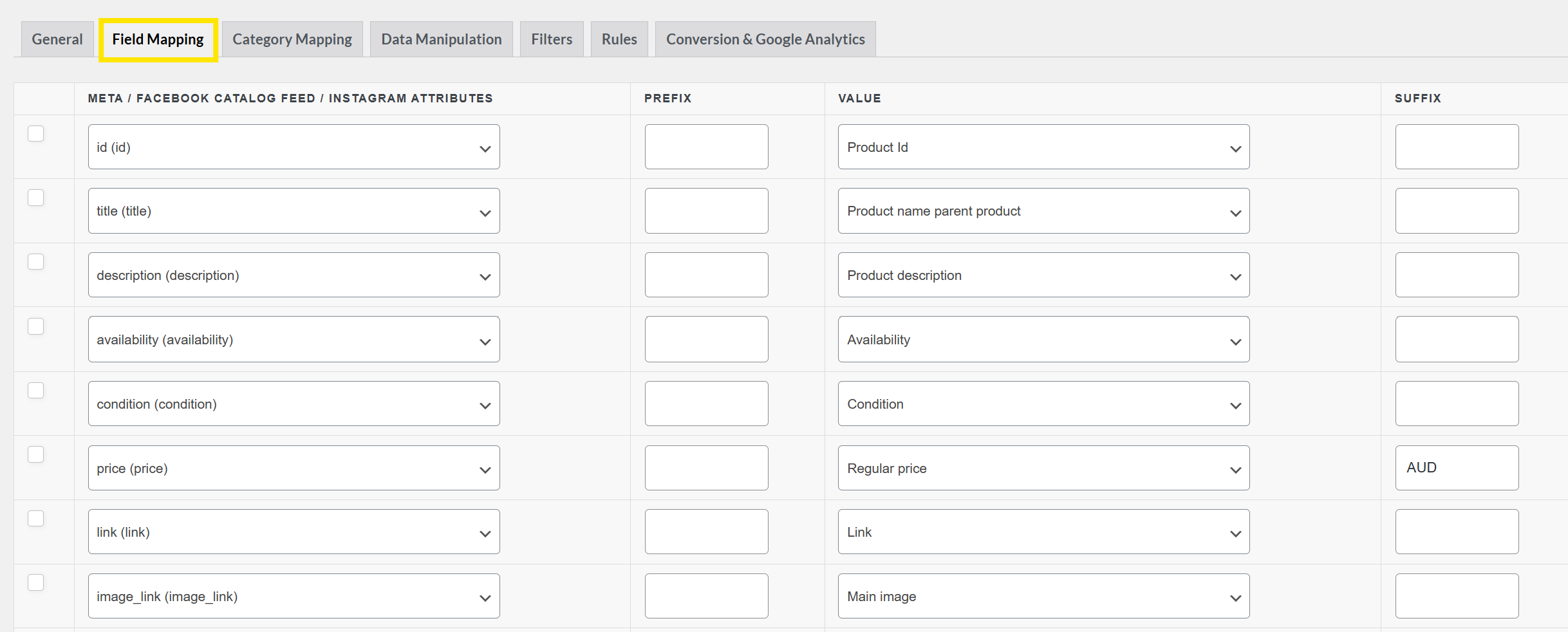
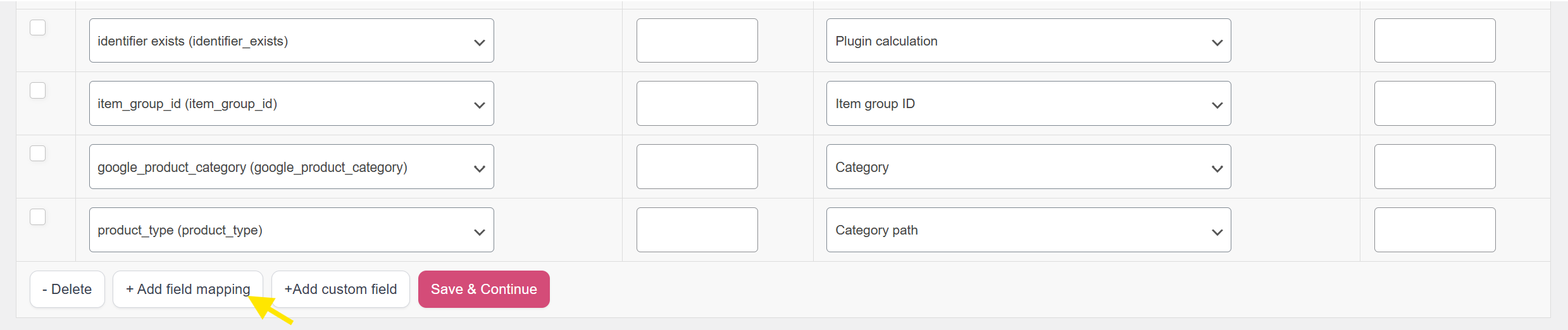
Here’s how to add the new Meta video attribute:
- Click the “+ Add field mapping” button at the bottom of the screen
- From the left dropdown (under Meta/Facebook Catalog Feed Attributes), select video_url (video_url)
- On the right side (under Value), select Video URL (Added Custom Attribute). This is the field you enabled and filled out earlier in Step 2
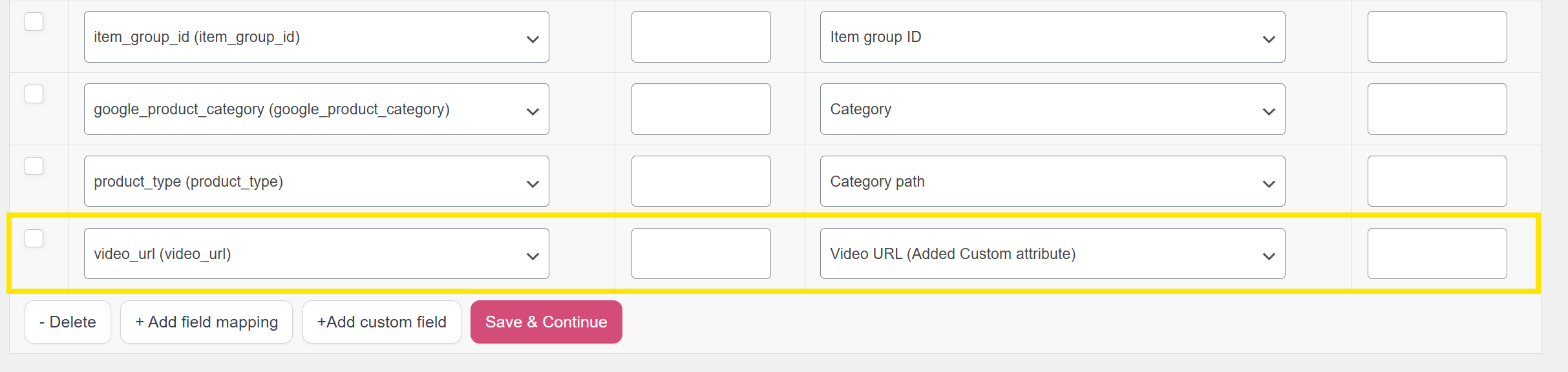
This tells the plugin to include the video links you added and format them correctly for Meta.
You only need to do this once, as the plugin will automatically apply it to all products that have a video URL filled in. Click Save & Continue once you’re happy with your changes.
5. Generate your product feed
After mapping the video attribute and finalizing your field mapping, you can explore other advanced options available in the top tabs of the feed setup screen. These include:
- Category Mapping: Match your products with Meta product categories
- Filters: Exclude certain products from the feed (e.g., out of stock)
- Rules: Add custom logic for pricing, titles, or other attributes
- Data Manipulation: Adjust or clean up data
- Google Analytics Tracking: Add UTM parameters to track feed performance
These steps are optional, but can offer more flexibility and control for stores with complex catalogs or specific feed goals. Check out our full product feed creation guide for a detailed overview of each step.
Once you’re happy with your feed settings, head to the Conversion & Google Analytics tab and click the Generate Product Feed button.
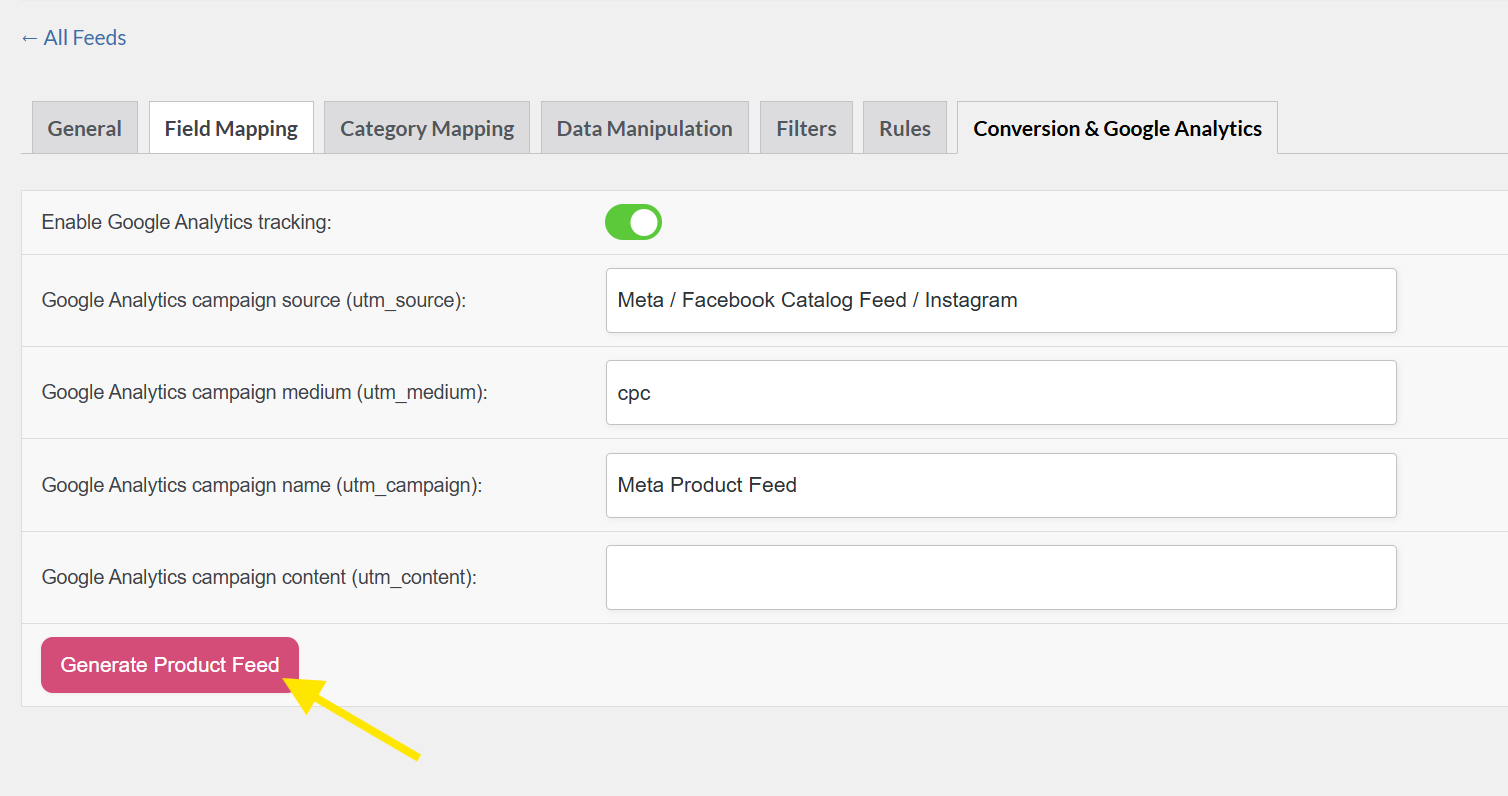
That’s it! Your feed will now be generated with product videos included, ready to be uploaded to your Meta Catalog for use in Facebook ads, Instagram Shopping, and more. 🎉
Frequently Asked Questions
Can I use YouTube videos for my Facebook product listings?
No, Meta doesn’t support embedded YouTube links in product feeds. To add a Facebook product video to your feed, you’ll need to provide a direct link to the video file. Make sure your video is hosted on your own server or on a platform that provides a direct link to the URL.
How many videos can I add per product?
Meta allows you to add up to 20 product videos per item. When adding multiple links to the Video URL field, enter each video URL on a new line. AdTribes Product Feed Elite will automatically format and assign them to the proper Meta video attribute structure (e.g., video[0].url, video[1].url, and so on).
Will adding videos slow down product feed generation?
No. The plugin only processes and includes the video URLs as text—it doesn’t download or analyze the actual video files. This keeps your feed generation fast and smooth, even with multiple videos included.
Wrapping Up
Adding videos to your product feeds is one of the most effective ways to make your listings stand out and boost customer engagement. With the new Meta video attribute feature in AdTribes Product Feed Elite, you can now enhance your Facebook and Instagram product feeds with engaging video content.
In this guide, we covered everything you need to know to get started:
- What the Meta Video Attribute is and how it works
- Key benefits of adding product videos to your feed
- Step-by-step tutorial on enabling, adding, and mapping video URLs
- Common questions store owners ask when using this feature
AdTribes gives you the flexibility to customize your product feeds exactly how you want, so you can boost visibility and get seen where your customers are shopping.
Hope this guide helped! Let us know if you have questions about the new feature.