Reviewed by
Choosing between AdTribes and DataFeedWatch usually comes down to how your WooCommerce store manages product data. DataFeedWatch is a broad SaaS feed management platform with 2,000+ channel coverage and support for multiple ecommerce systems. AdTribes Product Feed Pro is a WooCommerce-native plugin that runs inside WordPress and creates feeds directly from your store data.
For WooCommerce-first stores, AdTribes is usually the stronger practical choice because it keeps feed management inside WordPress, supports unlimited products and feeds, and starts with a free plugin. DataFeedWatch is built for agencies and teams managing feeds across several ecommerce platforms, and most WooCommerce stores don’t need that extra SaaS layer.
In this AdTribes vs DataFeedWatch comparison, we’ll look at pricing, WooCommerce fit, channel support, feed rules, multilingual support, and which one fits a WooCommerce store best. Let’s get right into it.
AdTribes Product Feed Pro vs DataFeedWatch at a Glance
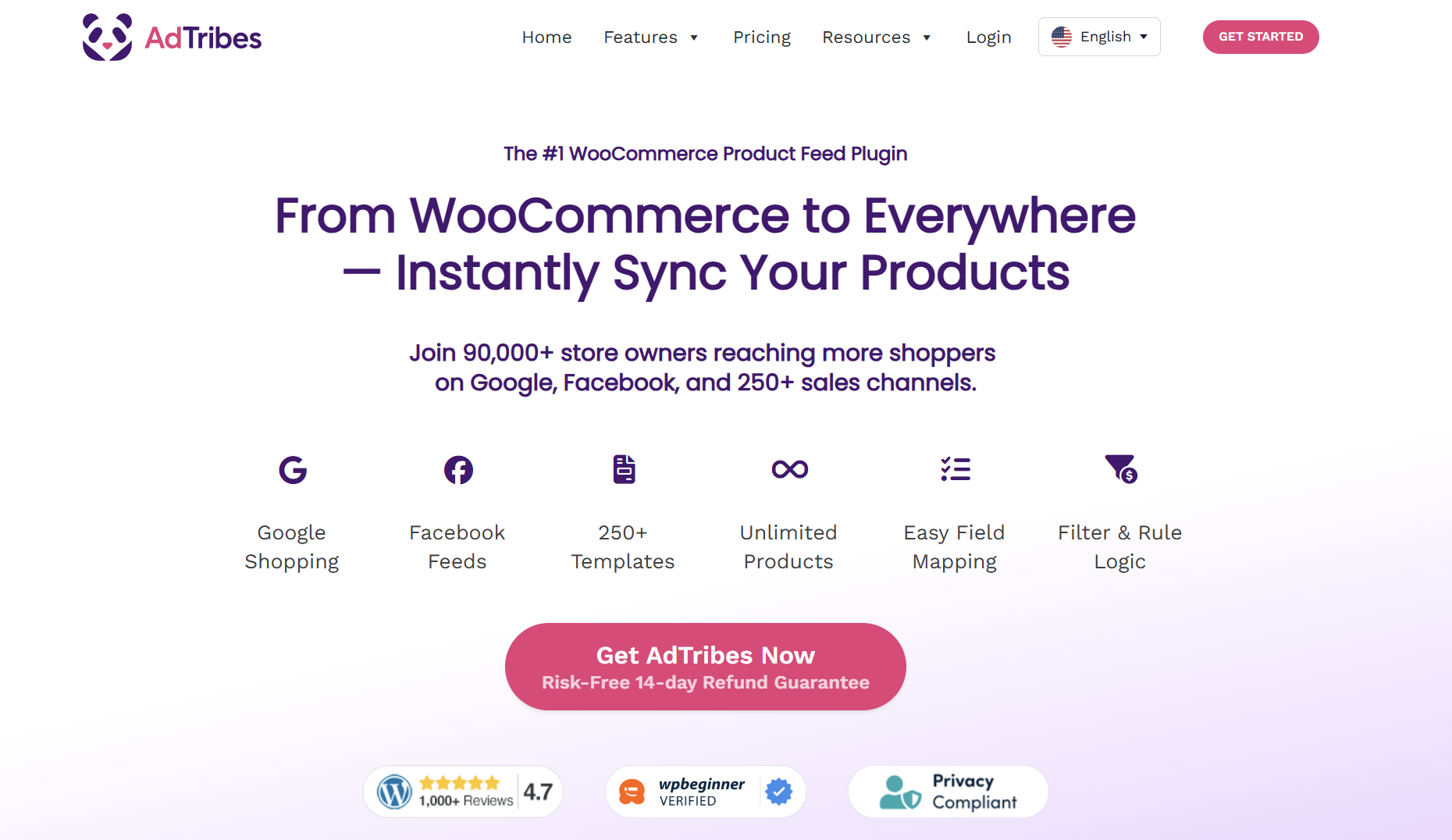
AdTribes Product Feed Pro is a WooCommerce-native product feed plugin. It runs inside your WordPress dashboard, generates feeds directly from WooCommerce product data, and includes 250+ feed templates. The free plugin supports unlimited products and unlimited feeds, while Product Feed Elite adds plan-dependent features for stores that need more advanced feed management.
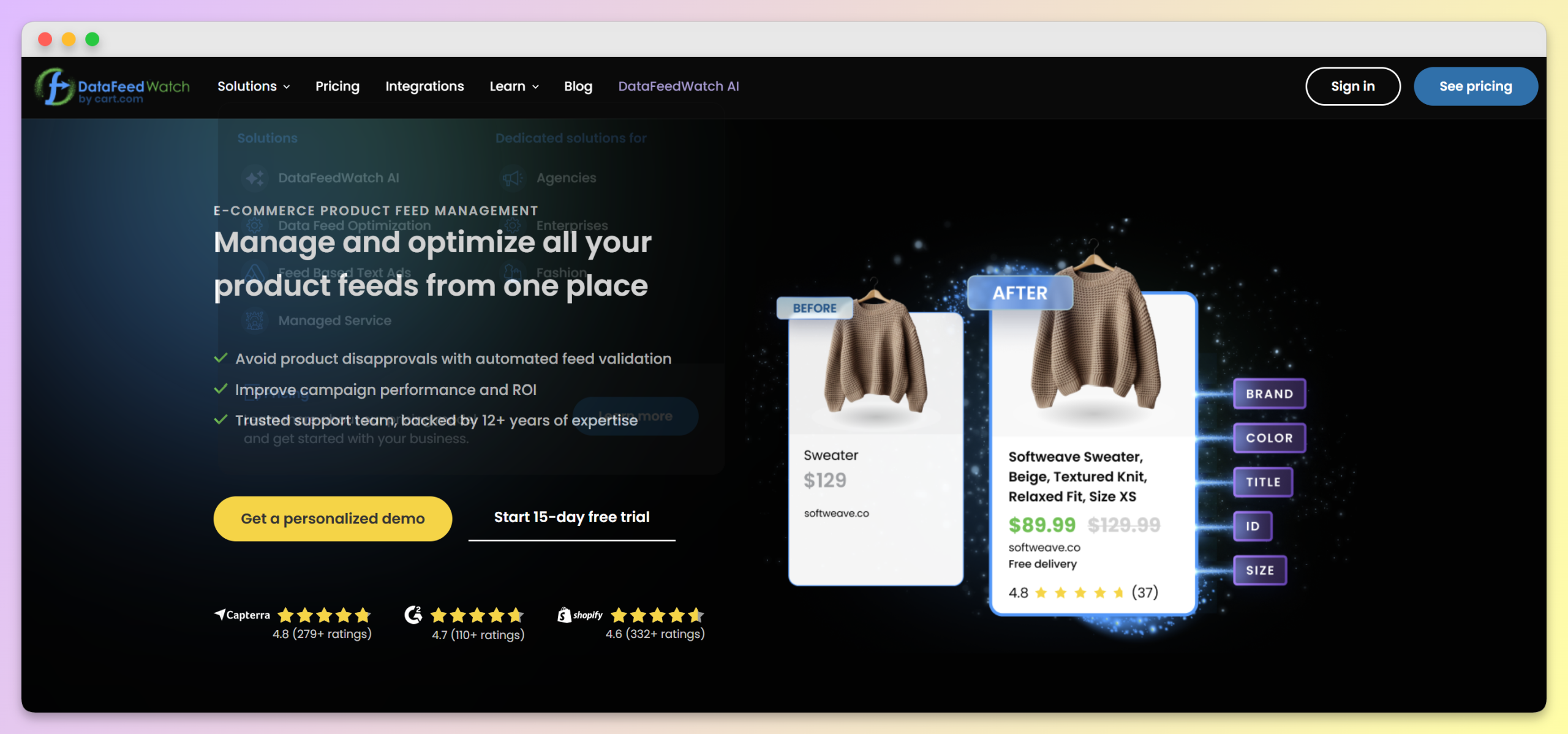
DataFeedWatch is a cloud-based SaaS feed management platform. It supports WooCommerce alongside other ecommerce platforms and lets merchants advertise across 2,000+ channels. Its paid SaaS plans include SKU, shop, and channel limits depending on the plan.
The fundamental difference is the approach. AdTribes Product Feed Pro is built specifically for WooCommerce, while DataFeedWatch is built for a wider range of ecommerce platforms.
Pricing: WooCommerce Plugin vs SaaS Subscription
This is where the difference between the two tools is most striking.
AdTribes Product Feed Pro offers a free version with unlimited products, unlimited feeds, and 250+ channel templates. For stores that need more advanced controls, Product Feed Elite starts with the Growth plan at $99.50 per year for one site. The Plus plan is $179.50 per year for three sites and adds tools like the Feed Validator, while the Business plan is $249.50 per year for unlimited sites. These are introductory first-year prices, with renewals at the normal listed rates.
Elite also adds plan-dependent features such as multi-language and multi-currency integrations, custom refresh intervals, extra product fields, and import/export tools.
DataFeedWatch’s Shop plan starts at $64 per month, with an annual option shown at $639 per year. It includes 1,000 SKUs, one shop, and up to three feeds. The Merchant plan starts at $84 per month or $839 per year, with 5,000 SKUs, two shops, and up to 10 feeds. The Agency plan starts at $239 per month or $2,388 per year, with 30,000 SKUs, unlimited shops, and up to 150 feeds.
That makes the pricing gap significant for WooCommerce stores. AdTribes Product Feed Pro starts with a free plugin that supports unlimited products and feeds, while DataFeedWatch’s entry-level SaaS plan includes SKU and feed limits. Paid AdTribes plans also have much lower published annual prices than DataFeedWatch’s listed SaaS plans, though the two products use different pricing models.
For WooCommerce stores, the main pricing question is not just monthly cost. It is whether you actually need a SaaS tool with SKU and feed limits when a WooCommerce-native plugin can generate unlimited products and feeds from inside WordPress.
DataFeedWatch also uses SKU limits across its public plans. If your store outgrows the SKU allowance on your current plan, you may need to upgrade or adjust your plan. AdTribes Product Feed Pro does not limit the number of products or feeds in the free version.
WooCommerce Integration: Native Plugin vs External Service
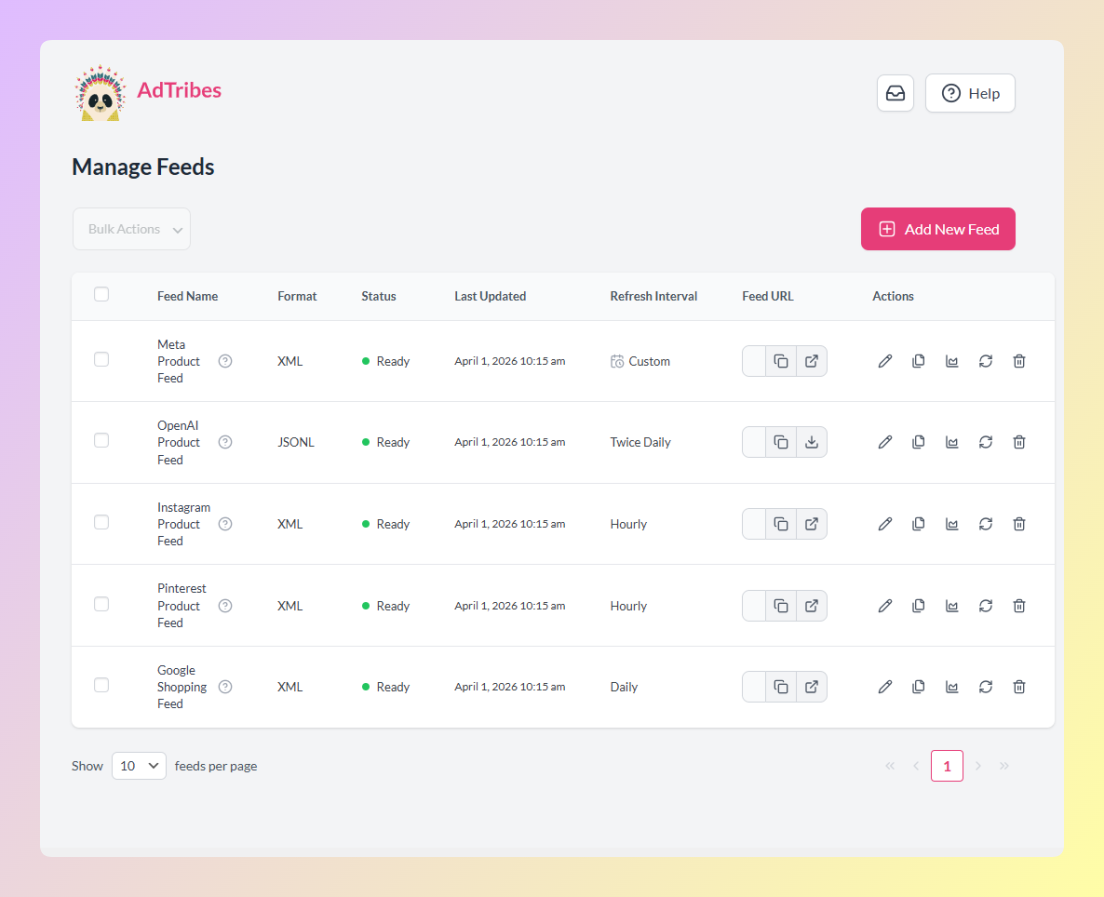
AdTribes Product Feed Pro runs inside your WordPress dashboard as a standard WooCommerce plugin. It generates feeds from your WooCommerce product data, so feed creation stays close to the store setup you already manage.
DataFeedWatch connects WooCommerce to an external SaaS platform. That setup lets you manage feeds in the DataFeedWatch dashboard, but it also means adding a separate platform and sync workflow between your WooCommerce store and your shopping channels.
For WooCommerce store owners who want a simpler, plugin-native setup, this is an important distinction. AdTribes keeps feed setup, mapping, filters, and refresh controls inside WordPress, while DataFeedWatch is designed around a centralized SaaS dashboard.
DataFeedWatch does have a WooCommerce page, but its broader positioning is clearly multi-platform. Its integrations page lists WooCommerce alongside Shopify, Magento, BigCommerce, Shopware, PrestaShop, Lightspeed, and other ecommerce systems. That can be useful if you manage several platforms, but it also reinforces the main difference: DataFeedWatch is built as a cross-platform SaaS feed manager, while AdTribes is built specifically around WooCommerce.
Channel Support: 2,000+ vs 250+ Templates
DataFeedWatch’s 2,000+ channel coverage is a real advantage if you need broad SaaS-scale distribution, especially across many clients, regions, or unusual channel requirements. But for many WooCommerce stores, the practical question is whether the tool supports the channels they actually use day to day.
AdTribes Product Feed Pro and Product Feed Elite support 250+ templates, including major shopping, social, marketplace, and comparison shopping channels. That covers common WooCommerce feed destinations such as Google Shopping, Meta/Facebook, TikTok, Pinterest, Bing, and many regional or niche platforms.
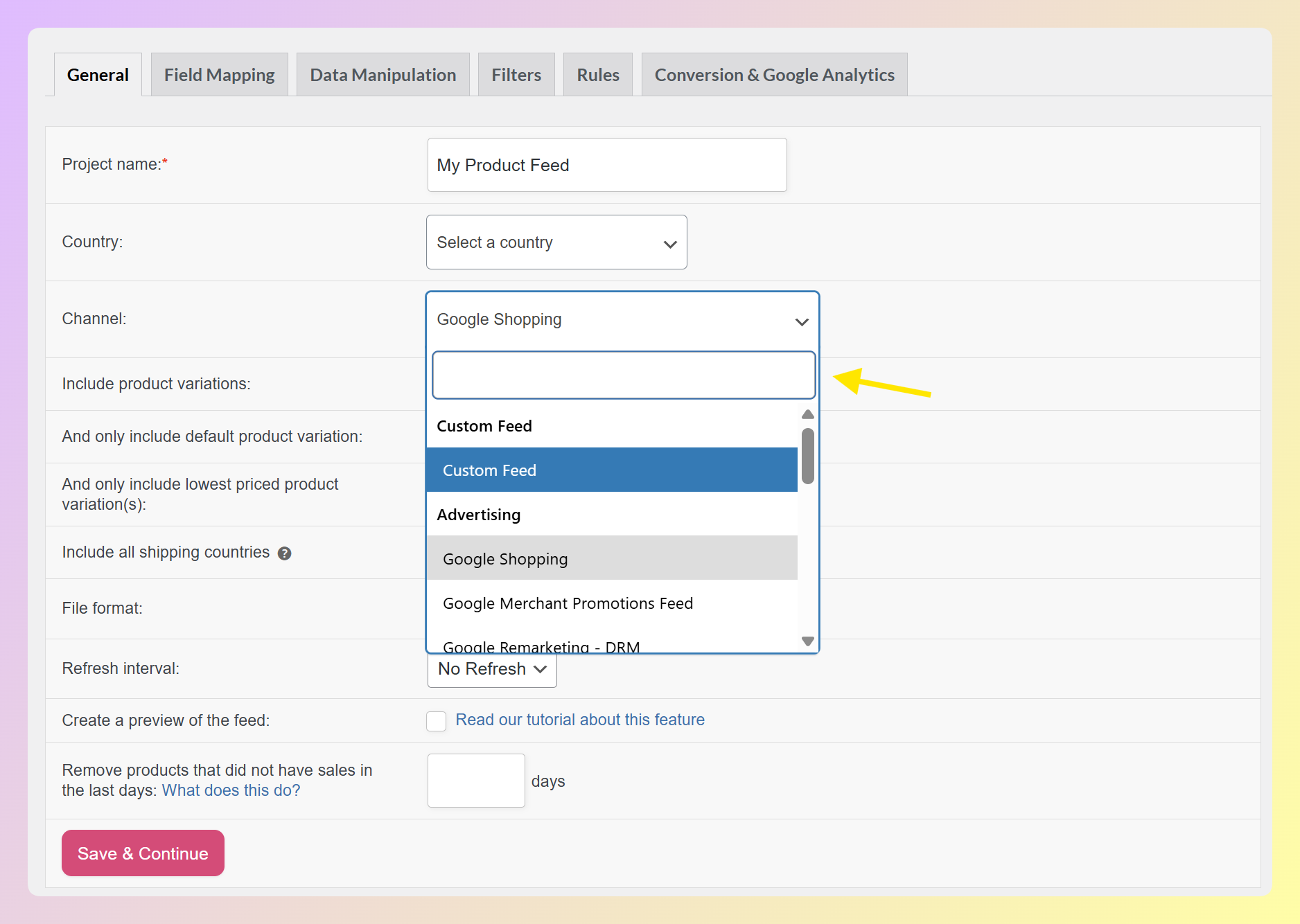
So the decision is less about chasing the biggest channel number and more about fit. If you need thousands of possible destinations, DataFeedWatch has the broader SaaS channel library. If you want a native WooCommerce workflow for the channels most store owners actively manage, AdTribes is the more practical fit.
Feed Rules and Product Data Management
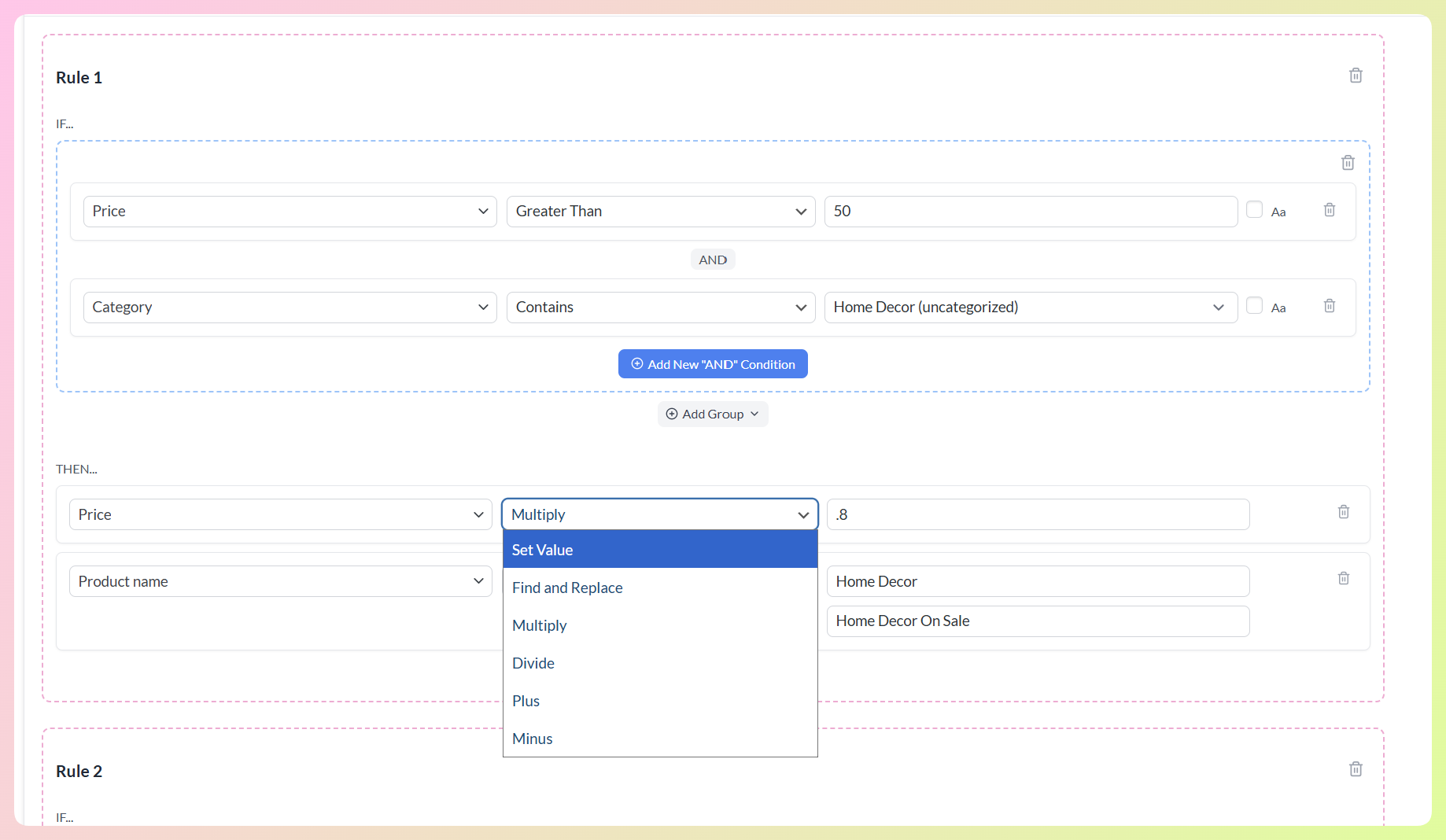
Both AdTribes and DataFeedWatch support important feed-management tasks such as adjusting product data, applying rules, mapping fields, and excluding products from feeds. DataFeedWatch offers strong rule-based optimization inside its SaaS platform, while AdTribes gives WooCommerce store owners a plugin-native way to manage rules, filters, field mapping, and refresh settings from inside WordPress.
That workflow difference matters. With AdTribes, your feed setup lives closer to your WooCommerce product data. With DataFeedWatch, feeds are managed through a separate SaaS platform before being sent to your shopping channels. For WooCommerce-first stores, the AdTribes workflow can feel more direct and easier to keep within the existing WordPress setup.
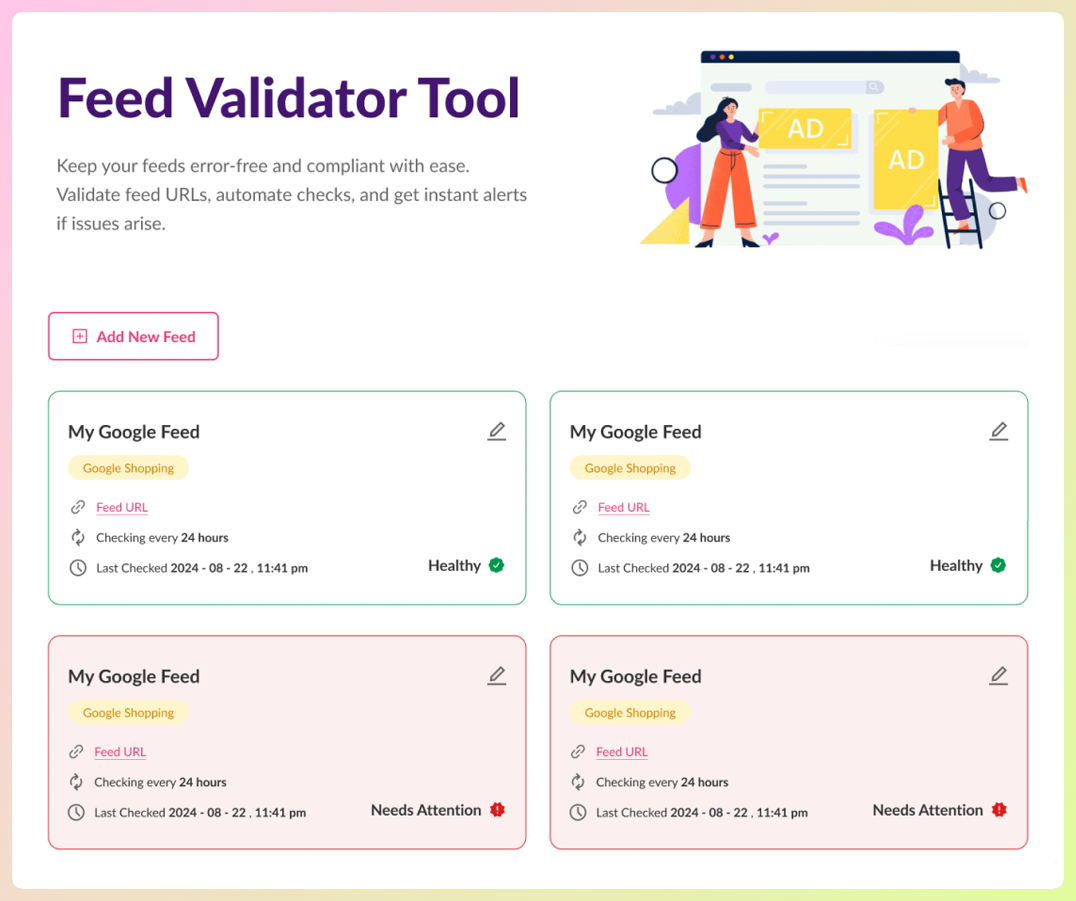
Product Feed Elite also includes the Feed Validator on Plus and Business plans. It helps check feed URLs for critical issues such as missing attributes, invalid URLs, and formatting problems, so store owners can catch potential problems before submitting or relying on a feed in their shopping channels.
DataFeedWatch also offers AI-powered feed optimization features and feed quality tools inside its SaaS platform. These can be valuable for merchants who want SaaS-based feed automation, but they are part of a broader cloud platform rather than a native WooCommerce plugin workflow.
Multi-Language and Multi-Currency Support
On the Plus and Business plans, Product Feed Elite includes two addons for international stores. The Feed Translation Addon follows your WPML, Polylang, or TranslatePress setup, and the Multi-Currency Addon uses the Aelia, Curcy, WCML, or FOX switcher already on your store. You get a feed per language or currency from the tools you already run in WordPress.
DataFeedWatch handles international feeds from its SaaS dashboard. AdTribes keeps the work inside WordPress, so each feed follows the translation and currency plugins your store already uses.
Do WooCommerce Stores Need A SaaS Feed Tool Like DataFeedWatch?
Usually not. DataFeedWatch is built for agencies and teams managing feeds across several ecommerce platforms from one dashboard. If your store runs on WooCommerce, AdTribes Product Feed Pro does the same core job inside WordPress, reading your products directly with unlimited products and feeds on the free plugin, and it doesn’t charge by catalog size.
Want the wider WooCommerce-native field? See how AdTribes ranks against the others in our best WooCommerce product feed plugins roundup.
Frequently Asked Questions
Is DataFeedWatch better than Product Feed Pro for WooCommerce?
For WooCommerce stores specifically, AdTribes Product Feed Pro is the stronger practical choice. DataFeedWatch is a multi-platform SaaS tool that supports WooCommerce, while AdTribes is built specifically for WooCommerce product feed management. That gives AdTribes an advantage if you want a native WordPress workflow, unlimited products and feeds, and lower starting costs.
Can I switch from DataFeedWatch to Product Feed Pro?
Yes, but you should rebuild and test your feeds before switching fully. Install AdTribes Product Feed Pro or Product Feed Elite, create matching feeds for the channels you use, then update the feed URLs in Google Merchant Center or other platforms once the new feeds are ready. Your WooCommerce product data stays in WooCommerce, but your DataFeedWatch feed configurations will need to be recreated in AdTribes.
Does Product Feed Pro support the same channels as DataFeedWatch?
AdTribes Product Feed Pro supports 250+ templates, including major shopping, social, marketplace, and comparison shopping channels such as Google Shopping, Meta/Facebook, TikTok, Pinterest, Bing, Instagram, and Snapchat. DataFeedWatch has broader SaaS channel coverage overall, but AdTribes covers the major feed destinations many WooCommerce stores use most often.
Is DataFeedWatch worth the monthly cost for a WooCommerce store?
For many WooCommerce stores, DataFeedWatch may be more platform than they need. Its entry-level public plan includes SKU and feed limits, while AdTribes Product Feed Pro starts with a free WooCommerce plugin that supports unlimited products, unlimited feeds, and 250+ templates. For a WooCommerce store, AdTribes is the more practical value choice.
Is AdTribes a good DataFeedWatch alternative for WooCommerce?
Yes. AdTribes Product Feed Pro is a native WooCommerce plugin rather than an external SaaS. The free version supports unlimited products and feeds with 250+ channel templates, so most WooCommerce stores can replace a DataFeedWatch subscription without losing their main channels.
Can AdTribes transform feed data the way DataFeedWatch does?
Yes. AdTribes Product Feed Pro includes filters and rules, category mapping, and field mapping, so you can include or exclude products and rewrite titles or attributes in the feed without editing your WooCommerce products. Product Feed Elite adds product data manipulation and extra fields like GTIN, MPN, and EAN.
Does AdTribes support multilingual and multi-currency feeds?
Yes, on the Plus and Business plans. The Feed Translation Addon follows your WPML, Polylang, or TranslatePress setup, and the Multi-Currency Addon uses the Aelia, Curcy, WCML, or FOX switcher already on your store.
Which Tool Should You Choose For Your WooCommerce Store?
For WooCommerce store owners, AdTribes Product Feed Pro is the stronger practical choice.
It costs less to start. AdTribes Product Feed Pro has a free version with unlimited products, unlimited feeds, and 250+ templates. DataFeedWatch’s public SaaS plans include SKU and feed limits, which can make the platform a bigger ongoing investment for stores that only need WooCommerce product feed management.
It fits WooCommerce better. AdTribes runs inside your WordPress dashboard, generates feeds from your WooCommerce product data, and keeps feed setup close to the store workflow you already use. DataFeedWatch supports WooCommerce too, but it does so through a broader SaaS dashboard built for many ecommerce platforms.
It also gives WooCommerce stores a clear upgrade path. Product Feed Elite adds custom refresh intervals, extra product fields, and import/export tools on every plan, and the Plus and Business plans add the Feed Validator plus the multilingual and multi-currency addons.
DataFeedWatch is built for teams that run feeds across many ecommerce platforms. Your store runs on WooCommerce, so AdTribes gives you a plugin-native workflow, a lower starting cost, and the feed tools you need day to day.
Get AdTribes Product Feed Pro for free and start building WooCommerce product feeds from inside your WordPress dashboard.