Reviewed by
If you’re running a multilingual WooCommerce store, you’ve probably already put work into translating your product pages. Your customers in different markets can browse in their own language, read descriptions that make sense to them, and feel at home on your storefront.
But there’s one area that often gets missed: your product feeds. If your feeds still go out in a single language, your multilingual setup stops at the storefront. That can create a disconnect when shoppers see product listings on channels like Google Shopping or Facebook in a language that doesn’t match what they expect.
That’s why we built the Feed Translation Addon for Product Feed Elite. It helps multilingual WooCommerce stores generate product feeds using the correct language data from the translation plugin they already have in place.
In this article, we’ll cover what the Feed Translation Addon does, which translation plugins it supports, and why it matters for your store.
Let’s get right into it!
What Is The Feed Translation Addon?
The Feed Translation Addon is a standalone addon for AdTribes Product Feed Elite that helps multilingual WooCommerce stores generate product feeds in the correct language for each market they serve.
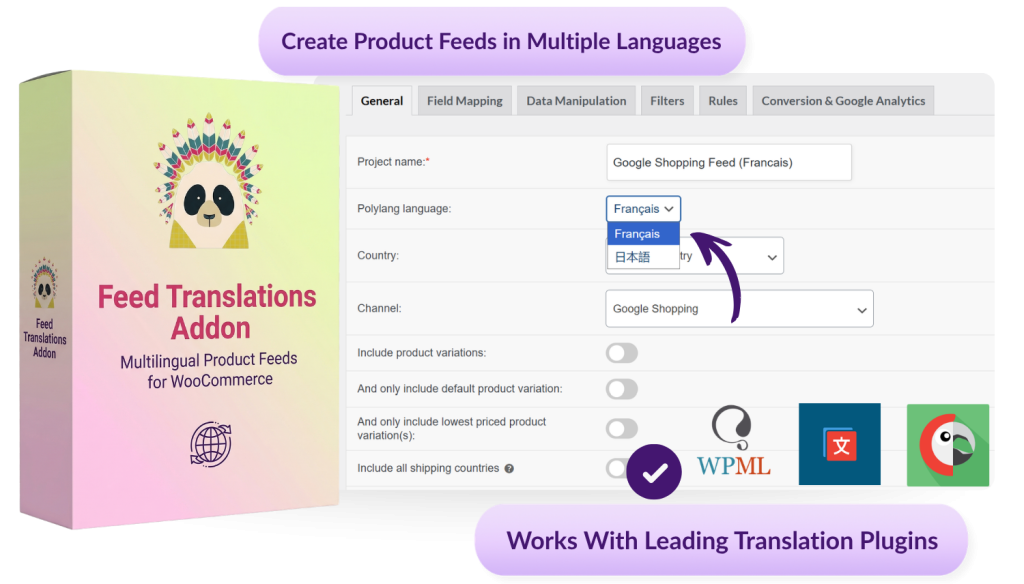
When the addon is installed and active, it works with supported translation plugins to pull translated product data into your feed output. That includes product titles, descriptions, and attributes, so your feeds stay aligned with the language setup already in place on your store.
This means you can create language-specific product feeds more confidently, keep your product data accurate across different markets, and avoid the disconnect that happens when feed content doesn’t match the language your customers expect to see.
📝 Already using translation support in Product Feed Elite?
If you already use translated feeds in Product Feed Elite, your existing translation setup is designed to keep working while this update rolls out. You may also see an admin notice inside Product Feed Elite prompting you to install the Feed Translation Addon. If that notice appears, follow it to complete the setup on your site. See our detailed guide here.
Which Translation Plugins Does It Support?
The Feed Translation Addon supports the most popular translation plugins most commonly used with WooCommerce:
- WPML — generates product feeds using WPML-translated product data, connecting to your existing language configurations automatically
- Polylang — works with Polylang language settings to produce accurate per-language product feeds without extra setup
- TranslatePress — picks up product data translated through TranslatePress and applies it correctly when feeds are generated
When the addon is installed and active, it detects which of these plugins is running on your site and takes over translation processing for your product feeds. You don’t need to manually configure the connection or adjust your existing translation setup.
If you’re already using one of these plugins to translate your store, the addon works with the language configurations you’ve already put in place.
Why Your Product Feed Language Matters
When you advertise products on shopping channels like Google Shopping or Facebook, the data that powers those listings comes directly from your product feed. That includes product titles, descriptions, attributes, and categories.
According to a CSA Research survey of 8,709 consumers across 29 countries, 76% of shoppers prefer purchasing products with information presented in their own language, and 40% said they never buy from websites in other languages at all. That preference doesn’t disappear once a shopper lands on an ad or a product listing from a feed.
That’s why feed translations can be so valuable for multilingual WooCommerce stores. It helps you create:
- Accurate feed content — translated product data is pulled into your feed so titles, descriptions, and attributes match the language setup already used on your store.
- More relevant listings for each audience — each market can receive feed content in the language you want to target, instead of relying on one default version for all shoppers.
- Cleaner multilingual feed support — the addon is designed to work alongside Product Feed Elite without duplicate translation processing.
How To Get Started With The Feed Translation Addon
The Feed Translation Addon is available for Plus and Business plan customers of Product Feed Elite. To access the plugin, simply log in to AdTribes and download the add-on from there.
Getting the addon running on your site takes four steps.
Step 1: Download the Feed Translation addon
Log in to your AdTribes account and look for the Feed Translations Addon in your available downloads.
Step 2: Install and activate the addon
Install the Feed Translations Addon on the same WordPress site where AdTribes Product Feed Elite is already installed and active. The addon is built to work alongside Product Feed Elite, not replace it.
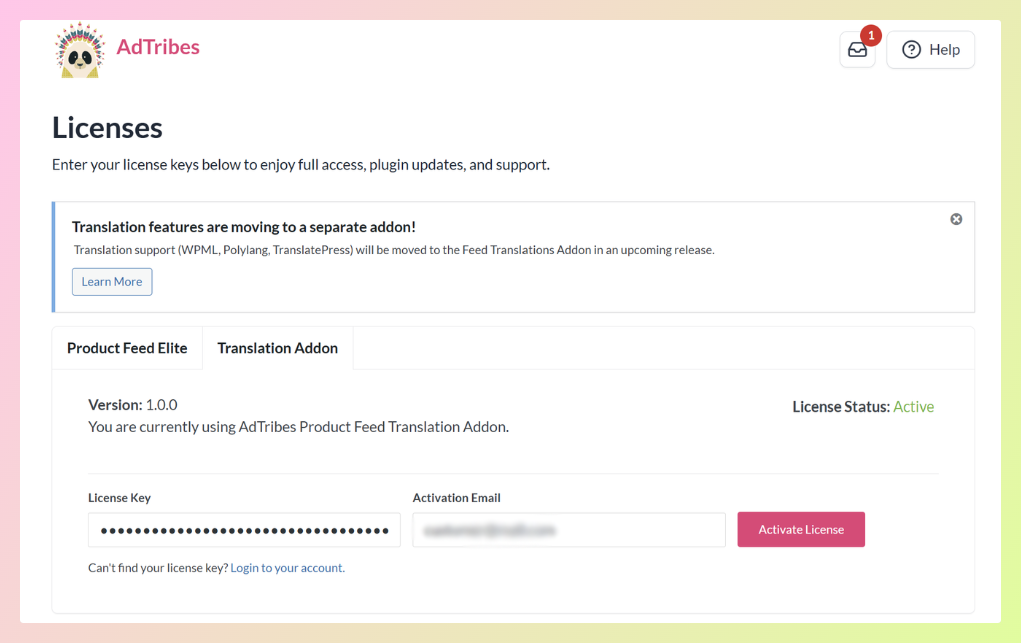
Step 3: Activate your addon license in WordPress admin
Once the addon is active, enter and activate your Feed Translation Addon license in your WordPress admin so translation support can be used with your Product Feed Elite setup.
Step 4: Create your first multilingual feed
Once the addon is installed and active, create a new feed or edit an existing one in Product Feed Elite.
From your WordPress dashboard, head to Product Feed > Create Feed.
In the feed’s General settings, choose the language you want that feed to use, then complete the rest of your feed setup as usual. This lets you generate product feeds using the translated product data already available in your store.
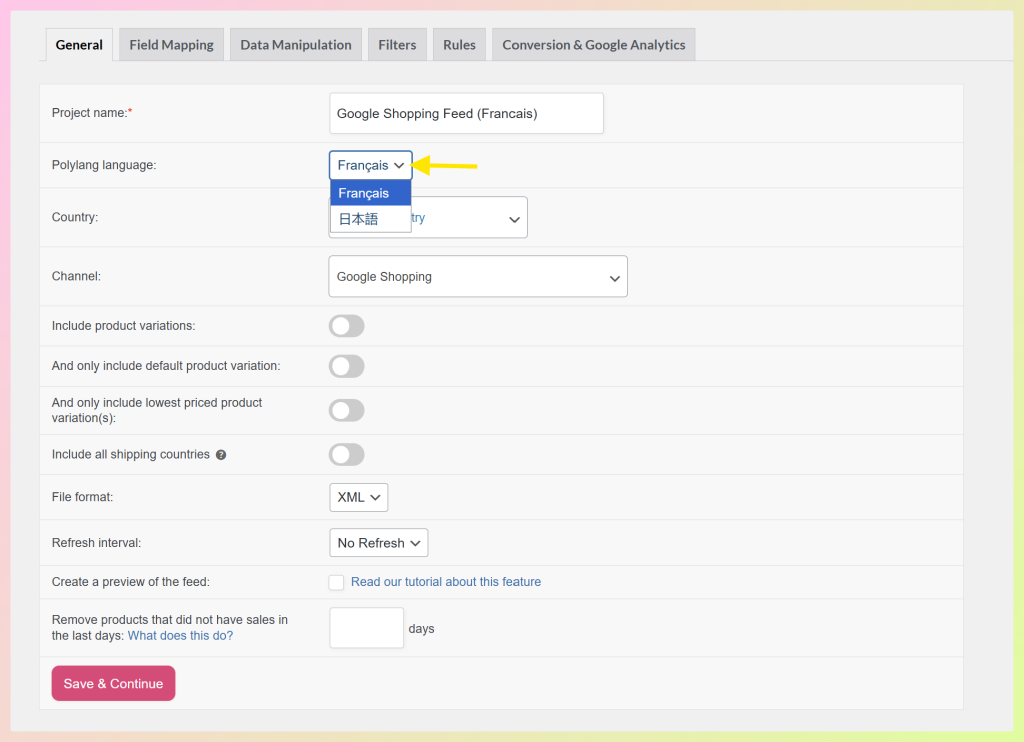
📝 If you already use translated feeds in Product Feed Elite, the addon is designed to work with that setup without requiring you to rebuild your existing feed configuration. See our detailed guide here.
Frequently Asked Questions
What is the Feed Translation Addon?
The Feed Translation Addon is a standalone addon for Product Feed Elite. It helps connect supported translation plugins to your product feed output so your feed can use the correct language data for the market you want to target.
Which translation plugins does the Feed Translation Addon support?
The Feed Translation Addon supports WPML, Polylang, and TranslatePress. If you already use one of these plugins on your WooCommerce store, the addon is designed to work with that setup inside Product Feed Elite.
How do I get access to the Feed Translation Addon?
The Feed Translation Addon is available for Plus and Business plan customers of Product Feed Elite. If you want to check whether it’s available for your account, log in to AdTribes and review your available downloads or license details.
What do existing Product Feed Elite users need to know about this change?
If you already use translation support in Product Feed Elite, your current setup is designed to keep working while this update rolls out. You may also see an admin notice prompting you to install the Feed Translation Addon. Once installed and activated, the addon is designed to support your existing setup without requiring a full rebuild.
For step-by-step help, see our getting started guide.
Wrapping Up
We’ve introduced the Feed Translation Addon to help multilingual WooCommerce stores generate product feeds in the correct language using the translation plugin they already use.
For stores selling in more than one language, that means a cleaner way to keep product feed data aligned with the markets they serve. Existing translation-enabled feeds are also designed to keep working without manual reconfiguration once the addon is installed and activated.
In this article, we covered:
- What the Feed Translation Addon does
- Which translation plugins it supports
- How to get started with the Feed Translation Addon
If your store sells in more than one language, this is the best time to check out the Feed Translation Addon.
Feel free to reach out if you have any questions about this update!