

Google Shopping

Easily Create OpenAI Product Feeds With AdTribes

Automatic Feed Regeneration

Create an OpenAI product feed once and it will keep itself updated

Product Field Mapping

Map the exact data you need from your products for precise targeting

Filter & Rule Logic

Show the products & data you want based on customizable filters & rules

Multiple Feed Formats

Generate your OpenAI product feed in JSONL, XML, CSV, TSV, or TXT

Unlimited Products

No limits on how many items you have in your OpenAI product feed

Google Shopping Product Feed-Setup

Get Started Quickly With Our OpenAI Product Feed Template

Launching your first OpenAI product feed from WooCommerce doesn’t have to be technical or time-consuming. Our pre-configured OpenAI template handles the heavy lifting, so you don’t have to start from scratch!

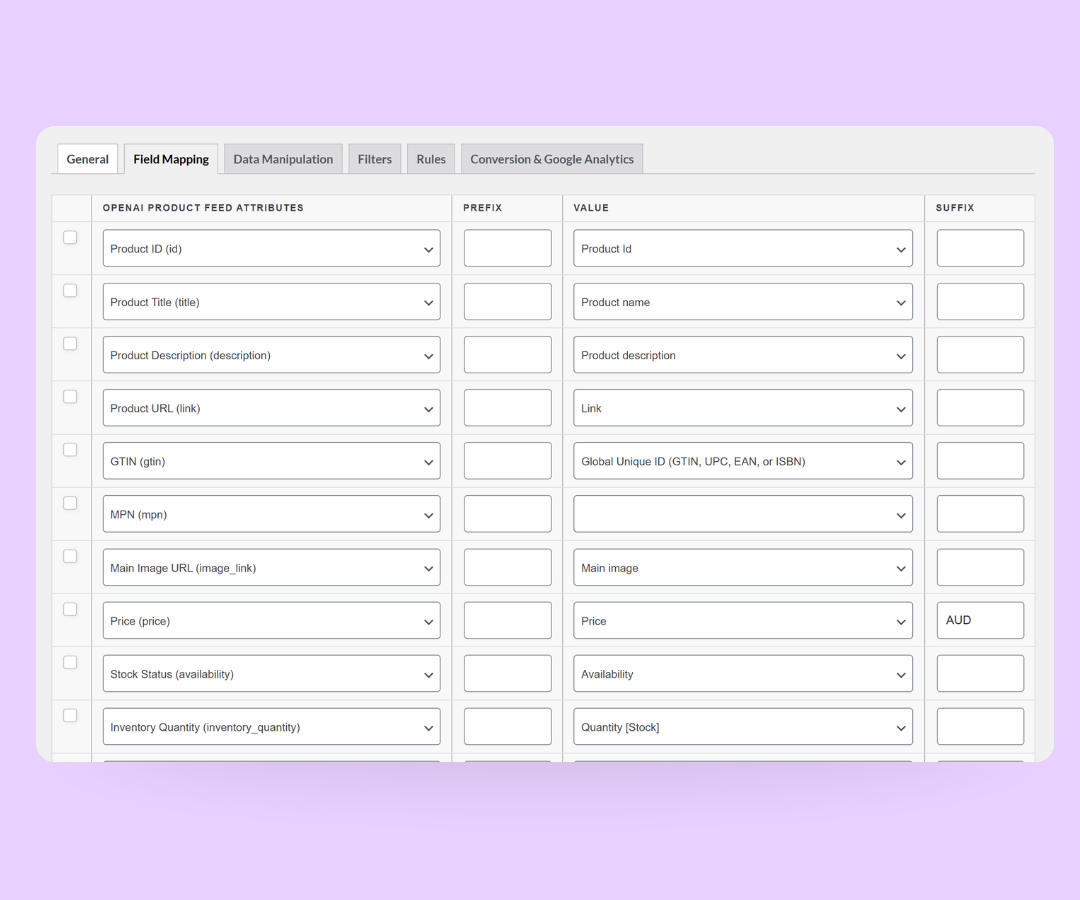
Just select the OpenAI product feed template when creating a new feed, and the most important product fields are already mapped for you. This gives you a clean, structured OpenAI product feed that AI tools can easily read and use for product discovery and recommendations.

Map Your Product Fields For Smarter AI Results

Strong AI recommendations start with clear product data. With our field mapping feature, you can quickly define what goes into your OpenAI product feed without getting lost in settings.

Map core details like product name, price, URL, and image, then extend your feed with categories, attributes, and custom fields when needed. Many fields are pre-mapped for you, but you still have full control to adjust and refine.

The result is a well-structured OpenAI product feed that helps AI tools understand your catalog and offer more relevant product suggestions.
Google Shopping Product Feed-Setup

Fine-Tune What AI Can See With Filters & Rules

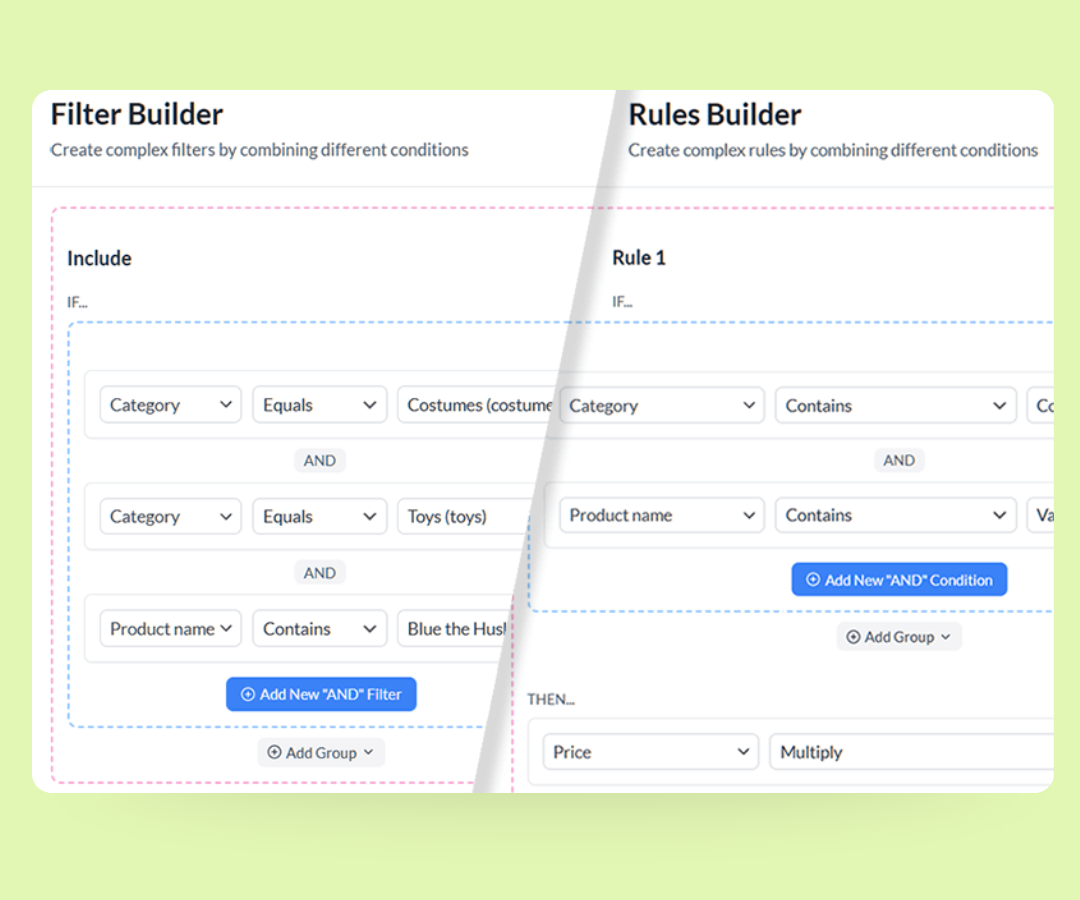
Not every product in your store needs to appear in your OpenAI product feed. With flexible filters and rule logic, you decide exactly which items are exposed to AI and under what conditions.

Include or exclude items based on stock status, price, category, brand, tags, or other attributes. For example, you can limit AI recommendations to in-stock products or highlight specific collections you want to promote.

This keeps your OpenAI product feed aligned with your merchandising strategy, so AI-powered experiences focus on the products that matter most to your business.

Stay In Sync With Custom Refresh Intervals

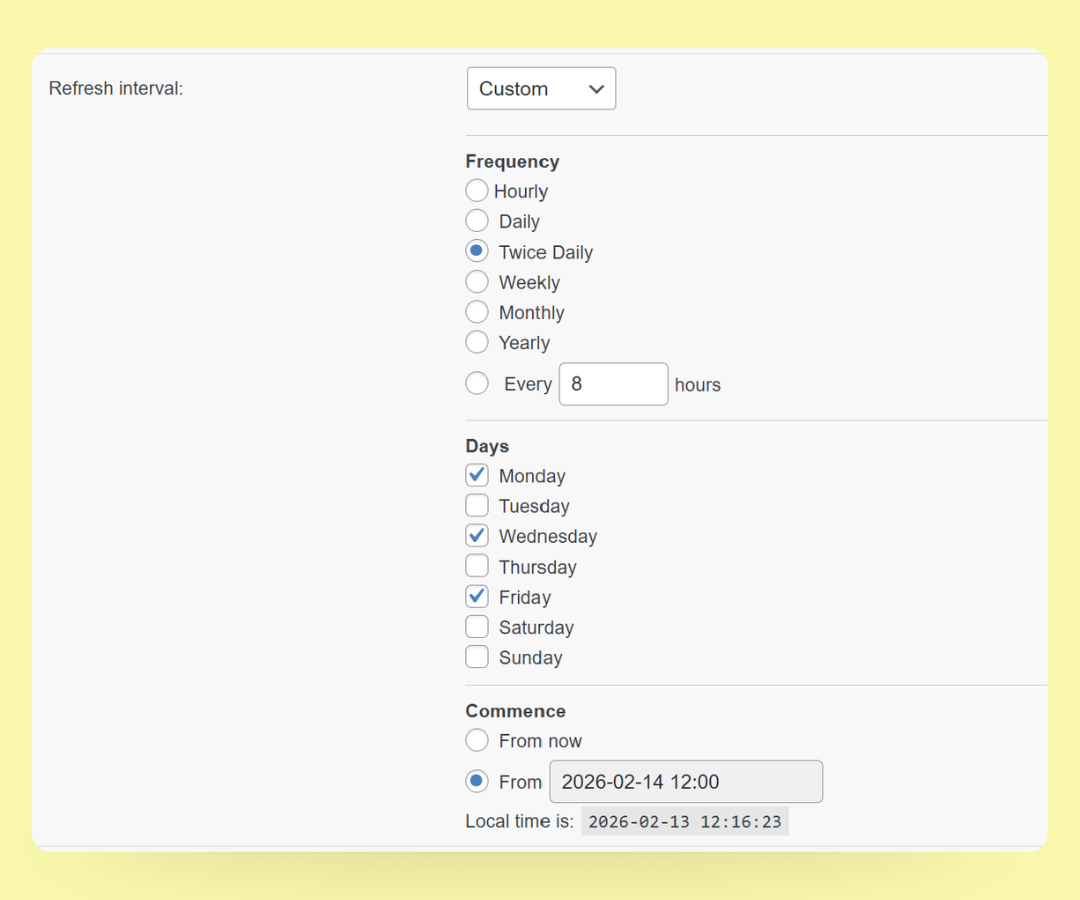
AI-powered product recommendations work best when the data behind them is fresh. With custom refresh intervals, you choose how often your OpenAI product feed updates from your WooCommerce store.

Set a schedule that fits your catalog. Update more frequently for fast-moving products, or refresh at a steady cadence if your inventory doesn’t change as often. Either way, your feed stays in sync automatically—no manual exports needed.

This ensures your OpenAI product feed always reflects current prices, stock levels, and product availability. 
Google Shopping Product Feed-Setup

Get The Best WooCommerce Product Feed Plugin Now

The simplest way to create perfect product feeds for advertising platforms,
shopping networks, and comparison sites.

How To Create Your OpenAI Product Feed

🎯 Create your feed
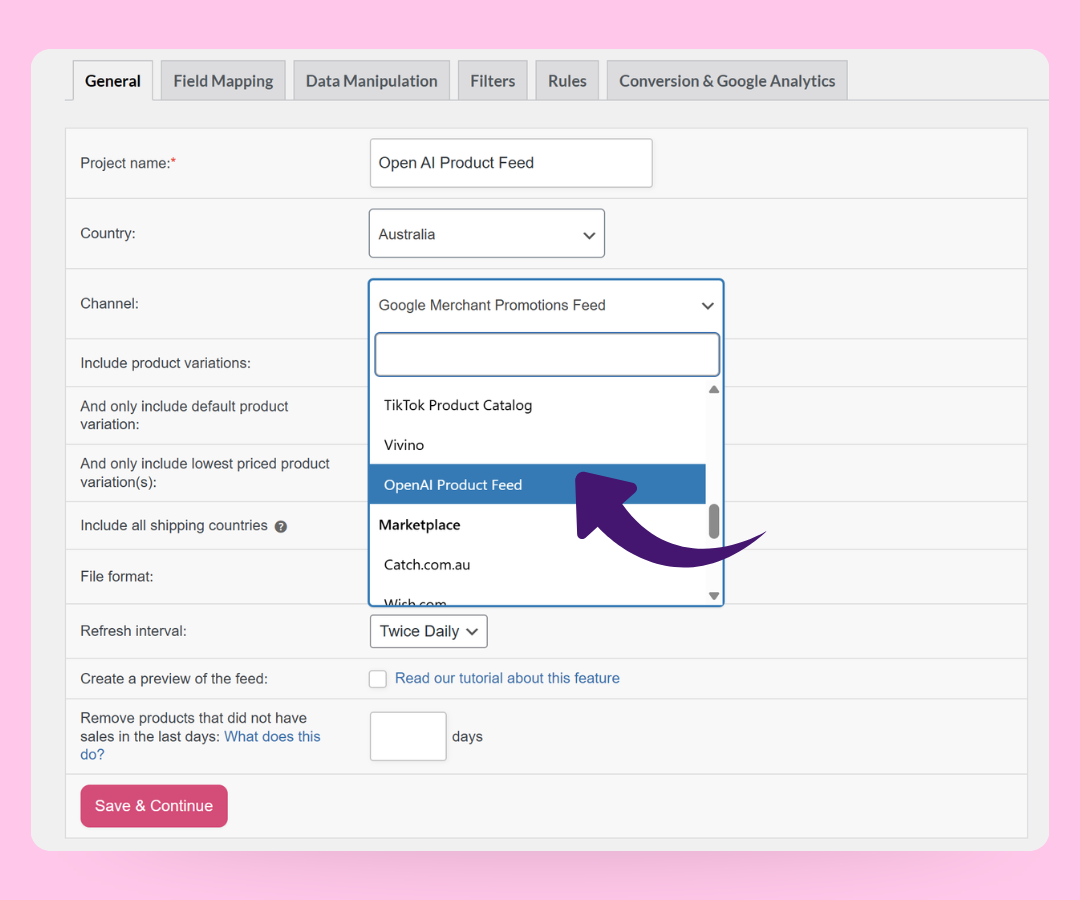
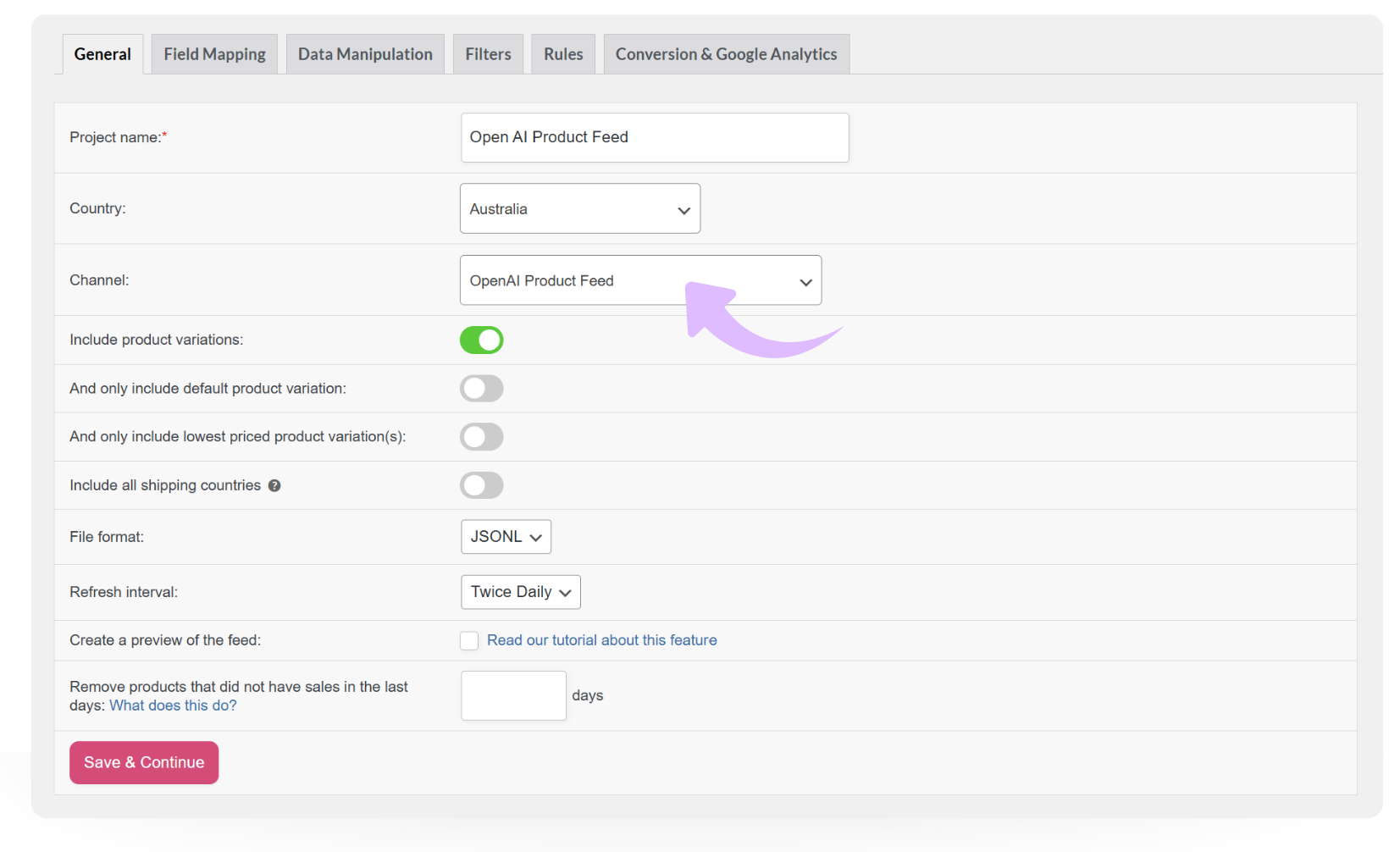
Go to Product Feed Pro → Create feed, name it, and choose OpenAI Product Feed as the channel.

🧩 Choose format & refresh interval
Pick your file format (JSONL, XML, CSV, TSV, or TXT) and set how often your OpenAI product feed should refresh.

⚙️ Map fields, filters & rules
Review the pre-mapped OpenAI fields, then adjust mappings and add any filters or rules you need.

📤 Generate & submit your feed
Generate your feed, copy the feed URL, and submit it via OpenAI’s merchant tools so your products can appear in AI-powered shopping experiences.
Feed Validator

Frequently Asked Questions

Do you have questions about setting up your first OpenAI product feed in WooCommerce?
This FAQ covers the basics, so you know what to expect before you start.

What is an OpenAI product feed?An OpenAI product feed is a structured list of your WooCommerce products that AI tools can read and understand. It includes important details like product names, prices, URLs, images, and categories so OpenAI-powered systems can reference your catalog.

With a clean OpenAI product feed in place, you can power AI chatbots, assistants, and other experiences that recommend products based on your real store data.

Do I need technical skills or an OpenAI account to use this?You don’t need to write any code to create an OpenAI product feed with AdTribes. Setup happens through a simple visual interface inside WordPress. However, you’ll need to sign up as a merchant on OpenAI’s platform to submit your feed.

What product data can I include in my openAI product feed?You can include all the key details you already store in WooCommerce: product names, prices, URLs, images, categories, attributes, brands, tags, and even custom fields. Our field mapping tools let you decide exactly which data points go into your OpenAI product feed. This helps you give AI tools enough context to make useful, accurate product suggestions.

Can I choose which products appear in my OpenAI product feed?Definitely. You can use AdTribes' filters and rules feature to control which products are included in your OpenAI product feed. For example, you can limit the feed to in-stock items, a specific category, certain price ranges, or a curated collection you want AI to recommend.

This keeps your AI-powered product recommendations aligned with your current merchandising and promotional strategy.

How do I submit my feed to OpenAI?After generating your product feed, you head to the OpenAI Commerce Platform, sign up as a verified merchant, and upload your product feed file. OpenAI will validate and process your data so your listings become visible on ChatGPT results and recommendations.

How often does my OpenAI product feed update?With custom refresh intervals, you decide how often your OpenAI product feed updates. You can refresh more frequently if your prices or stock levels change quickly, or use a slower schedule if your catalog is more stable. The plugin updates the feed automatically based on your settings, so AI tools always pull from up-to-date product data.

All Supported Platforms

Complete Your Purchase
AdTribes WooCommerce Product Feed

The best WooCommerce product feed plugin

  • AdTribes Pty Ltd
    ABN: 40 675 636 816
Product