

Merkandi Logo

Easily Create Merkandi Product Feeds With AdTribes

Scheduled Feed Regeneration

Regenerate your Merkandi XML feed from WooCommerce on a schedule, ready for Merkandi import

Product Field Mapping

Map your WooCommerce data to Merkandi's wholesale fields for accurate B2B listings

Filter & Rule Logic

Show the exact products you want on Merkandi based on customizable filters & rules

Merkandi XML Feed

Generate your Merkandi product feed as a structured XML file, ready to import

Unlimited Products

No limits on how many products you list in your Merkandi feed

Merkandi Product Feed

Get Started Quickly With Merkandi
As Your Channel

Listing your WooCommerce products on Merkandi doesn't have to mean building an XML file by hand. AdTribes Product Feed Pro generates the Merkandi XML feed for you, so you skip the manual formatting.

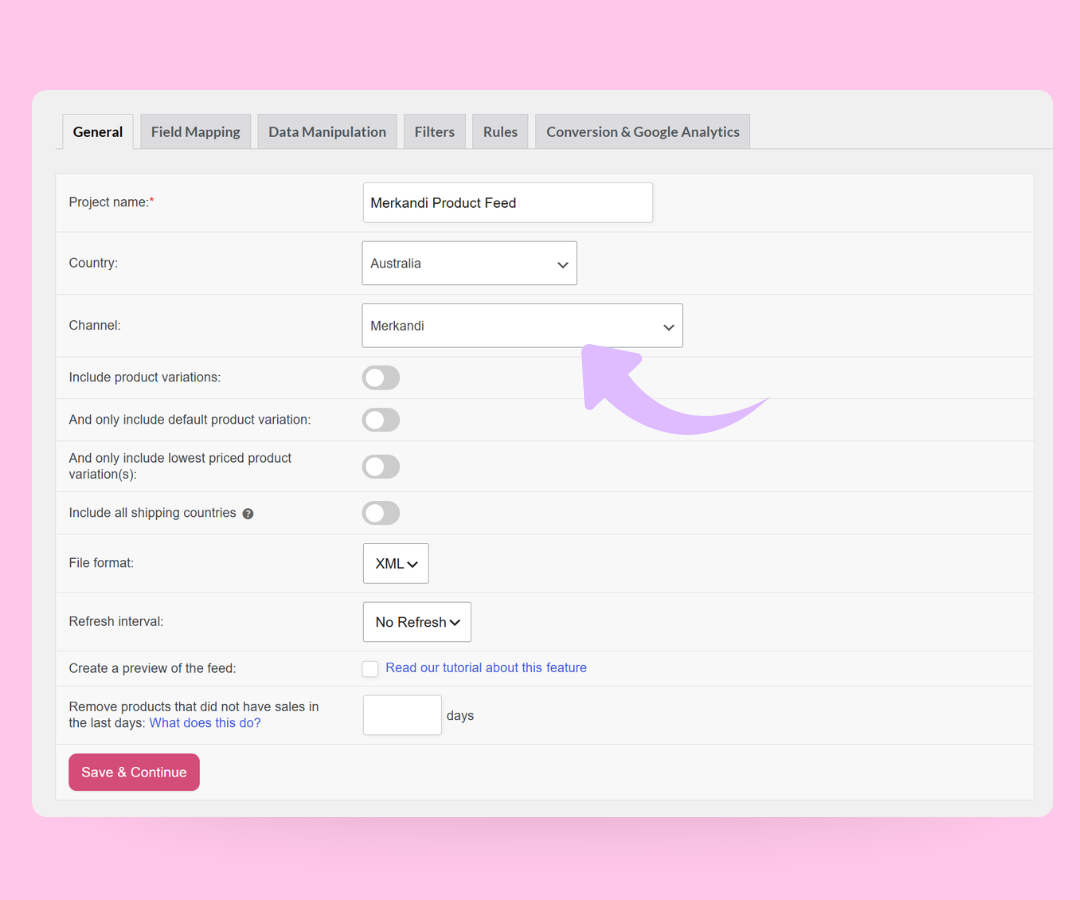
Just pick Merkandi from the channel list when you create a new feed, and your product data is structured for Merkandi's import process. You get a Merkandi XML feed ready to submit through your seller account.

Map Your WooCommerce Data
To Merkandi's Fields

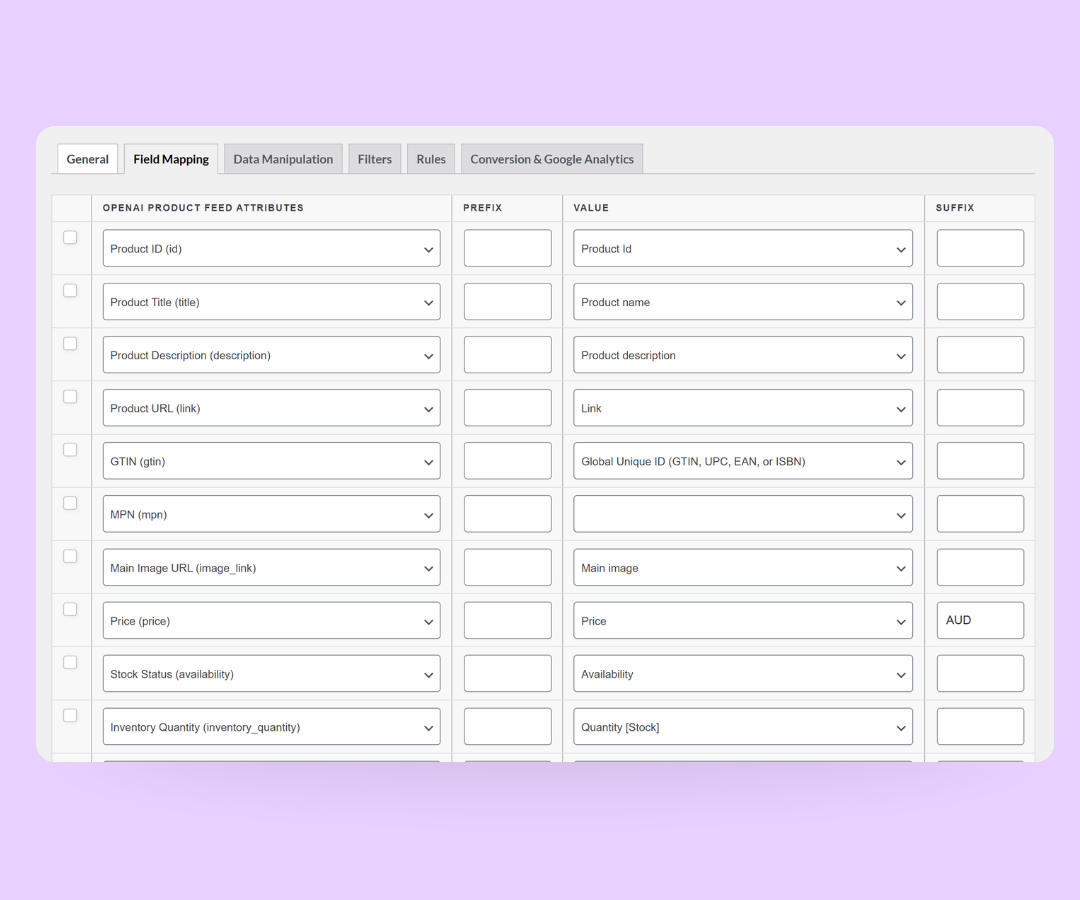
Clear B2B listings start with the right field mapping. With AdTribes Product Feed Pro, you match your WooCommerce data to Merkandi's fields without editing the XML yourself.

Map details like SKU, Merkandi category, product name, minimum order, price, currency, images, and condition. AdTribes Product Feed Pro handles the feed structure, and you can review and adjust the mapping before you generate the feed.
Category Mapping
Feed Filters and Rules

Choose Exactly Which Products
Go To Merkandi

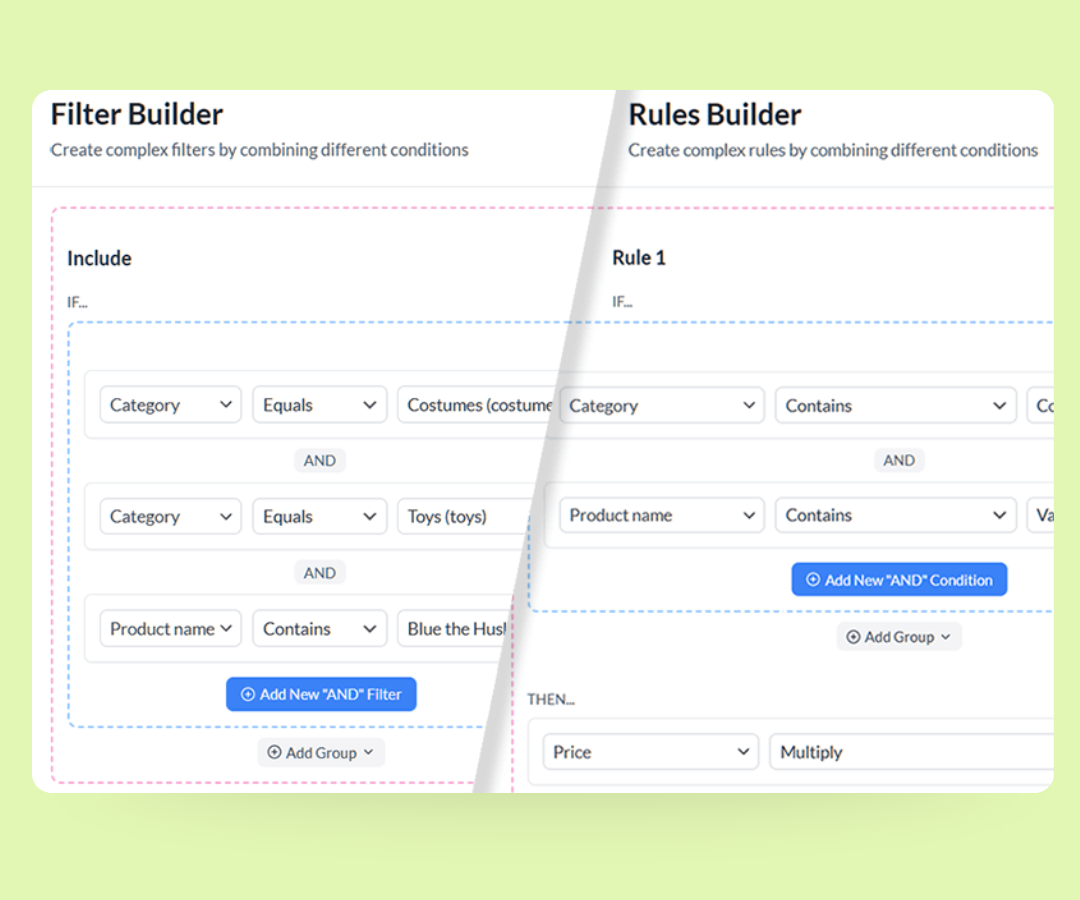
Not every product in your store needs to be included in your Merkandi product feed. With flexible filters and rule logic, you decide which items are added to the file and under what conditions.

Include or exclude products based on stock, price, category, brand, or other attributes. You can also use rules to adjust feed values before the file is generated, such as preparing wholesale pricing for your Merkandi feed.

Keep Your Merkandi Feed Updated
With Refresh Intervals

Your Merkandi feed works best when the product data behind it is current. With refresh intervals, you can choose how often AdTribes regenerates your Merkandi XML feed from WooCommerce.

Set a schedule that fits your catalog, so your latest wholesale prices and stock data are ready when you submit or import your feed through Merkandi. Custom refresh intervals are available in AdTribes Product Feed Elite.
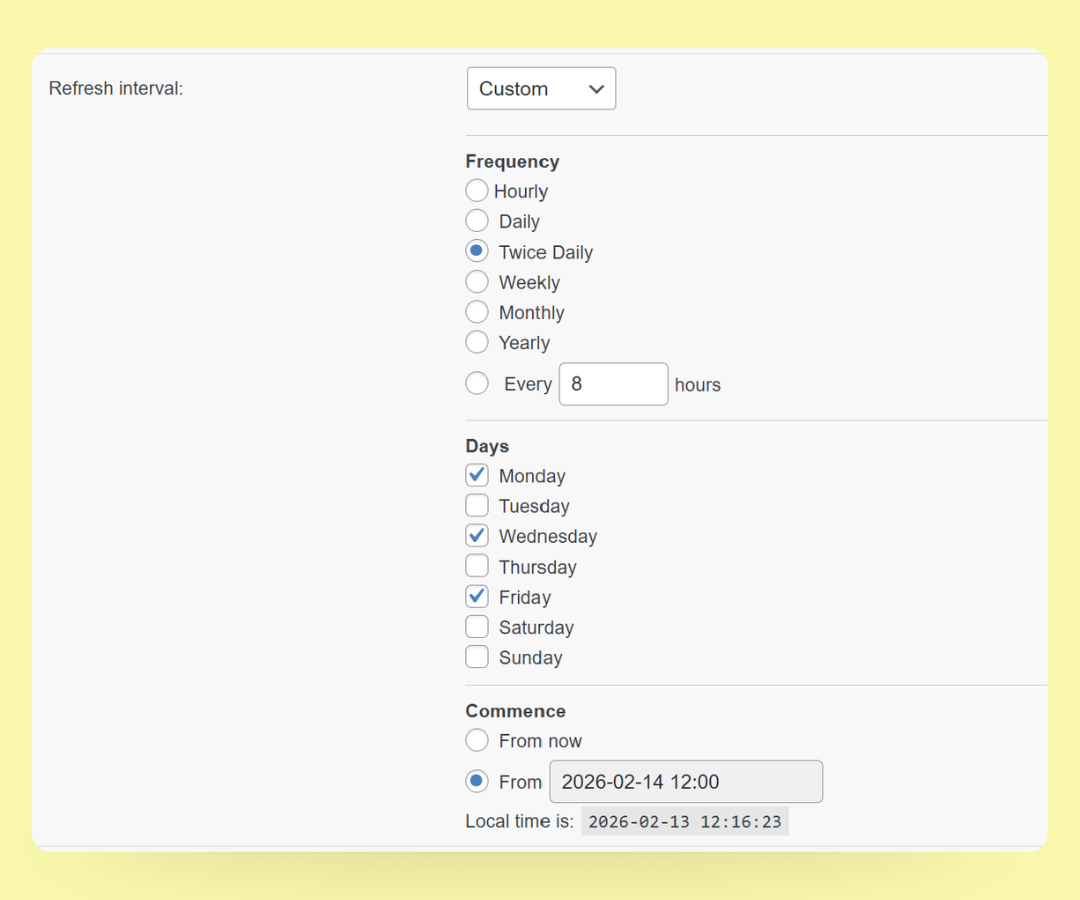
Custom Refresh Intervals

Get The Best WooCommerce Product Feed Plugin Now

The simplest way to create product feeds for marketplaces, B2B channels, and shopping networks.

How To Create Your Merkandi Product Feed

🎯 Create your feed
Go to Product Feed Pro → Create feed, name it, and choose Merkandi as the channel.

🧩 Set your refresh interval
The Merkandi channel generates an XML feed. In the General tab, you can set how often AdTribes refreshes the feed from your WooCommerce catalog.

⚙️ Map fields, filters & rules
Review the pre-mapped Merkandi fields, then adjust mappings and add any filters or rules you need. Some fields, like category and country, are matched to Merkandi's accepted values.

📤 Generate & submit your feed
Generate the feed, then copy the feed URL or download the file depending on the import method you plan to use. From there, submit it through your Merkandi seller account.
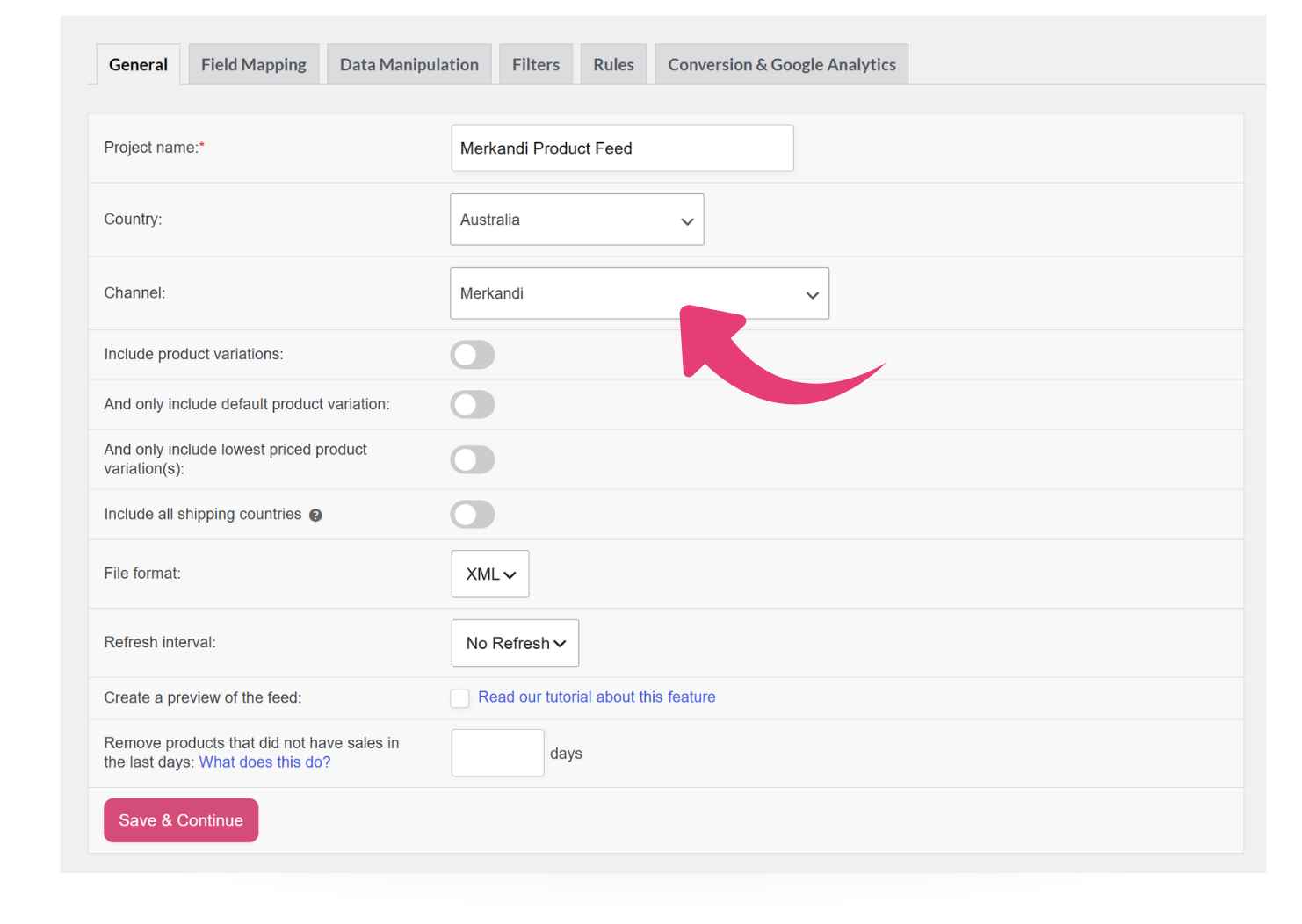
Merkandi Product Feed

Frequently Asked Questions

Do you have questions about setting up your first Merkandi product feed in WooCommerce? This FAQ covers the basics, so you know what to expect before you start.

What is a Merkandi product feed?A Merkandi product feed is an XML file that lists your WooCommerce products in the format the Merkandi marketplace expects. Merkandi is a B2B wholesale and clearance marketplace popular across Europe, and it reads your feed to list your products for the buyers browsing there.

AdTribes Product Feed Pro creates this XML feed from your WooCommerce data, so you don't have to write the XML yourself.

Is the Merkandi feed free in AdTribes Product Feed Pro?Yes. The Merkandi channel is built into AdTribes Product Feed Pro, which is free. You can create, map, and generate your Merkandi feed without a paid plan. AdTribes Product Feed Elite adds extras like custom refresh intervals if you need more control over your feed schedule.

What file format does the Merkandi channel create?The Merkandi channel creates an XML feed from your WooCommerce product data. This gives you a structured feed file you can use for Merkandi's import process, without formatting the XML manually.

How does my feed get to Merkandi?You submit it through your Merkandi seller account. AdTribes Product Feed Pro generates the XML feed, and you can use the import method available in Merkandi to send your product data. You keep managing your products in WooCommerce while AdTribes prepares the feed for Merkandi.

Can I choose which products are included in my Merkandi product feed?Yes. Use AdTribes Product Feed Pro’s filters and rules to control which products are included in your Merkandi feed. For example, you can limit the feed to in-stock items, a specific category, or a curated set of products for wholesale buyers.

Do I still manage my products in WooCommerce?Yes. You manage your products in WooCommerce as usual, and AdTribes uses that data each time it generates your Merkandi feed. This helps you prepare your feed from your existing WooCommerce catalog instead of building the XML manually.

All Supported Platforms

Complete Your Purchase
AdTribes WooCommerce Product Feed

The best WooCommerce product feed plugin

  • AdTribes Pty Ltd
    ABN: 40 675 636 816
Product