Reviewed by
A WooCommerce gift registry sends a very particular kind of shopper to your store. They search by occasion rather than by product name. Plus, they buy in a hurry, and they rarely feel loyal to any store.
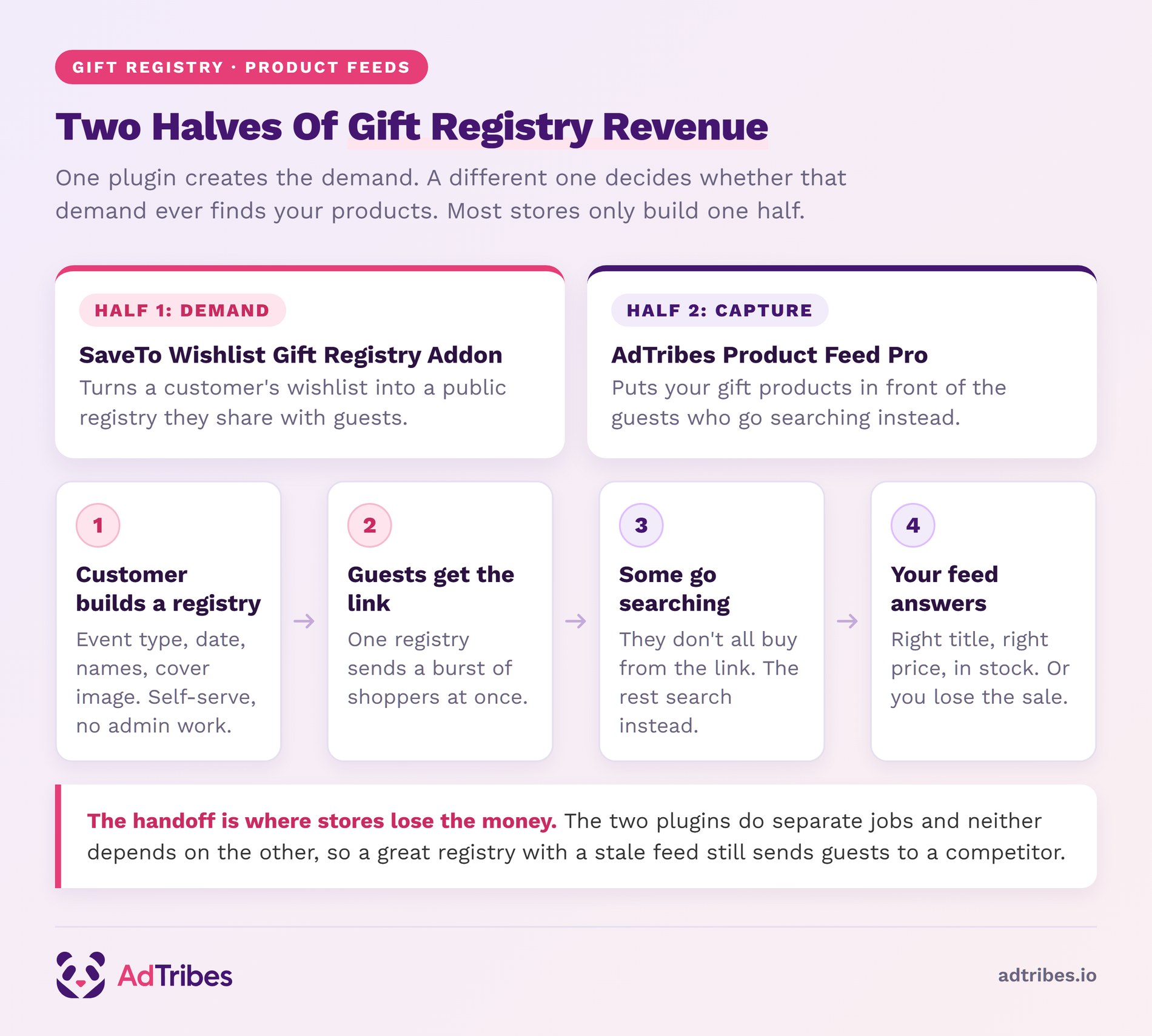
When a customer publishes a registry, a burst of those shoppers arrives at once. Some buy straight from the registry link. The rest go searching instead, so your product data decides whether they find you.
We’ve seen stores put real work into their feeds and still miss this traffic. It shows up suddenly, it converts fast, and it barely knows your brand.
This guide covers where that gifting demand comes from, and how to build a feed that captures it. Most stores only ever build one of those halves.
Table Of Contents
- What A WooCommerce Gift Registry Changes About Your Product Feed
- Why Gift And Registry Products Deserve Their Own Feed Treatment
- Setting Up A WooCommerce Gift Registry With The SaveTo Wishlist Addon
- How To Build A Gift-Focused Product Feed With Product Feed Pro
- Timing Your Feed Refresh Around Gifting Season
- What To Track On A Gifting Feed
- Start Feeding WooCommerce Gift Registry Demand Into Your Ads
- Frequently Asked Questions
What A WooCommerce Gift Registry Changes About Your Product Feed
A product feed is a structured file of your product data. Shopping platforms read it to decide where and when to show your products. It carries the fields a platform matches against a search: title, description, price, availability, image, product identifiers, and category.
The feed isn’t a marketing asset, it’s a data contract. If a field is missing or wrong, the product either doesn’t appear or appears against the wrong search. As a result, no amount of ad budget fixes a bad feed underneath it.
Registry traffic raises the stakes on three fields in particular:
- Title: gift shoppers search by occasion and recipient. A title that only names the product misses most of that language.
- Product identifiers: GTIN, MPN, and EAN help match your product to the same item elsewhere. That matters in crowded gift categories.
- Availability: gift demand is time-bound. A product that shows as available and isn’t costs you the sale and the trust.
Why gifting feeds go stale faster
Gift catalogs move quickly. Seasonal lines come and go, stock turns over in weeks rather than months, and prices shift around promotions.
As a result, a feed on a slow refresh schedule will be wrong more often during gifting season. That’s the opposite of what you want.
Why Gift And Registry Products Deserve Their Own Feed Treatment
Gifting is a high-value, high-intent category, and the spend behind it is substantial. According to The Knot Worldwide’s 2026 Real Weddings Study, the average wedding cost in 2025 was $34,000. Couples spent an average of $292 per guest. That study drew on 10,474 US couples married during 2025.
Guest spending is the part that concerns your feed. A wedding with 100 guests means a hundred separate people searching for a gift. Most of them have no existing relationship with any store.
The conversion side is unforgiving, though. Baymard Institute puts the average documented cart abandonment rate at 70.22%, calculated across 50 separate studies. So when a shopper arrives and finds a different price, you’ve paid for the click. An out of stock product costs you the same way.
🔍️ One thing we commonly see: stores run one feed for the whole catalog, then wonder why gift products underperform. Gift lines need different titles, a tighter refresh interval, and often their own feed entirely. They’re competing for different searches than the rest of the store.
Setting Up A WooCommerce Gift Registry With The SaveTo Wishlist Addon
Registry demand doesn’t appear on its own. Something in your store has to let customers build and share a registry in the first place.
The SaveTo Wishlist Gift Registry Addon lets customers turn any wishlist they own into a public, shareable registry. It shipped in July 2026. For feed work it matters because it changes who arrives, and what they’re hunting for.
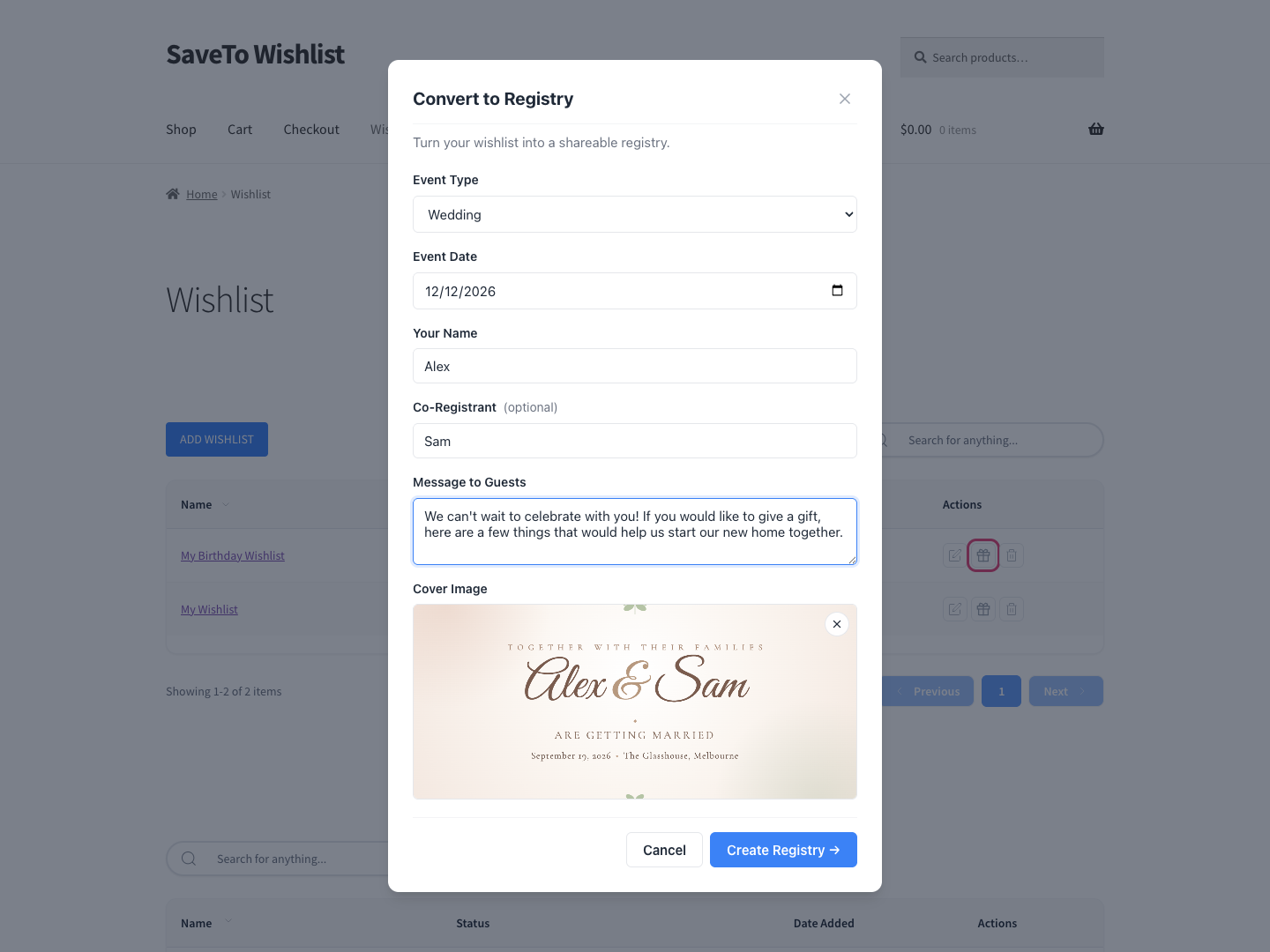
Every registry is self-serve. Customers build and manage their own, so the feature costs you no ongoing admin time once it is switched on.
What the addon adds:
- Registries built from any wishlist, with an event type, event date, registrant names, and an optional cover image.
- A public registry link plus a share button for copying it, emailing it, or posting to Facebook, X, or WhatsApp.
- Per-item quantity tracking, so a gift reads as 2 out of 5 purchased until every unit is claimed.
- A Find a Registry page, published automatically on activation, where guests search by registrant name or event type.
- An owner dashboard in My Account showing each gift’s buyer, purchase date, and order number, plus thank-you tracking.
- Admin management under a central Registries screen, where deleting a registry hides it while keeping its purchase records, and archiving is a separate action.
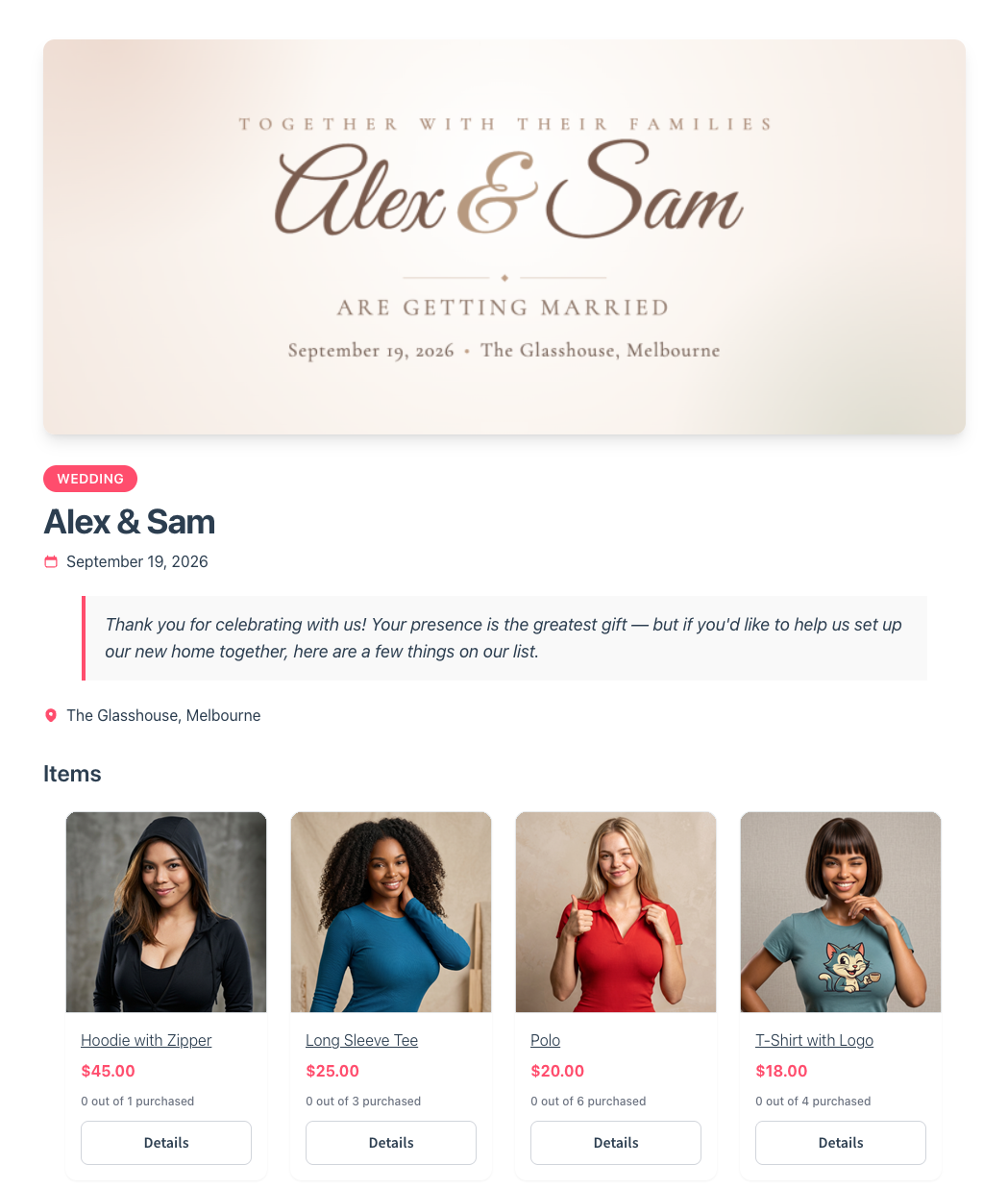
Once a registry is live, every shared link is a small burst of qualified traffic. Guests arrive knowing roughly what they want, with a deadline attached.
That pattern repeats across weddings, baby showers, birthdays, and housewarmings. It also travels well, because guests share registries with other guests. SaveTo Wishlist covers the mechanics in its guide to wedding and event lists. There’s also a write-up on group gifting with a shared wishlist.
The addon is available on the SaveTo Wishlist Plus and Business plans. Plus is $99.50 for the first year, renewing at $199. Business is $199.50 for the first year, renewing at $399.
A free Lite tier and a Growth plan also exist. Growth is $49.50 for the first year, renewing at $99. Neither includes the Gift Registry Addon. All the paid tiers sit under SaveTo Wishlist Pro. Current figures are on the SaveTo Wishlist pricing page.
Product Feed Pro and the Gift Registry Addon do separate jobs, and neither depends on the other. You run them alongside each other. The addon creates the demand, and your feed decides whether the guests who go searching find you.
If your catalog sells anything giftable, the demand half is the one worth adding first.
Get the Gift Registry Addon today!
How To Build A Gift-Focused Product Feed With Product Feed Pro
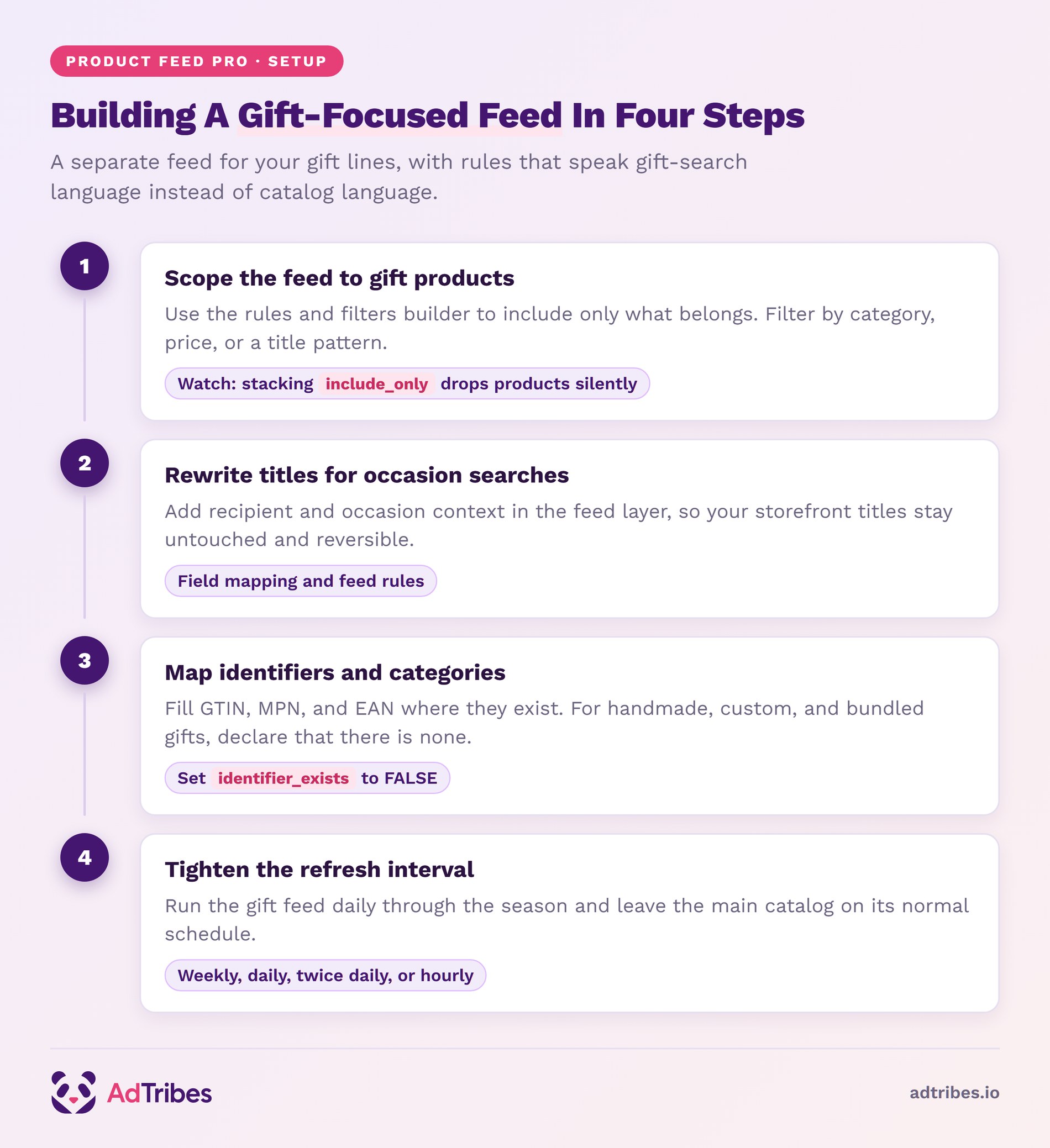
The approach that works is a separate feed for your gift lines. Its rules rewrite the data for gift-search language rather than catalog language.
Step 1: Create a feed scoped to your gift products
Create a new feed, then use the rules and filters builder to include only the products you want. Filters work on product attributes with conditions. You can include only a category, only products above a price, or only items matching a title pattern.
Scoping the feed matters more than it sounds. A gift feed you can reason about is a feed you’ll maintain through a busy season.
Step 2: Rewrite titles for occasion searches
Use field mapping and feed rules to modify the title that goes into the feed. That way your on-site product titles stay as they are, and your storefront stays clean.
The change is usually adding recipient or occasion context to a product-led title. Do it in the feed layer and you can undo it the moment the season ends.
Step 3: Fill in product identifiers and category data
Map GTIN, MPN, and EAN where you have them, then check your category mapping. Gift categories are crowded, so an accurate category does real work here.
Gift catalogs are also full of products that never had a GTIN. Think handmade goods, custom orders, vintage pieces, and bundles you assembled yourself. For those, leaving the field blank is the wrong fix. Set identifier_exists to FALSE instead, which our guide to product identifiers covers in full.
Step 4: Tighten the refresh interval for the season
Set the feed to refresh automatically on a shorter interval during gifting season. Daily rather than weekly is the usual move. Product Feed Pro supports weekly, daily, twice daily, and hourly intervals, set per feed.
So you can run gift feeds hot and leave everything else on a normal schedule.
On AdTribes, rules, filters, and custom refresh intervals start at the Growth plan. The Feed Validator is on AdTribes Plus and Business. Full details sit on the AdTribes pricing page.
Timing Your Feed Refresh Around Gifting Season
Refresh frequency is the setting most stores get wrong, and it costs the most during gifting periods. Stock and price accuracy decay quickly when a catalog is turning over.
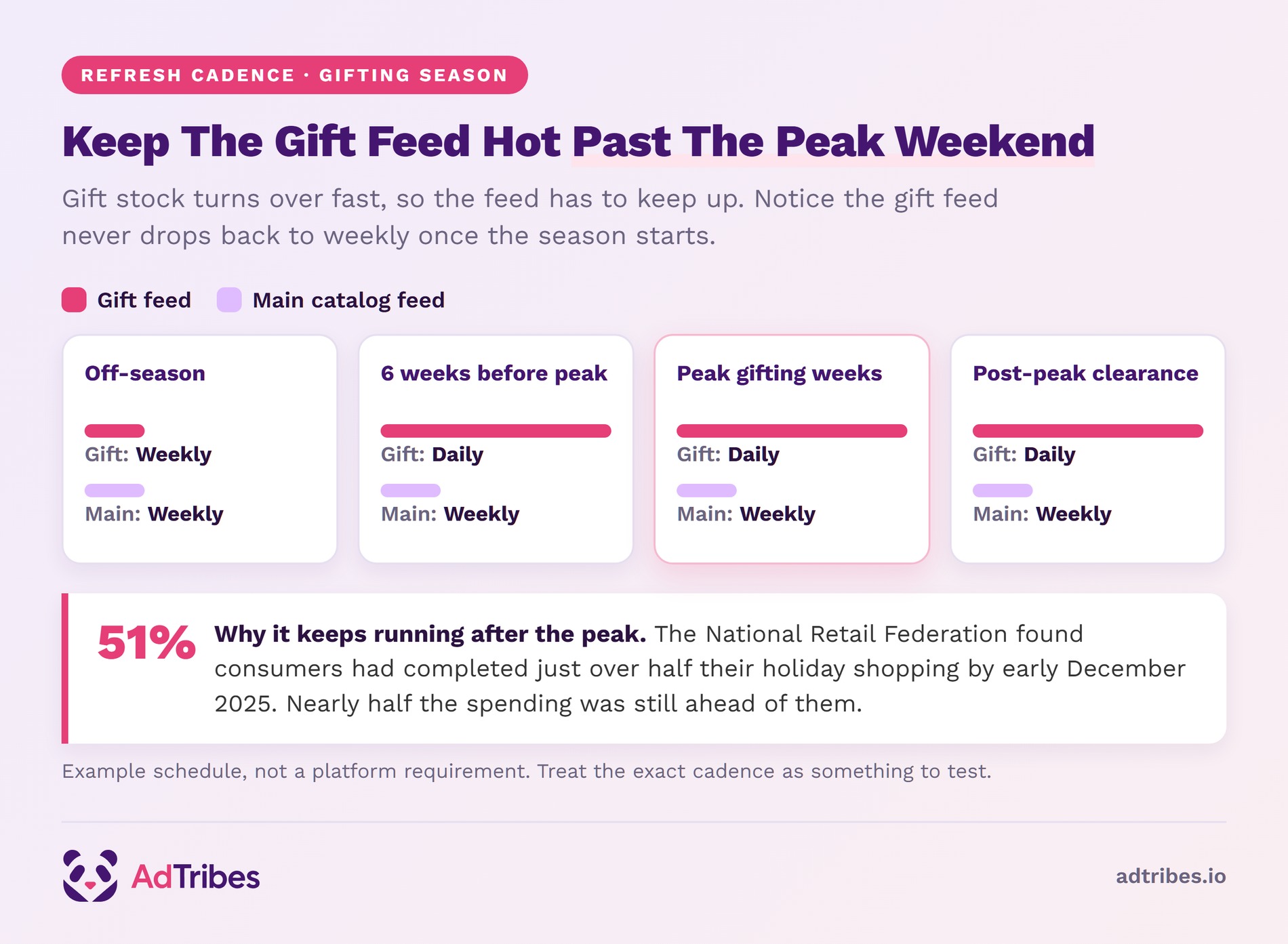
Here’s a reasonable pattern for a gift-heavy store (example schedule, not a platform requirement):
| Period | Gift feed refresh | Main catalog feed |
|---|---|---|
| Off-season | Weekly | Weekly |
| 6 weeks before peak | Daily | Weekly |
| Peak gifting weeks | Daily | Weekly |
| Post-peak clearance | Daily | Weekly |
Notice the schedule doesn’t wind down after the peak weekend, and that’s deliberate. The National Retail Federation found consumers had completed just over half (51%) of their holiday shopping by early December 2025. So nearly half of that spending was still ahead of them.
That said, platforms change their guidance and their processing behavior over time. Treat the exact cadence as something to test rather than a fixed rule. The principle holds regardless: the faster your gift stock moves, the more often the feed needs to be right.
If you sell into more than one market, two addons matter. The Feed Translation Addon and Feed Multi-Currency Addon come with the AdTribes Plus plan and above.
What To Track On A Gifting Feed
Track your feed’s approval and error count first. A disapproved product can’t convert at any budget, so fix errors before you touch bids.
Four other measures are worth watching:
- Impressions on gift-intent searches: whether your rewritten titles are matching occasion language at all.
- Click-through rate versus catalog average: gift listings should perform differently. If they don’t, the titles probably aren’t doing their job.
- Out of stock click waste: clicks landing on unavailable products. That tells you whether your refresh interval is tight enough.
- Return on ad spend by feed: separating the gift feed is what makes this measurable at all.
When the numbers look wrong, the cause is usually mechanical. Start with a feed that came up short, or one that won’t finish generating. The Feed Validator catches structural problems before a platform does.
Start Feeding WooCommerce Gift Registry Demand Into Your Ads
Feeds are unglamorous work. That’s precisely why they’re worth doing properly before a season rather than during it. A gift feed set up once, with its own rules and a tighter refresh, keeps working every year.
Here’s the short version of what to do:
- What A WooCommerce Gift Registry Changes About Your Product Feed Treat the feed as a data contract, not a marketing asset.
- Why Gift And Registry Products Deserve Their Own Feed Treatment Separate your gift lines from the main catalog.
- Setting Up A WooCommerce Gift Registry With The SaveTo Wishlist Addon Give customers a way to create the demand in the first place.
- How To Build A Gift-Focused Product Feed With Product Feed Pro Scope with filters, rewrite titles with rules, map identifiers.
- Timing Your Feed Refresh Around Gifting Season Run gift feeds daily through peak, and keep going into December.
- What To Track On A Gifting Feed Clear feed errors before adjusting spend.
The feed half is yours to build. The demand half starts when your customers can actually create a registry, and that’s what the Gift Registry Addon adds.
Get the Gift Registry Addon today!
Frequently Asked Questions
Should gift products have their own separate feed?
In most cases yes, for two reasons. Gift products need different titles and a tighter refresh interval than the rest of your catalog. Separating them also lets you measure their return on ad spend on its own. A single blended feed hides both the problem and the result.
Can I change product titles in the feed without changing them on my store?
Yes. Field mapping and rules let you modify the title that goes into the feed. Your on-site product titles stay as they are. That’s the right place for seasonal wording changes, because you can reverse them without touching your catalog.
How often should a gift product feed refresh?
More often than your main catalog, and daily is a sensible starting point through a peak period. Product Feed Pro supports weekly, daily, twice daily, and hourly intervals. Treat the exact cadence as something to test, since platform processing behavior changes over time.
Do product identifiers like GTIN really matter for gifts?
They help, particularly in crowded gift categories where many stores sell the same item. Identifiers let a platform match your listing to the same product elsewhere. Map them wherever you have them. Where a product genuinely has none, set identifier_exists to FALSE rather than leaving the field blank.
Which WooCommerce gift registry plugin addon creates this traffic?
The SaveTo Wishlist Gift Registry Addon, available on its Plus and Business plans. It lets customers convert a wishlist into a public, shareable registry. Each shared link sends a group of gift shoppers toward specific products in your store. You can see the full feature list on the launch announcement.