If you run a B2B store with wholesale-only products, those products shouldn’t appear in Google Shopping, Facebook, or any other public channel. Product Feed Pro handles this automatically when Wholesale Prices Premium is active, with no configuration needed on the Product Feed Pro side.
When both plugins are running, Product Feed Pro detects which products are restricted to wholesale customers and removes them from every feed it generates.
Prerequisites
| Requirement | Details |
|---|---|
| Product Feed Pro | Version 13.4.0 or later |
| Wholesale Prices Premium | Any version |
How the integration works
When Wholesale Prices Premium is active, Product Feed Pro runs an automatic check on every product before it enters a feed. If a product is restricted to specific wholesale user roles, meaning it’s not visible to all customers, Product Feed Pro excludes it from the feed. This check covers individual products, product variations, and products in wholesale-restricted categories.
What products are excluded
Product Feed Pro respects three types of visibility restrictions you can set in Wholesale Prices Premium. If any of these are applied, the product won’t appear in your feeds.
Product-level restriction
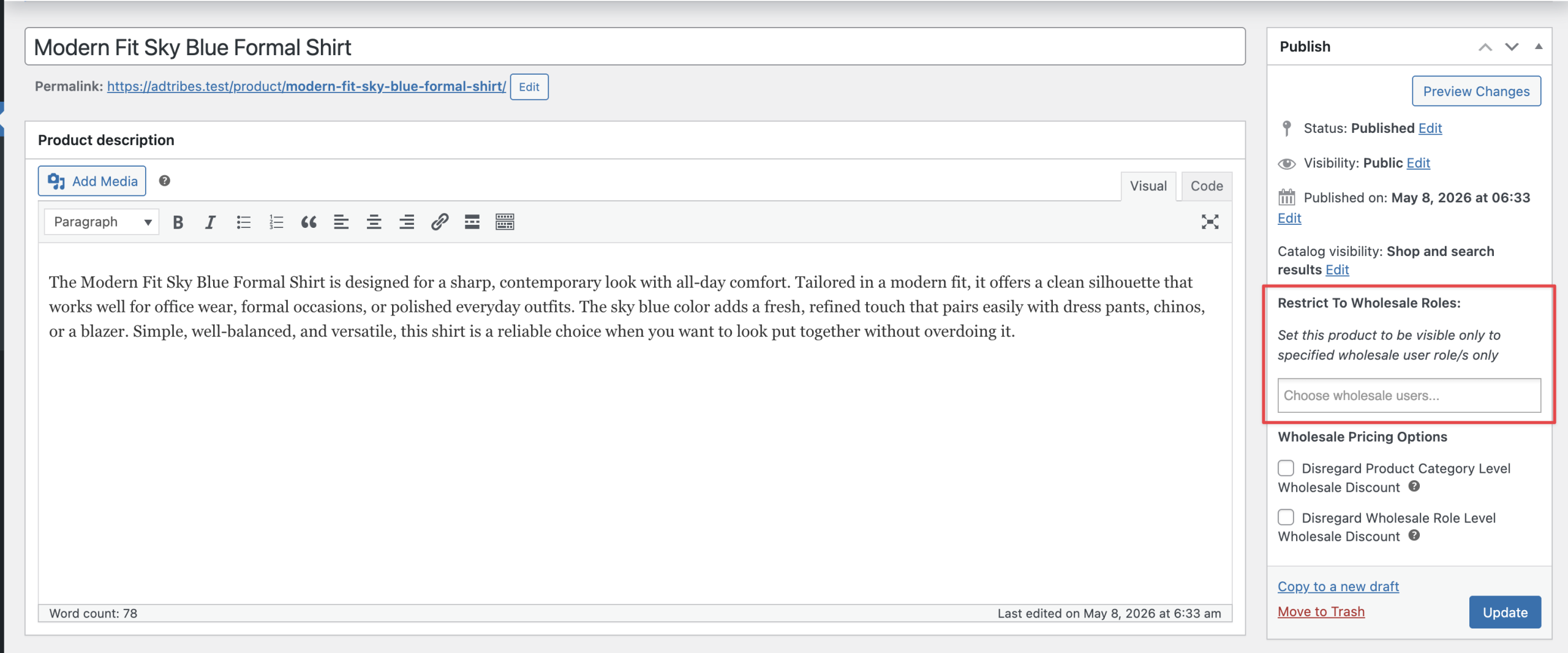
On the product edit screen, Wholesale Prices Premium adds a Restrict To Wholesale Roles: section. If you select one or more wholesale roles there, the product is visible only to those customers, and Product Feed Pro excludes it from all feeds.
If the field is left empty, the product is treated as visible to everyone and stays in your feeds.
Variation-level restriction
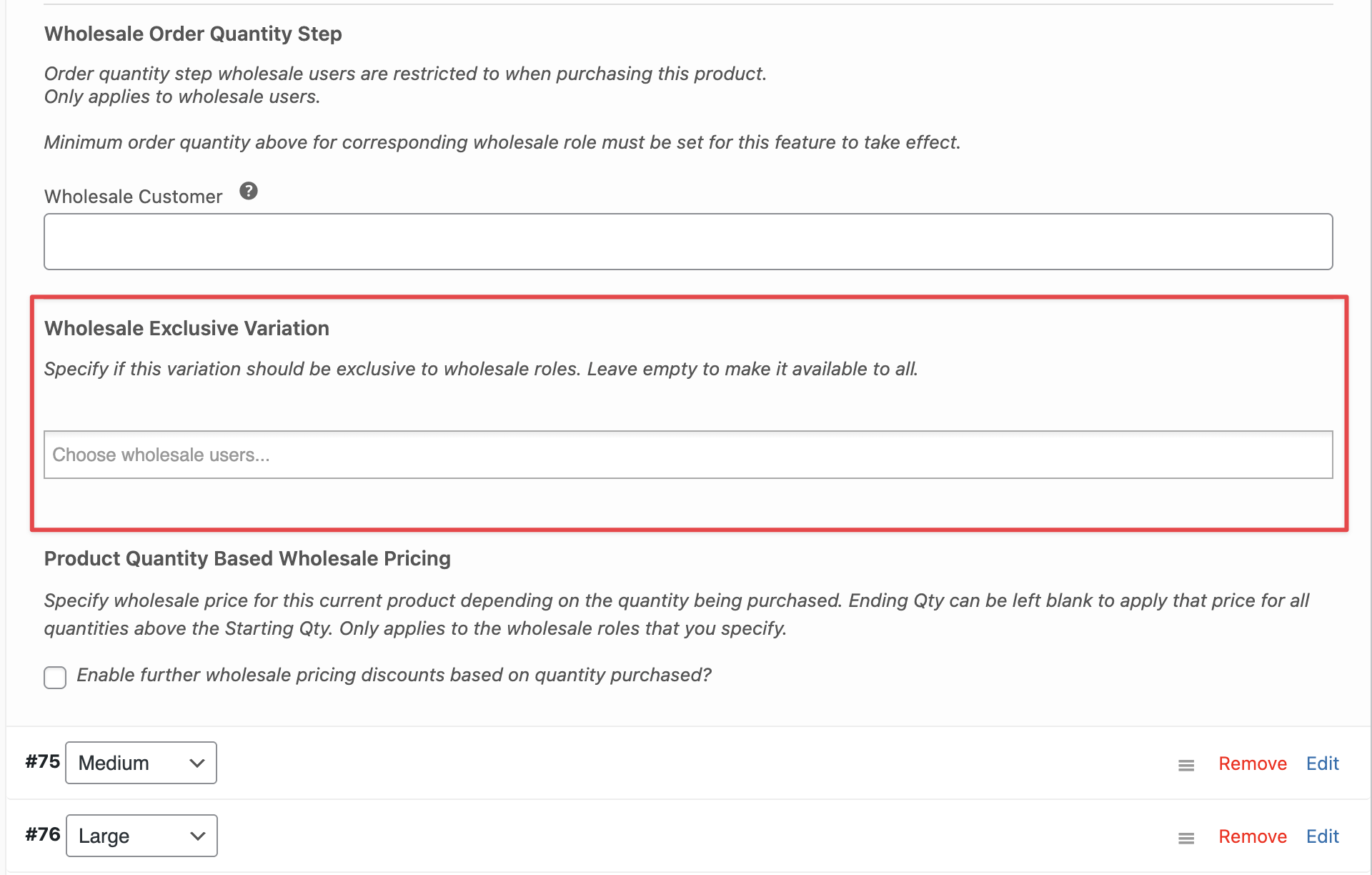
Inside a variable product, each variation has a Wholesale Exclusive Variation section. If wholesale roles are selected there, that variation is excluded from feeds. Also, if the parent variable product has a restriction set, Product Feed Pro excludes all of its variations, even variations that don’t have their own restriction.
Category-level restriction
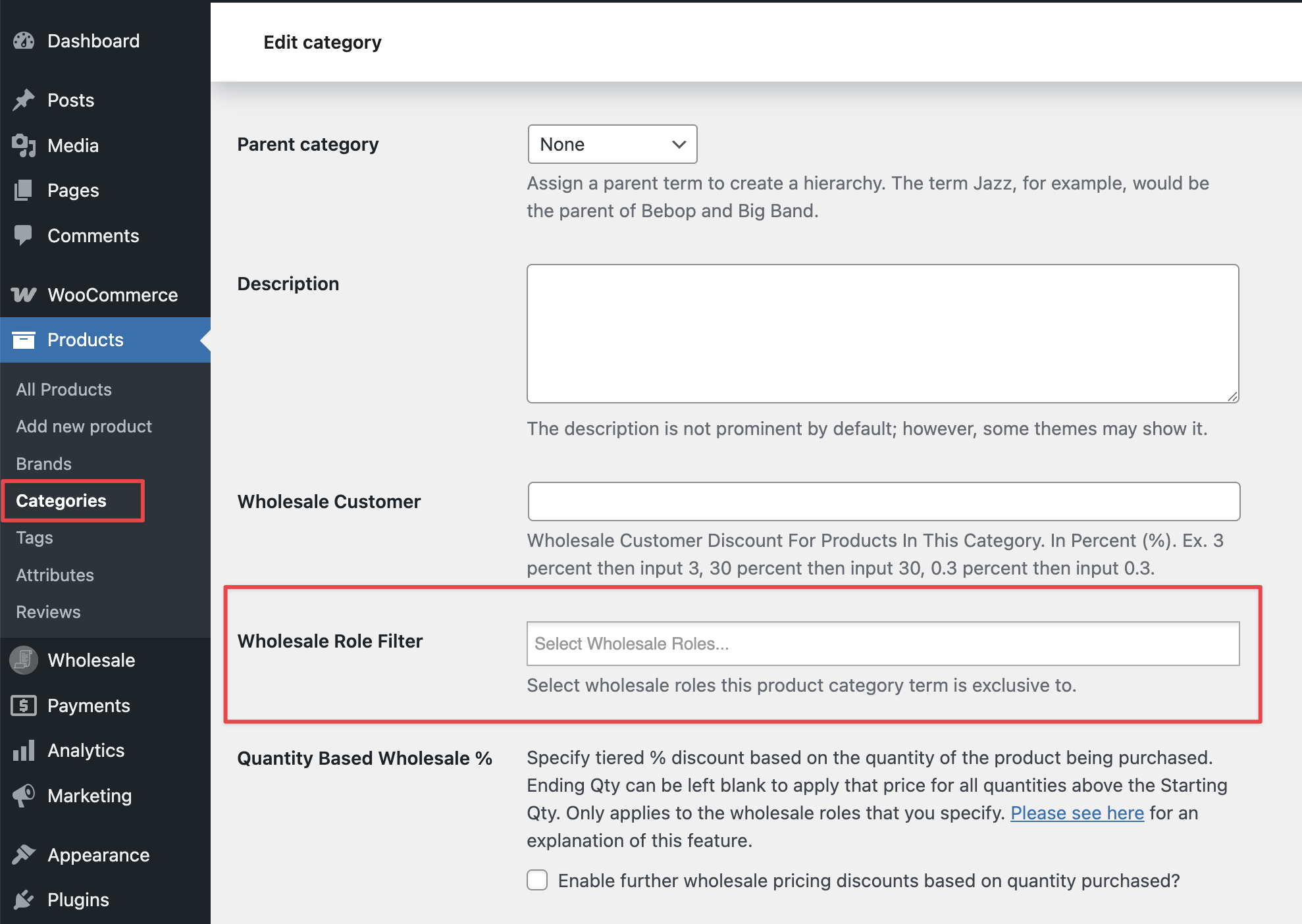
In Products → Categories, Wholesale Prices Premium adds a Wholesale Role Filter field to each category. If you assign wholesale roles to a category, Product Feed Pro excludes every product in that category from feeds.
Troubleshooting
Also, confirm you’re running Product Feed Pro 13.4.0 or later. Earlier versions don’t include the Wholesale Prices Premium integration.
- The product’s Restrict To Wholesale Roles: field. Clear it if the restriction shouldn’t apply.
- Each variation’s Wholesale Exclusive Variation field. Clear the roles for any variation that should be public.
- The product’s category in Products → Categories. Check the Wholesale Role Filter for the category and clear it if needed.
FAQ
Need more help?
If you’re on Product Feed Elite, open a support ticket, and our team will help you.
If you’re on Product Feed Pro (free), post a question on the WordPress.org support forum.