Reviewed by
Picture a shopper in Madrid who finds one of your products through a search. The price looks right and the product is exactly what they wanted. But every word on the page is in English. So they head back to the results and buy from a store they can read.
That lost sale is hard to spot. It never shows up as a complaint, only as another bounce or abandoned cart. And the group of shoppers it affects is bigger than most store owners expect.
The best WooCommerce translation plugins fix this by serving your store in your shopper’s language. Below, we compare seven of our top picks and explain the one difference that matters most when choosing. Then, we share practical ways to turn a translated store into more sales.
Jump to:
- How A Multilingual Store Helps You Reach More Customers
- What WooCommerce Translation Plugins Do For Your Store
- The 7 Best WooCommerce Translation Plugins In 2026
- 1. Universally: Best for hands-off AI translation
- 2. WPML: Best for large catalogs and multi-currency stores
- 3. Linguator: Best free AI translation inside WordPress
- 4. TranslatePress: Best for visual, front-end editing
- 5. Polylang: Best for lightweight, flexible setups
- 6. Weglot: Best for quick setup with a visual editor
- 7. Loco Translate: Best for fixing leftover English text
- How To Choose The Right WooCommerce Translation Plugin
- 6 Ways To Use WooCommerce Translation Plugins To Boost Sales
- FAQs: Best WooCommerce Translation Plugins
- Choose A WooCommerce Translation Plugin And Start Selling Globally
How A Multilingual Store Helps You Reach More Customers
A multilingual store lets you sell to people who search, browse, and buy in a language other than yours. That is a much larger slice of the online market than an English-only store can reach.
Here’s what the numbers look like:
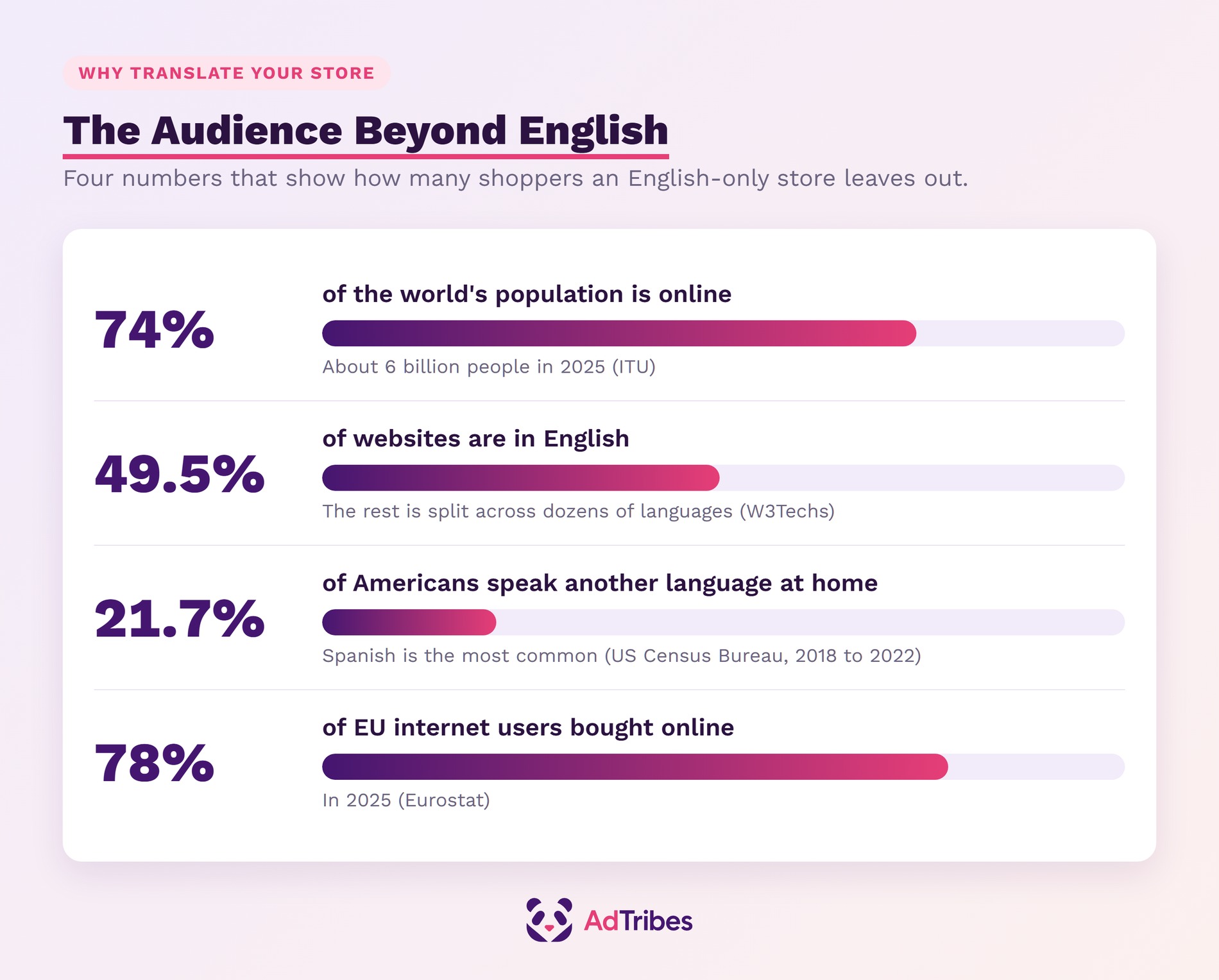
- The audience is huge: About 6 billion people are online in 2025, according to the International Telecommunication Union. That’s 74% of the world’s population.
- Most of the web isn’t in English anyway: W3Techs finds English on 49.5% of the websites whose language it can identify. The rest is split across dozens of languages.
- It matters at home too: In the US, 78.3% of people aged 5 and older spoke only English at home. That’s US Census Bureau data for 2018 to 2022. That leaves roughly 1 in 5 who speak another language, most often Spanish.
- Shoppers are ready to buy: According to Eurostat, 78% of EU internet users bought goods or services online in 2025.
Translation also opens a new search channel. Google recommends telling it about the language versions of your pages so it can show each searcher the right one. In addition, it notes that translated pages are only treated as duplicates when the main content is left untranslated.
If you’re still deciding which markets to target first, our guide on how to sell internationally covers the groundwork.
What WooCommerce Translation Plugins Do For Your Store
A WooCommerce translation plugin translates the parts of your store a shopper sees and uses. Then it serves the right language to each visitor. The strongest ones cover the whole buying journey, not only product descriptions.
Here are the main benefits provided by the best WooCommerce translation plugins:
- Product pages shoppers understand: Titles, descriptions, categories, and attributes appear in the shopper’s language.
- A checkout people trust: Cart, checkout, and account pages are translated. Nobody has to guess what a button or field means.
- Order emails in the right language: Several plugins send confirmation emails in the language the customer ordered in.
- Visibility in new search markets: Language URLs (like /fr/ or /es/), hreflang tags, and translated meta descriptions help each version rank locally.
- Less manual work: Most plugins now offer AI or machine translation. You edit a first draft instead of translating from scratch.
Every full multilingual plugin below adds a language switcher so visitors can change languages themselves. If you want to understand how switchers work, see our guide to the WooCommerce language switcher.
Cloud translation vs in-WordPress translation
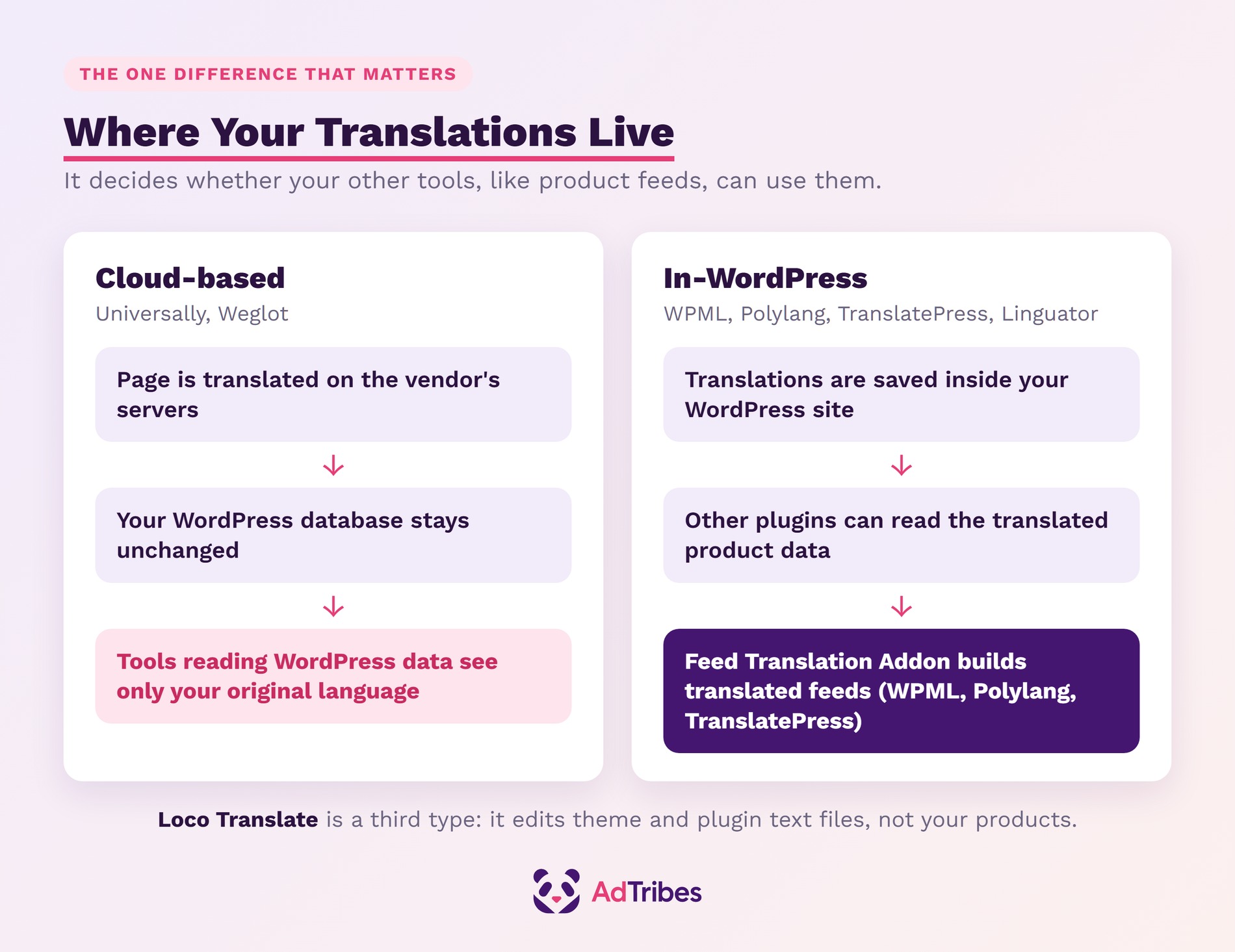
The biggest difference between these plugins is where your translations live. It affects cost, speed, and which of your other tools can use the translated content.
- Cloud-based plugins (Universally and Weglot) translate your page output on their own servers. They send the translated page to the visitor, and your WordPress database stays unchanged.
- In-WordPress plugins (WPML, Polylang, TranslatePress, and Linguator) keep your translations inside your WordPress site. TranslatePress, for example, states that all translations are stored in your own database.
- Text-file editors (Loco Translate) are a third type. They translate the fixed text built into your theme and plugins, not your products or pages.
This matters because other tools read your product data from WordPress. For example, the AdTribes Feed Translation Addon builds product feeds from your translated data. It pulls titles, descriptions, and attributes from WPML, Polylang, or TranslatePress. If you plan to advertise in more than one language, factor that in early.
The 7 Best WooCommerce Translation Plugins In 2026
The right plugin for your WordPress store depends on your budget and how many languages you need. It also depends on how hands-on you want to be. Some tools translate everything automatically, while others give you full manual control.
We compared each plugin on WooCommerce coverage, how translation works, pricing, and fit for different store sizes. All pricing and features come from each developer’s own website and plugin listing, checked in September 2026.
| Plugin | How it works | Free option | Paid plans from | Best for |
|---|---|---|---|---|
| Universally | Cloud, AI | 1 language, 2,000 words | $7.50/month (billed yearly) | Hands-off AI translation |
| WPML | In WordPress | None | €99/year for WooCommerce | Large catalogs and multi-currency |
| Linguator | In WordPress, AI | Free plugin | Not listed | Free AI translation |
| TranslatePress | In WordPress, visual | 1 extra language | €99/year | Visual editing |
| Polylang | In WordPress | Free core plugin | €99/year for WooCommerce | Lightweight setups |
| Weglot | Cloud, AI | 1 language, 2,000 words | €15/month | Quick setup with a visual editor |
| Loco Translate | Theme and plugin text files | Free plugin | Not listed | Fixing leftover English text |
1. Universally: Best for hands-off AI translation
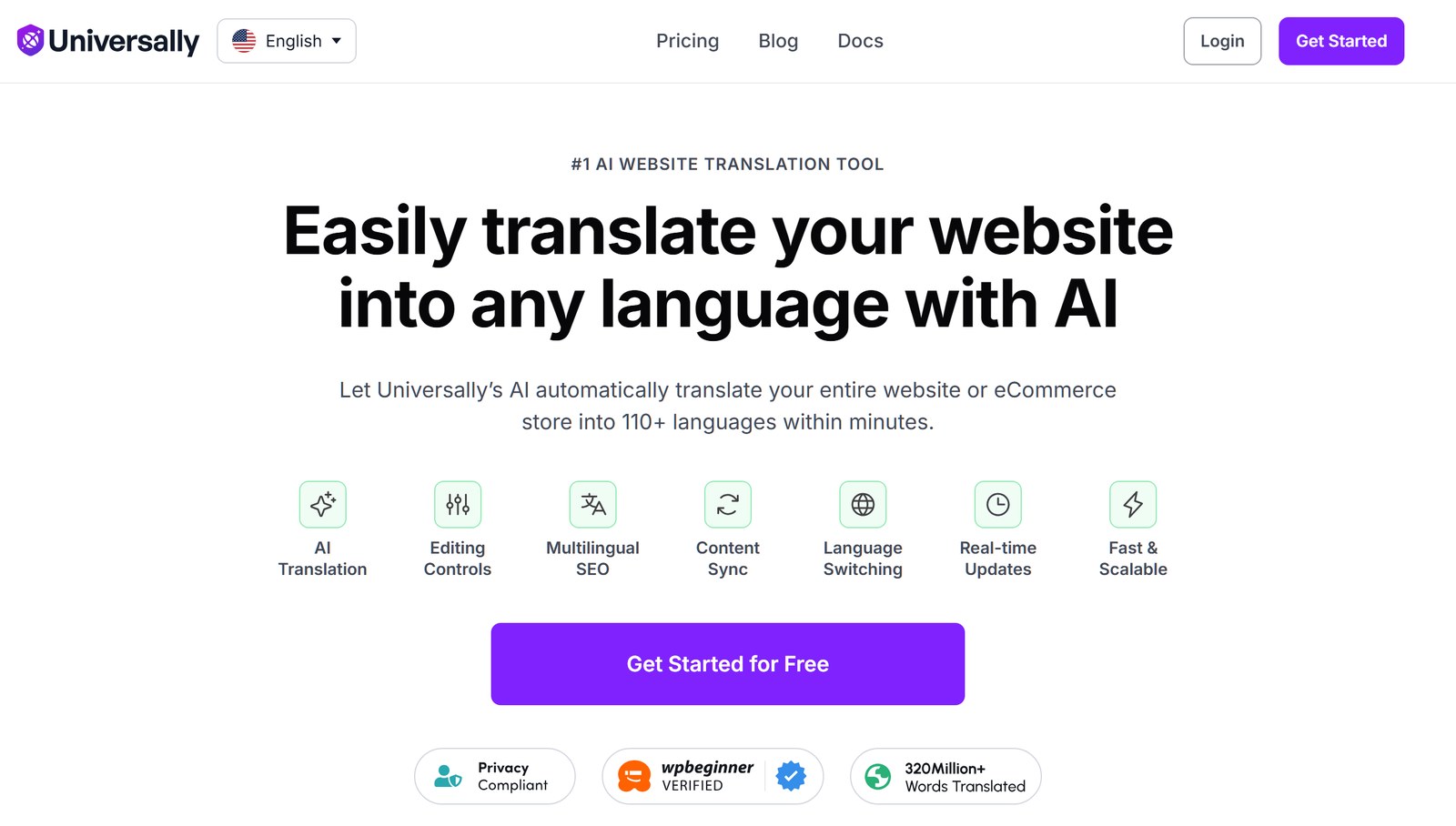
Universally is a cloud-based AI translation plugin that translates your entire site into more than 110 languages. You connect your site, pick your languages, and it handles the rest without duplicating posts or products.
We run Universally on adtribes.io. It serves this site in Spanish, French, German, Italian, Dutch, and Polish. It also adds hreflang tags linking every language version. The plugin comes from the team behind WPForms, OptinMonster, and All in One SEO.
- Automatic content detection: New posts, pages, and products are translated on their next visit, then cached for everyone after.
- WooCommerce coverage: Universally says it translates products, categories, tags, the cart, checkout, account pages, and order confirmation emails.
- Multilingual SEO: Each language gets its own URL prefix, hreflang tags, translated metadata, and multilingual XML sitemaps. It works with All in One SEO, Yoast SEO, and SEOPress.
- Control over wording: Paid plans add a glossary to keep brand and product names untranslated. They also add rules to exclude page elements or whole pages.
Pricing: The free plan covers 1 site, 1 language, and 2,000 translated words. Paid plans start at $7.50/month billed yearly ($9 month to month) for 10,000 words in 1 language. Business adds 3 languages and 50,000 words for $15.80/month billed yearly.
Good to know: Plans are sized by translated words, so estimate your catalog size before you choose one.
2. WPML: Best for large catalogs and multi-currency stores
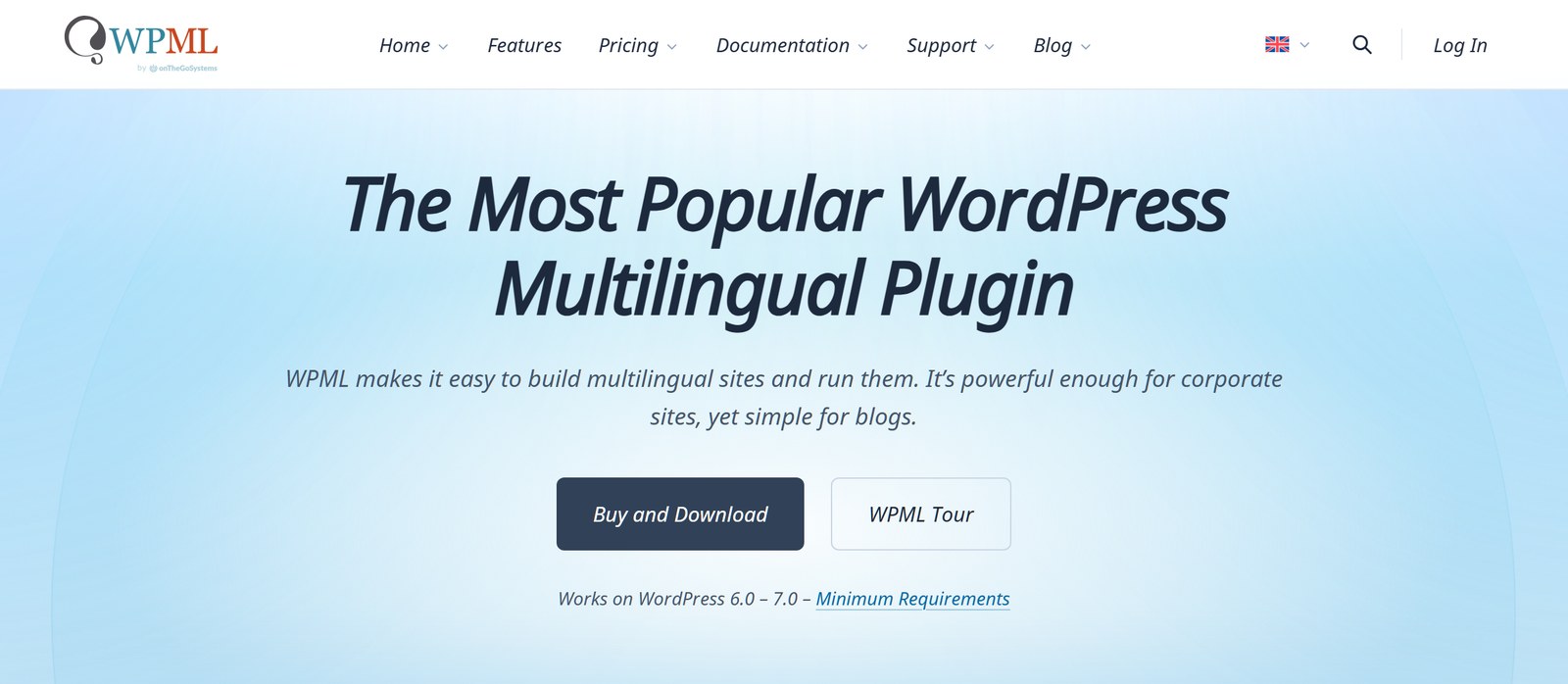
WPML calls itself the most popular WordPress multilingual plugin, with more than 1.5 million sites using it. Its WooCommerce support comes from the WPML Multilingual & Multicurrency for WooCommerce add-on. That add-on is included with the Multilingual CMS and Agency plans.
- Full store translation: Products, variations, attributes, categories, cart, checkout, account pages, and every WooCommerce email appear in the customer’s language.
- Multi-currency selling: Set prices per currency by hand or use automatic exchange rates. You can also show only the payment gateways that work for each currency.
- AI or human translation: Use WPML’s own AI engine, DeepL, Google Translate, or Microsoft Translator. You can also send content to professional translation services.
- Wide extension support: WPML lists compatibility with popular extensions for subscriptions, bookings, bundles, and product add-ons.
Pricing: Multilingual Blog costs €39/year but does not include WooCommerce support. Multilingual CMS costs €99/year for 3 production sites and includes 22,500 words of AI translation. Multilingual Agency costs €199/year for unlimited sites.
Good to know: If you stop renewing, WPML keeps working and your translations stay live, but you lose updates.
3. Linguator: Best free AI translation inside WordPress
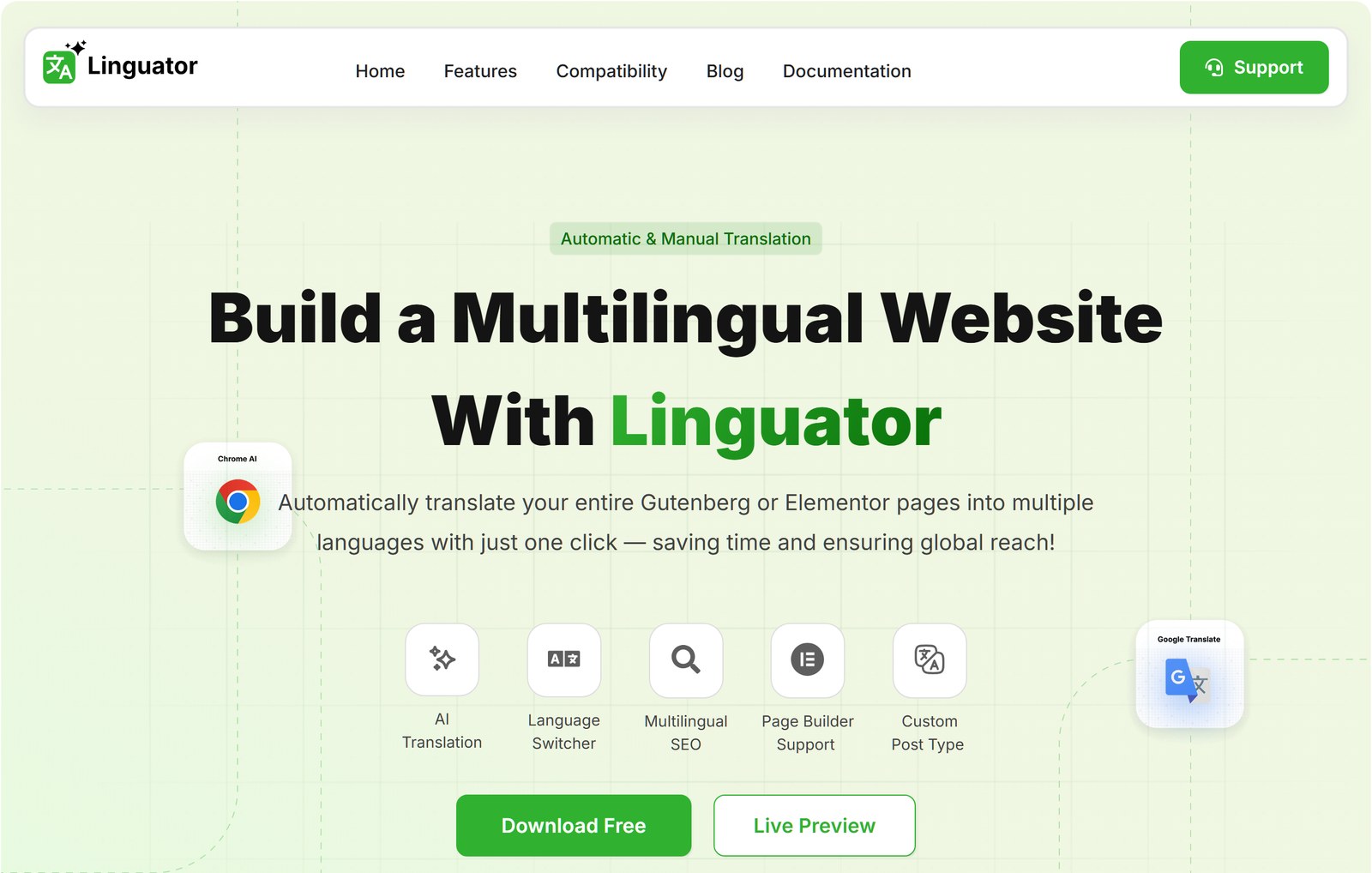
Linguator is a free multilingual plugin from Cool Plugins that uses AI to translate your content inside WordPress. It uses translation engines that don’t need paid API keys, including Google Translate and Chrome’s built-in AI.
- Several translation engines: Choose Google Translate, Chrome’s or Edge’s built-in AI, or Google Gemini (on WordPress 7.0 and later). The browser AI runs for you as the admin, so visitors can use any browser.
- Bulk translation: Translate many posts, pages, or products in one go.
- WooCommerce support: Translates product titles, descriptions, categories, and other customer-facing content. Stock quantities are not translated.
- Multilingual SEO: Language-specific URLs, hreflang tags, translated SEO metadata, and multilingual sitemaps. It also works with Yoast SEO.
- Unlimited languages: Add as many languages as you need, including right-to-left languages like Arabic and Hebrew.
Pricing: Linguator is a free plugin with no subscription.
Good to know: It’s a newer plugin with 3,000+ active installs, and its code builds on Polylang. Its documentation focuses on product content, so test your cart, checkout, and emails before launch.
4. TranslatePress: Best for visual, front-end editing
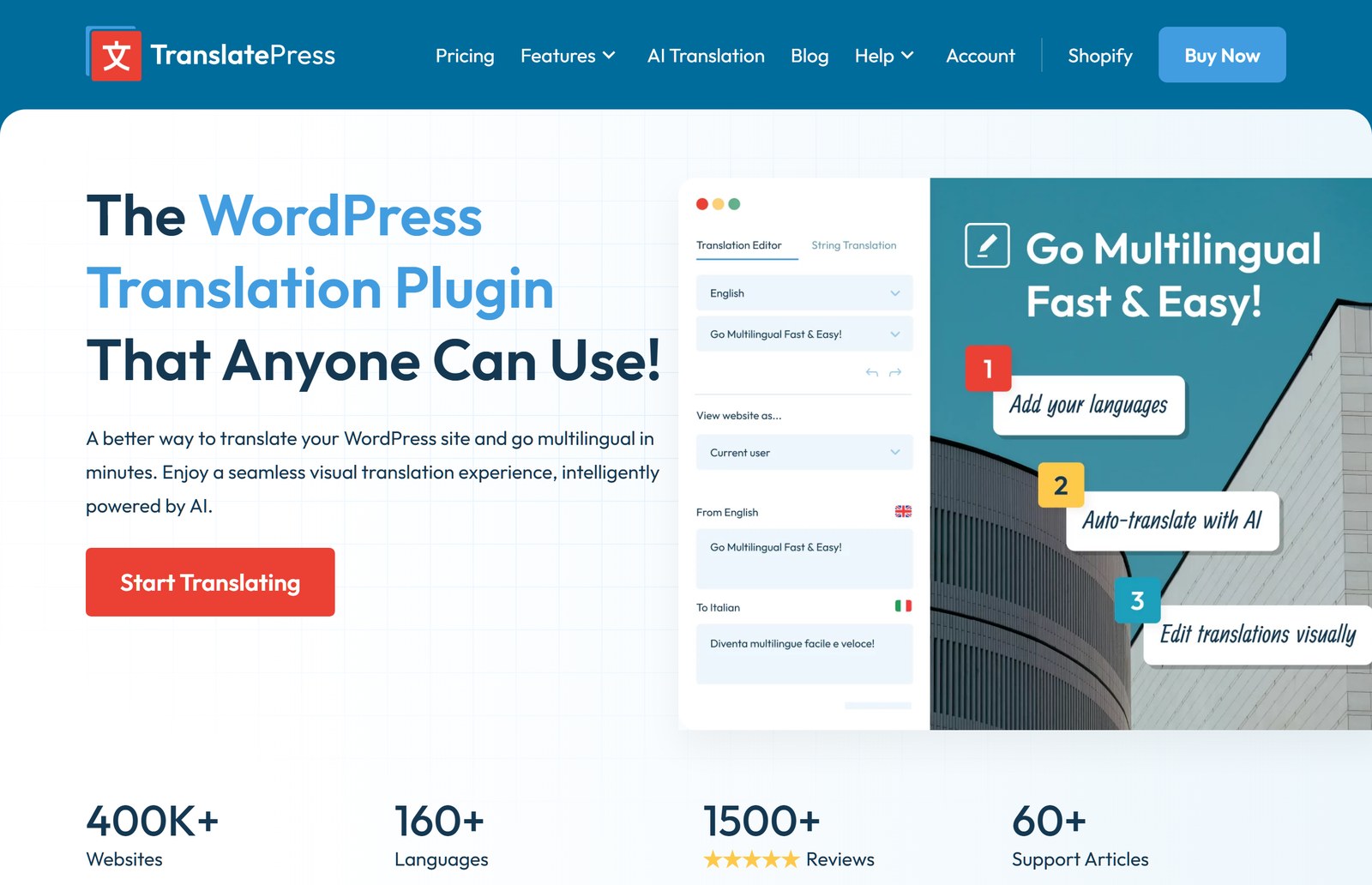
TranslatePress lets you translate your store from the front end. You see each change on the live page as you make it. It has more than 400,000 active installs and works with WooCommerce out of the box.
- Visual translation editor: Click any text on a page and translate it in place. That includes output from shortcodes, forms, and page builders.
- AI translation: The free version includes 2,000 words of TranslatePress AI. You can also connect your own Google Translate API key.
- Flexible language switcher: Show it as a menu item, a floating dropdown, a block, or a shortcode.
- Paid SEO Pack: Translate page titles, meta descriptions, URL slugs, image alt text, and social sharing tags.
Pricing: The free version handles one translation language. Personal costs €99/year for 1 site and 50,000 AI words. Business costs €199/year for 3 sites and 200,000 AI words, and adds DeepL translation and automatic visitor language detection.
Good to know: Translations are stored in your own database, and they keep working if your license expires.
5. Polylang: Best for lightweight, flexible setups
Polylang is a free multilingual plugin that builds on WordPress’s own features, with no limit on the number of languages. It has more than 800,000 active installs.
- Flexible URLs: Set the language through a code in the URL, a subdomain, or a separate domain per language.
- WooCommerce add-on: Polylang for WooCommerce translates your shop, cart, checkout, and account pages, plus product categories and global attributes. It also sends WooCommerce emails in each customer’s language.
- Product syncing: Keep product metadata in sync across translations and use the native WooCommerce CSV import and export tool.
- Pro extras: Polylang Pro adds DeepL machine translation with your own API key, plus XLIFF export for professional translators.
Pricing: The core plugin is free, but it needs the paid Polylang for WooCommerce add-on to work with your store. That add-on starts at €99/year, and the Business Pack (Pro plus WooCommerce) starts at €139/year.
Good to know: Polylang offers a “WPML to Polylang” migration tool if you ever want to switch from WPML.
6. Weglot: Best for quick setup with a visual editor
Weglot is a cloud-based translation service that translates your site into more than 110 languages. It combines DeepL, Google Translate, and Microsoft Translator with a custom AI model that learns your brand voice.
- WooCommerce coverage: Weglot translates product descriptions, categories, attributes, cart, checkout, account pages, and customer emails.
- Visual editor: Review and edit translations directly on your live site.
- Glossary: Keep product names or brand terms in their original language.
- Multilingual SEO: Hreflang tags, translated metadata, and language subdirectories like /es/. Translated URLs are included from the Pro plan.
Pricing: The free plan covers 2,000 words in 1 language. Starter costs €15/month for 10,000 words. Business costs €29/month for 50,000 words in 3 languages. Pro costs €79/month for 200,000 words in 5 languages. Word counts are a fixed total, not a monthly allowance.
Good to know: Translations are stored on Weglot’s servers. If you stop using it, your site is no longer translated, so export your translations first.
7. Loco Translate: Best for fixing leftover English text
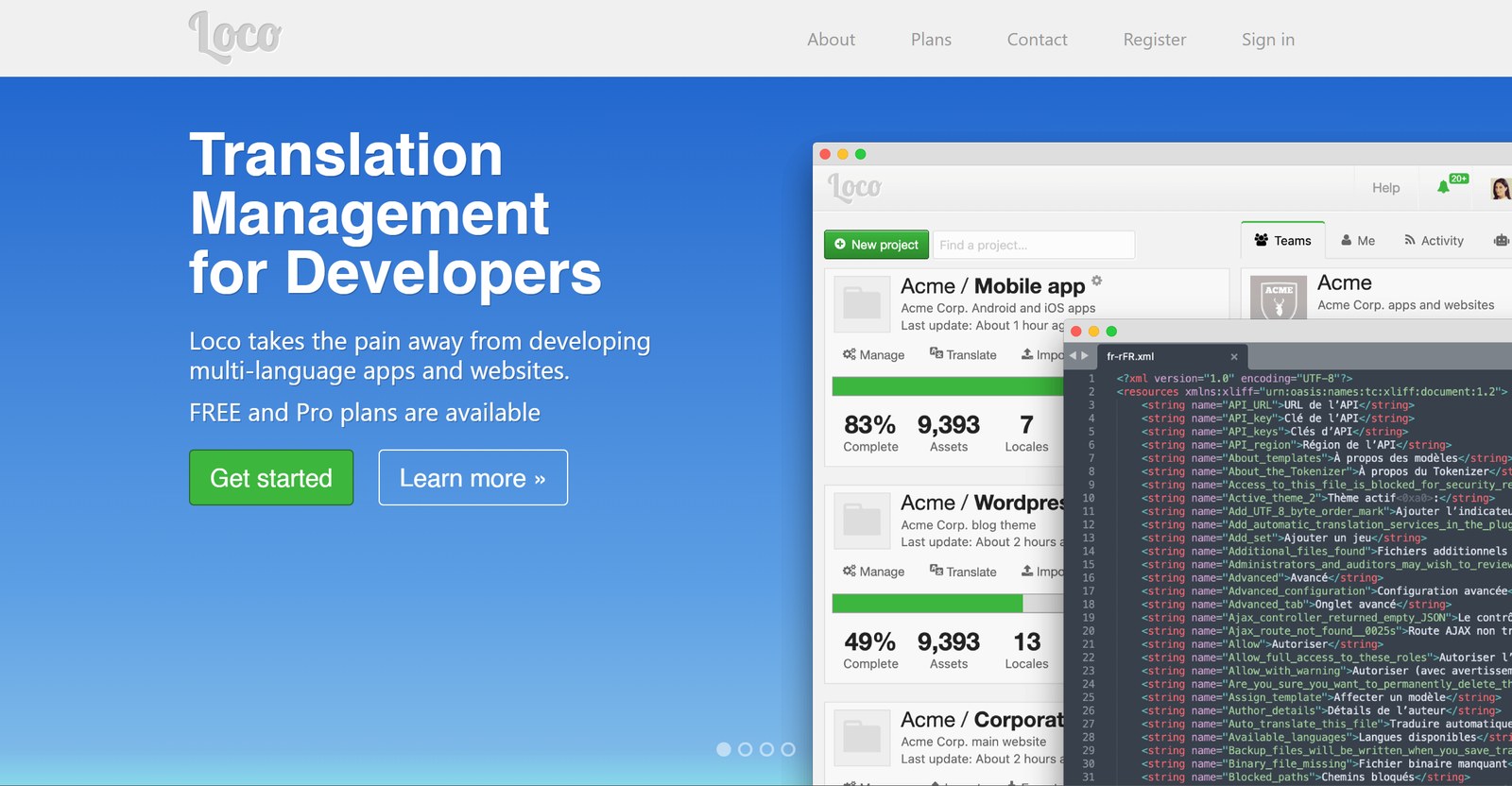
Loco Translate is a free tool for editing the translation files of your theme and plugins from your WordPress dashboard. It has more than 1 million active installs.
Take note, however, that it’s not a full multilingual plugin. Its developer is clear that it doesn’t translate your posts or products, and it doesn’t switch languages for visitors.
- Where it helps: Fixing button labels, notices, and other fixed text that a theme or plugin leaves in English.
- Automatic suggestions: Connect DeepL, Google Translate, Lecto AI, Microsoft Translator, or OpenAI with your own API key. Each provider may charge you.
- Custom translations that stick: Save your edits in a protected folder so plugin updates don’t overwrite them.
Pricing: The plugin is free. You only pay a translation provider if you connect one.
Good to know: Pair it with any plugin above. It’s also handy on a single-language store, where it lets you adjust theme and plugin wording.
Six of these plugins can run a full multilingual store, and Loco Translate fills the gaps they leave. The real differences are where translations live, what they cost as you grow, and how much you edit by hand.
How To Choose The Right WooCommerce Translation Plugin
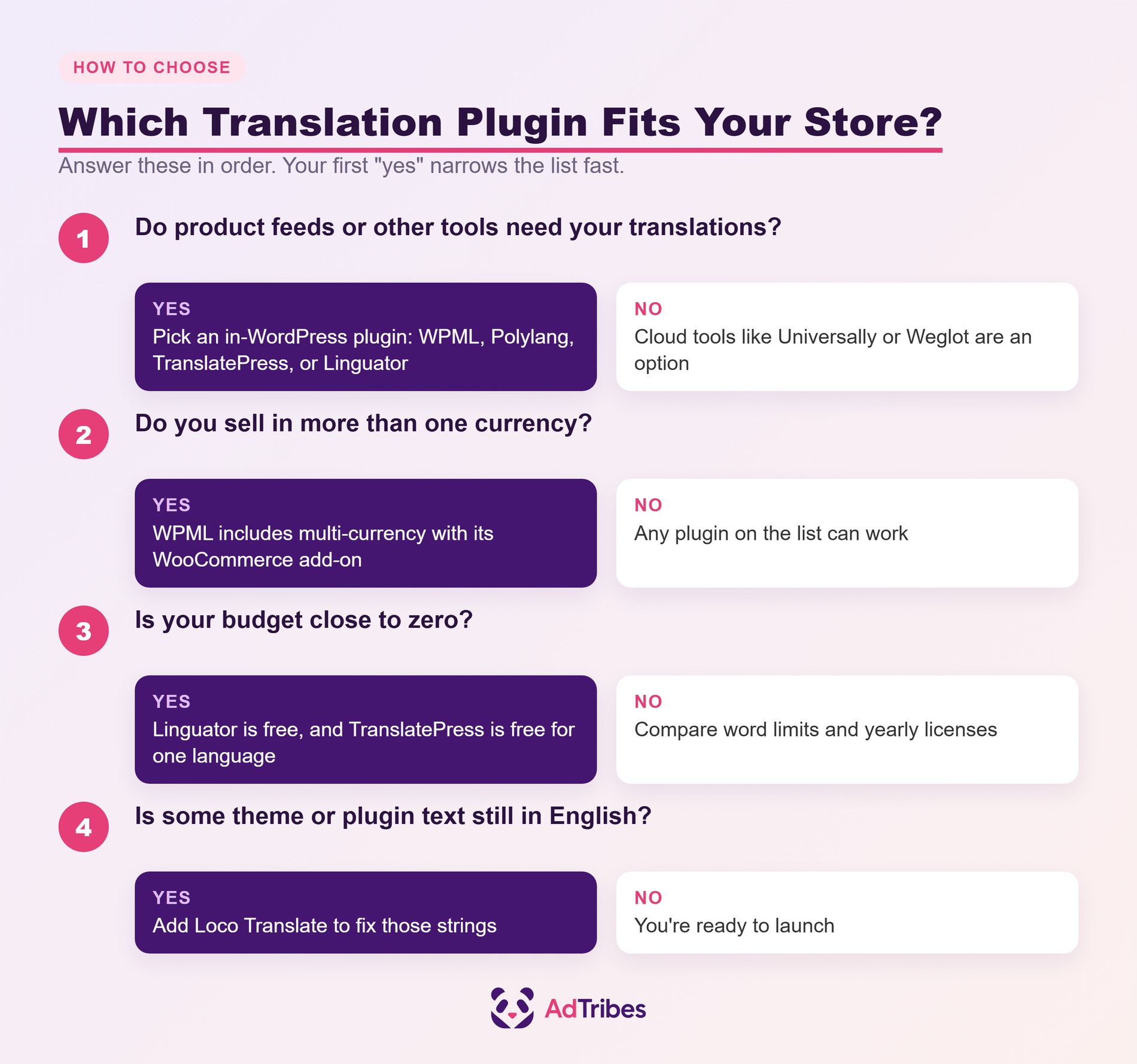
Choose the plugin that fits how your store works today and the markets you plan to enter next. These five questions narrow the list quickly:
- Do other tools need your translations? Product feeds, exports, and some plugins read data from WordPress. If you need that, choose an in-WordPress plugin.
- How many languages and words do you need? Cloud plans are sized by words and languages, while in-WordPress plugins mostly charge a yearly license.
- Which extensions does your store run? Check each plugin’s compatibility list for your payment, shipping, and subscription tools. Wishlists count too, so see how SaveTo Wishlist works with WPML.
- Who will edit the translations? A visual editor suits a small team, while translation management suits stores working with translators.
- Do you need multiple currencies? WPML includes multi-currency with its WooCommerce add-on, so it’s worth a look if pricing varies by market.
🔍️ What we’ve seen: We run translations on several Rymera sites. The translated pages got indexed and started appearing in Google. Clicks came more slowly. We’ve also seen Google show a German page for an English search, even with correct hreflang tags. The search term read the same in both languages. So we’d plan time to review translated titles and meta descriptions for each market instead of accepting the first draft.
6 Ways To Use WooCommerce Translation Plugins To Boost Sales
Installing a translation plugin gets your store readable. These tactics help turn new visitors into customers.
1. Start with the markets that already visit you
Check your analytics for the countries and browser languages already sending traffic. Translating for those visitors first gives you the quickest return, especially on word-based plans where every language costs more. Local shopping holidays matter too. Our sister brand SaveTo Wishlist keeps a holiday sales calendar that includes Singles’ Day.
2. Translate the checkout path before anything else
The cart, checkout, payment and shipping labels, and order emails are where shoppers decide to trust you. Make sure these are fully translated, then use Loco Translate for any plugin text that still shows in English.
3. Keep brand and product names consistent
Use your plugin’s glossary so brand names, product names, and sizes don’t get translated in odd ways. Universally, Weglot, and Linguator all offer glossary tools.
4. Write local titles and meta descriptions
Machine translation gets the meaning right, but it doesn’t always match what people type into search. Therefore, review the page titles and meta descriptions for your top products and categories in each language.
5. Advertise your translated products
A translated storefront works best when your ads speak the same language. The AdTribes Feed Translation Addon creates product feeds for Google Shopping and other channels. It uses translations from WPML, Polylang, or TranslatePress. The addon is included in the Plus and Business plans of Product Feed Elite.
Yazzy’s, a handmade jewelry store selling across Europe, uses AdTribes with WPML to run feeds in multiple languages. Its founder told us in our case study: “Google Shopping has been outperforming every other channel.” For the setup side, see our guide to Google Shopping for multiple countries.
6. Keep promotions and wholesale pricing multilingual
Discounts and B2B pricing should work in every language too. The Advanced Coupons WPML integration applies the same coupon deal across translated versions of a product. If you sell wholesale, Wholesale Suite works with WPML, so you can translate its registration fields and wholesale pricing settings.
None of these tactics needs a big budget. Start with the checkout and your top market, then add the rest as sales come in.
FAQs: Best WooCommerce Translation Plugins
Which of the best free WooCommerce translation plugins are free to download?
Linguator is fully free and includes AI translation with no subscription. Meanwhile, TranslatePress is free for one extra language. Polylang’s core is free, but it needs the paid Polylang for WooCommerce add-on for store pages. Universally and Weglot both offer free plans for 2,000 words in one language, which suits a small test.
Will a translation plugin slow down my WooCommerce store?
Most of these developers say their approach keeps sites fast. Cloud tools like Universally and Weglot serve translated pages from their own servers. WPML offers a refund of up to 12 months if it causes performance issues it can’t fix. Either way, test on a staging site before you go live.
Can I translate my WooCommerce product feeds?
Yes. The AdTribes Feed Translation Addon generates product feeds using translated data from WPML, Polylang, or TranslatePress. It pulls product titles, descriptions, and attributes in the language your translation plugin stores them in.
Do translated pages count as duplicate content?
No, as long as the main content is actually translated. Google says localized versions are only considered duplicates when the main content stays untranslated. Hreflang tags help Google show each searcher the right version. Meanwhile, Universally, Weglot, and Linguator all say they add them for you.
What happens to my translations if I stop paying?
It depends on the plugin. TranslatePress and WPML both keep working with your existing translations. However, you lose updates and premium features. On the other hand, Weglot stores translations on its servers. Thus, your site stops being translated unless you export them first.
Choose A WooCommerce Translation Plugin And Start Selling Globally
The right WooCommerce translation plugin is the one you’ll actually keep up to date as your catalog grows. A plugin that fits your team’s workflow beats one with a longer feature list that nobody maintains.
Start with one market, get the checkout and emails right, and add languages as the sales justify it.
- Size up the opportunity in new markets
- Decide between cloud and in-WordPress translation
- Shortlist a plugin from the 7 options
- Answer the five questions before you buy
- Put your translated store to work
Once your store speaks your shoppers’ language, your ads should too. See how the Feed Translation Addon turns your translated catalog into product feeds for every market you sell in.