You bought Product Feed Elite for WooCommerce and want it running on your store. This article shows how to download it, install it next to Product Feed Pro, and activate your license. Thank you for choosing Elite!
Do I need to keep Product Feed Pro installed?
Yes. Product Feed Elite works together with the free Product Feed Pro plugin, so keep Product Feed Pro installed and active and add Elite alongside it. Do not delete Product Feed Pro.
You only activate the Elite license key. The free Product Feed Pro plugin does not need its own license key or activation code. Once both plugins are active and the Elite license is activated, Elite unlocks its extra features on top of Product Feed Pro.
Plugin download
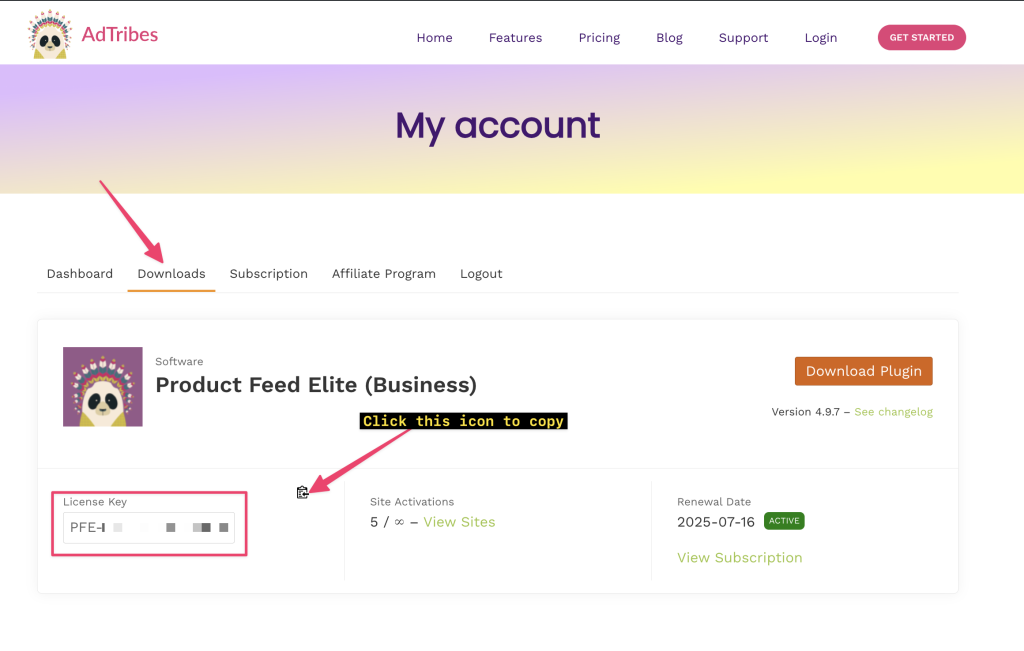
After you buy the plugin, go to the My Account > Downloads page and click Download Plugin. Your browser downloads the plugin as a ZIP file.

Plugin installation
- In your WordPress dashboard, go to Plugins > Add Plugin (called Add New Plugin in older WordPress versions), then click Upload Plugin.

- Choose the ZIP file you downloaded, then click Install Now.

- When the installation finishes, click Activate Plugin.

The plugin is now active, and WordPress shows a confirmation notice.

License activation
Activate your license to get plugin updates, support, and all the Elite features.
- Copy your license key from the My Account > Downloads page.
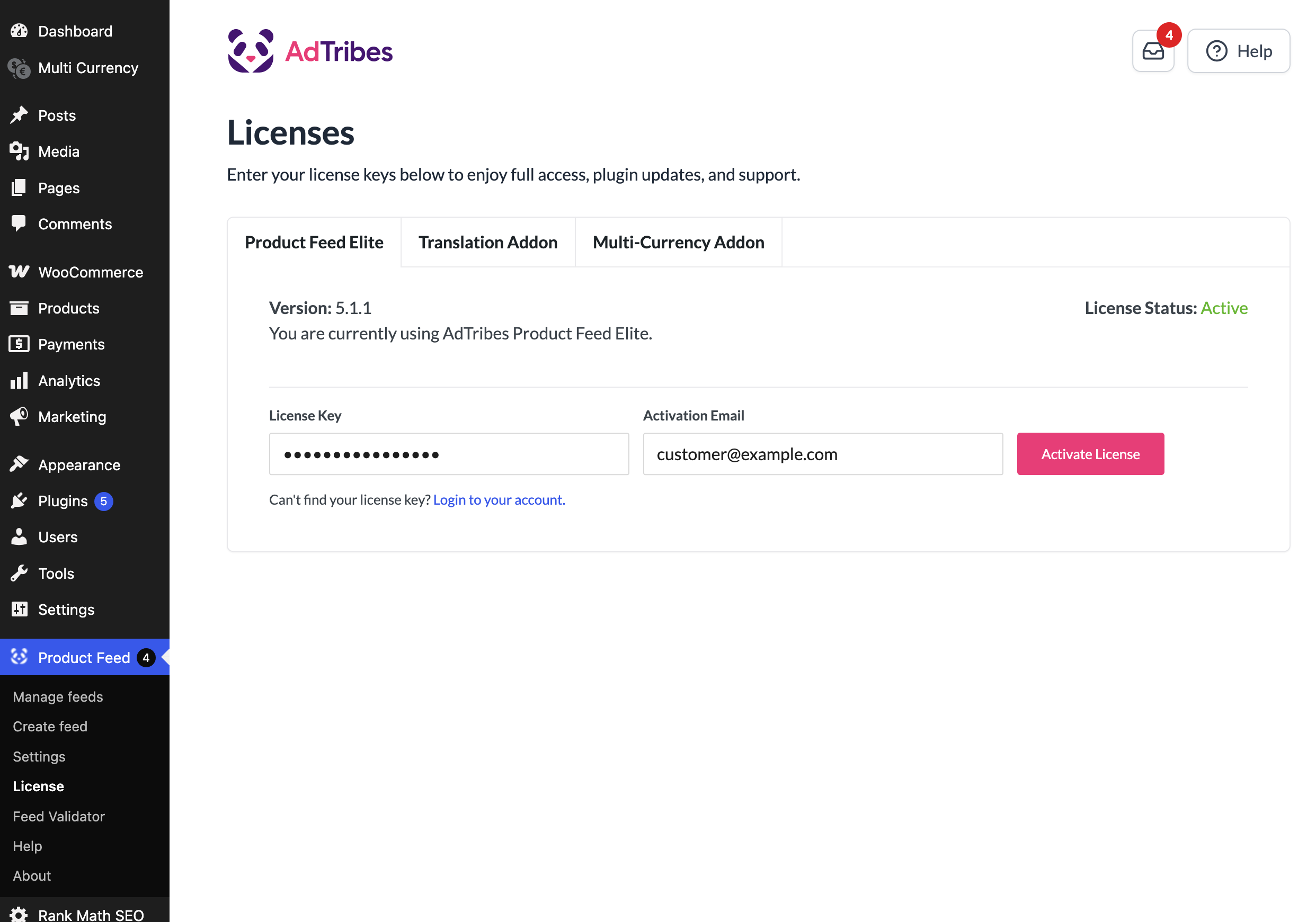
- In your WordPress dashboard, go to Product Feed > License.
- Open the Product Feed Elite tab.
- Paste your key into the License Key field.
- Enter your AdTribes account email in the Activation Email field.
- Click Activate License.
Tip: You can also open this page from Plugins. Click the License link under Product Feed Elite.
On a multisite network? Only network (super) admins can see the License page. If Product Feed Pro runs on the main site, you can also use the AdTribes License menu in the network admin dashboard. For the full steps, see Activating the License Key in a Multisite Network.
That’s all. You can now use every Elite feature.
Troubleshooting
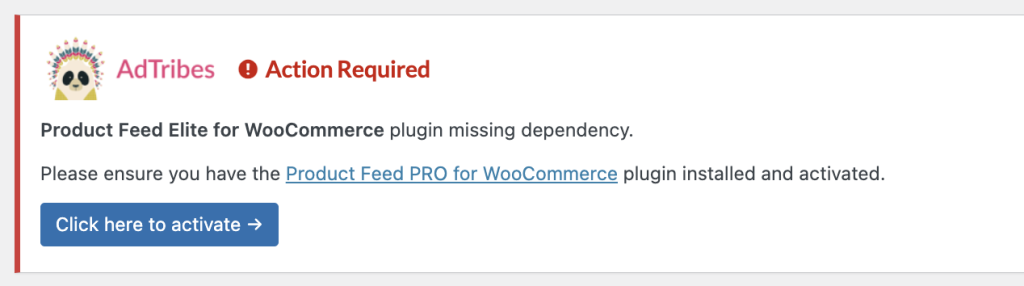
You see a missing dependency notice
Install and activate each plugin the notice lists, then reload the page. Product Feed Elite needs WooCommerce and the free Product Feed Pro plugin, so it shows this notice when either one is missing or inactive.
The license status stays Inactive
Check that the key in License Key and the email in Activation Email match your AdTribes account, then click Activate License again. You can find both on the My Account page.
Need help installing or activating the plugin? Contact our support team, or post in the Product Feed Pro support forum on WordPress.org.