Reviewed by
What are ecommerce feeds, and how can they help enhance your WooCommerce business?
If you want your online store to grow, it’s a good idea to promote your products beyond just your website. After all, many marketing channels, like Google Shopping and Facebook, can showcase your offerings to their users, helping you boost your reach, visibility, and sales. This is called multi-channel marketing.
Here’s the thing: managing all those channels can be tricky and time-consuming. Thankfully, with ecommerce feeds created using a powerful feed management solution, you can share your product details across various sales channels automatically, drastically simplifying the entire process.
Eager to learn more? Then read on!
What Is A Marketing Channel?
A marketing channel is a platform or medium that businesses use to reach their customers and promote their products. Basically, online marketing channels help connect businesses with potential buyers.
Some common marketing channels include:
- Social media platforms
- e.g., Facebook, Instagram, and Twitter
- Search engines
- e.g., Google, Bing
- Online marketplaces
- e.g., Wish, Bol.com, Fruugo
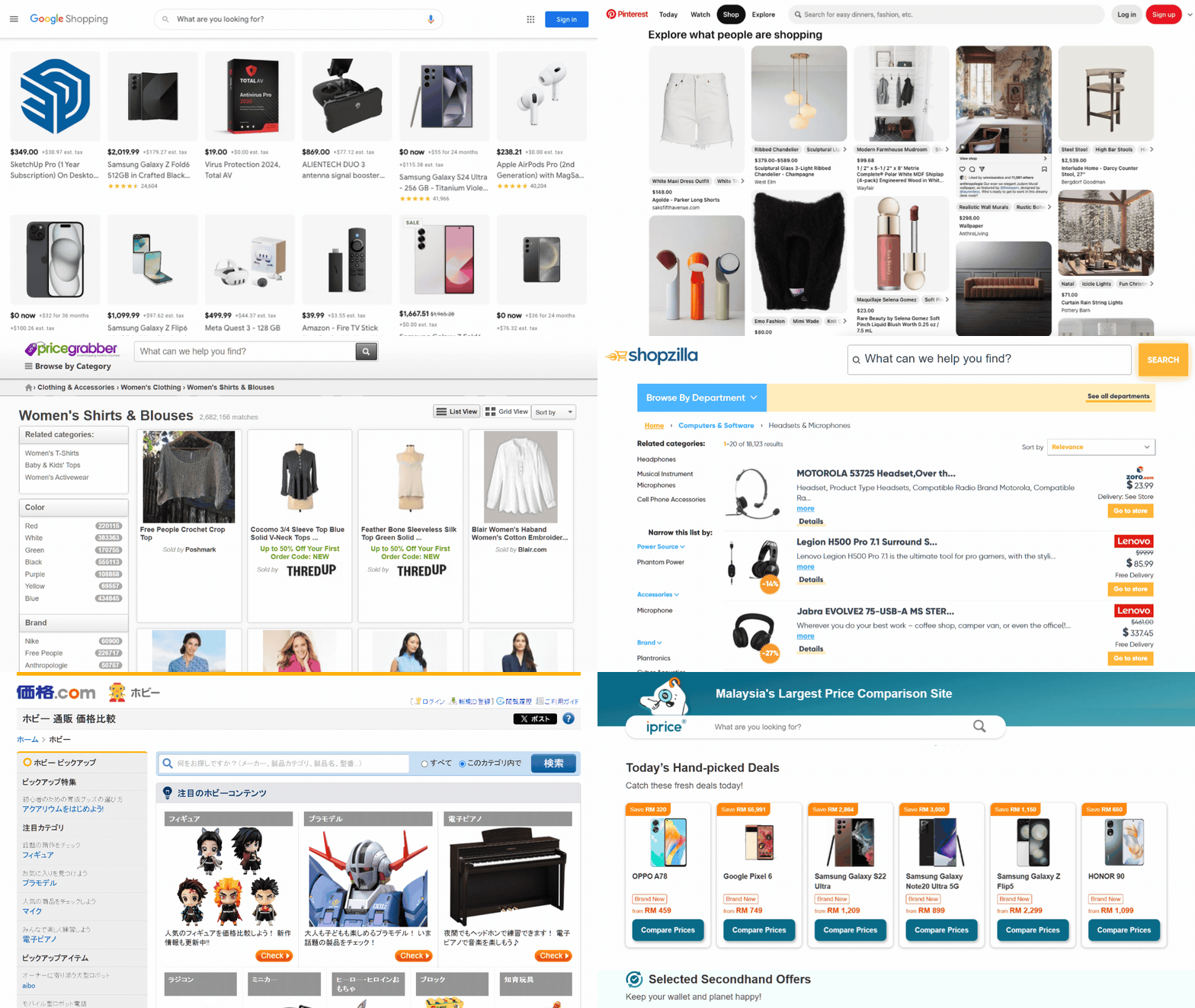
- Comparison shopping engines
- e.g., Google Shopping, Bing Shopping, Shopzilla
Each marketing channel has its own strengths and ways of interacting with customers. However, they all work together to help businesses grow by expanding their reach and visibility.
What Is An Ecommerce Feed?
An ecommerce feed (a.k.a. product feed or product data feed) is a file that contains all the important information about the products in your online store. This information can include details such as each product’s:
- Name
- Price
- Description
- Image link
- Availability
- Brand
- SKU
- … and more!
So, what’s so great about ecommerce product feeds? Basically, a feed is structured in a way that makes it easy to share your product data across different platforms, like Google Shopping, Facebook, Instagram, and Bing. Therefore, you can share these with marketing channels so that they can then showcase your products to their users. This can skyrocket your product exposure and enhance your conversions.
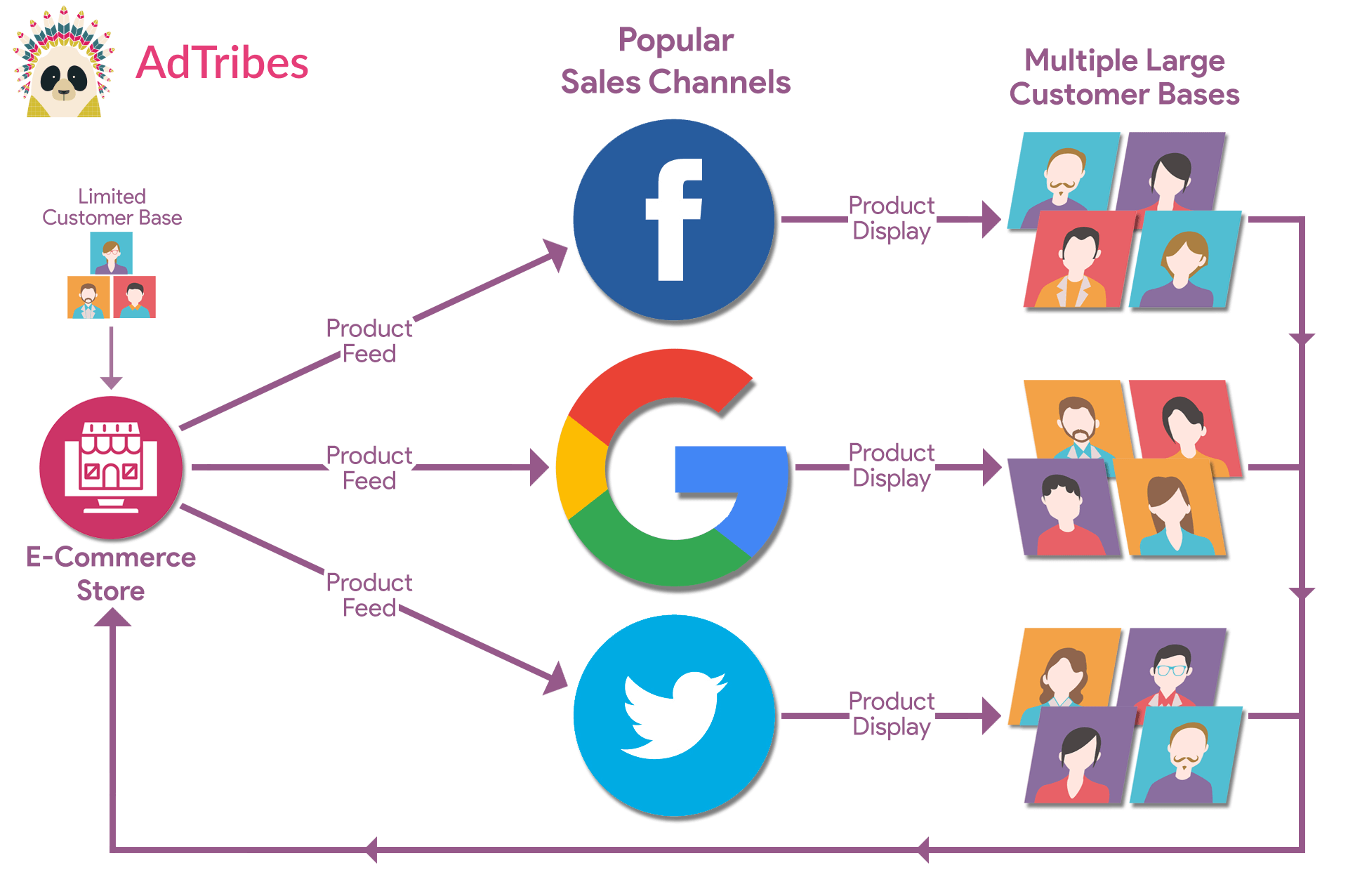
Furthermore, a single feed can update your product details on multiple marketing channels at once. The feed keeps everything consistent and up-to-date, so your products always look their best wherever they’re being sold.
So, why are ecommerce product data feeds important if you want to showcase your offerings across various marketing channels? Let’s find out!
What Is The Role of Ecommerce Feeds Across Multiple Marketing Channels?
Let’s take a closer look at how ecommerce feeds can help your ecommerce business!
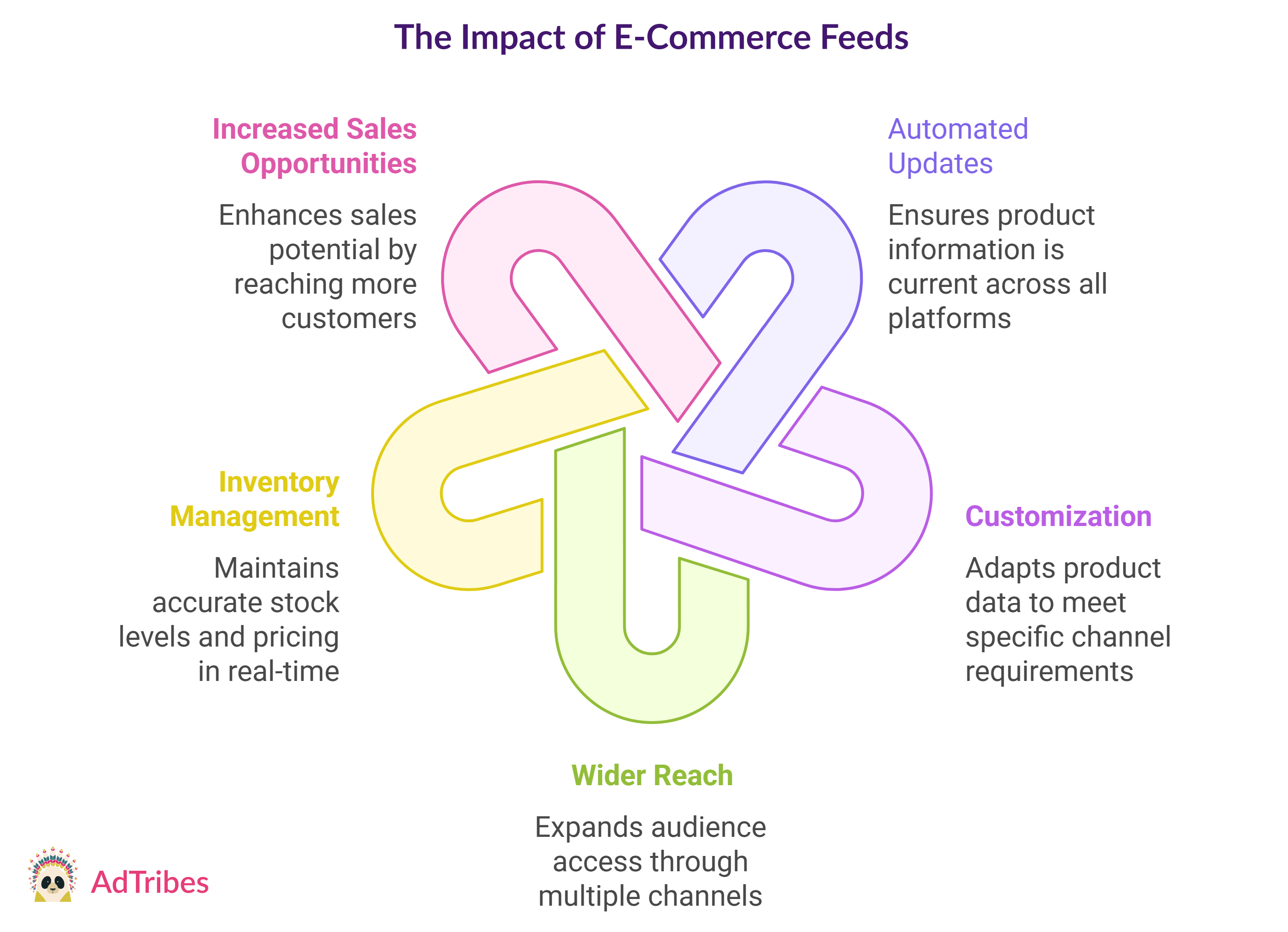
1. Automated product listing updates
One of the best things about ecommerce feeds is that they automatically update your product listings.
Product details—including product titles, pricing, stock statuses, or descriptions—change constantly. As you can imagine, updating each platform individually to implement every little change can be a nightmare.
Thankfully, an ecommerce feed instantly reflects any changes across every platform you’re using. This means you don’t have to go into each channel and update the information yourself. Thus, automated product feeds save time and make sure your customers always see the most accurate, up-to-date details.
2. Customization for channel-specific Requirements
Each marketing platform has its own set of rules for how product data should be displayed.
For example, Google Shopping, Facebook, and Shopzilla all have different ways they want product information formatted. Ecommerce feeds allow you to customize your product data for each channel. Whether you’re adding specific product attributes to a price comparison site like Connexity or adjusting the category mapping for an online marketplace like Vivino, your feed can handle it all. This helps your products look their best on every platform.
3. Wider reach and better visibility
With ecommerce product data feeds, you can share your product information on multiple marketing channels at once. Instead of uploading your ecommerce data to each platform one by one, a feed lets you distribute it to all of them automatically.
This means your products are reaching a much wider audience without extra effort on your part. Whether it’s a Google search or a listing on Bing, your product will be seen everywhere you want it to be.
In short, ecommerce feeds make it easier to grow your customer base and boost sales.
4. Efficient inventory management
Another great thing about ecommerce product feeds is that they let you manage your inventory in real time.
Specifically, when your stock levels or prices change, the feed automatically updates everywhere. This helps make sure you don’t accidentally oversell products or show outdated prices. This way, your customers always see the most accurate information.
5. Increased sales opportunities
When you get your products on more platforms, you have more chances to increase sales. People shop in different places, so showcasing your products on many platforms helps you reach a larger audience.
With ecommerce feeds, it’s easier for customers to discover and buy your items, no matter where they like to shop. Ultimately, this significantly increases your chances of conversions.
How Do Ecommerce Product Feeds Improve Marketing Campaign Performance?
Ecommerce feeds can make your marketing campaigns more effective and efficient. How? Let’s find out!
1. Targeted promotions
Ecommerce product feeds let you match your product data with each channel’s specific needs. This means you can run promotions tailored to each platform, helping you reach the right customers with the right products.
2. Dynamic ads
With updated online store product data, you can create ads that change in real time. If your stock levels, prices, or product details change, your ads will automatically update to reflect those changes. This ensures your promotions are always accurate and relevant.
3. Performance tracking
Ecommerce product data feeds help you track how your products are performing across different platforms. When you measure your results, you can see which products are doing well and which aren’t. This, in turn, allows you to adjust your campaigns to improve performance.
4. Better audience segmentation
Ecommerce product data feeds help you segment your audience based on their behavior and preferences. This allows you to show the right products to the right customers, increasing the chances of engagement and sales.
5. Improved ROI
Accurate and up-to-date ecommerce data across all platforms helps you avoid wasting money on ads promoting out-of-stock or incorrectly priced products. This means you’ll get a better return on your marketing investment.
6. Consistency across campaigns
Ecommerce product data feeds make sure your product information is consistent across all your campaigns. Whether customers see your ads on Facebook, Google, or other platforms, they’ll see the same accurate details, building trust and avoiding confusion.
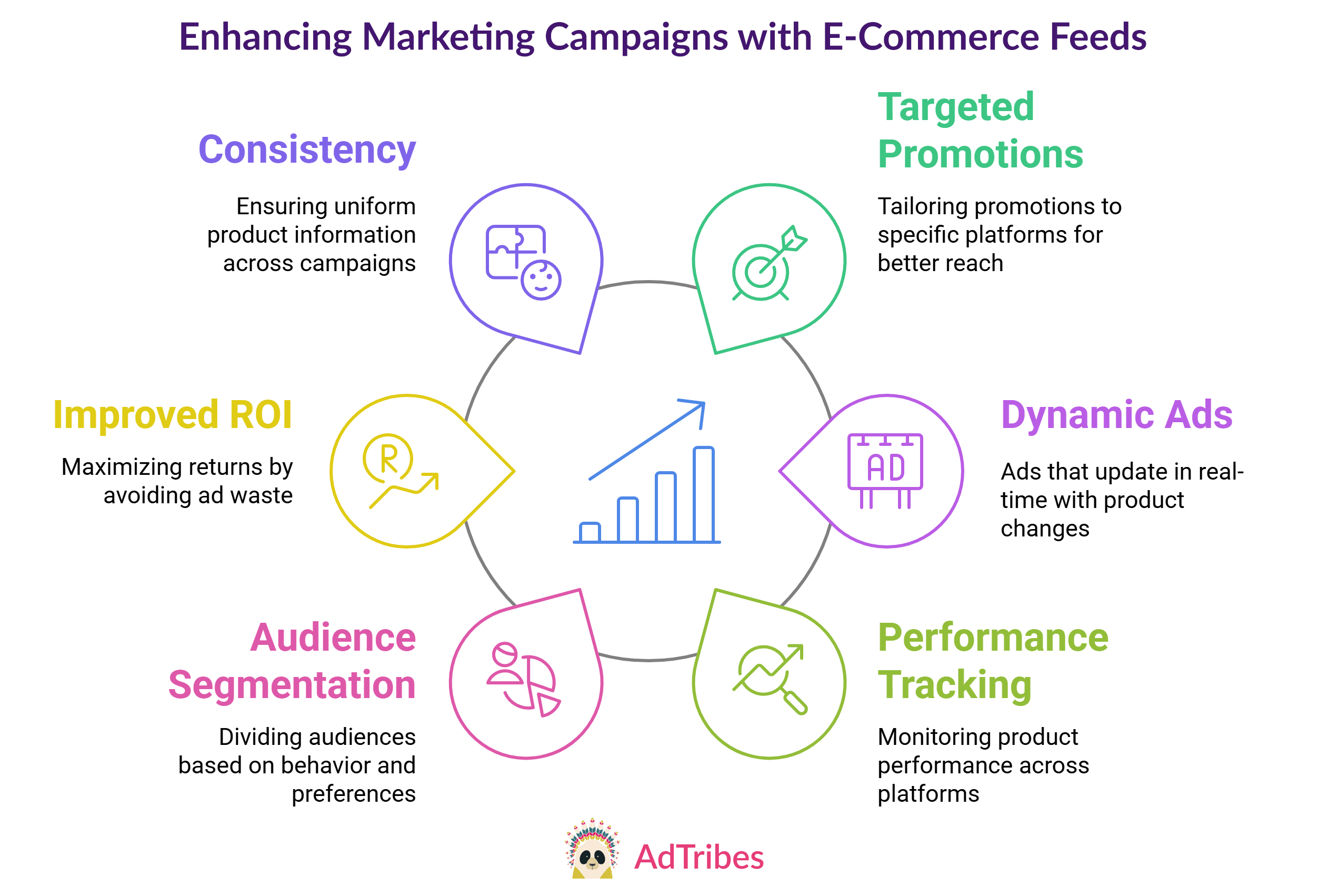
In summary, ecommerce product feeds play a huge role in making sure your marketing campaigns are smooth, targeted, and successful.
How Do You Get Started With Ecommerce Feeds For Your WooCommerce Store?
So, are you ready to create ecommerce product feeds and start showcasing your WooCommerce store’s products across multiple marketing channels?
Well, to do all that, you need reliable ecommerce feed software. An excellent example is AdTribes—a top-rated product feed management solution for WooCommerce.
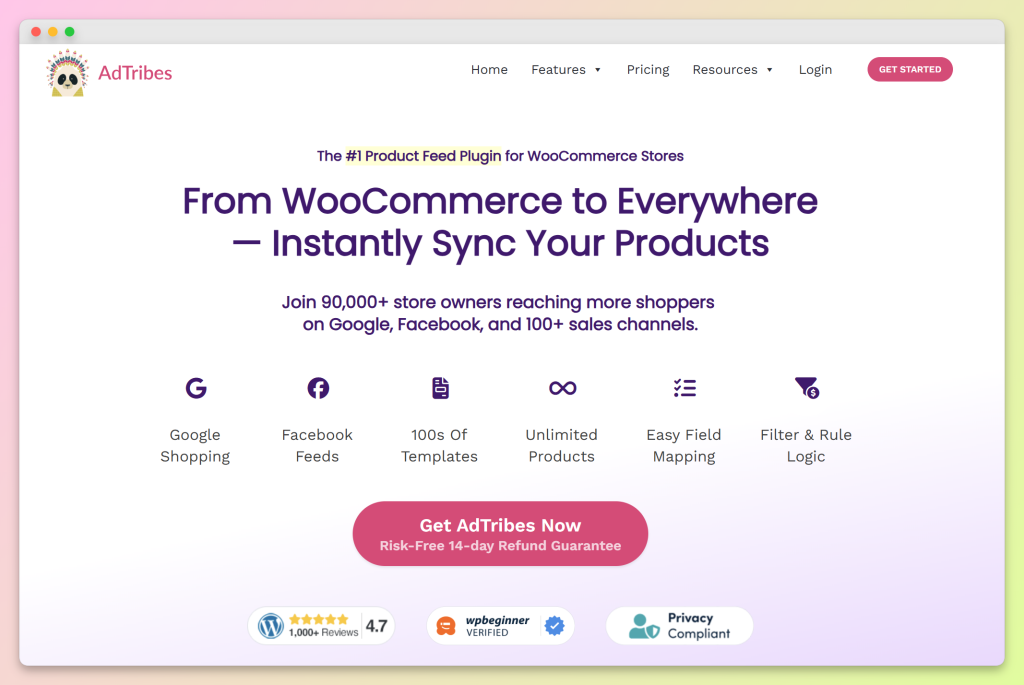
AdTribes comes in two versions: the free AdTribes Product Feed Pro and the paid Product Feed Elite. While both boast many advanced features, Elite provides even more powerful tools, granting you complete control over your ecommerce product data feeds and marketing campaigns.
What can an effective product feed software do for you?
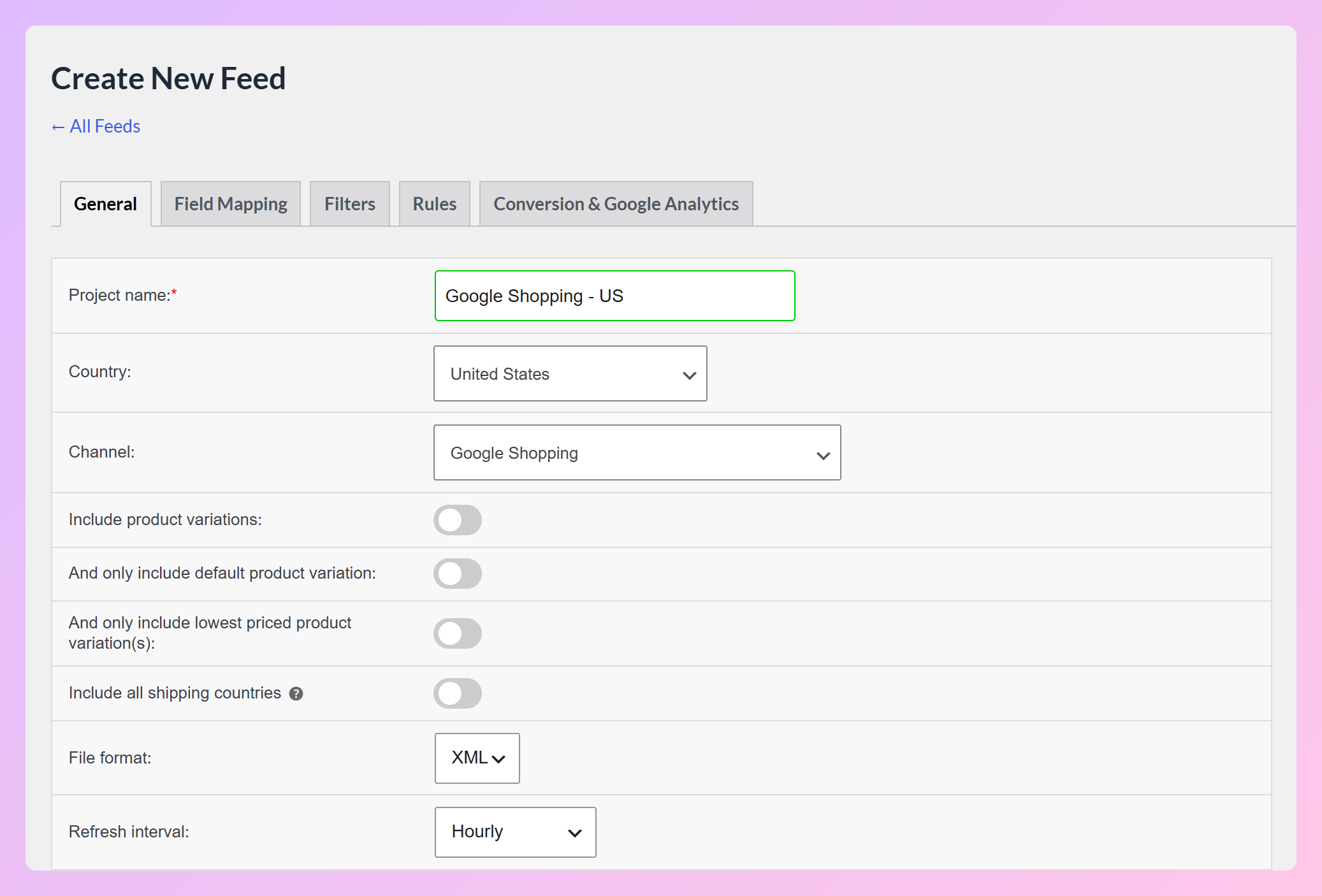
With AdTribes, you can generate feeds for the most popular marketing channels worldwide, target specific regions, determine how often your product details refresh, and more:
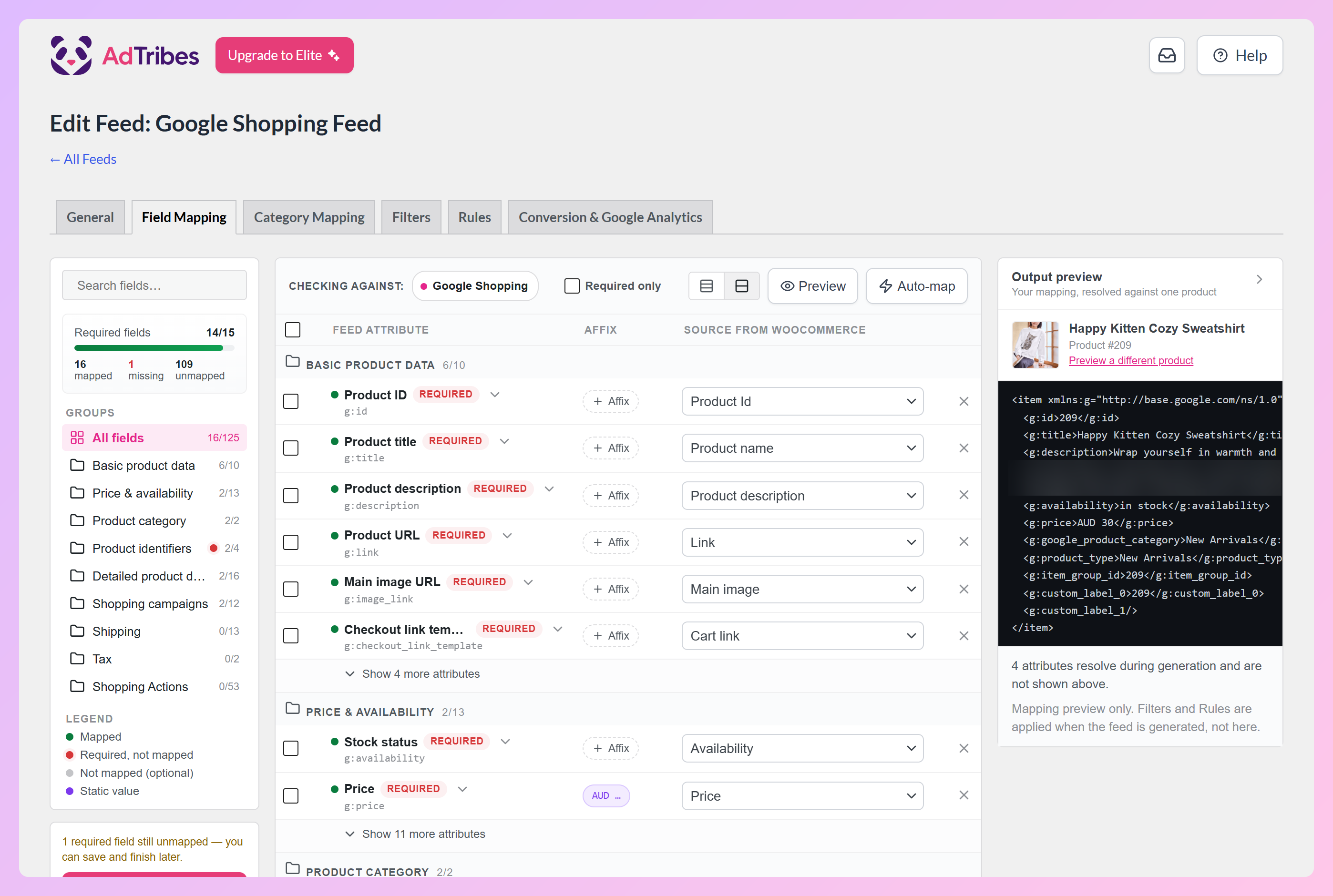
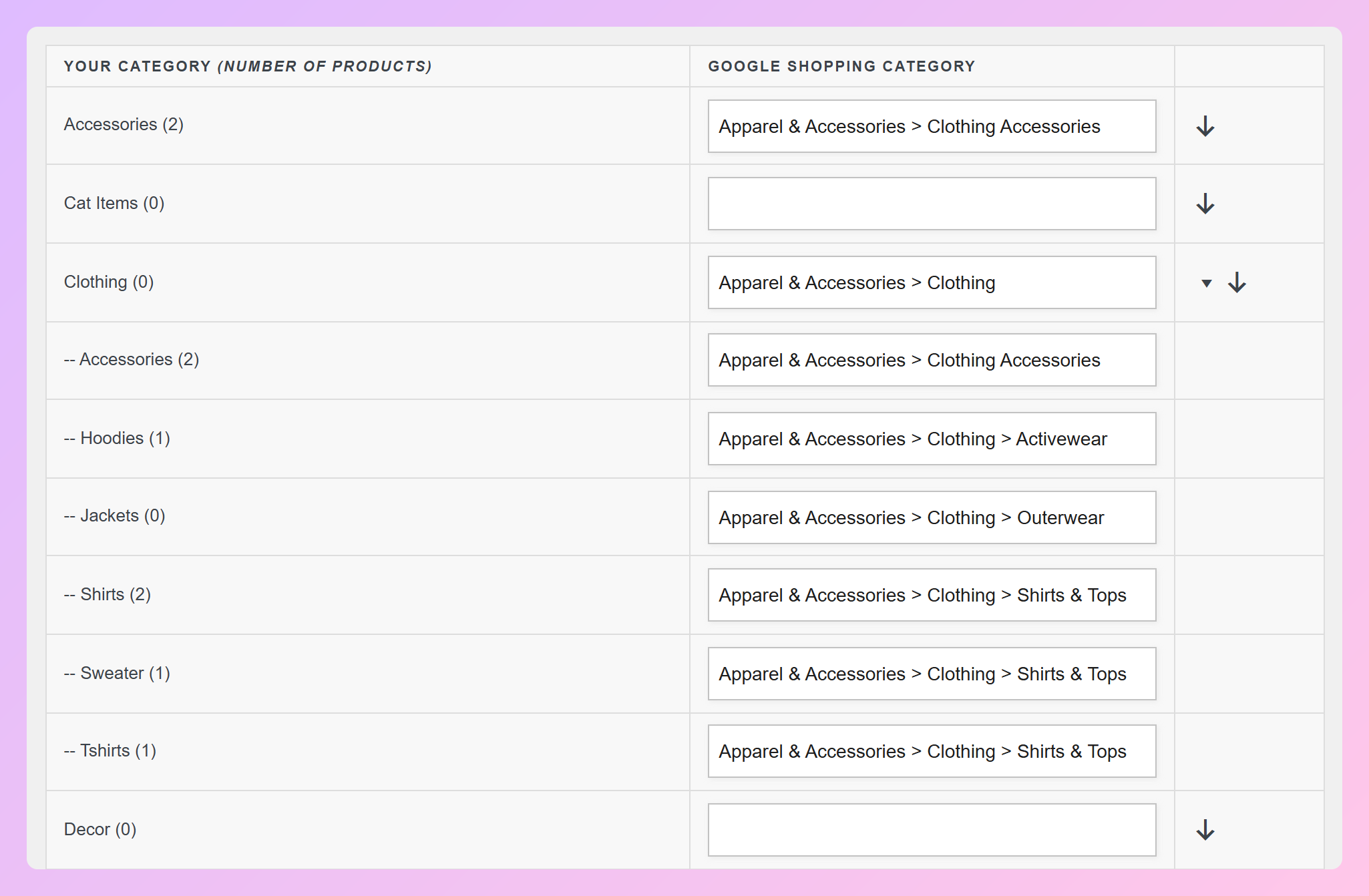
Thanks to full and partial automation, you can breeze through critical processes such as field mapping and category mapping. The Field Mapping tab shows how many of the channel’s required fields you’ve mapped, and the Auto-map button fills in matching WooCommerce sources where it can:
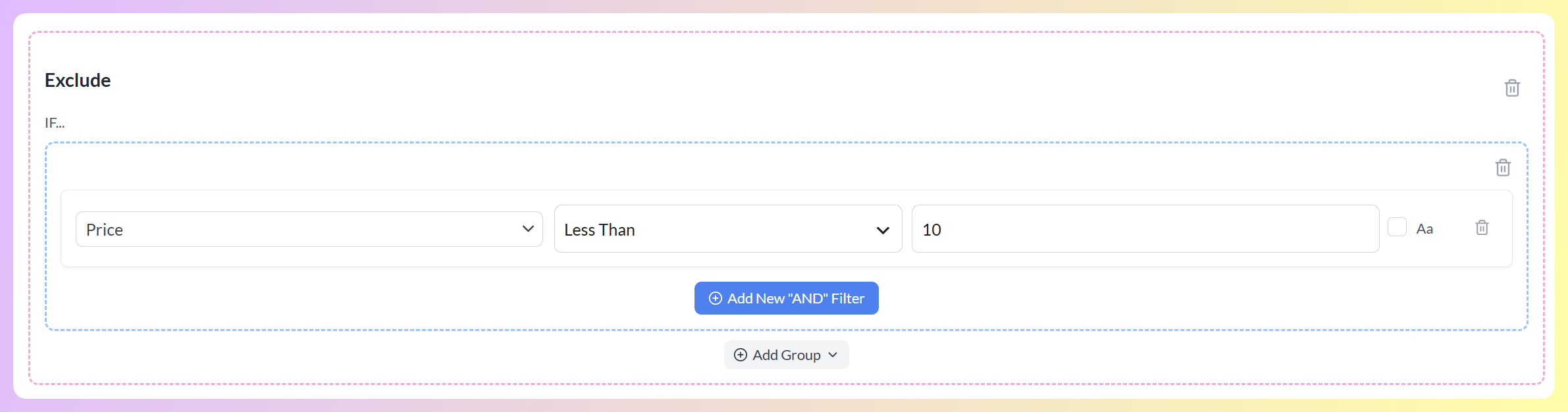
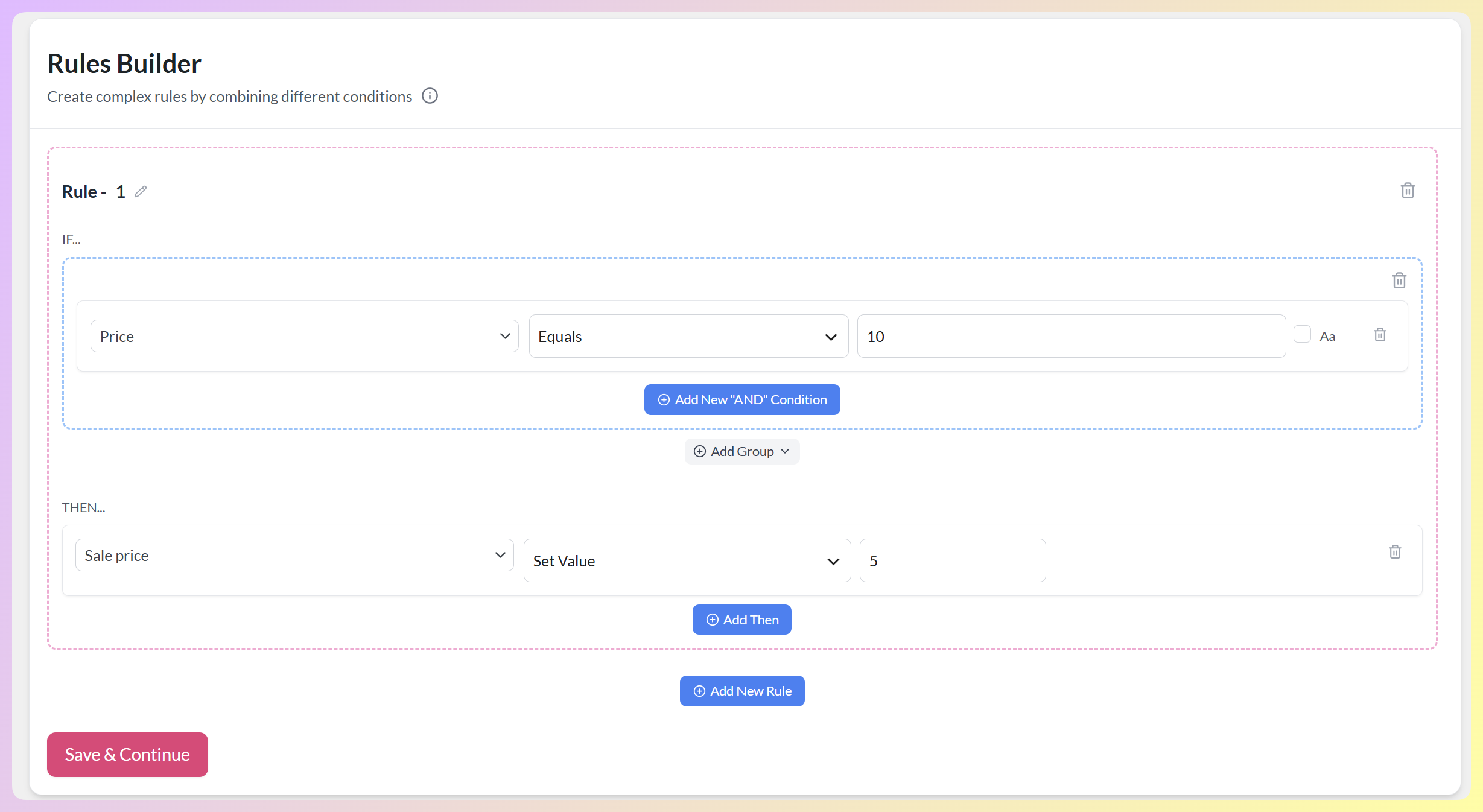
On the Filters tab, you can include or exclude certain products. On the Rules tab, you can change product data before it reaches your channels:
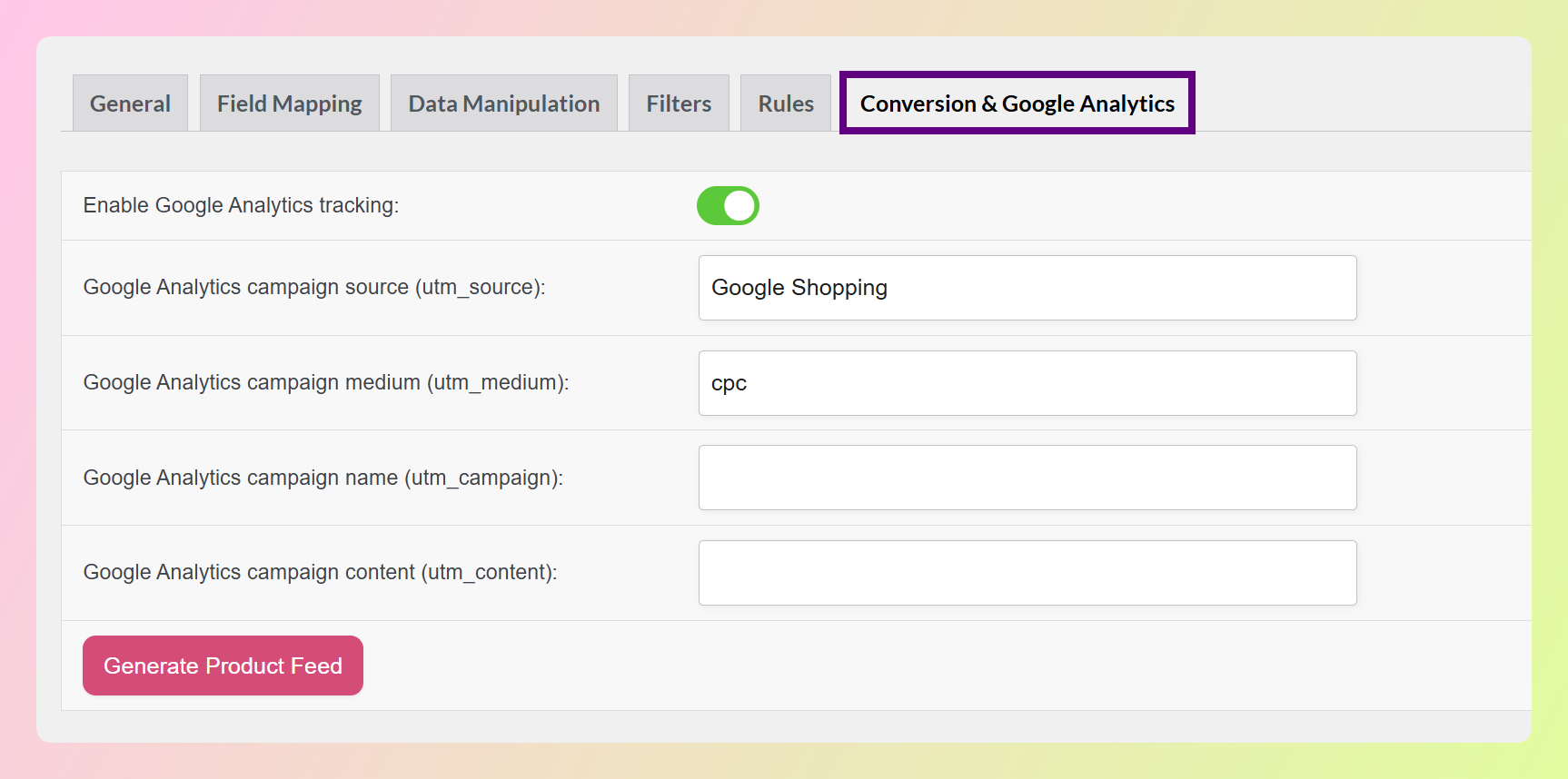
Moreover, the Conversion & Google Analytics tab lets you add UTM tracking to your product links, so you can track campaign performance easily.
Would you like to know how to easily create ecommerce feeds for marketing channels? Then check out our comprehensive guide:
What Is A Product Feed And How Do You Create One? (Ultimate Guide)

Conclusion
Ecommerce feeds make life a lot easier for WooCommerce store owners. They let you manage your products across multiple marketing channels without the headache, boost your reach, and help drive more online sales. Plus, with automatic updates and consistent product data, you can focus on growing your business while the feeds handle the details.
To recap, this article explored the following key concepts about ecommerce product feeds:
- What is a marketing channel?
- What is an ecommerce feed?
- What’s the role of ecommerce feeds across multiple marketing channels?
- How do ecommerce feeds improve marketing campaign performance?
- How do you get started with ecommerce feeds for your WooCommerce store?
And remember, with the right feed management solution, you can optimize your product feed creation and management across multiple marketing channels!
Do you have any questions about ecommerce product data feed uses and benefits? Let us know in the comments!