Reviewed by
Looking for Halloween promotion ideas to make your business stand out this haunting season?
Halloween presents an exciting opportunity for WooCommerce store owners to capitalize on the festive spirit and attract shoppers. With US shoppers alone expected to spend a record $13.5 billion this year, the potential for increased sales is immense.
In this guide, we’ll explore over 40 creative Halloween marketing ideas for small to large businesses. Furthermore, we’ll show you how to use product feeds to showcase your offerings across various platforms, so you can engage your audience and boost your sales.
So, let’s get spooky!
Table Of Contents
- How Can Halloween Promotions Benefit Your Business?
- When Should You Advertise Your Halloween Sale?
- 40+ Halloween Marketing Ideas To Boost Your Sales This Season
- How To Leverage Product Feeds To Boost Your Halloween Campaigns
- How To Use Product Feeds To Boost Your Halloween Sales
- Frequently Asked Questions About Halloween Promotions
- Conclusion
How Can Halloween Promotions Benefit Your Business?
Halloween is more than just trick-or-treating and haunted houses; it’s a treasure trove for big and small businesses alike.
This year, US consumers are expected to spend a record $13.5 billion on Halloween, according to the National Retail Federation. That’s up from last year’s record of $13.1 billion.
Such jaw-dropping figures underscore the amazing potential for businesses to ramp up their sales during this thrilling season.
Moreover, spooktacular Halloween marketing campaigns have a knack for going viral, thanks to their creative and shareable content. By crafting imaginative and engaging posts, you can spark excitement around your brand, attracting both loyal fans and new customers alike.
Before we get to some frighteningly awesome marketing ideas, let’s take a look at a few more eye-opening statistics that show why Halloween 2026 matters so much for online retailers. As reported in the NRF’s annual survey, conducted by Prosper Insights & Analytics:
- 74% of consumers intend to celebrate Halloween this year.
- The average planned expenditure per person is $115.14.
- Overall, spending is expected to reach $4.4 billion for costumes, $4.3 billion for decorations, $4.1 billion for candy, and $0.8 billion for greeting cards.
- Projected spending on adult costumes is estimated at $2 billion, while children’s costumes are expected to total $1.5 billion (and pet costumes $0.92 billion!).
- The top sources of costume inspiration remain online searches (32%) and visits to retail stores or costume shops (26%).
These stats make it clear: Halloween is a golden opportunity for retailers to tap into the festive spirit and engage their audience with spellbinding marketing campaigns!
When Should You Advertise Your Halloween Sale?
The timing of your Halloween sale promotion is essential. According to the NRF’s 2026 survey, 49% of shoppers plan to begin their Halloween shopping in September or earlier. This statistic highlights the importance of starting your marketing efforts early to capture the attention of eager shoppers.
Early promotions
To make the most of this trend, consider launching your Halloween marketing ideas as early as late September. This gives you the opportunity to engage consumers who are already in the mood for nightmarish decorations, costumes, and candy. Starting early not only allows you to reach shoppers who are planning ahead but also positions your business as a go-to destination for Halloween essentials.
Engaging content
When done right, content marketing can be extremely effective at building brand awareness, engaging your audience, and driving customer loyalty. During this early advertising phase, focus on creating engaging and eye-catching content that highlights your products and special offers. Use social media platforms, email marketing, and your website to showcase your Halloween-themed merchandise, share fun ideas for celebrations, and generate excitement among your audience.
Tapered promotions
As October progresses, consider ramping up your advertising efforts. This is the time when last-minute shoppers begin to search for costumes and party supplies, so you’ll want to ensure your marketing messages are front and center. Leverage limited-time offers, flash sales, or countdowns to create urgency, prompting customers to take quick action.
Key dates to consider
Pay attention to key dates in October, such as Halloween-themed events or weekends leading up to Halloween, when shoppers are likely to be in a buying mindset. This year, Halloween falls on Saturday, October 31, 2026, so the weekends of October 17–18 and October 24–25, plus Halloween weekend itself, are great times to push your offers. And with Black Friday on November 27, your Halloween campaign is also a chance to test what works before the biggest sale of the year. Tailoring your promotions around these dates can help maximize your sales potential.
Remember, planning your Halloween sale advertising strategically and engaging with consumers early on enables you to boost your visibility and sales during this festive shopping season.
40+ Halloween Promotion Ideas To Boost Your Sales This Season
With everything we’ve discussed thus far in mind, let’s explore the Halloween-themed strategies that can attract shoppers and build lasting connections with your brand. So get ready to unleash your creativity and boost your Halloween sales!
1. Design a Halloween-themed website
Your website serves as your WooCommerce business’ digital storefront, so why not elevate the shopping experience with a Halloween-inspired design?
Here are some delightfully eerie ideas to turn your website into a truly haunting experience:
i. Spooky website aesthetic
Begin by incorporating Halloween-inspired colors, fonts, and visuals throughout your site. Think of shades of orange and black, haunting typefaces, and spine-tingling graphics that evoke a sense of mystery and excitement. Such Halloween graphics can create an immersive experience, captivating visitors and inspiring them to explore your products with a festive, seasonal atmosphere.
ii. Creepy overlays
Add to the supernatural feel with ghostly overlays or animated features that appear as users scroll through the site. These subtle effects create a delightfully eerie atmosphere, keeping your audience engaged and intrigued.
iii. Scary navigation menu
To make the most of the Halloween theme, consider adding spine-tingling sound effects or animations to your navigation menu. These create a more immersive shopping experience that captures the festive spirit.
iv. Countdown timer
Incorporate a countdown timer on your website for Halloween sales or promotions. This creates a sense of urgency and encourages customers to act quickly, increasing conversion rates.
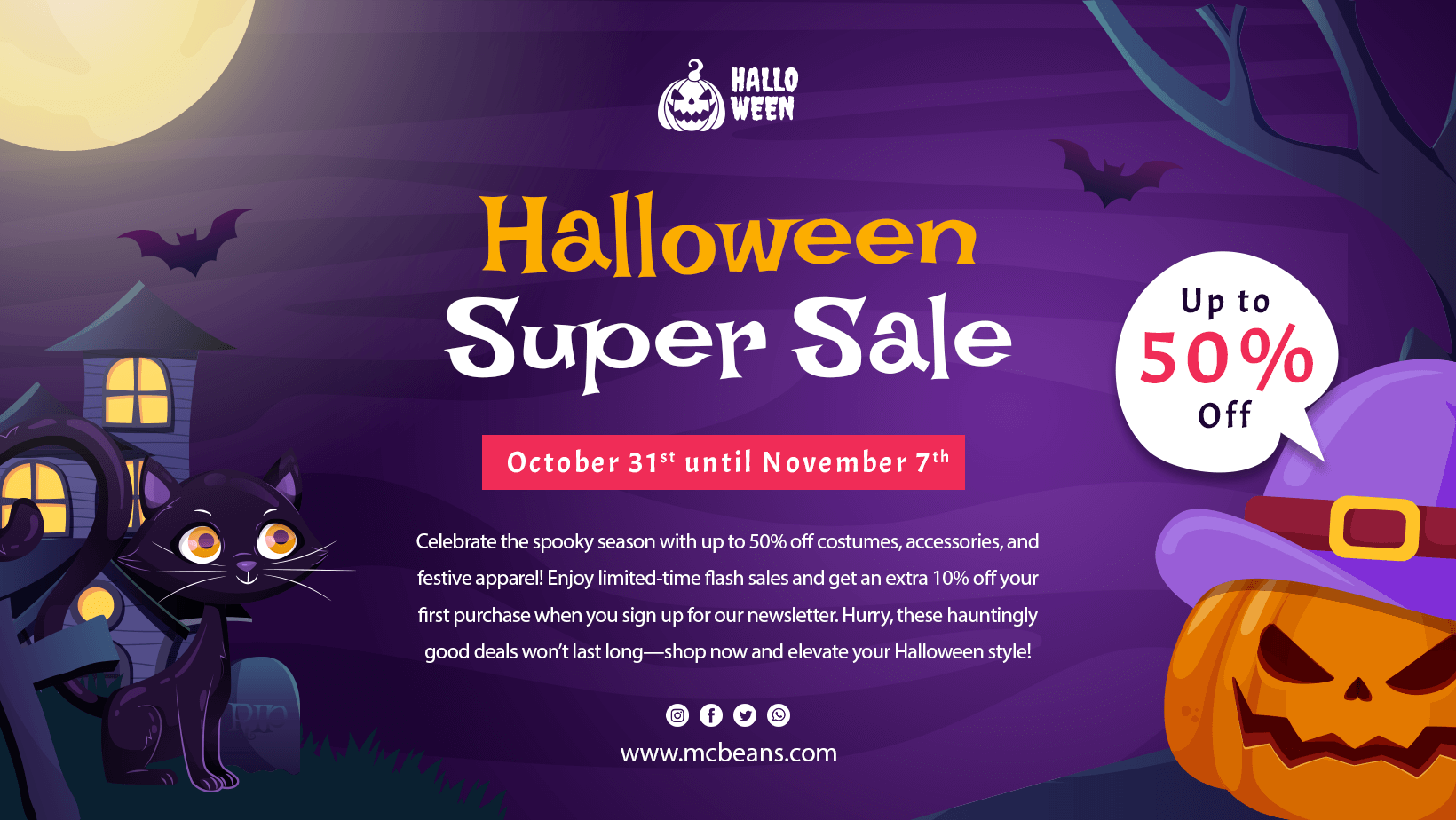
2. Roll out Halloween social media campaigns
Social media serves as a powerful tool for boosting your Halloween marketing, building a deeper connection between your audience and your brand.
The following sample strategies not only create excitement but also help you reach more shoppers:
i. Chilling social media makeover
Give your social media platforms a Halloween vibe (that’s preferably consistent with your redesigned website). For example, you can convert your social media accounts into an online haunted house! This involves using ominous visuals, unsettling sound clips, and interactive features that invite your followers to engage.
ii. Highlight special offers
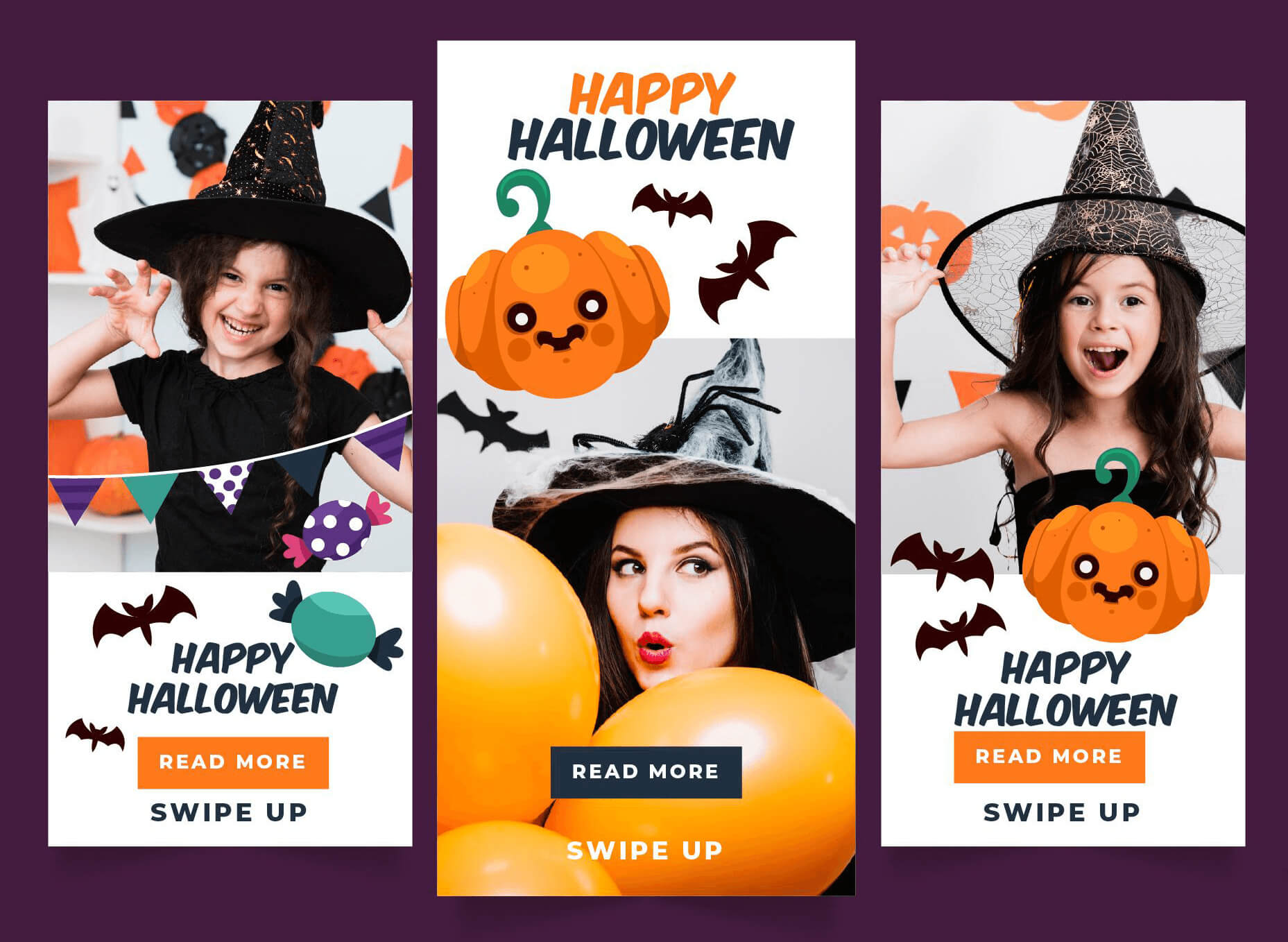
Do you have some thrilling discounts prepared? Then make sure to share the excitement by announcing these offers on social media. Design striking banners that capture attention with phrases like “spectral savings.” Posting these will draw in views and ignite discussions about your promotions.
iii. Host interactive polls
Use social media to conduct polls or quizzes about Halloween preferences, such as favorite costumes or decorations. For one thing, this engages your audience. For another, it provides insights into their preferences, helping you tailor future promotions.
iv. Theme your ads
Create Halloween-themed advertisements for Google Ads and social media. Use bone-chilling visuals and catchy phrases to attract attention and drive traffic to your store. Tip: You can create ads with AI for faster, targeted results.
v. Collaborate with influencers
Join forces with local influencers or bloggers who reflect your brand’s values. Provide them with products to feature in their content, and encourage them to share their honest opinions. This can significantly broaden your reach and introduce your brand to new audiences.
vi. Customer reviews
Encourage customers to provide reviews and share pictures of their Halloween purchases. Highlight these reviews on your social media channels and website to build trust and inspire new customers to make purchases.
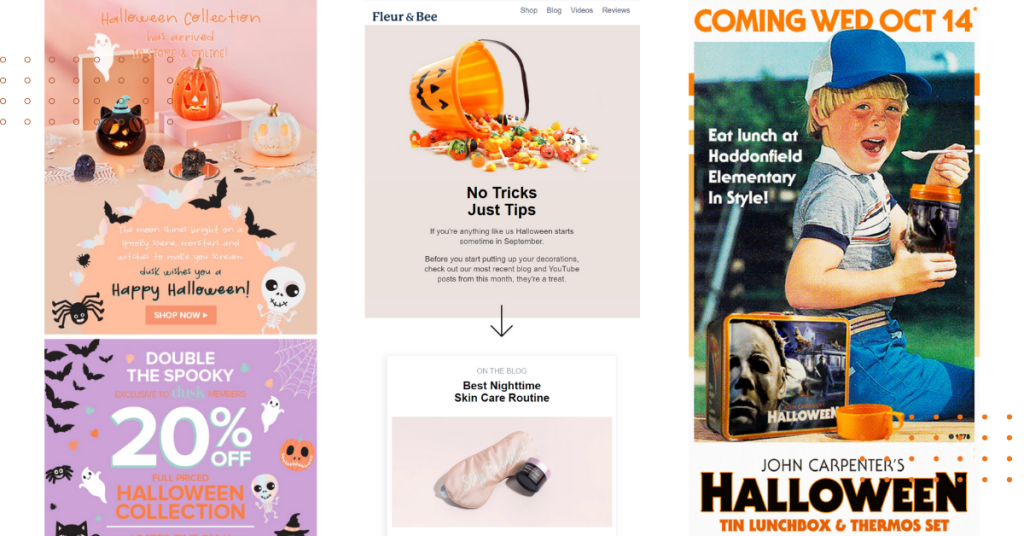
3. Send Halloween-themed emails
Email marketing is an exciting way to keep your audience engaged and increase sales during the Halloween season. Here are some thrilling strategies to elevate your email game:
i. Chilling subject lines
Catch your readers’ eyes with subject lines that scream Halloween excitement, like “Ghoulishly Great Offers Await!” or “Unmasking Sinister Savings Just for You!”
ii. Creepy email aesthetics
Transform your emails with a Halloween-inspired design, incorporating haunting visuals, ghostly fonts, and a palette of seasonal hues. Make your templates as enchanting and eerie as a moonlit night.
iii. Countdown clock
Including a countdown timer in your emails is an effective way to instill a sense of urgency. Let your customers know that the clock is ticking to grab those hauntingly good deals before they vanish into the night!
iv. Abandoned cart reminders
Give your abandoned cart emails a haunting twist. Use ghostly phrases and irresistible offers to entice customers back to complete their purchases, making them feel like they’re missing out on something truly thrilling.
v. Mystery unveiling emails
Develop a sequence of emails as Halloween approaches to tease thrilling promotions or products. Use cryptic hints and engaging imagery to keep your audience guessing and eager for the grand reveal.
vi. Skin-crawling content
Share Halloween-themed content like costume ideas, party planning tips, scary trivia, nightmare-inducing facts, or hair-raising recipes in your emails. Of course, you can also offer product recommendations. This keeps your brand top-of-mind and positions it as a helpful resource while providing entertaining content that engages customers and keeps the Halloween spirit alive.
vii. Trick-or-treat loyalty rewards
Introduce a special Halloween loyalty program where customers can earn “treats” for engaging with your emails. These can include exclusive discounts, free products, or entry into a Halloween sweepstakes.
viii. Giveaway announcements
Use your Halloween email marketing platform to announce Halloween-themed giveaways or contests. Build anticipation by showcasing prizes and encouraging participation to engage your audience further.
ix. Spine-chilling customer stories
Encourage your customers to share their favorite Halloween memories or ominous experiences. Feature these stories in your emails, creating a community feel while celebrating the season.
4. Customize your discounts for the Halloween season
Of course, one of the best Halloween marketing ideas to try during the festive season is to offer special Halloween deals. So enchant your customers by creating some irresistible spooky promotions!
i. Trick-or-treat discounts
Consider introducing a playful twist to your promotions by offering a “Trick-or-Treat” discount. This provides a “Trick” discount on specific items or a “Treat” discount for those who spend above a certain amount.
ii. Special bundles
Curate bundles that encourage larger purchases. For example, you could create a “Halloween Party Pack” that features a costume, decorations, and snacks. Or how about offering a “Buy One, Get One 50% Off” deal on Halloween items? When such strategies promote items at a discounted rate, you entice customers to buy multiple products. This simplifies their shopping experience and increases your average order value.
iii. Freebies
Who wouldn’t love to receive a Halloween gift? Offer complimentary Halloween-themed goodies or samples with qualifying orders. This not only encourages customers to spend more but also adds a sense of exclusivity and excitement to your brand.
iv. Early bird discounts
Start your promotions in late September by offering a percentage off for customers who shop early. For one thing, this strategy helps boost sales before the main Halloween rush. For another, it rewards proactive shoppers. Promote this deal through your email list and social media to create awareness.
v. Flash sales
To ensure a good Halloween promotional campaign, create excitement and urgency by running flash sales on select items. Promote these sales through email and social media, emphasizing that they are time-sensitive, which encourages immediate action from customers.
vi. Free shipping
Offer free shipping on Halloween-themed items, especially for orders over a certain amount. This can be an enticing offer for customers looking to buy multiple items and helps reduce cart abandonment rates.
vii. Limited-edition products
Create a sense of exclusivity by introducing limited-edition Halloween items. Promote these products through your marketing channels, emphasizing that they are available for a short time only, which can encourage customers to purchase before they miss out.
viii. Referral discounts
Establish a referral program that rewards customers with Halloween discounts for bringing in friends. Both the referrer and the new customer can enjoy a discount, encouraging word-of-mouth marketing and broadening your customer base.
ix. Charity donations
Promote a charitable initiative by donating a portion of Halloween sales to a local charity. This not only helps a good cause but also attracts socially conscious consumers who want to support businesses that give back.
Tip: To simplify the creation of enticing discounts, consider Advanced Coupons, a WooCommerce plugin that makes it easy to create Halloween promotions. With its versatile tools, you can offer BOGO deals, gift cards, store credits, loyalty programs, and various other types of deals!
5. Host contests and giveaways
Giveaways and contests are a great way to engage your audience and generate enthusiasm for your brand. Just envision the thrill of seeing your followers’ creativity on display and how it can bring your community together!
i. Wicked treat hunt
Why not hold a virtual treasure hunt where your customers must search for hidden “treats” on your website or social media? Offer enticing rewards for those who find the most items, creating an exhilarating experience that keeps them coming back for more!
ii. Creepy costume contests
Engage your customers by hosting a costume contest. Encourage them to share photos of themselves in costumes purchased from your store on social media. Create a specific hashtag for the contest and offer a prize, such as a discount on their next purchase or a gift card, to incentivize participation.
iii. Chilling tale competition
Invite your customers to craft and share their most spine-chilling ghost stories. Offer prizes for the most captivating narratives and consider creating an anthology of the best tales to share with your audience. This not only encourages creativity but also weaves a web of community engagement around your brand’s Halloween festivities.
iv. Social media giveaways
Organize a giveaway on your social media platforms that features Halloween-themed products. Ask participants to follow your page, like the post, and tag friends. This strategy increases engagement and spreads the word about your products to a broader audience.
v. Social media challenges
Launch fun Halloween-themed challenges on platforms like Instagram or TikTok. Encourage your followers to participate by creating costumes, decorations, or spooky recipes using your products. Then, share their creations using a designated hashtag.
vi. User-generated content
Encourage customers to share their Halloween-themed photos or videos of their experiences with your products. Create a distinctive hashtag for customers to use and highlight the best submissions on your social media platforms and website to build a sense of community.
6. Create Halloween-themed content
Engage your audience by producing themed content that showcases your products while providing entertainment and value. From blog posts to videos, creative content can help your brand connect with customers during the festive season!
i. Themed blog posts
Write engaging blog posts with Halloween-related topics, such as costume ideas, decoration tips, or party planning guides. Incorporate links to relevant products in your store to drive traffic and improve SEO while providing valuable information to your audience.
ii. Video tutorials
Create short video tutorials showcasing DIY Halloween crafts, makeup looks, or cooking blood-curdling treats. Then, share these tutorials on your website and social media platforms to captivate your audience and highlight your products.
iii. Infographics
Design informative and visually engaging infographics about Halloween, covering topics like trick-or-treating safety tips or statistics on Halloween spending. Then, share these on your blog and social media to attract attention and drive engagement.

7. Create engaging Halloween experiences
While Halloween contests and giveaways are great ways to engage customers, there are numerous other memorable experiences you can offer during the Halloween season.
The following strategies will boost customer satisfaction and build lasting connections with your brand:
i. Virtual Halloween events
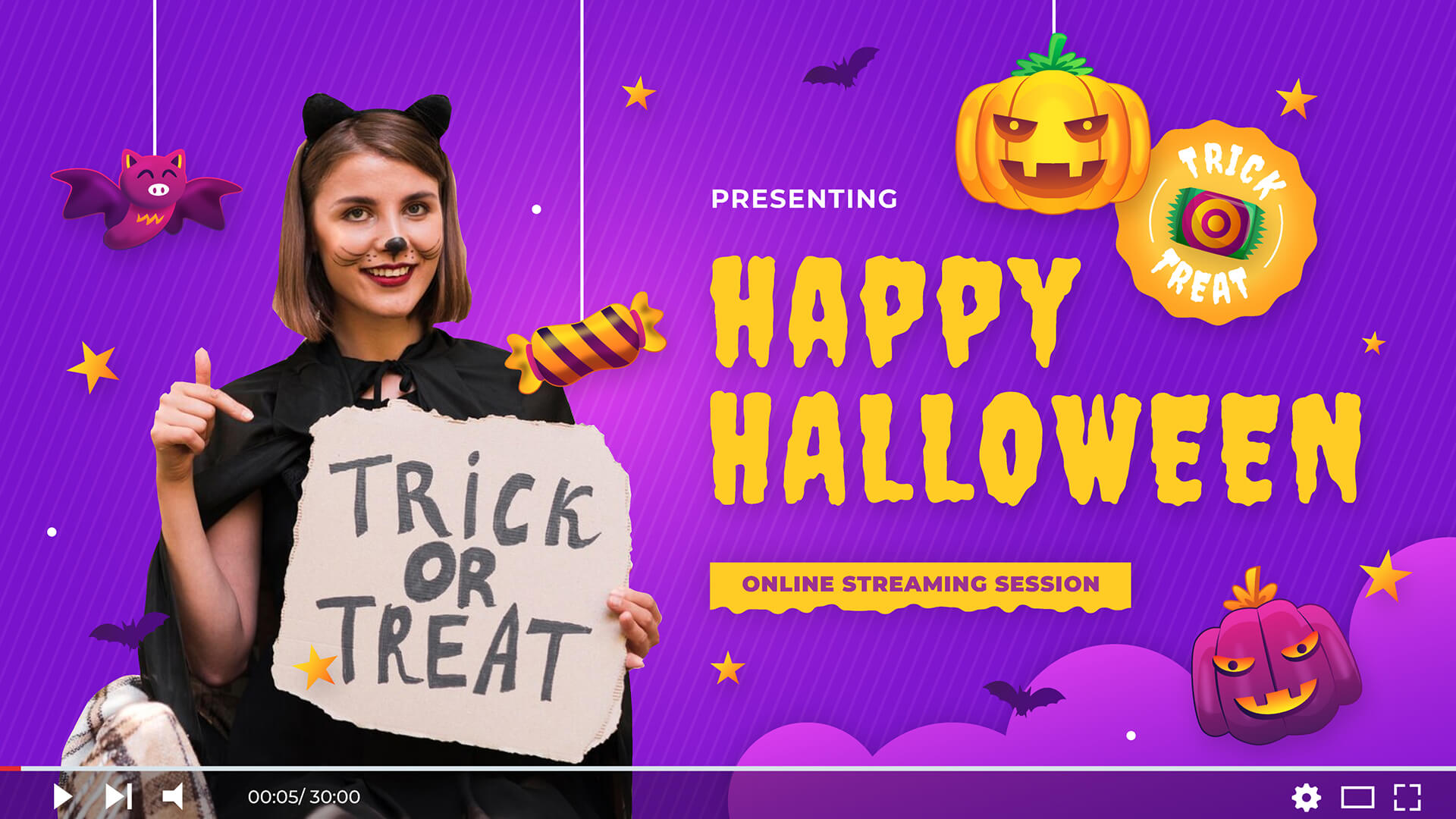
Host a virtual Halloween event, such as an online party or crafting session, that showcases your products. Advertise the event on your website and social media channels, urging customers to join in and use your products during the activities.
ii. DIY kits
Offer DIY kits for Halloween decorations or costumes that include everything customers need to create their ghoulish projects. This not only taps into the growing trend of DIY crafting but also provides a fun activity for families and individuals.
iii. Themed packaging
Level up the unboxing experience by using Halloween-themed packaging for orders placed during the season. Add festive stickers or notes to the package to make it feel extra special, delighting customers and motivating them to share their unboxing experiences on social media.
iv. Interactive workshops
Organize workshops where customers can learn to create Halloween-themed crafts, treats, or decorations using your products. This interactive approach not only captivates customers but also showcases the versatility of your products, creating a lively community atmosphere.
v. Terrifying storytelling sessions
Host virtual storytelling sessions where participants can share their favorite dreadful tales or listen to engaging Halloween-themed stories. This could be a fun way to create a sense of community among your customers and promote products related to Halloween storytelling, such as themed decorations or snacks.
How To Leverage Product Feeds To Boost Your Halloween Campaigns
Turning Halloween promotion ideas into a reality is a great way to boost sales during the spooky season. But to ensure even greater profits, you’ll need to level up your game.
To begin, it’s important to showcase your offerings not only on your WooCommerce store but also across various sales channels. Picture advertising on platforms like Google Shopping, Microsoft Bing, Facebook, Instagram, Pinterest, TikTok, Amazon, PriceGrabber, and others. You can even get your products in front of shoppers using AI assistants, with a ChatGPT product feed. By doing this, you’ll reach not just your website visitors but also the customers of those additional channels. This expanded exposure will significantly boost your reach, visibility, and, ultimately, your sales and profits.
This is where product feeds come in.
What is a product feed?
A product feed is a structured data file that includes an organized list of your products along with their details, such as titles, descriptions, prices, availability, and more. By submitting these feeds to various platforms (like Google Shopping and Bing), you enable them to display your products to their users. This strategy allows you to present your items to both your existing customers and new shoppers on other sales channels, ultimately broadening your reach and increasing your sales opportunities.
How do you create product feeds?
Do you want to create product feeds? Then you need to use product data feed software. For this guide, we’ll use the powerful WooCommerce product feed solution, AdTribes Product Feed Pro, which comes with 250+ channel templates.
This plugin boasts a free version (AdTribes Product Feed Pro) and premium version (AdTribes Product Feed Elite). While both enable the creation of effective feeds, the latter comes with more features allowing you to customize your feeds to meet all your unique needs.
Eager to learn how to create product data feeds? Then check out our comprehensive guide, “What Is A Product Feed And How Do You Create One? (Ultimate Guide).”
With all that in mind, let’s find out how to use AdTribes Product Feed Pro to promote your products for the Halloween season!
How To Use Product Feeds To Boost Your Halloween Sales
Start by heading to WordPress dashboard > Product Feed > Create feed. Then, complete the following tabs:
- General (your feed name, channel, and file format)
- Field Mapping
- Category Mapping (if your channel uses it)
Next, the Filters tab is where you can instruct a sales channel to showcase specific products. Basically, you can use filters to control which items your feed includes. This is extremely helpful when you want precise control over what to showcase on a sales channel.
💡 PRO TIP: For Google Shopping and Meta feeds, the new Field Mapping builder shows a live preview of the mapped output for a real product from your store. Use it to check that your sale price is mapped correctly before you generate your Halloween feed.
What is a product feed filter?
A product feed filter is an instruction, taking the form of an if-then statement, that tells a sales channel to:
- Include only the products you want to display, and/or
- Exclude products you don’t want to display
Using filters allows you to conceal or show products however you want. As you’ll see below, the customization options are endless!
How do you use product feed filters to showcase specific products?
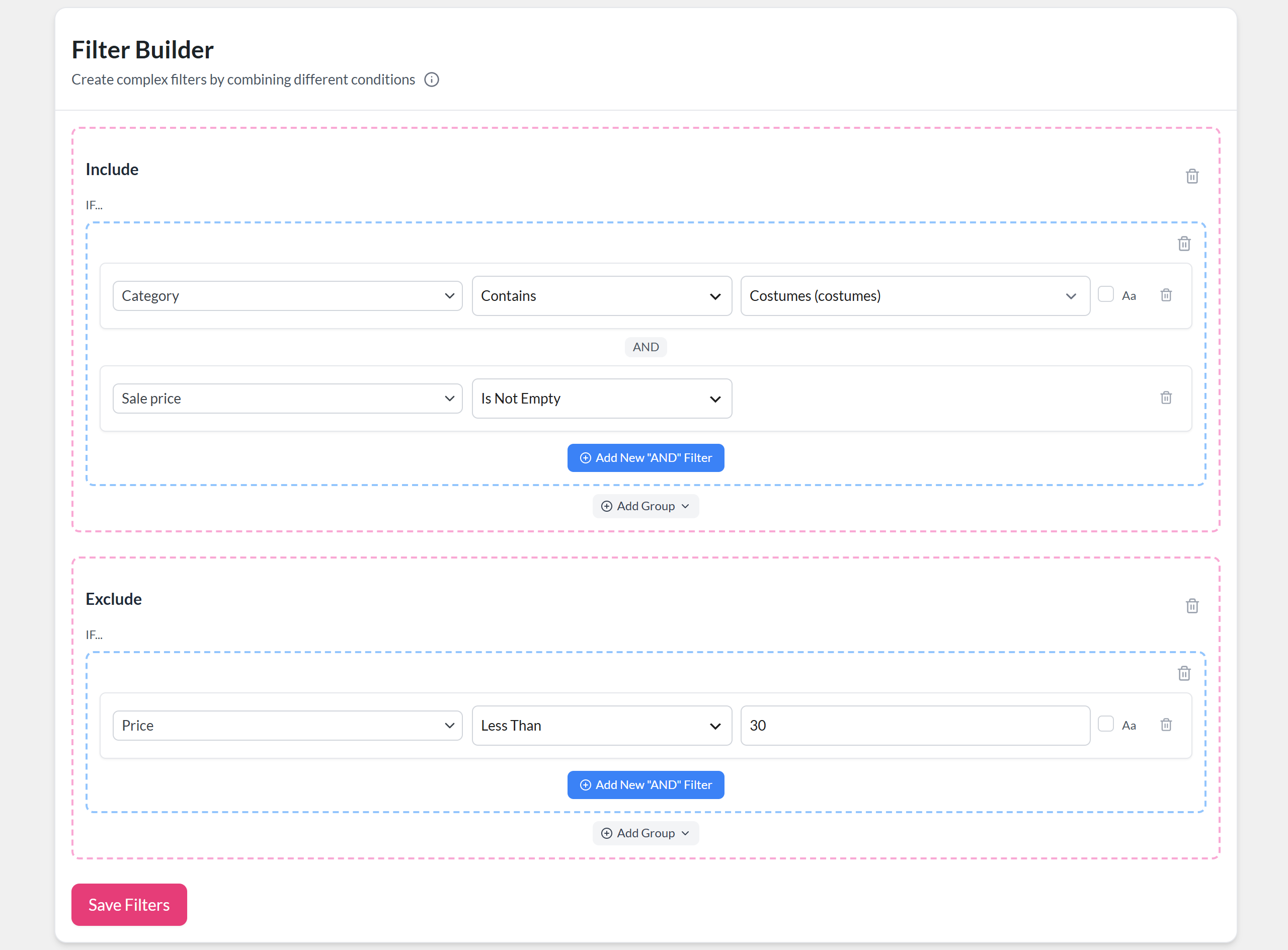
The Filter Builder has two sections: Include and Exclude. In each one, click Add New “AND” Filter, then build your condition by choosing an attribute, a condition, and a value.
Do you want to showcase specific products on a particular channel?
Let’s say you’re selling a wide range of goods but only want your costume collection to appear on Google Shopping. You can apply a filter to display only the items in your “Costumes” category, automatically hiding all other products. This keeps the focus where you want it, which can be incredibly helpful for highlighting your costumes during the Halloween season!
Want to promote only your discounted costumes? Add a second condition to the same group, like setting Sale price to Is Not Empty. Because both conditions sit in one group, a product has to match both to be included. This is perfect for a Halloween sale!
You can also use the Exclude section to leave products out. For example, “If the product’s Price is Less Than 30, exclude it from the feed.” This can be extremely useful if you want to promote only your higher-value items during the Halloween season!
Here’s what all three conditions look like together:
Need more flexibility? Click Add Group to add another set of conditions and join the groups with AND or OR. For example, you could include your “Costumes” category OR your “Decor” category in the same feed.
💡 PRO TIP: With AdTribes Product Feed Elite, two extra conditions save you from stacking rows. In List matches any value in a comma-separated list, which is handy for a hand-picked set of Halloween product IDs or SKUs. Between matches a number range, like a Price Between 30,150 for your mid-range costumes. Here’s how to match multiple values in filters and rules.
For more information and examples, read this document as well as this one.
How do you put your Halloween promotion ideas into action with product feed filters?
To put your Halloween marketing ideas into action with product feed filters, simply finish the product feed creation process and generate your product feed. Then, submit the feed to a sales channel!
You can generate multiple product feeds and distribute them to as many sales channels as you desire. Additionally, you can configure unique feed filters for each channel, improving product visibility and optimizing your Halloween marketing efforts!
Here are a few more ways to get your feeds Halloween-ready:
- Schedule your sale in WooCommerce: When you set sale price dates on your products, AdTribes Product Feed Pro adds them to your Google Shopping feed as the sale price effective date while the sale is running. That way, Google knows exactly when your Halloween prices end.
- Keep your feeds fresh: Set your feed to refresh Hourly, Twice Daily, or Daily so new sale prices show up on your channels quickly when your Halloween deals start and end.
- Label your Halloween products for ads: With AdTribes Product Feed Elite, your rules can fill in Google Shopping custom labels, like tagging your costumes with a “halloween” label so you can give them their own ad campaign.
- Make your costume titles easier to find: With AdTribes Product Feed Elite, the Combine Fields rule action can add descriptive words to your product names in the feed, like “Halloween Costume” after every product in your “Costumes” category. Your product names in WooCommerce stay the same. Keep it descriptive, since Google’s title guidelines discourage promotional text like “50% off.”
- Reach last-minute shoppers near your store: If you also sell from a physical shop, the Google Local Products and Google Local Products Inventory channels let you send your in-store stock to Google for local inventory ads. That’s handy, since the NRF found 26% of shoppers turn to retail stores or costume shops for costume ideas.
How do you show your Halloween coupon codes on Google Shopping?
Your sale prices already flow into your Google Shopping feed. But if you want your Halloween coupon code to show up as a clickable “Special offer” tag on your listings, you need a separate Google Shopping promotions feed. The tag can appear on both paid Shopping ads and free listings, so it’s worth setting up even if you aren’t running ads.
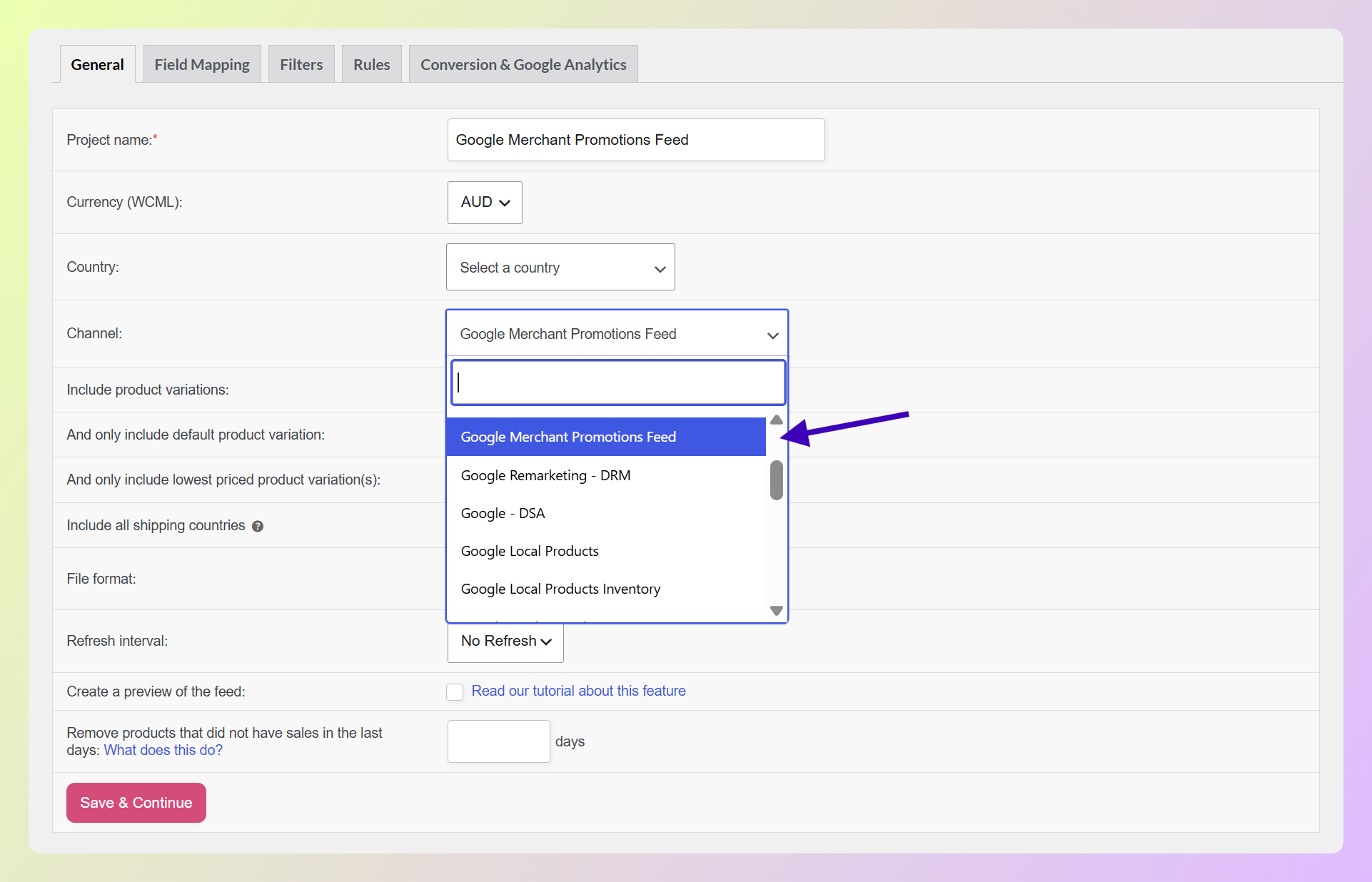
AdTribes Product Feed Pro includes a free Google Merchant Promotions Feed template. Here’s how to use it:
- Create a new feed and choose Google Merchant Promotions Feed as the channel.
- Map the required promotion fields, such as promotion_id, offer_type, long_title, and promotion_effective_dates, plus the field that matches your deal (like percent_off or free_shipping).
- If your Halloween offer only covers certain items, set product_applicability to specific_products and use the feed’s filters to pick them, like your “Costumes” category.
- Generate the feed and add its URL to Merchant Center as a promotions data source.
💡 PRO TIP: Google reviews promotions before they go live, so build in some lead time. With Halloween on Saturday, October 31, submit your promotions feed well before your sale starts rather than on the morning of it. Selling on Microsoft Bing too? AdTribes Product Feed Pro also includes a separate Bing Shopping Promotions feed.
Ready to build your Halloween feed? You can get started with the free AdTribes Product Feed Pro plugin today!
Do you want more information on product visibility? Then check out our article, “WooCommerce Product Visibility: How To Display Or Hide Products“!
Frequently Asked Questions About Halloween Promotions
Let’s answer some commonly asked questions about Halloween promotions!
How can you increase sales during Halloween?
You can increase sales during Halloween by using a variety of strategies. For example, you can offer Halloween promotions and discounts specifically for the holiday, which can encourage purchases and thus boost sales. Additionally, consider redesigning your website to reflect the Halloween theme, which can create a festive atmosphere and draw in more customers. Focused social media and email marketing campaigns can harness the seasonal excitement, boosting engagement and increasing traffic to your store.
What are good ways to sell more on Halloween?
To sell more on Halloween, consider employing effective tactics like offering limited-time discounts on popular items or creating bundles of Halloween-related products that encourage customers to buy more. Running engaging contests or giveaways can also attract attention and increase brand visibility. Flash sales, which create urgency and excitement, can further motivate shoppers to make quick purchases, boosting overall sales during the season.
How do you plan a Halloween marketing campaign?
When planning a Halloween campaign, start by setting clear objectives, such as increasing sales or attracting new customers. Craft a chilling and cohesive theme that appeals to your target audience and effectively highlights your products. Leverage various channels, including email and social media, to promote your campaign and reach a wider audience. Finally, consider incorporating discounts, special offers, or giveaways to engage customers and create a sense of urgency that encourages sales.
When should you start promoting your Halloween sale?
It’s best to start early. According to the NRF, 49% of shoppers plan to begin their Halloween shopping in September or earlier. With Halloween on Saturday, October 31, 2026, aim to share your first teasers by early October, run your main offers through mid-to-late October, and save a final push for Halloween weekend.
What are some Halloween discount ideas?
Popular Halloween discount ideas include trick-or-treat discounts (a “trick” deal on select items and a “treat” for bigger spenders), Halloween bundles, early bird discounts, flash sales, free shipping over a set amount, and free gifts with qualifying orders. Once your deal is ready, share the code by email and social media, and add it to your Google Shopping listings with a promotions feed.
Conclusion
Because Halloween can be a profitable time for large and small business owners, don’t miss the chance to enchant your customers with captivating promotions and creative marketing strategies. By harnessing the power of Halloween promotion ideas, you can create unforgettable experiences that drive sales and build lasting connections with your audience.
To recap, this article discussed more than 40 Halloween marketing campaign ideas spread across the following 7 categories:
- Design a Halloween-themed website
- Launch Halloween-themed social media initiatives
- Send Halloween-themed emails
- Customize your discounts for the Halloween season
- Host eerie contests and giveaways
- Create Halloween-themed content
- Create engaging Halloween experiences
Also, don’t forget to use product feeds to improve your visibility and ensure your Halloween-themed offerings reach eager shoppers across multiple channels. A promotions feed can even put your Halloween coupon codes right on your Google Shopping listings.
Embrace the spirit of the season, and let your business revel in the magic of Halloween!
Do you have any questions about Halloween promotion ideas? Let us know in the comments section!